- Batasan usia4+
- KategoriKegunaan
- PengembangAlberto J Leyva-Menendez
- BahasaInggris
- Ukuran35,4 MB
Tertaut ke halaman resmi App Store
Download.org tidak menyimpan file HoverCam apa pun. Tombol ini membuka halaman aplikasi di App Store, tempat Alberto J Leyva-Menendez menerbitkannya. Halaman terakhir diperiksa pada 23/11/2026.
Tangkapan layar

Tentang
Pengembang belum menyediakan teks ini dalam bahasa Anda.
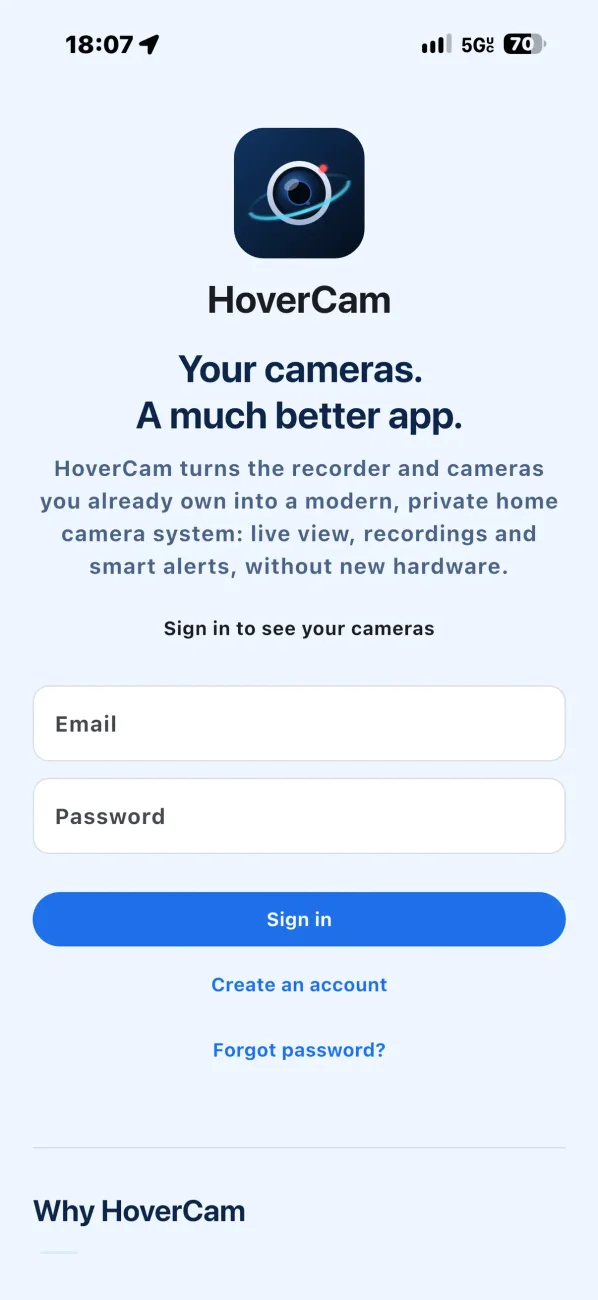
HoverCam turns the security cameras you already own into a modern, private camera and home alarm app.
Connect your wired cameras and your recorder (NVR) once, then watch them from anywhere on your iPhone, iPad, computer or TV. No new cameras, and no cloud storage of your video. Add smoke, CO, door and motion sensors, and HoverCam becomes your home alarm too.
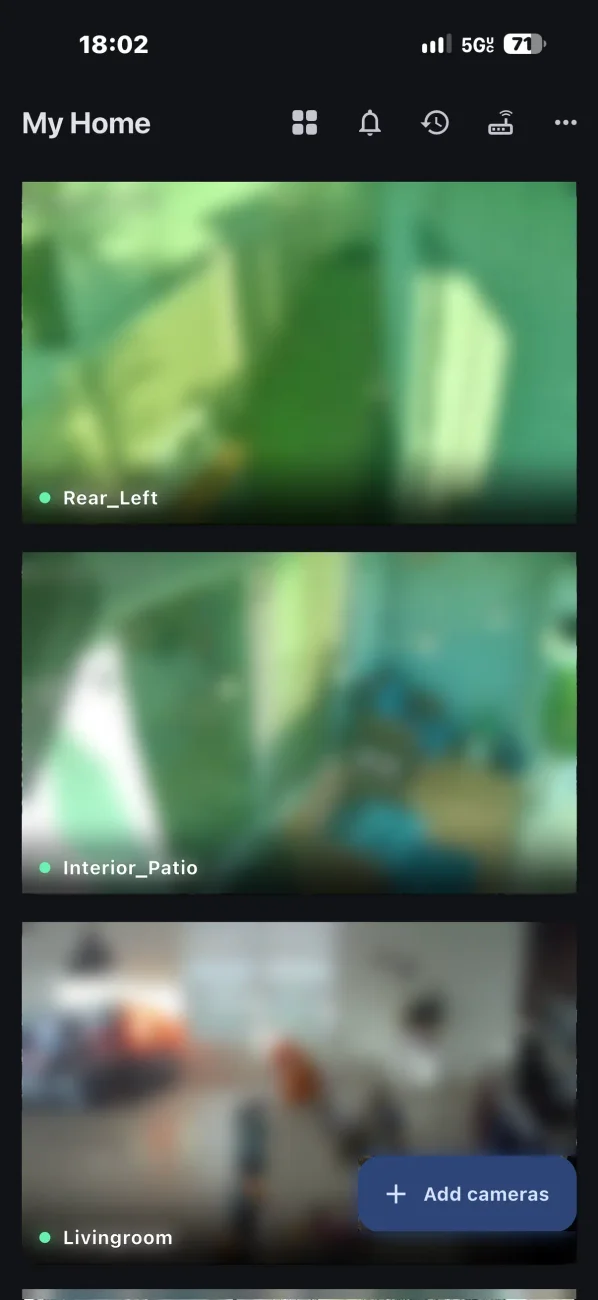
LIVE VIEW
See every camera at once in a live grid, or tap one for full screen
Fast, smooth video straight from your home
TV mode turns a spare tablet or TV into a security monitor
RECORDINGS
Play back your recorder’s footage from anywhere
Move through the whole day on a timeline, with fast forward and rewind
Choose HD or a lighter quality on slow connections
ALERTS THAT MATTER
Motion and person alerts with a picture of what happened
Choose all alerts, people only, or none for each camera
Get told if your hub, recorder or hard drive needs attention
HOME SENSORS AND ALARM
Smoke and carbon monoxide alerts to everyone in the home, even with the app closed
Door, motion, water leak and temperature sensors in the same app
Home, Night and Away modes, with a siren and door chime
Arm on a weekly schedule, or automatically when everyone leaves and disarm when you arrive (optional)
PANIC AND TRUSTED CONTACTS
Silently alert people you trust, with your address and a temporary, view-only link to your cameras
Call 911 in one tap
Contacts never get permanent access to your home
FOR THE WHOLE FAMILY
Everyone gets their own login and their own alerts
Share all cameras or only the ones you pick
Invite family with a simple code
PRIVATE AND SECURE BY DESIGN
Your video goes straight from your home to your phone; we never record or store it
Camera passwords stay on the hub in your home
No ports to open on your router
Face ID lock, a security PIN to disarm, and two-step sign-in
Encrypted hub backups that only your recovery key can open
HOW IT WORKS
HoverCam uses a small hub program that runs on a computer at home (Windows, Mac, Linux or Raspberry Pi) on the same network as your cameras. Install it with one command from hoverlayer.com/hovercam/hub, enter the pairing code in the app, and add your cameras.
Live view works with IP cameras that support RTSP or ONVIF. Recordings, alerts and recorder settings currently work with Xiongmai-based recorders. Home sensors use Z-Wave and need a Z-Wave USB stick on the hub computer.
HoverCam is not a monitored alarm service and does not contact emergency services for you.
Yang baru
Versi 1.0.9 · 19/11/2026
• Panic alerts: send a silent request for help to trusted contacts, with your address and a temporary, view-only link to your cameras. Includes Call 911.
• Automatic Home/Away: turns Away on when everyone leaves and off when you arrive (optional, set on a map).
• Encrypted hub backups with a recovery key only you keep.
• Face ID lock, a security PIN for disarming (with optional duress PIN), and “Lost a phone?” sign-out.
• Smaller controls on live screens for more room for video.
Privasi aplikasi
Yang dinyatakan Alberto J Leyva-Menendez di App Store tentang cara aplikasi ini menangani data.
-
Data yang ditautkan dengan Anda
Dapat dikumpulkan dan ditautkan dengan identitas Anda.
- Info kontak
- Konten pengguna
- Pengenal
Praktik privasi dapat bervariasi, misalnya berdasarkan fitur yang Anda gunakan atau usia Anda.
Informasi
- Penjual
- HoverLayer LLc
- Kategori
- Kegunaan
- Versi
- 1.0.9
- Diperbarui
- 19/11/2026
- Dirilis
- 31/10/2026
- Ukuran
- 35,4 MB
- Memerlukan
- iOS 15.0 atau yang lebih baru
- Batasan usia
- 4+
- Harga
- Gratis
- Bahasa
- Inggris
- Hak cipta
- © 2026 HoverLayer LLC