
- Batasan usia17+
- KategoriProduktivitas
- PengembangWalter Lara
- BahasaInggris
- Ukuran194,2 MB
iknowpc mungkin sedang tidak tersedia di App Store
Halaman di toko tidak dapat dijangkau saat terakhir kami periksa. Tautan tetap mengarah ke halaman resmi App Store.
Tangkapan layar



Tentang
Pengembang belum menyediakan teks ini dalam bahasa Anda.
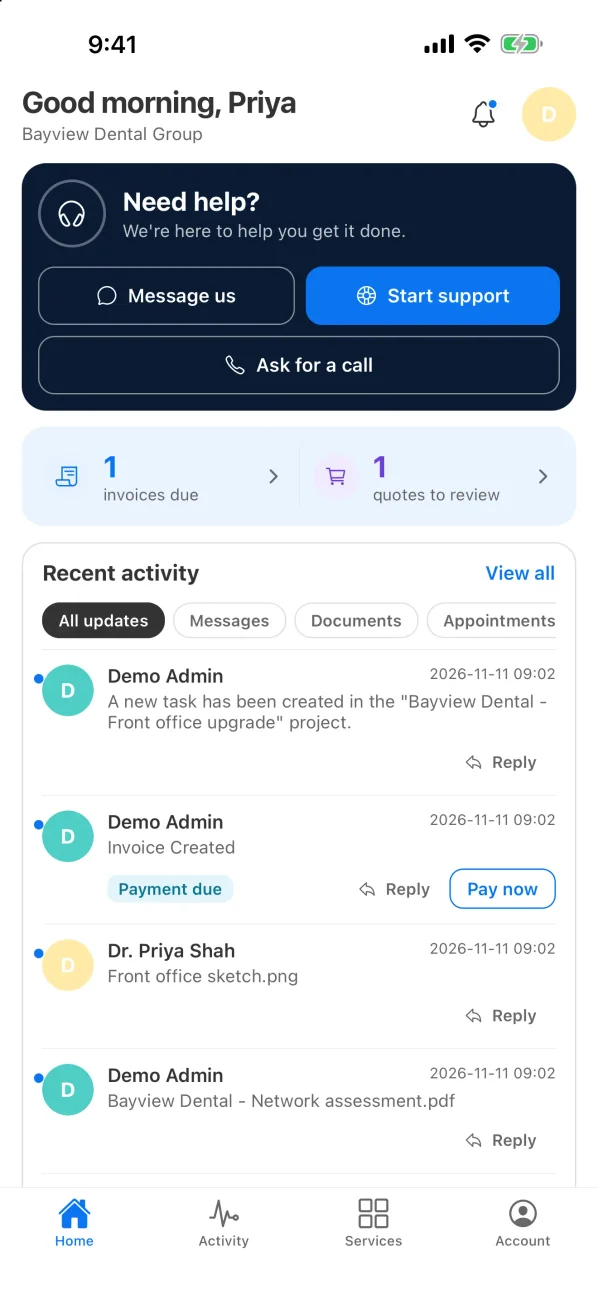
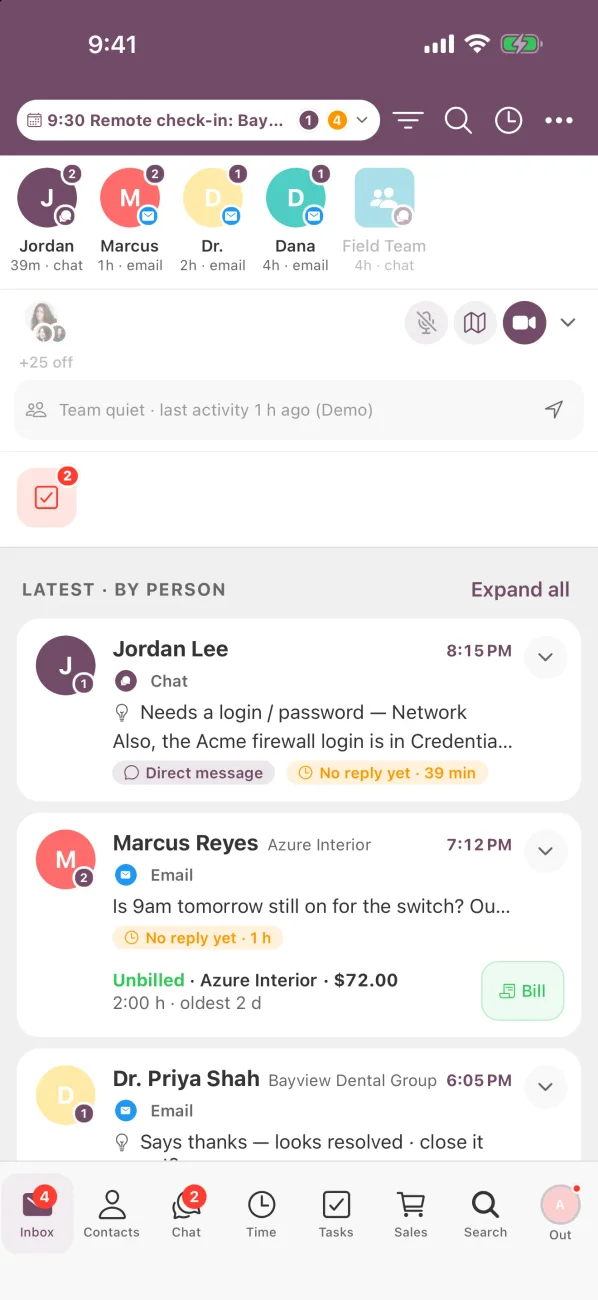
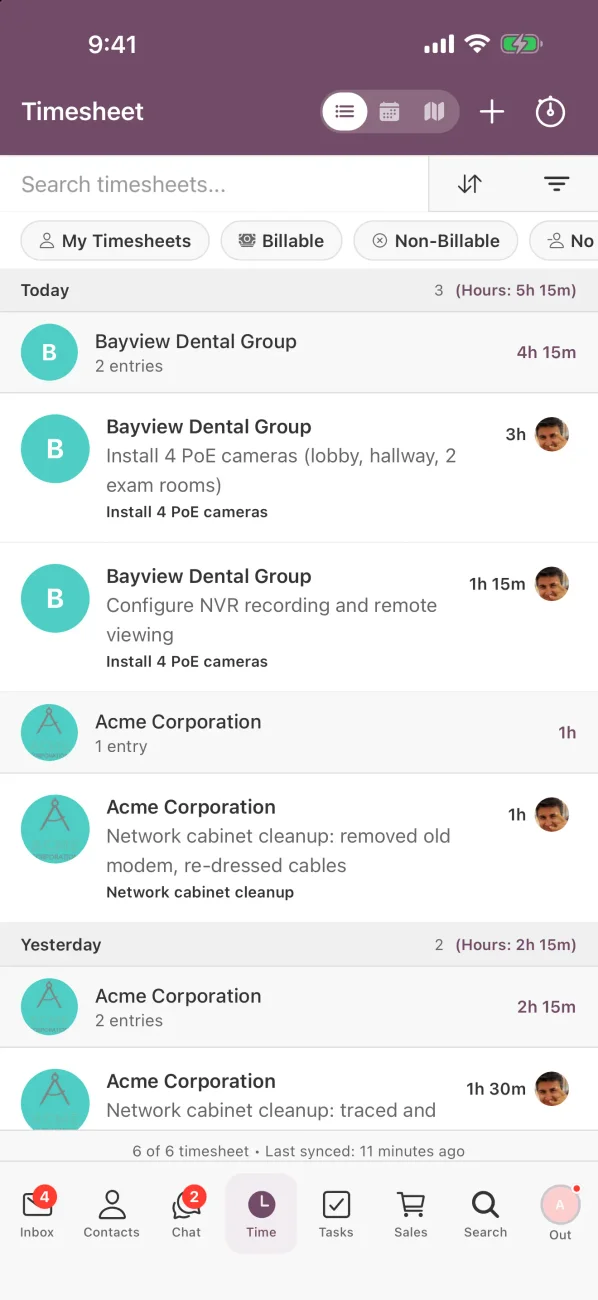
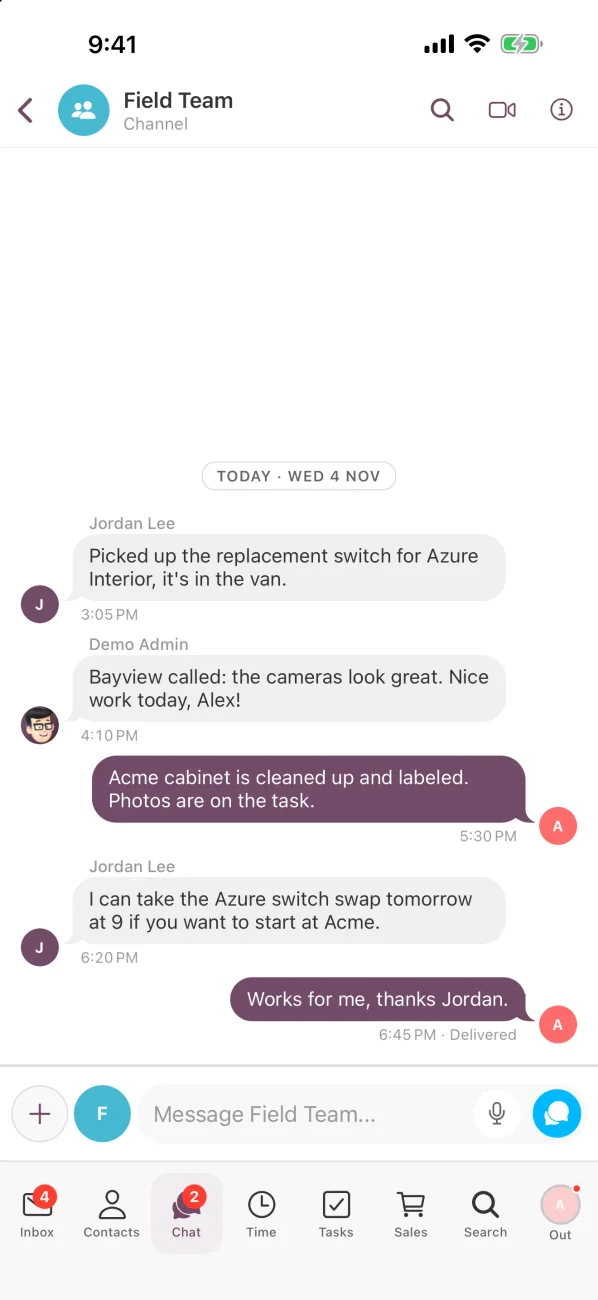
iknowpc runs the whole day of a field service team from one app: the jobs, the clock, the phone line, the customer conversations and the tools a technician needs on site.
It is the app for companies whose business workspace is hosted by iknowpc, and for their customers. Sign in with the email or mobile number your company gave you, or sign up to create a new workspace for your own company.
MESSAGES AND CALLS
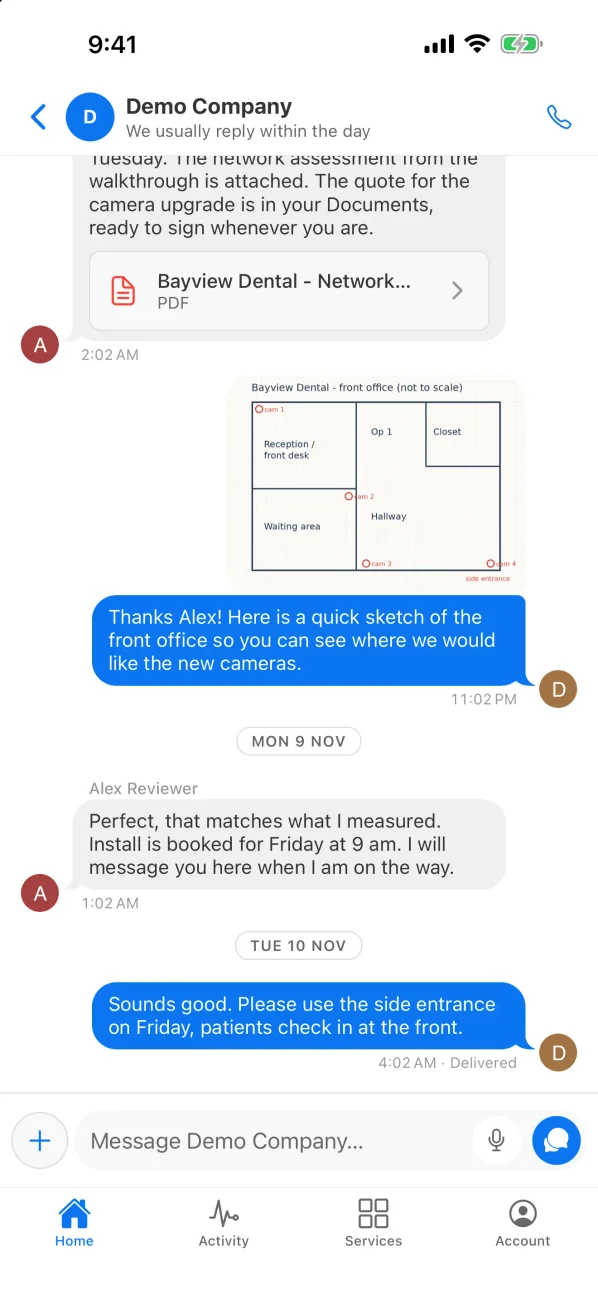
• One inbox for SMS, WhatsApp, email and team chat, with photos, files, image mark-up and dictation.
• Auto-unsubscribe from promotions and mailing lists, per mailbox.
• Your business phone line on your iPhone: calls ring like a normal call, with transfer, hold, voicemail and ring groups. Your company can turn on call recording for your extension.
• Video calls with screen sharing and live captions; send a customer a link to join.
• Crew radio: push-to-talk to your team, from the app, a widget or Apple Watch.
AI THAT WORKS FOR YOU (OPTIONAL)
• Draft replies, email summaries and suggested next steps.
• Send an incoming call to an AI agent, watch the live transcript, then listen in or take over.
• Ask the AI agent to call or text a customer for you.
AI features ask your permission first and can be turned off in your profile.
TIME AND JOBS
• Clock in and out, run job timers, and see your time on the Lock Screen.
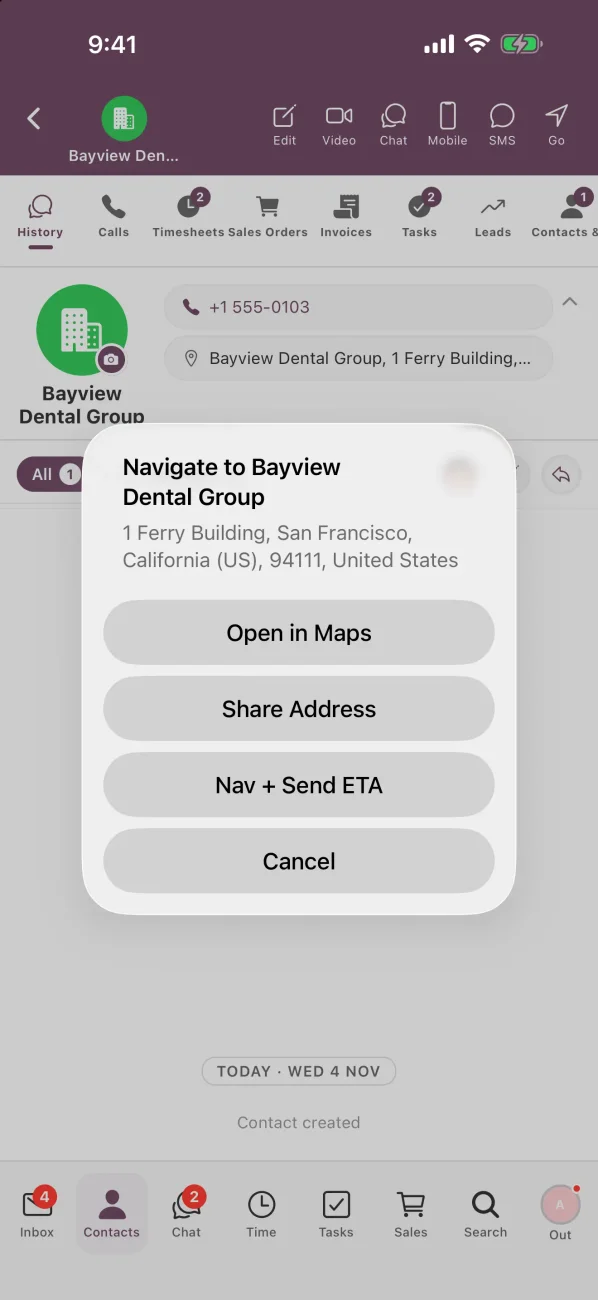
• While you are clocked in, "Nav + Send ETA" texts the customer a live map of your arrival, and your timesheet records the job site and miles driven. Location is never collected while you are clocked out.
• Tasks, calendar, time off requests, and the customer's full history in one card.
• Visits show live on the Lock Screen and Dynamic Island, for you and your customer: on the way, working, done.
CUSTOMERS AND SALES
• Contacts, quotes, sales orders and invoices; record payments you collect.
• Import contacts from your phone, choosing each person to add.
• Bookkeeping: match bank transactions to invoices and bills.
• Products with photos, variants and vendors; inventory areas with QR labels; a barcode and QR scanner.
ON-SITE TOOLS
• Scan a room with LiDAR to draw its floor plan, then view and adjust the plan in augmented reality.
• Print cable, port and equipment labels on a Brother label printer over Wi-Fi or Bluetooth, from a photo, a design or the AR view.
• Find devices on the Wi-Fi you are on and open their web page or an SSH, VNC or remote desktop connection.
• Use the TVs, speakers and lighting on that network with built-in remotes.
• Remote Assist: help a customer on their computer, and let a teammate on a call guide you through the app (only after you approve each request).
• Join Wi-Fi networks, view network switch ports, and control rooms, cameras and alarm panels your company manages.
• Set up alarm monitoring and collect the customer's signature.
• Put Bluetooth tags on tools and find them in the van or on site.
PASSWORDS
• A shared team vault for logins, passkeys, one-time codes and Wi-Fi, with AutoFill in Safari and other apps, unlocked with Face ID.
FOR CUSTOMERS
• See your services, appointments and invoices, pay an invoice, and message support.
• Chat with your technician, including voice messages, and answer video calls from them.
• Create and edit your own floor plans: scan rooms with LiDAR, place devices and cables, edit in augmented reality, and share a link.
• Run a network check for your technician. Nothing is shared until you tap Send.
BUILT FOR APPLE DEVICES
• Siri ("Call Sam on iknowpc", "Stop my iknowpc timer"), widgets and Controls, Live Activities, an Apple Watch app, the Share sheet, Spotlight, and iPad multitasking with keyboard shortcuts.
• Made for iPhone Duo: two panes side by side when unfolded, a tab rail, and remote desktop in laptop pose.
• Works offline: your records load instantly and sync when you are back online.
Privacy policy: https://iknowpc.com/privacy
Support: https://iknowpc.com/support
Yang baru
Versi 1.0.357 · 24/11/2026
• Made for iPhone Duo: two panes side by side when unfolded, a tab rail, and remote desktop in laptop pose.
• Live visits: your customer follows the visit on their Lock Screen and Dynamic Island, from on the way to done, and so do you.
• Bluetooth tool tags: tag your tools and find them in the van with a beep.
• Import contacts from your phone: pick each person to add to your company's contacts.
• Augmented reality: follow a teammate's view in a shared AR session, and see planned walls on site.
• Room scanning: fixed a crash during scans, and doors and windows can now be set up while you scan.
• Floor plan links and mentions open the plan right where you were mentioned.
• Tap a video in a call to enlarge it for everyone.
• Built-in remotes for TVs, speakers and lighting found by the IP scanner.
• Email: auto-unsubscribe from promotions or all mailing lists, per mailbox.
• Stability fixes, including rotating and unfolding on iPhone Duo.
Privasi aplikasi
Yang dinyatakan Walter Lara di App Store tentang cara aplikasi ini menangani data.
-
Data yang ditautkan dengan Anda
Dapat dikumpulkan dan ditautkan dengan identitas Anda.
- Pembelian
- Info keuangan
- Lokasi
- Info kontak
- Konten pengguna
- Pengenal
- Data penggunaan
- Diagnostik
Praktik privasi dapat bervariasi, misalnya berdasarkan fitur yang Anda gunakan atau usia Anda.
Informasi
- Penjual
- Walter Lara
- Kategori
- Produktivitas
- Versi
- 1.0.357
- Diperbarui
- 24/11/2026
- Dirilis
- 9/11/2026
- Ukuran
- 194,2 MB
- Memerlukan
- iOS 16.4 atau yang lebih baru
- Batasan usia
- 17+
- Bahasa
- Inggris
- Hak cipta
- © 2026 iknowpc
Mungkin Anda juga suka
-
 Beyond LinkProduktivitas
-
 Ca.denceProduktivitas
-
 Spunto: Smarter NotesProduktivitas
-
 Tasks for PebbleProduktivitas
-
 tuck: brain dump notes & to-doProduktivitas
-
 Firetask 5Produktivitas
- Classycal – Calendar & TasksProduktivitas
-
 Horizon: Calendar HighlightsProduktivitas
-
 AI Pro: Asisten AI PribadiTanya, Riset, Kode & Buat
-
 Omi AI - Perekam & RingkasanAI: Rekam, Transkrip, Ringkas