Interval - Stop Motion Camera
Claymation, Time Lapse & GIF
Dirancang untuk iPhone
Gratis · Pembelian dalam aplikasi
- Batasan usia4+
- KategoriFoto & Video
- PengembangMarinko Brdarevic
- BahasaInggris+ 3 lainnya
- Ukuran9,6 MB
Tertaut ke halaman resmi App Store
Download.org tidak menyimpan file Interval - Stop Motion Camera apa pun. Tombol ini membuka halaman aplikasi di App Store, tempat Marinko Brdarevic menerbitkannya. Halaman terakhir diperiksa pada 15/11/2026.
Tangkapan layar
Tentang
Pengembang belum menyediakan teks ini dalam bahasa Anda.
Make a stop-motion video in the time it takes to read this.
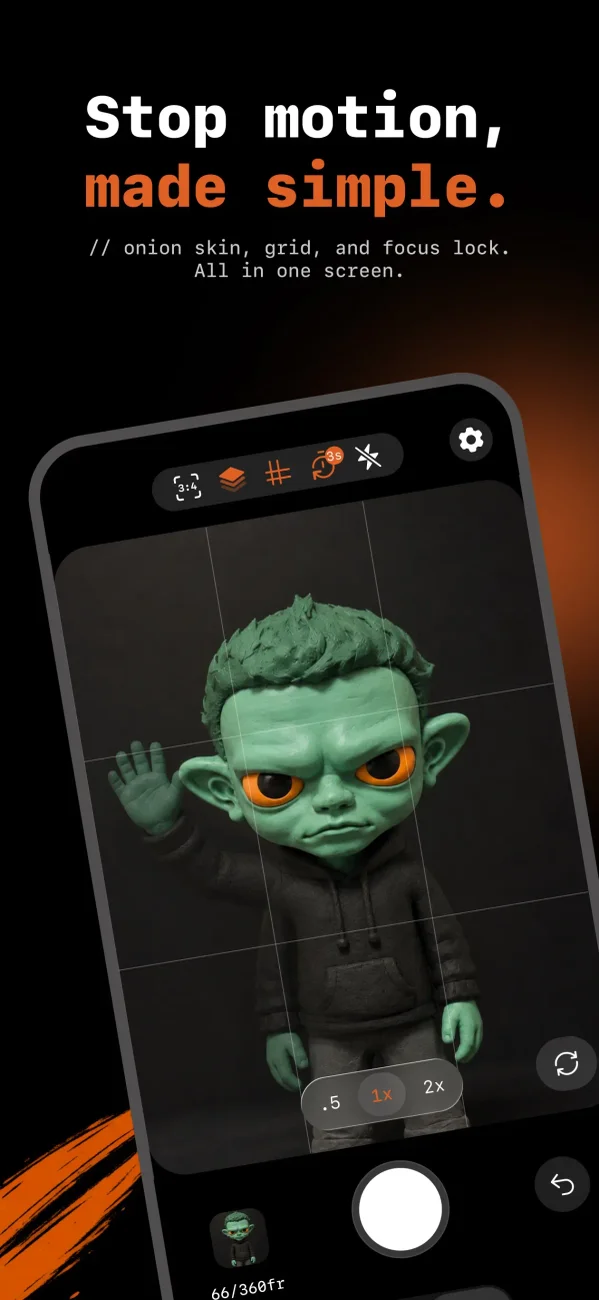
No timeline. No clutter. Onion skin shows your last frame behind the live
view, so every move lands. Time-lapse mode is one tap away.
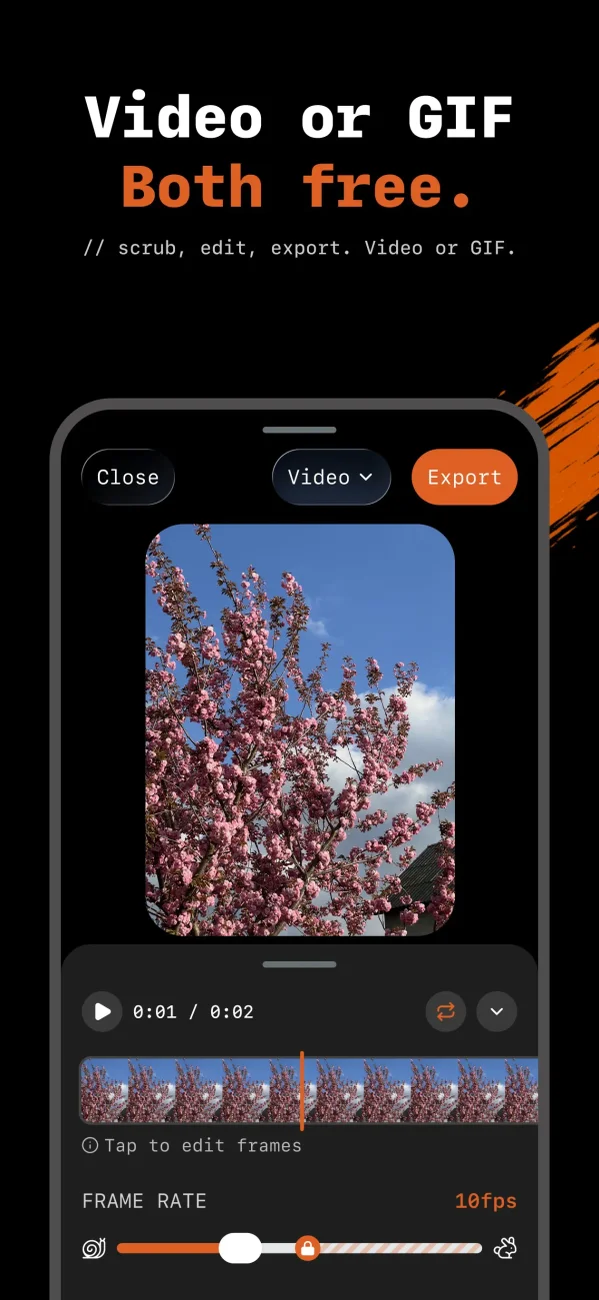
Export as video or GIF. One purchase, no subscription, ever.
CAPTURE
- Stop-motion mode: tap to capture, frame by frame
- Onion skin: see your previous frame to guide the next
- Burst mode: press and hold the shutter to fire a run of frames
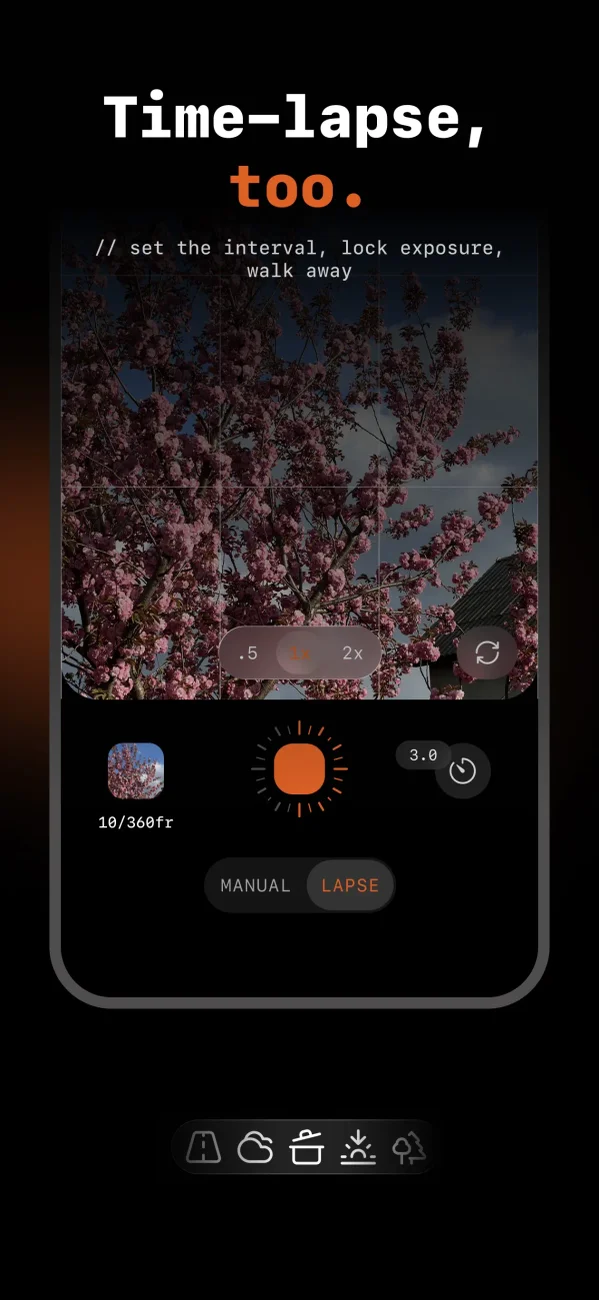
- Time-lapse mode: set your interval and let it run
- Auto-capture with custom frame limits
- Aspect ratios from square to 16:9, set before you shoot
- Grid overlay and tap-to-focus
- Pinch to zoom with native lens switching
- Exposure, white-balance, and focus lock between frames
- Self-timer: 3s, 5s, or 10s before the first frame
- Shoot in portrait or landscape
PREVIEW
- Scrub through your frames on a filmstrip
- Delete frames you don't want
- Loop playback to check your timing
- Close the app and come back — your frames are still there
EXPORT
- Save to Photos or share anywhere
- Export as GIF at 240px, 320px, or 640px — free
- Export in 1080p, or 4K with Pro
INTERVAL PRO (one-time upgrade)
- 4K export
- Manual frame rate, 1 to 30 FPS
- No watermark
One purchase. Yours forever. No subscription.
Time-lapse runs while Interval is open on screen — it's built for minutes
and hours, not overnight.
Interval is for animators, hobbyists, and anyone turning still moments into
motion, without a steep learning curve.
Built by a designer who wanted a simpler animation tool.
Yang baru
Versi 1.2 · 7/11/2026
Interval 1.2 brings new languages, more control over playback, and more room to create.
- More languages. Interval is now available in German, Japanese, and Simplified Chinese. From capture to export, the entire app feels at home in your language. More languages are on the way.
- Your frames, your pace. Preview your clip at any frame rate from 1 to 30 fps, even without Pro. Export at 5, 10, or 15 fps for free. Pro unlocks every other frame rate, or you can switch to the nearest free option with one tap.
- Made for iPhone Duo. Unfold for a larger viewfinder and more space to capture, play, and preview your frames.
- Simpler export controls. Switch between export options below Quality with a single tap.
Pro is a one-time purchase. No subscriptions.
Privasi aplikasi
Yang dinyatakan Marinko Brdarevic di App Store tentang cara aplikasi ini menangani data.
-
Data yang tidak ditautkan dengan Anda
Dapat dikumpulkan, tetapi tidak ditautkan dengan identitas Anda.
- Pengenal
- Data penggunaan
Praktik privasi dapat bervariasi, misalnya berdasarkan fitur yang Anda gunakan atau usia Anda.
Informasi
- Penjual
- Marinko Brdarevic
- Kategori
- Foto & Video
- Versi
- 1.2
- Diperbarui
- 7/11/2026
- Dirilis
- 5/8/2026
- Ukuran
- 9,6 MB
- Memerlukan
- iOS 17.0 atau yang lebih baru
- Batasan usia
- 4+
- Harga
- Gratis
- Pembelian dalam aplikasi
- Ya
- Bahasa
- Inggris, Jerman, Jepang, Tionghoa Sederhana
- Hak cipta
- © 2026, marinko.design
Mungkin Anda juga suka
-
 BurstWizardFoto & Video
-
 Align: Stop Motion CameraFoto & Video
-
 TimerShot - Kamera IntervalFoto otomatis & timer
-
 Interval Pro: Timelapse CameraFoto & Video
-
 TimerCamera+ Kamera Timer FotoSelfie Burst, Suara & Tanggal
-
 SHOOTS: Kamera Timer SelfiePose Foto Sendiri Tanpa Sentuh
-
 Photo Timer Camera: PoseFoto & Video
-
 AM Night CamFoto & Video
-
 Anima: Toy Stop MotionFoto & Video
-
 REC LOOP – CameraFoto & Video