iTradeTrainer
Stock & Futures Trade Trainer
Dirancang untuk iPhone, iPad, iPod touch
Gratis · Pembelian dalam aplikasi
- Batasan usia4+
- KategoriKeuangan
- Pengembang大临 詹
- BahasaInggris+ 5 lainnya
- Ukuran11,5 MB
Tertaut ke halaman resmi App Store
Download.org tidak menyimpan file iTradeTrainer apa pun. Tombol ini membuka halaman aplikasi di App Store, tempat 大临 詹 menerbitkannya. Halaman terakhir diperiksa pada 24/11/2026.
Tangkapan layar

Tentang
Pengembang belum menyediakan teks ini dalam bahasa Anda.
iTradeTrainer is a professional K-line (candlestick) replay and trading simulation tool.
Practice your strategies with nearly 20 years of real historical market data. Build market intuition and discipline without risking real money. Available history varies by instrument.
One account works across the web, desktop and mobile versions. In the desktop app, analyze multiple charts side by side and place simulated orders with keyboard shortcuts. On iPhone or iPad, fit a practice session into a spare moment. Enable cloud sync on both devices to review those same trades on your computer.
AI Trade Review on Desktop
The desktop app lets you review your trades through conversation. Set up your AI model, filter your order history or open a saved session, then select AI Review. Check the attached trades, add context and send your question.
Ask “Which trades accounted for most of my losses?” Then follow up with “How did my position sizes compare on winning and losing trades?” The assistant uses your entries, exits, trade direction and profit or loss to help you spot recurring habits and choose one change to test in your next session.
Key Features
Bar-by-Bar Replay
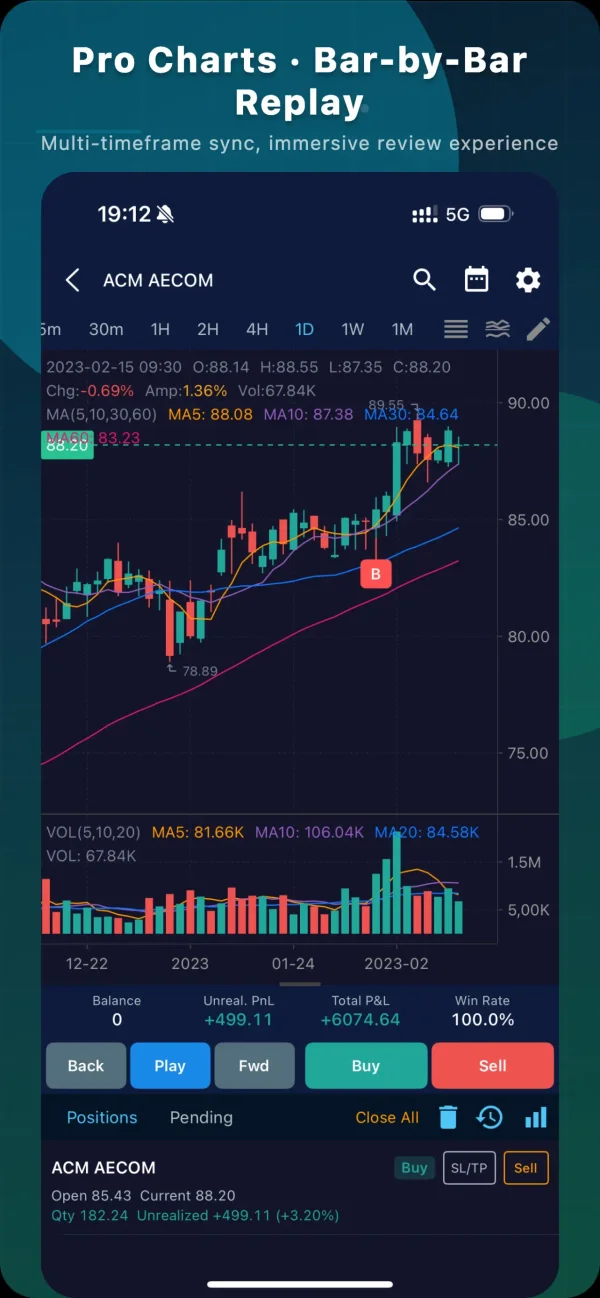
Choose from 13 chart views, including an intraday chart and candlesticks from one minute to one month. Adjust playback speed or step forward and back one bar at a time. Make your decision before the next candle appears.
Multi-Timeframe Synchronized Analysis
On desktop, view up to four synchronized charts in a 2×2 grid or a horizontal or vertical split. Use a higher timeframe to identify the trend and a lower timeframe to look for entries.
Simulated Trading
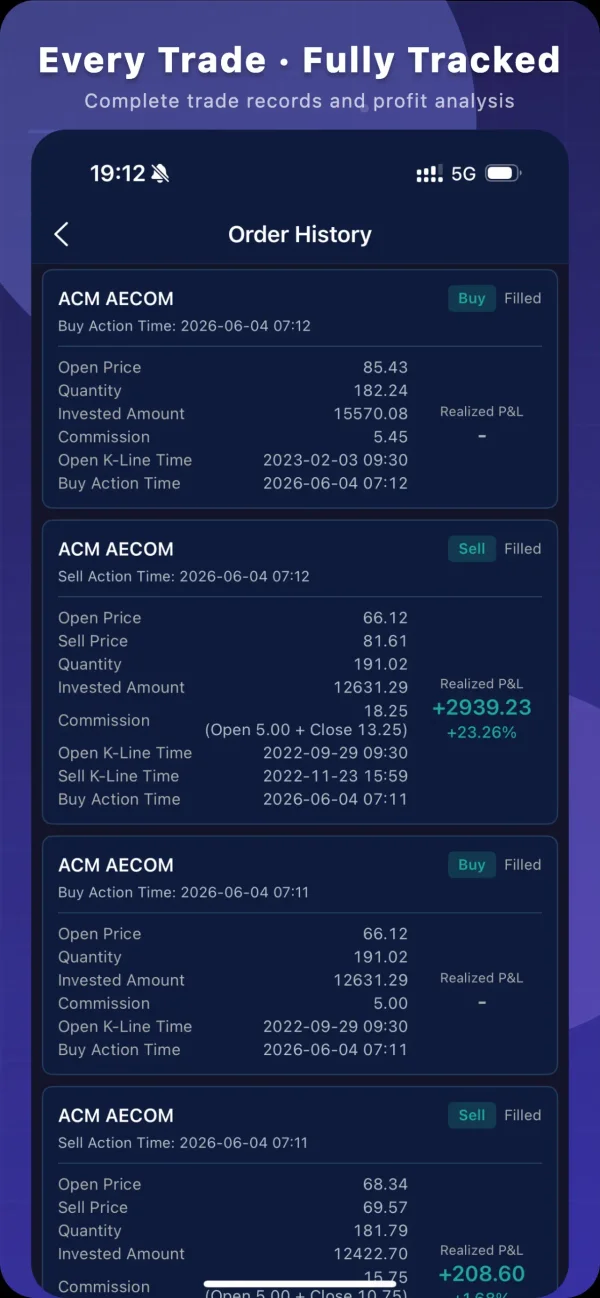
Market orders fill at the replay price. Limit orders trigger when price conditions are met. Practice with stop-loss and take-profit orders, partial closes and forced liquidation. Size positions using all available funds, a percentage, a fixed amount or a fixed quantity.
Draw-to-Order
On desktop, drag a line on the chart to set a limit order price. Drag the line again to adjust a pending order.
Double-Blind Training Mode
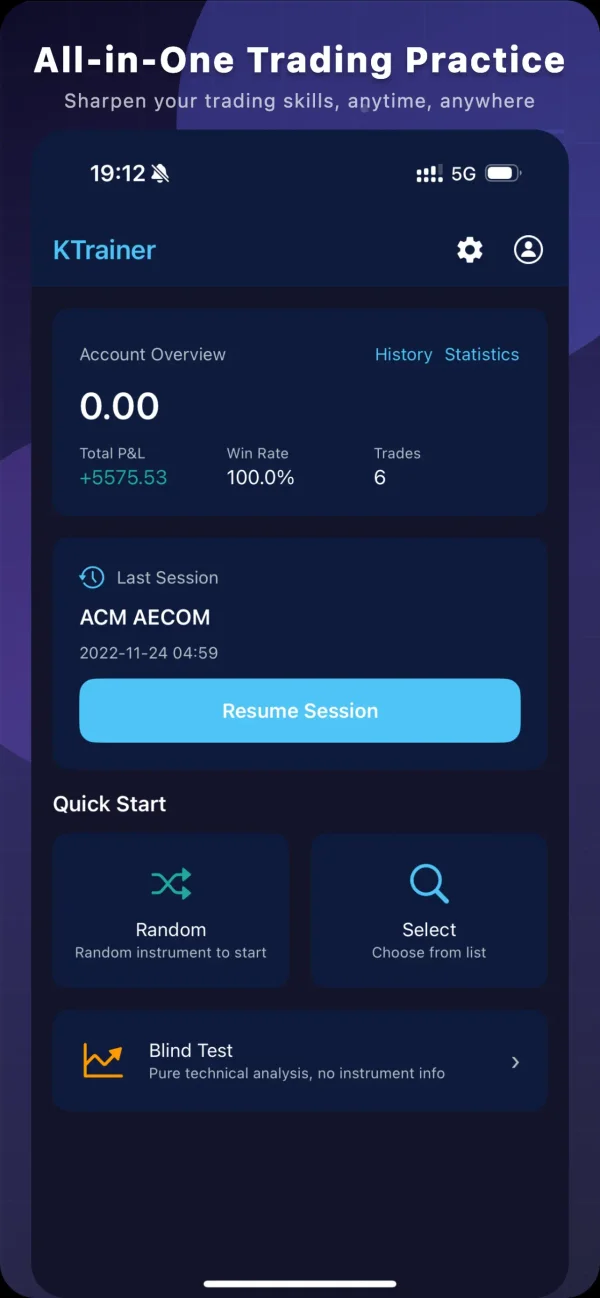
Hide the symbol and date, then replay a random instrument from a random starting point. Test your rules on price action alone.
Extensive Market Coverage
Explore over 23,000 instruments, including Shanghai and Shenzhen A-shares, Beijing Stock Exchange listings, U.S. stocks, ETFs, LOFs, convertible bonds, indices, futures and forex. Historical data loads online when you select an instrument.
Professional Charting Tools
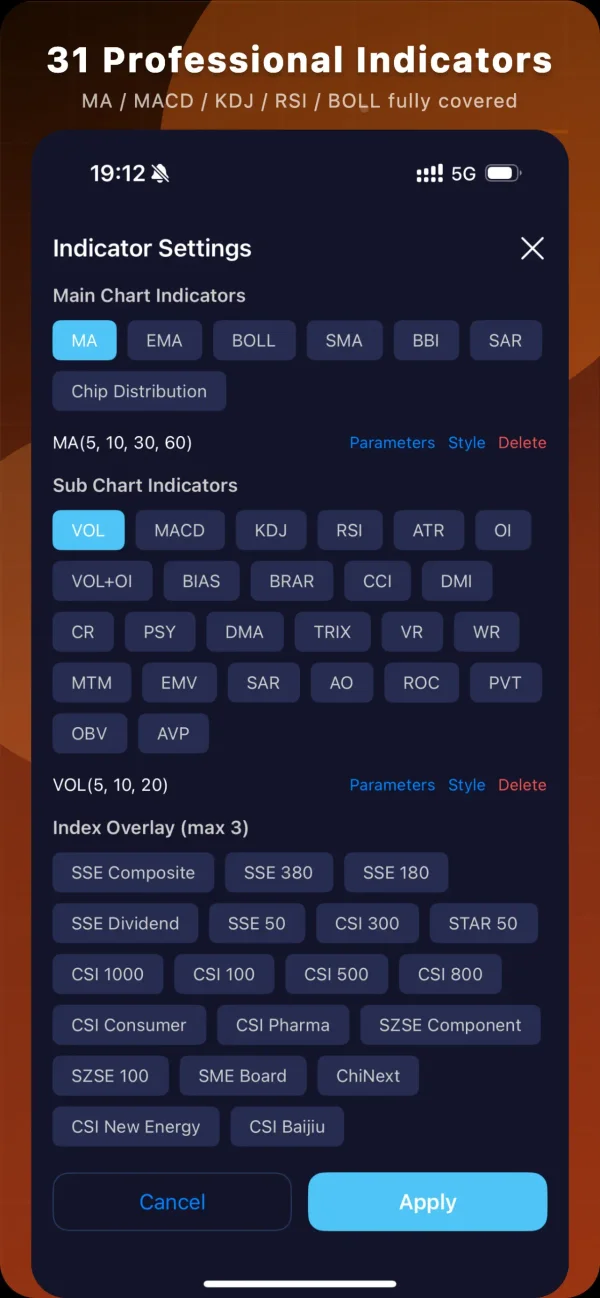
Use 30+ technical indicators, including MA, MACD, KDJ, RSI and Bollinger Bands, and 30+ drawing tools, including trendlines, Fibonacci retracements, Gann boxes and Elliott waves. Drawings support magnet snapping and sync across timeframes.
TDX Formula Support
Write or import custom indicators using Tongdaxin (TDX) formula syntax. On desktop, describe an idea in plain language and ask the AI indicator assistant to write, explain or revise the formula.
Performance Statistics
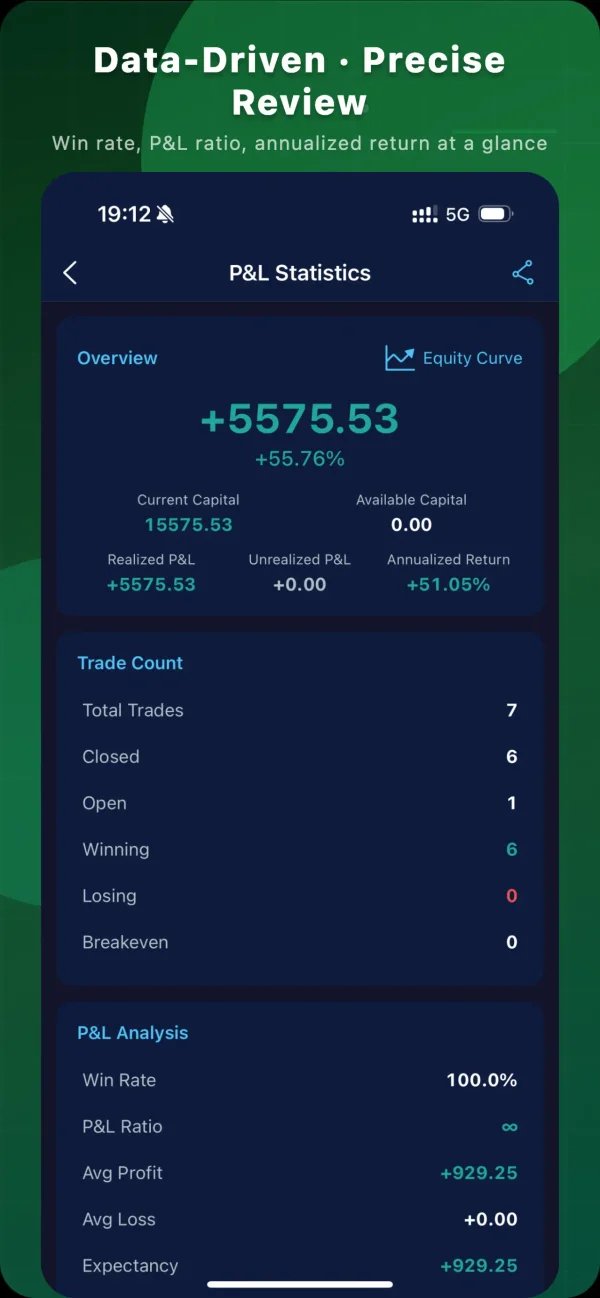
Track win rate, profit/loss ratio, cumulative return and maximum drawdown. Use the equity curve, trades and notes to see what drove your results.
Intraday Chart with Average Price Line
The built-in DAVP indicator resets each trading day so you can compare intraday prices with that session’s average.
Who Is It For?
Trading learners who want systematic practice without risking real money
Technical analysis enthusiasts who want to backtest strategies manually
Beginner and intermediate traders building market intuition and discipline
Securities and futures professionals looking for a supplementary training tool
Membership
New accounts receive a free trial. A range of membership plans is available.
Disclaimer
For learning and simulation only. iTradeTrainer does not execute real trades or provide investment advice. Historical data and simulated results do not predict future performance.
Official website
https://itradetrainer.raoyunsoft.com/
Yang baru
Versi 1.6.4 · 23/11/2026
1. Chart display — Mark unfilled price gaps and show or hide market data and indicators with a tap. The main chart tooltip and crosshair now show candle close times by default. The crosshair can be switched back to candle open times.
2. Training and playback — The screen stays on during autoplay, and the app selects the training date range by default. The “Allow short selling for all instruments” toggle has moved to Training Settings.
3. Chart drawing fixes — Fixed drawing anchors shifting when switching timeframes and an issue where empty records could overwrite saved drawings during restoration.
4. Settings and import — Added keyword search to the Settings page.
Privasi aplikasi
Yang dinyatakan 大临 詹 di App Store tentang cara aplikasi ini menangani data.
-
Data yang ditautkan dengan Anda
Dapat dikumpulkan dan ditautkan dengan identitas Anda.
- Info kontak
Praktik privasi dapat bervariasi, misalnya berdasarkan fitur yang Anda gunakan atau usia Anda.
Informasi
- Penjual
- 大临 詹
- Kategori
- Keuangan
- Versi
- 1.6.4
- Diperbarui
- 23/11/2026
- Dirilis
- 10/6/2026
- Ukuran
- 11,5 MB
- Memerlukan
- iOS 15.6 atau yang lebih baru
- Batasan usia
- 4+
- Harga
- Gratis
- Pembelian dalam aplikasi
- Ya
- Bahasa
- Inggris, Jepang, Korea, Rusia, Tionghoa Sederhana, Tionghoa Tradisional
- Hak cipta
- © 2026 Dalin Zhan
Mungkin Anda juga suka
-
 K线晋级赛-K线训练与复盘工具Keuangan
-
 爆竹K线训练助手-股票、期货走势复盘Keuangan
-
 k线王者-股票k线训练场Keuangan
-
 Replay Trader: Trading SimKeuangan
-
 投资悟道-K线训练、转债、短线训练、收益曲线、模式训练Keuangan
-
 k線訓練大師-模擬炒股練習工具Keuangan
-
 K线训练营 - 炒股技术训练工具Keuangan
-
 ChartGame - Trading SimulatorKeuangan
-
 Stock Trainer - SimulatorKeuangan
-
 Trading Simulator: TradictedKeuangan