
- Batasan usia4+
- KategoriBisnis
- PengembangCitiXsys Technologies
- BahasaInggris+ 12 lainnya
- Ukuran62,2 MB
Tertaut ke halaman resmi App Store
Download.org tidak menyimpan file iVend POS apa pun. Tombol ini membuka halaman aplikasi di App Store, tempat CitiXsys Technologies menerbitkannya. Halaman terakhir diperiksa pada 25/11/2026.
Tangkapan layar


Tentang
Pengembang belum menyediakan teks ini dalam bahasa Anda.
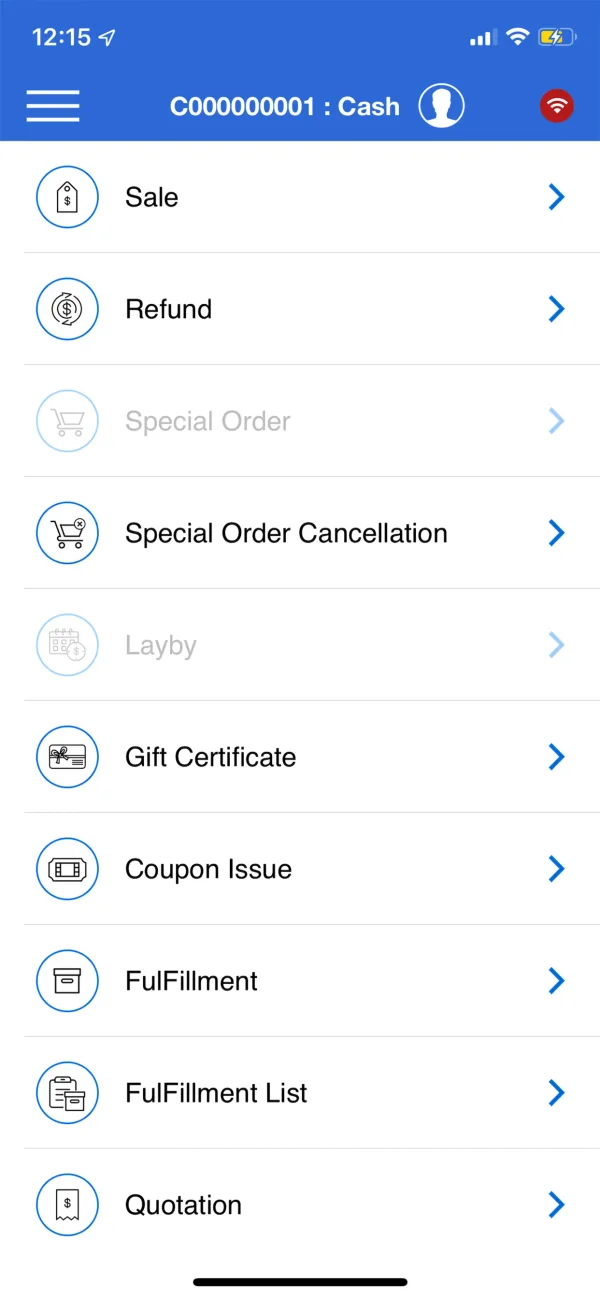
iVend Mobile POS gives complete Point of Sale functionality for iVend Retail 6.6 on iPhones, iPod Touch and iPads running iOS 11.0 and above. iVend Mobile POS is well suited for retail stores of all sizes. Retailers must be running iVend Retail 6.6 as their enterprise retail server to use iVend Mobile POS as a Point of Sale. iVend Mobile POS connects with iVend Server over WiFi or 3G/ 4G/ LTE in online mode but is also designed to work when there is no network connectivity on an offline mode.
iVend Mobile POS is the POS component for iVend Retail Suite that includes Terminal POS, Loyalty management system, eCommerce, mCommerce, Digital Passes and Business Intelligence. Retailers can run iVend Mobile POS independent of any ERP system. Larger retailers can use SAP certified integration for SAP ERP, SAP All-in-One or SAP Business One apart from any other ERP available to retailers. For more information, please visit https://www.ivend.com/
iVend Mobile supports the following hardware:
• Wi-Fi Printer with Air Print
• Bluetooth Printer: Bixolon: SPP-R300i, Star: SM-S220i, Zebra Printer (IMZ320)
• IDTECH Mobile Magstripe Reader - Shuttle
• Socket Mobile Scanner CHS 7XI (for Barcode Scanning)
• Linea Pro 4 (MSR2DBT) – Printer/Scanner/Magstripe Reader (for iPhone 4 and 4S)
• Device Camera (for barcode scanning)
• Star Micronics mPOP
• KDC 400 - for iPod 4 and iPhone 5 and 5S
• Ingenico Pin Pad payment processor
• Handpoint Bluepad-50 payment processor
• Handpoint Bluepad-500 payment processor for iPhone 5 and 5S
• Handpoint Bluepad-500 payment processor for iPhone 5 and 5S
Features:
Application Mode
• Online mode (network connectivity with iVend server): Sync live data for customer and transaction to iVend server and device database get updated on scheduled sync cycle.
• Offline mode (no network connectivity with iVend server): Data get sync on scheduled sync cycle if application becomes online on that time.
• Setup
• Fast Scanning Mode - To add items faster in transaction
• Default support of 5 Languages; user can also use his own language using language customization option
• Default Product add mode: Product List/Quick Button Panel/Barcode scanning
• Transaction receipt printing in 3 different size of paper: A4 receipt, 3" receipt and 2" receipt
• Default email settings for email templates
• Data Synchronization with iVend server: On specified time interval, on fixed time of the day or manually
Transaction Modes
• Sale
• Refund
• Special Order
• Special Order Cancellation
• Layby
• Gift Certificate Sale
• Recall suspended transactions
• Add new customer
• Edit or view existing customer
• Search Customer on the basis of: Customer Code, Name, Phone Number or Customer Group
• Filter products on the basis of: Product Code, Description, UPC Code, Product Group and Product Category
Transaction Operations
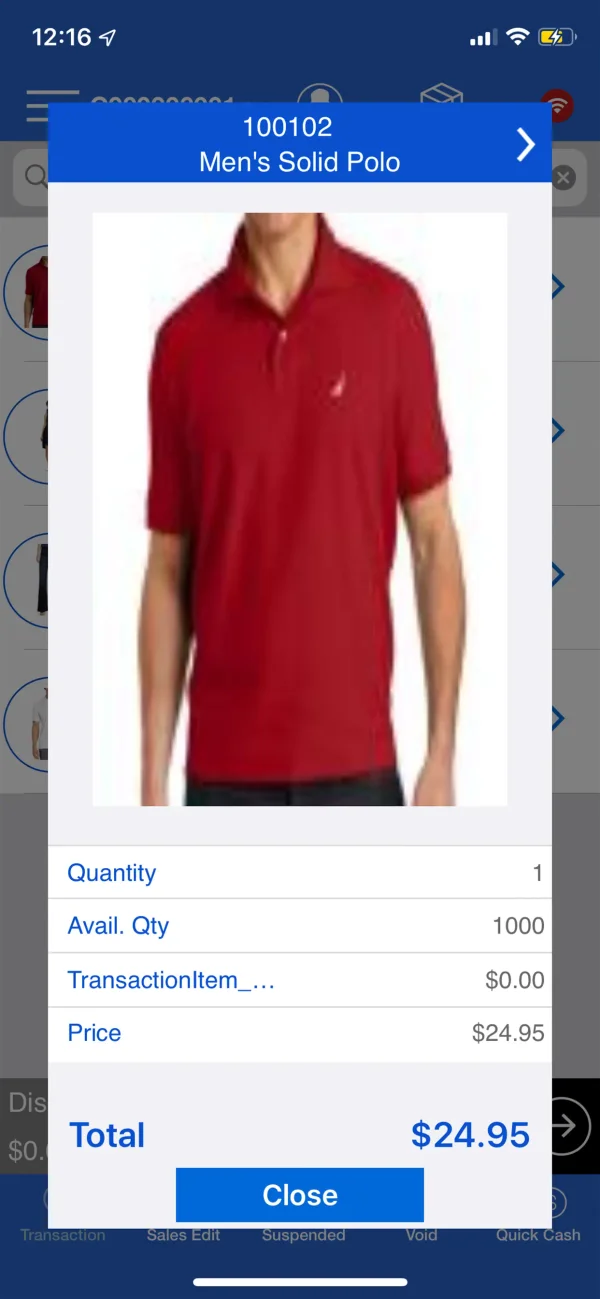
• Add products by selecting from product list, by scanning barcode, by selecting from quick button panel
• Surcharges
• Price, discount, quantity and total by items
• Display sale level discount, subtotal, tax and net total
• Suspend transaction
• Void transaction
• Specify sale level sales person
• Apply sale level discount
• Apply coupon
• Apply surcharges at sale level
• Select loyalty id of customer
• Layby plan selection for layby transaction
Tender Types
• Cash
• Credit and Debit Card (only in online mode - gets verified by payment processor)
• Check
• On Account (only in Online mode - gets verified by iVend server)
• Gift Card (only in Online mode - gets verified by iVend server)
Transaction Complete
• Payment with multiple tenders
• Quick cash complete
• Display payable amount, paid amount and balance due
• Display user information
• Print transaction receipt
• Email transaction receipt
Preview Transaction
• List all transactions
• Delete suspended transaction by single swipe
• Preview selected transaction
• Recall suspended transactions
Yang baru
Versi 6.4 · 2/12/2025
Minor bug fixes.
Privasi aplikasi
Yang dinyatakan CitiXsys Technologies di App Store tentang cara aplikasi ini menangani data.
-
Data yang ditautkan dengan Anda
Dapat dikumpulkan dan ditautkan dengan identitas Anda.
- Info keuangan
- Lokasi
- Info kontak
- Konten pengguna
- Pengenal
Praktik privasi dapat bervariasi, misalnya berdasarkan fitur yang Anda gunakan atau usia Anda.
Informasi
- Penjual
- CitiXsys Americas Inc.
- Kategori
- Bisnis
- Versi
- 6.4
- Diperbarui
- 2/12/2025
- Dirilis
- 29/5/2013
- Ukuran
- 62,2 MB
- Memerlukan
- iOS 15.0 atau yang lebih baru
- Batasan usia
- 4+
- Harga
- Gratis
- Bahasa
- Inggris, Arab, Belanda, Prancis, Jerman, Italia, Korea, Polski (Polandia), Portugis, Rusia, Tionghoa Sederhana, Spanyol + 1 lainnya
- Hak cipta
- © 2019 CitiXsys
Mungkin Anda juga suka
-
 Octopus Retail POS+Bisnis
-
 Epson POS Printer ExplorerBisnis
-
 Alto’s POS & Inventory SystemBisnis
-
 USAePay RetailPOSBisnis
-
 RestPOS:Membuat pesanan mudahManajemen pesanan profesional
-
 POS Billing System by MoonBisnis
-
 Silom POS - Point of SaleBisnis
-
 POS Simple- Tap to Pay ReceiptBisnis
-
 Tunder · Kasir OfflinePoin penjualan · POS
-
 Lightspeed Pocket (S)Bisnis