- Batasan usia4+
- KategoriKesehatan & Kebugaran
- PengembangPavel Gagarin
- BahasaInggris+ 1 lainnya
- Ukuran5,9 MB
Tertaut ke halaman resmi App Store
Download.org tidak menyimpan file Just My Timer apa pun. Tombol ini membuka halaman aplikasi di App Store, tempat Pavel Gagarin menerbitkannya. Halaman terakhir diperiksa pada 9/11/2026.
Tangkapan layar

Tentang
Pengembang belum menyediakan teks ini dalam bahasa Anda.
An interval timer that does one thing well and doesn't drift, doesn't track, doesn't ask you to subscribe to keep using it.
Build any sequence of work, rest, and prepare steps. Press start. Beeps land exactly when they're supposed to — even on the lock screen, even with music playing. We made it because we got tired of timers that lost the count mid-set.
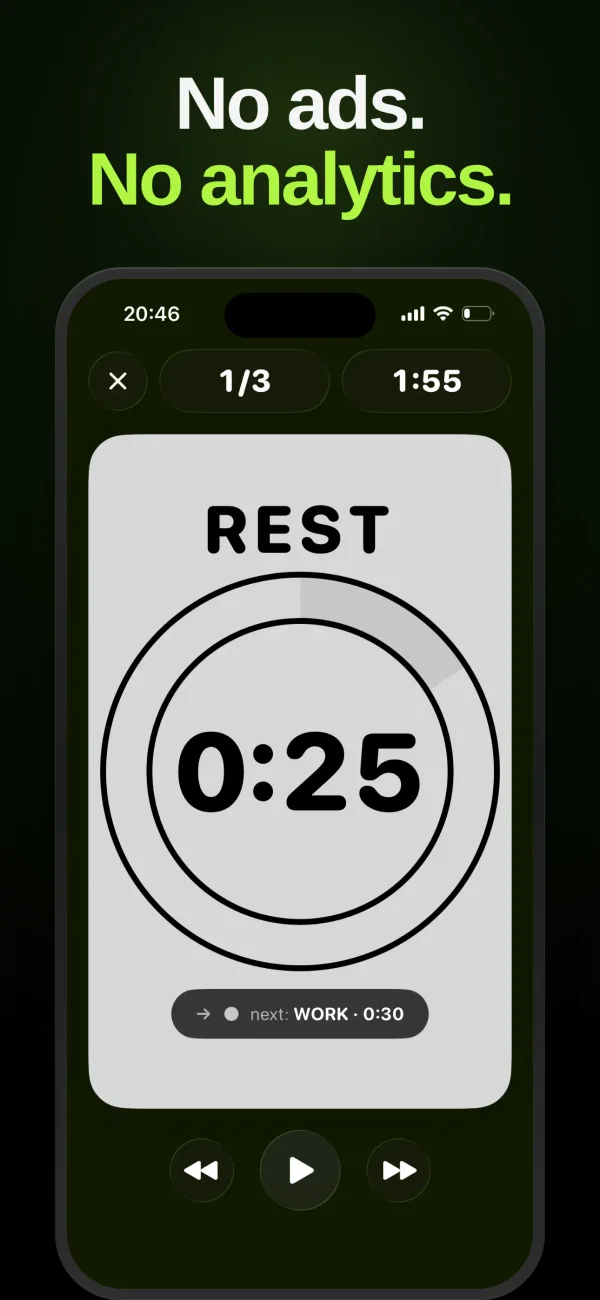
Free. No ads. No subscriptions. No analytics SDK in your pocket.
WHAT'S INSIDE
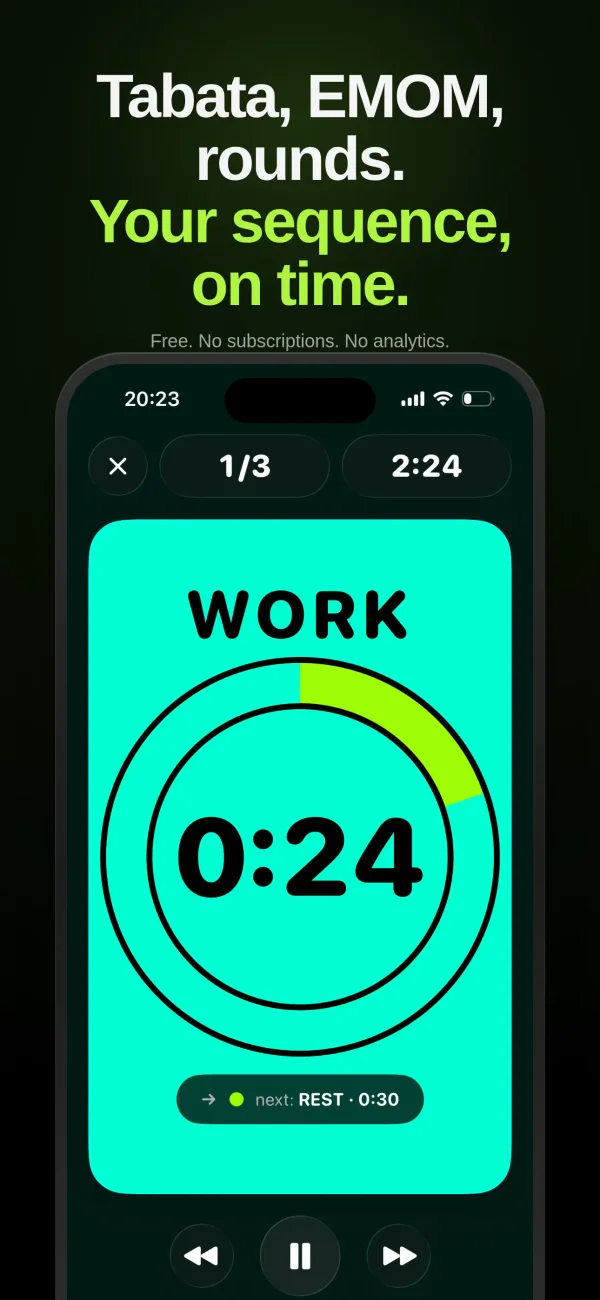
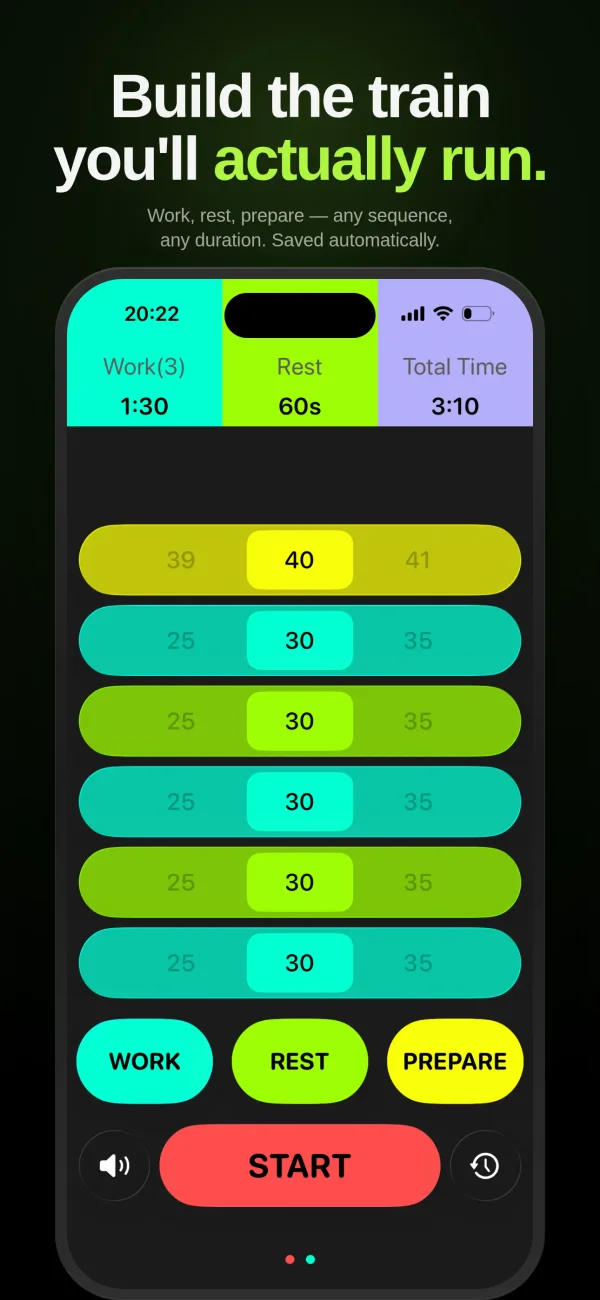
Build the train you'll actually run
Three step types (work, rest, prepare). Any duration, any order. Tabata, EMOM, boxing rounds, CrossFit WODs, mobility, breathwork — the same three pieces, your sequence. Your last train auto-loads when you open the app.
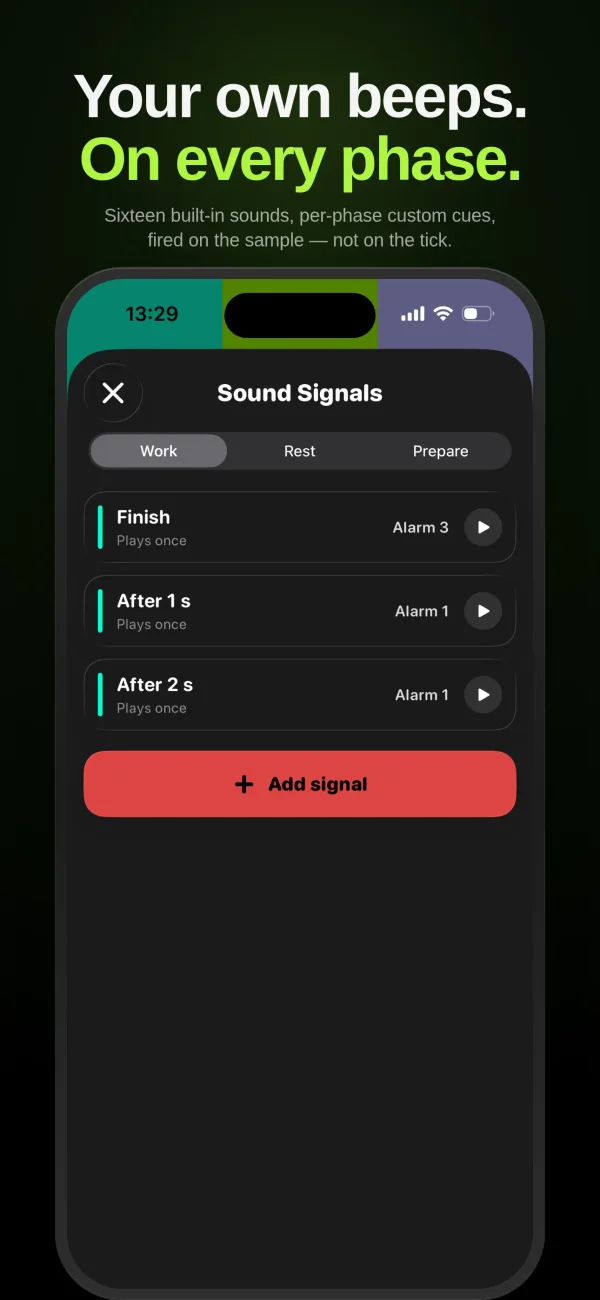
Your own beeps, on every phase
Sixteen built-in sounds, plus custom cues per phase. Two kinds of cues: single (once, X seconds before the end) or recurring (every X seconds). Recurring cues are unrolled into an exact schedule before the timer even starts.
On the Lock Screen and in the Dynamic Island
While a workout is running (iOS 18 or later), a card on your Lock Screen and in the Dynamic Island shows the time left, with pause and skip buttons; in StandBy it fills the screen. When workouts are saved to the Apple Health app (iOS 26 or later), it also follows each phase and set.
Made for iPhone Duo
Unfolded, the setup screen uses two columns, and the workout screen shows the timer next to the steps ahead. Half-folded like a laptop, the big digits stay on the raised half and the buttons on the lower one.
The trains you actually did
Every finished train is auto-saved with a colored timeline showing every work and rest segment exactly as you ran them. Three numbers at the finish — sets, time, work time. Tap any past train to re-load and re-run it in two taps.
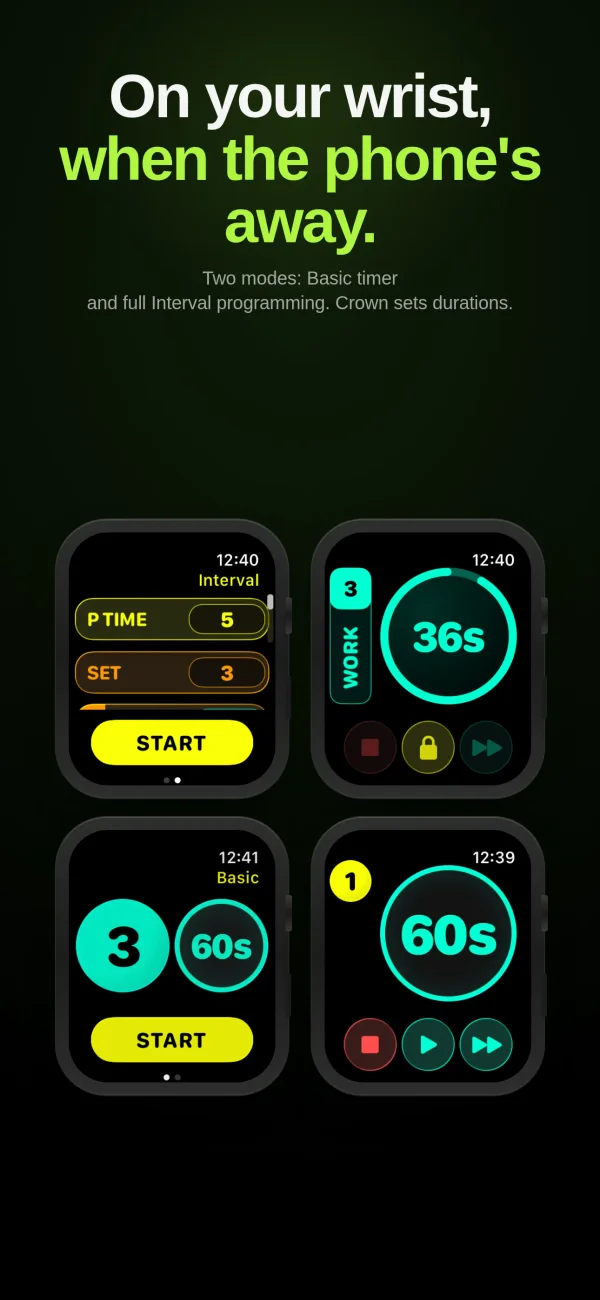
On your wrist, when the phone's away
The Apple Watch companion app runs trains from your wrist with two modes — Basic, for a single round, and Interval, for the full work / rest / prepare sequence. The digital crown sets durations. Tap the lock to keep a sweaty palm from pausing mid-set. And you don't have to watch the screen. A haptic tap on your wrist tells you when the current step is ending and the next is starting. With a workout running on your iPhone, the same card shows in the watch's Smart Stack (watchOS 11 or later).
WORKS WITH THE APPLE HEALTH APP
On iOS 26 and later, Just My Timer can save every workout you finish to the Apple Health app, as a High Intensity Interval Training workout with its start, end and pauses. It only writes workouts: it doesn't read any of your health data, measures nothing and doesn't send your workouts anywhere. Saving is optional. The app asks for permission once: when you start your first workout or, if you turned saving off before that, when you turn it back on in the app's settings. You can turn saving off anytime in the app's settings, or change access in the Apple Health app. Your workouts are kept secure in the Apple Health app because they are encrypted and protected with the passcode on your iPhone.
PRIVACY, FOR REAL
Everything — your sequences, your history, your custom sounds — lives on your device. There is no server, no account, no sign-up. The app ships with zero analytics SDKs, zero crash reporters, zero advertising identifiers. We do not share data with anyone, because we do not collect it in the first place.
PERFECT FOR
· HIIT, Tabata, EMOM
· Boxing rounds, MMA, kickboxing
· CrossFit, AMRAP, time-capped WODs
· Mobility, stretching, yoga flows
· Breathwork (Wim Hof, box breathing, 4-7-8)
· Lap timing, climbing intervals
· Anyone who counts seconds for a living
WHO MADE THIS
Two people, with coffee and a barbell. We use the app every Tuesday, Thursday, and Saturday. If we find a bug, we fix it the same week — not in next quarter's roadmap. If you have a feature in mind, write to us. One of us will read it.
— Just Two
hi@justtwo.co
Yang baru
Versi 4.3 · 4/11/2026
• iPhone Duo support.
• The timer is now on the Lock Screen and in the Dynamic Island (iOS 18 or later).
• Save workouts to the Apple Health app (iOS 26 or later): type, time and pauses. You can turn this off in the app's settings.
• Apple Watch: the iPhone workout card in the Smart Stack (watchOS 11 or later).
Privasi aplikasi
Yang dinyatakan Pavel Gagarin di App Store tentang cara aplikasi ini menangani data.
-
Data tidak dikumpulkan
Pengembang tidak mengumpulkan data apa pun dari aplikasi ini.
Praktik privasi dapat bervariasi, misalnya berdasarkan fitur yang Anda gunakan atau usia Anda.
Informasi
- Penjual
- Pavel Gagarin
- Kategori
- Kesehatan & Kebugaran
- Versi
- 4.3
- Diperbarui
- 4/11/2026
- Dirilis
- 7/10/2022
- Ukuran
- 5,9 MB
- Memerlukan
- iOS 17.6 atau yang lebih baru
- Batasan usia
- 4+
- Harga
- Gratis
- Bahasa
- Inggris, Rusia
- Hak cipta
- © Justtwoco
Mungkin Anda juga suka
-
 Timer for WorkoutsKesehatan & Kebugaran
-
 IntervalFreeKesehatan & Kebugaran
-
 SimplyTimer-Interval Timer AppKesehatan & Kebugaran
-
 HIIT & Tabata Timer: Roo TimerKesehatan & Kebugaran
-
 NtrvlKesehatan & Kebugaran
-
 Interval Timer MAXKesehatan & Kebugaran
-
 GRIT: Workout & WOD TimerKesehatan & Kebugaran
-
 Workout Timer: Interval HIITKesehatan & Kebugaran
-
 Chime - Interval Workout TimerKesehatan & Kebugaran
-
 Pacelab Interval TimerKesehatan & Kebugaran