KatKalk
Custom Calculator and Viewer
Dirancang untuk iPhone, iPad, iPod touch
Gratis
- Batasan usia4+
- KategoriKegunaan
- PengembangMarcin Kilinski
- BahasaInggris
- Ukuran24,5 MB
Tertaut ke halaman resmi App Store
Download.org tidak menyimpan file KatKalk apa pun. Tombol ini membuka halaman aplikasi di App Store, tempat Marcin Kilinski menerbitkannya. Halaman terakhir diperiksa pada 21/11/2026.
Tangkapan layar


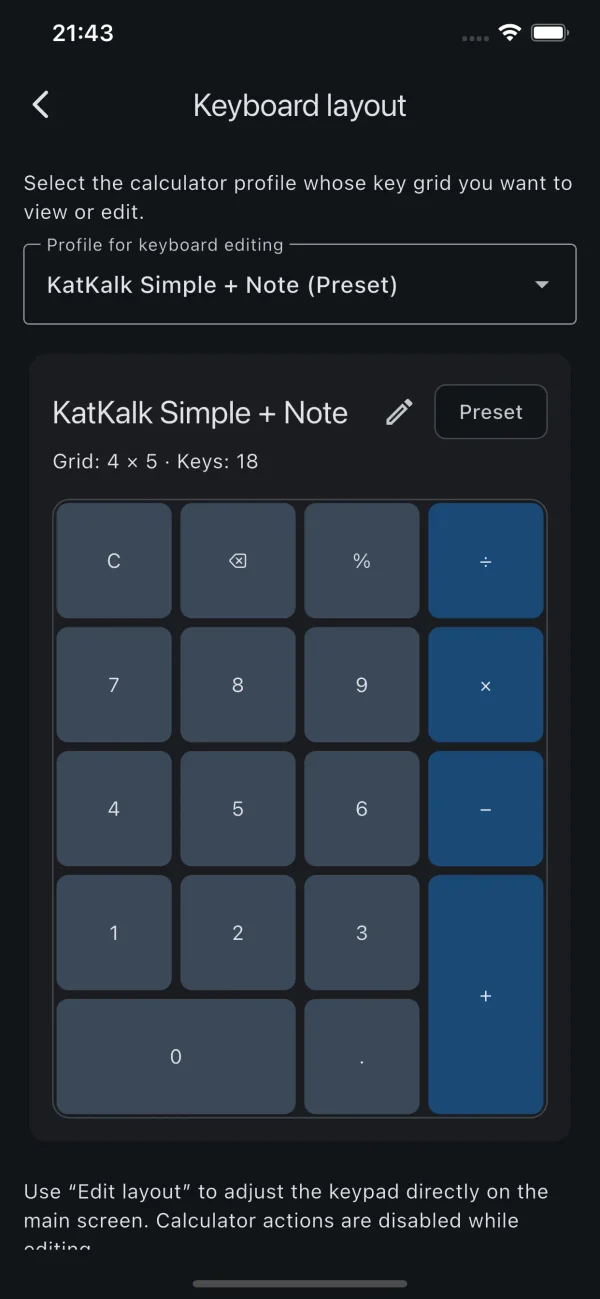
Tentang
Pengembang belum menyediakan teks ini dalam bahasa Anda.
KatKalk is a configurable position calculator designed for the fast entry of many individual values.
Unlike a conventional calculator, KatKalk keeps every entered position visible. This makes calculations easy to follow, verify and correct—even
during fast-paced work.
KEY FEATURES
• Add, subtract, multiply, divide and calculate percentages
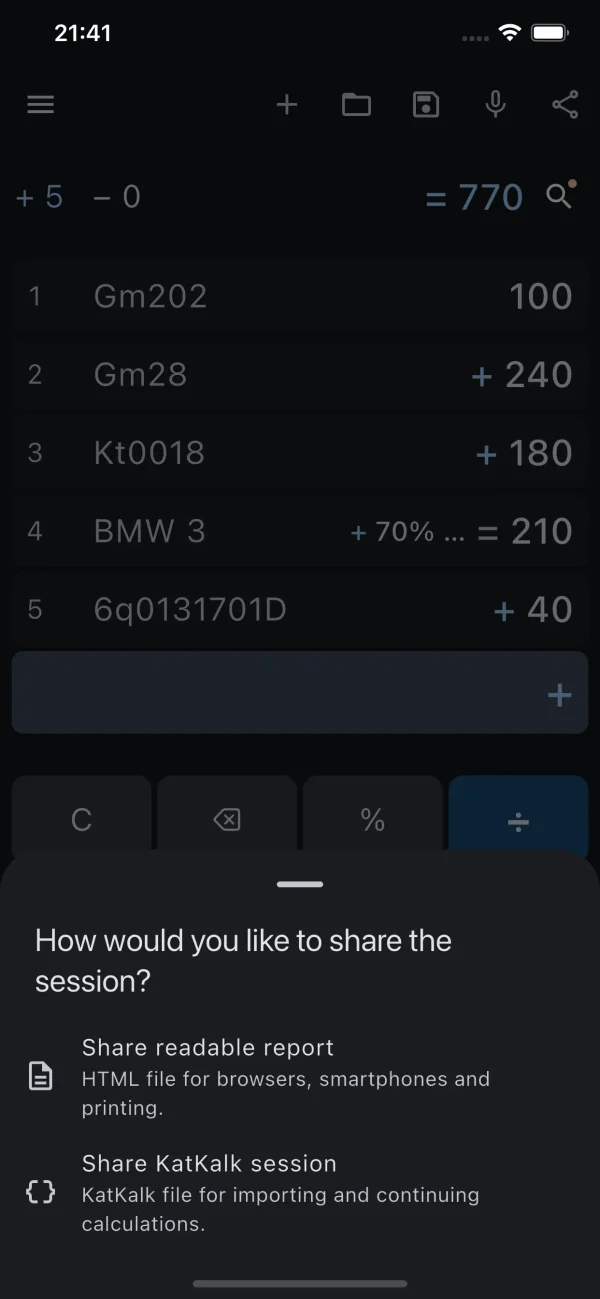
• Keep every entered position clearly visible
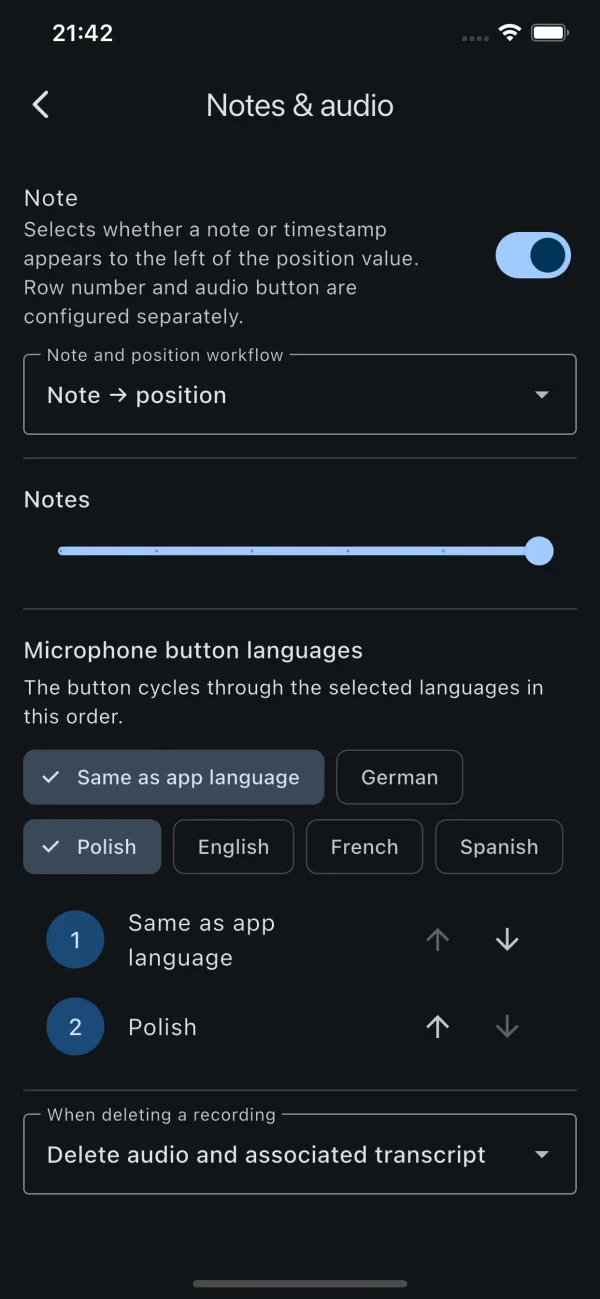
• Add short notes to individual positions
• Save and reopen multiple sessions locally
• Copy or remove the latest position
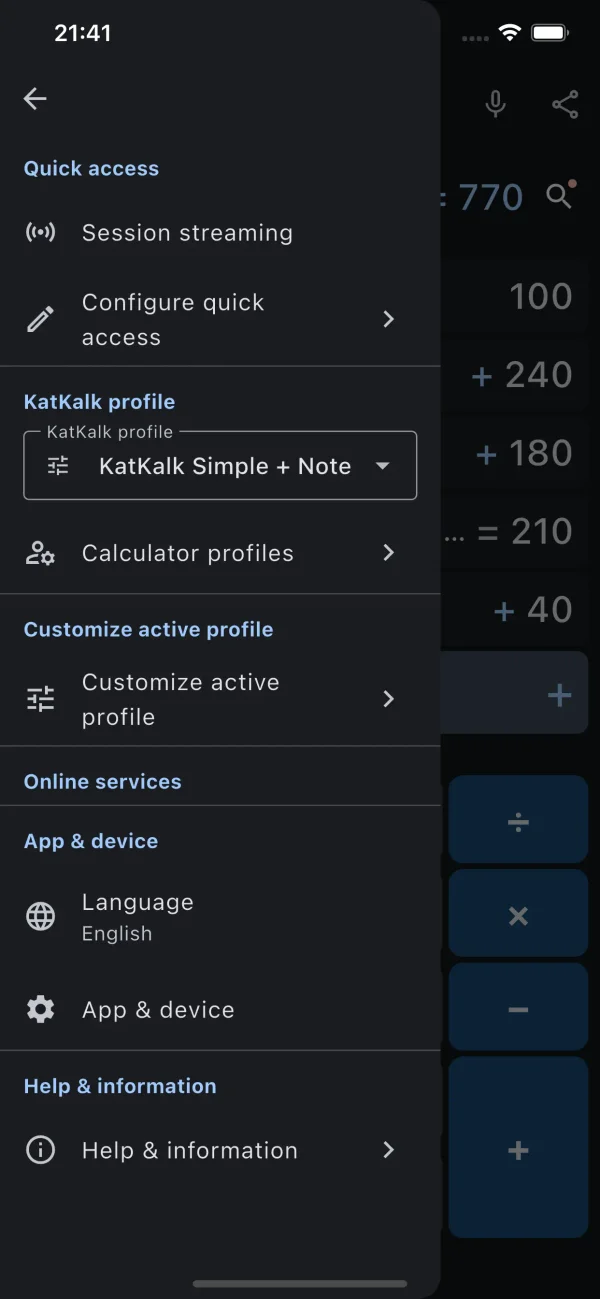
• Choose from ready-made calculator profiles
• Customize the keypad, screen layout and visible controls
• Export sessions as readable HTML reports
• Print reports directly from a compatible browser
• Export and import KatKalk session files
• Use the core calculator without an internet connection
• Follow shared sessions in read-only viewer mode
BUILT FOR PRACTICAL WORK
KatKalk is especially useful when many prices, products or other individual values must be entered quickly while the complete calculation
remains traceable.
Every accepted value becomes a separate position. You can review the complete list, identify corrections and keep short product names or other
information next to the corresponding value.
FLEXIBLE CALCULATOR PROFILES
Choose a simple profile for everyday calculations or adapt KatKalk to your own workflow.
Depending on the selected profile, you can customize:
• The calculator keypad and its arrangement
• Visible buttons and quick-access actions
• Notes and audio controls
• Position numbers and counters
• The total and cumulative totals
• Font sizes and screen areas
• Calculation and percentage rules
Profiles for simple calculations, notes, recordings, advanced controls and classic calculator operation are included.
SESSIONS AND REPORTS
Save different calculations as separate sessions and reopen them later. KatKalk keeps the individual positions and notes together with the
session.
Create a readable HTML report for browsers, smartphones and printing. You can also export a KatKalk session file and import it again to
continue working with the calculation.
LOCAL BY DEFAULT
Calculations, notes and saved sessions remain on your device. KatKalk’s core calculator works fully offline.
Optional online functions are clearly separated from local calculation. Shared sessions can be followed in read-only viewer mode without
allowing viewers to alter the master calculation.
KatKalk is not intended to replace accounting, invoicing or financial advisory software. It is a practical tool for fast, transparent and
configurable position calculations.
Yang baru
Versi 2.0.4 · 19/10/2026
Added a Load button to the global reset history. Your current calculation is saved before loading a previous result.
Privasi aplikasi
Yang dinyatakan Marcin Kilinski di App Store tentang cara aplikasi ini menangani data.
-
Data tidak dikumpulkan
Pengembang tidak mengumpulkan data apa pun dari aplikasi ini.
Praktik privasi dapat bervariasi, misalnya berdasarkan fitur yang Anda gunakan atau usia Anda.
Informasi
- Penjual
- Marcin Kilinski
- Kategori
- Kegunaan
- Versi
- 2.0.4
- Diperbarui
- 19/10/2026
- Dirilis
- 16/8/2026
- Ukuran
- 24,5 MB
- Memerlukan
- iOS 15.0 atau yang lebih baru
- Batasan usia
- 4+
- Harga
- Gratis
- Bahasa
- Inggris
- Hak cipta
- © Marcin Kilinski
Mungkin Anda juga suka
-
 Naim CatalogKegunaan
-
 KOSPEL PPE4Kegunaan
-
 Rock Identifier by Picture IDKegunaan
-
 INEAKegunaan
-
 Philips EntertainmentKegunaan
-
 MeineWGVKegunaan
-
 Tabel Sederhana - CatatanCatat dalam format tabel
-
 Radio Code RenaultKegunaan
-
 Catatan dan daftar simpelCatatan dan daftar simpel
-
 PDF Compressor : Compress PDFKegunaan