
KKCode - OpenCode Mobile
AI Coding Agent on Mobile
Dirancang untuk iPhone, iPad
Gratis · Pembelian dalam aplikasi
- Batasan usia4+
- KategoriAlat Pengembang
- Pengembang军保 张
- BahasaInggris+ 19 lainnya
- Ukuran88,8 MB
Tertaut ke halaman resmi App Store
Download.org tidak menyimpan file KKCode - OpenCode Mobile apa pun. Tombol ini membuka halaman aplikasi di App Store, tempat 军保 张 menerbitkannya. Halaman terakhir diperiksa pada 20/11/2026.
Tangkapan layar
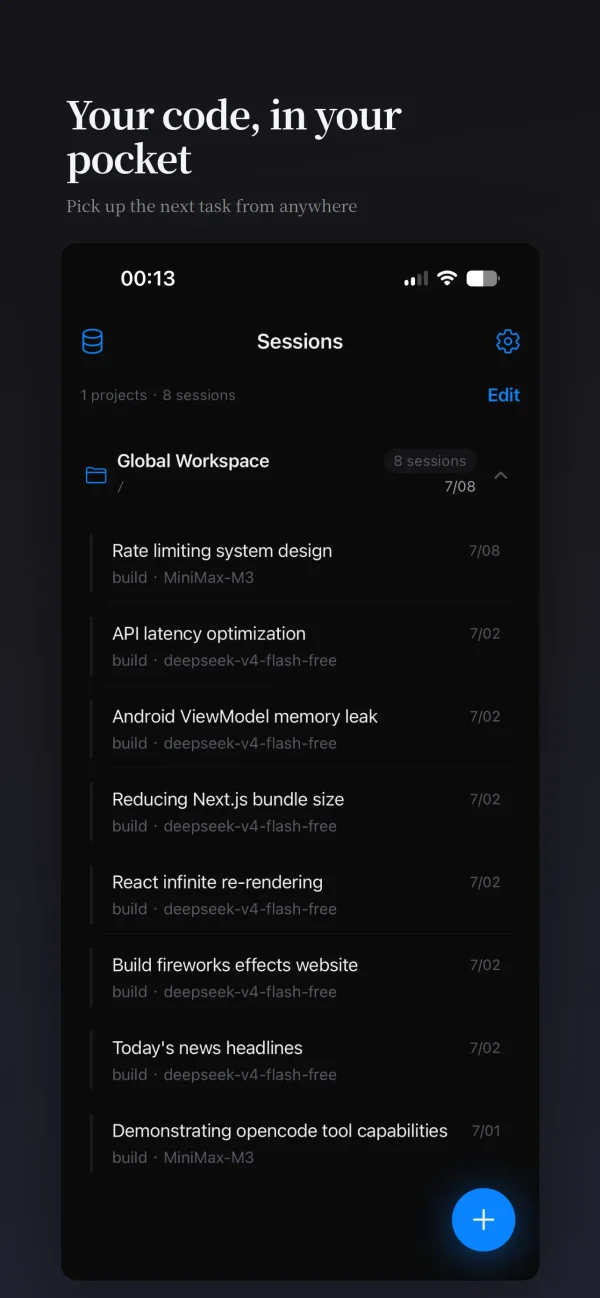
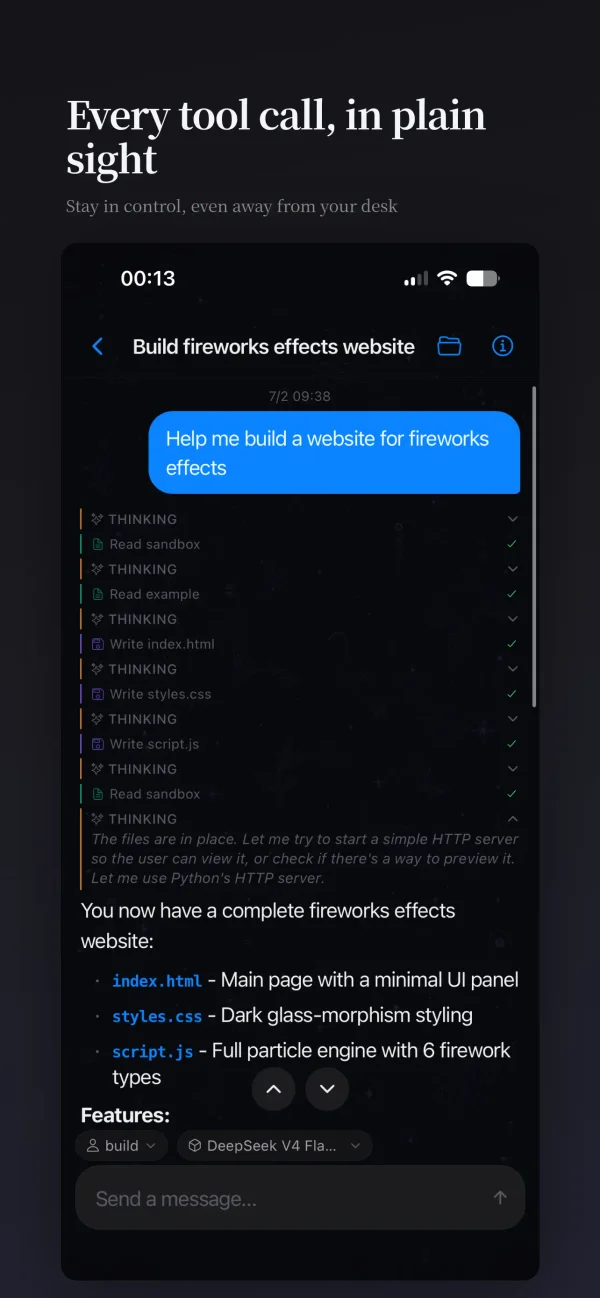

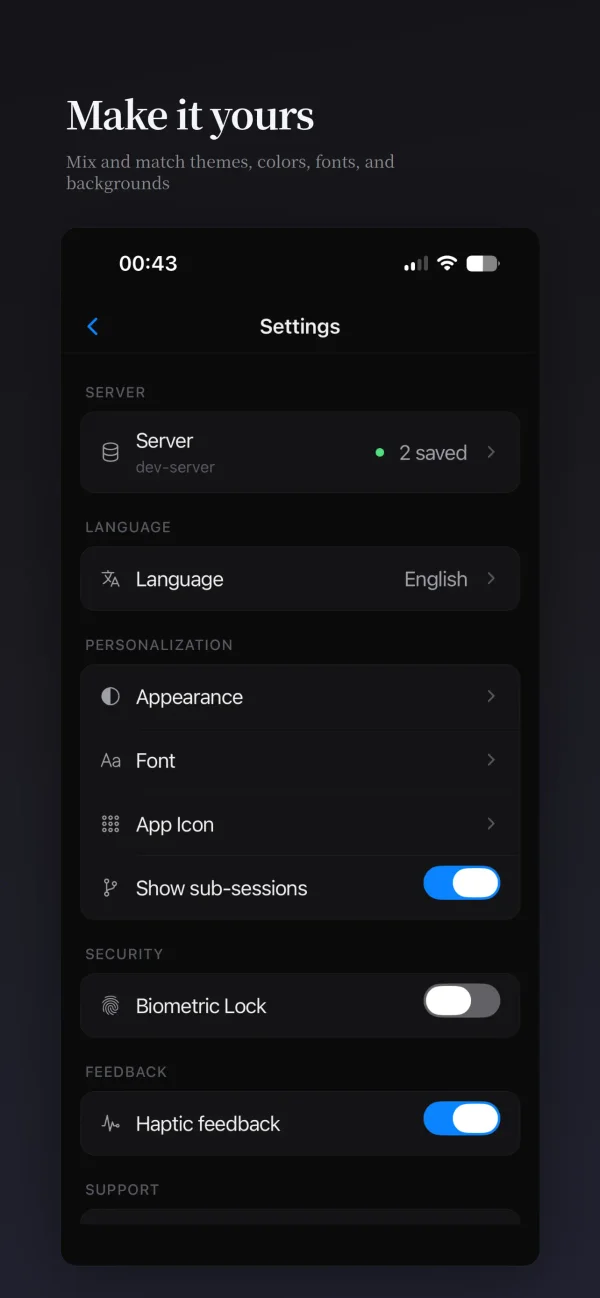
Tentang
Pengembang belum menyediakan teks ini dalam bahasa Anda.
KKCode is the mobile client for OpenCode — the AI coding agent that runs on your Mac.
Connect to your local OpenCode server over Wi-Fi or Tailscale, and bring AI-powered coding assistance wherever you go.
FEATURES
• Multiple AI Models — Switch freely between DeepSeek, Zhipu, Qwen, Kimi, MiniMax, and any model supported by your OpenCode server. Model preferences are remembered per session and persist across conversations.
• Streaming Responses — Responses stream in real time. Scroll freely while the AI is generating; KKCode keeps your position and never interrupts your reading experience.
• Code & Markdown Rendering — Enjoy full syntax highlighting for code blocks, inline formatting, and rich markdown display.
• Tool Call Transparency — See exactly which tools the AI invoked, review file changes, and inspect inputs and outputs for every tool call.
• Image Attachment — Send screenshots or design mockups directly from your photo library.
• Session Management — Organize conversations by project directory. Rename, swipe to delete, or bulk remove sessions whenever you need.
• Split View Support — Keep your session list and active chat side by side for a desktop-class multitasking experience.
• Offline-Safe Draft — Your unfinished messages are automatically saved per session and restored when you return.
• Multi-language Support — English, 简体中文, 繁體中文, 日本語, 한국어, Deutsch, Français, Português, Русский.
• Dark & Light Mode — Automatically follows your system appearance.
HOW IT WORKS
KKCode connects to the OpenCode server running on your Mac.
Start the server with:
opencode serve –hostname 0.0.0.0 –port 4096
Then add your server connection in KKCode and start chatting.
For remote access outside your home network, Tailscale is recommended.
KKCode requires an OpenCode server to function. It does not include built-in AI inference or AI models.
Yang baru
Versi 1.0.9 · 1/11/2026
1. File preview brings back syntax highlighting and line numbers, and opens more technical file types
2. A message that fails to send now stays in the chat with a failed mark, and you can retry it from the long-press menu
3. The copy button is hidden while an AI reply is streaming and appears once the output finishes
4. Need a hand? Reach out to us at support@kkcode.app
Privasi aplikasi
Yang dinyatakan 军保 张 di App Store tentang cara aplikasi ini menangani data.
-
Data yang tidak ditautkan dengan Anda
Dapat dikumpulkan, tetapi tidak ditautkan dengan identitas Anda.
- Diagnostik
Praktik privasi dapat bervariasi, misalnya berdasarkan fitur yang Anda gunakan atau usia Anda.
Informasi
- Penjual
- 军保 张
- Kategori
- Alat Pengembang
- Versi
- 1.0.9
- Diperbarui
- 1/11/2026
- Dirilis
- 9/7/2026
- Ukuran
- 88,8 MB
- Memerlukan
- iOS 16.4 atau yang lebih baru
- Batasan usia
- 4+
- Harga
- Gratis
- Pembelian dalam aplikasi
- Ya
- Bahasa
- Inggris, Arab, Bulgarian, Prancis, Jerman, Hindi, Bahasa Indonesia, Italia, Jepang, Korea, Polski (Polandia), Portugis + 8 lainnya
- Hak cipta
- © 2026
Mungkin Anda juga suka
-
 BYOT Coding AgentAlat Pengembang
-
 OpenClient for OpenCodeAlat Pengembang
-
 CodetetherKendalikan agen AI koding
-
 OpenLens- OpenCode clientAlat Pengembang
-
 Sesori: Remote AI Coding AgentAlat Pengembang
-
 Unofficial OpenCode ClientAlat Pengembang
-
 Remote for OpenCode AgentsAlat Pengembang
-
 WhatCodeAlat Pengembang
-
 Tailscode: Claude Code RemoteAlat Pengembang
-
 Clawdex: Code from PhoneAlat Pengembang