Klik Creator Studio
Plan the shoot, make the video
Dirancang untuk iPhone, iPad
Gratis · Pembelian dalam aplikasi
- Batasan usia4+
- KategoriFoto & Video
- PengembangIan Jukes
- BahasaInggris+ 7 lainnya
- Ukuran15,4 MB
Tertaut ke halaman resmi App Store
Download.org tidak menyimpan file Klik Creator Studio apa pun. Tombol ini membuka halaman aplikasi di App Store, tempat Ian Jukes menerbitkannya. Halaman terakhir diperiksa pada 18/11/2026.
Tangkapan layar

Tentang
Pengembang belum menyediakan teks ini dalam bahasa Anda.
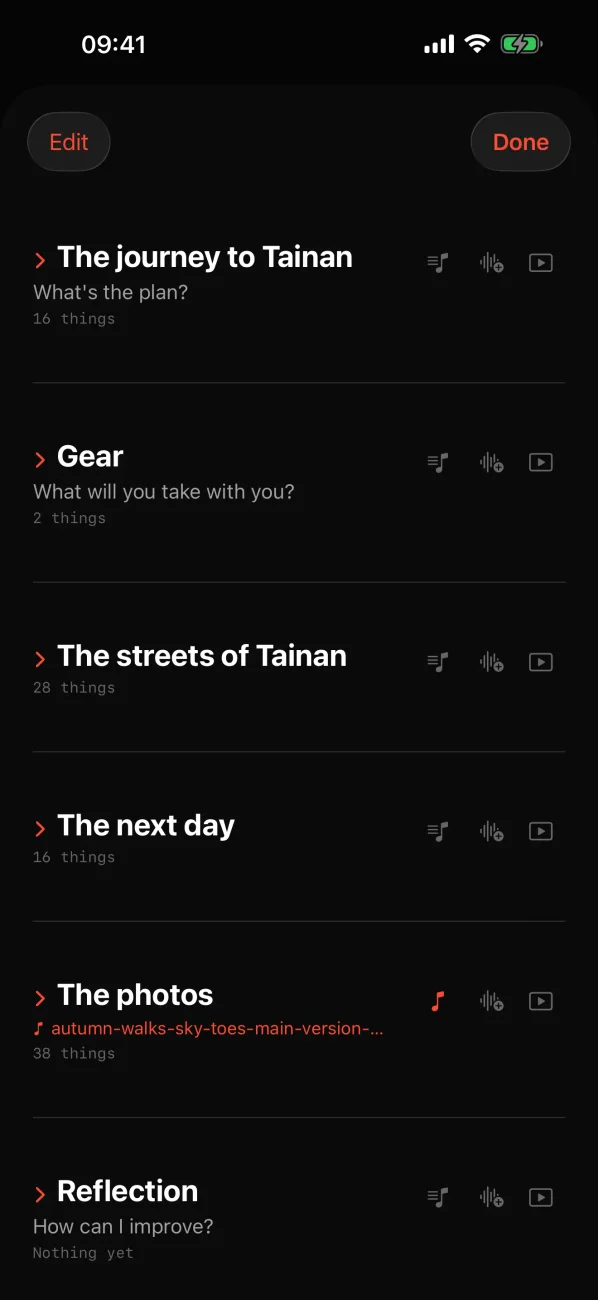
Klik is a creative project builder. Whether it takes a day or a year, it holds the whole piece of work: the plan, everything you gather, and what you make from it.
For street photographers, YouTubers, and anyone with something to create.
IMPORT A WHOLE PROJECT FROM YOUR AI ASSISTANT
Tell Claude, ChatGPT, Gemini or Grok where you are going and what you are after. It hands back a project — sections, places, prompts, scripts — and Klik builds it. Nothing is typed twice. Klik shows you how to set each one up.
A project arrives pasted, as a file, shared from the conversation, or straight from your Dropbox.
Smart by design. The assistant is your own, outside Klik — your work never leaves your phone and you are never billed for AI.
Or shape a project yourself in sections you name, keep a checklist, or start from a template.
DOCUMENT IT AS YOU GO
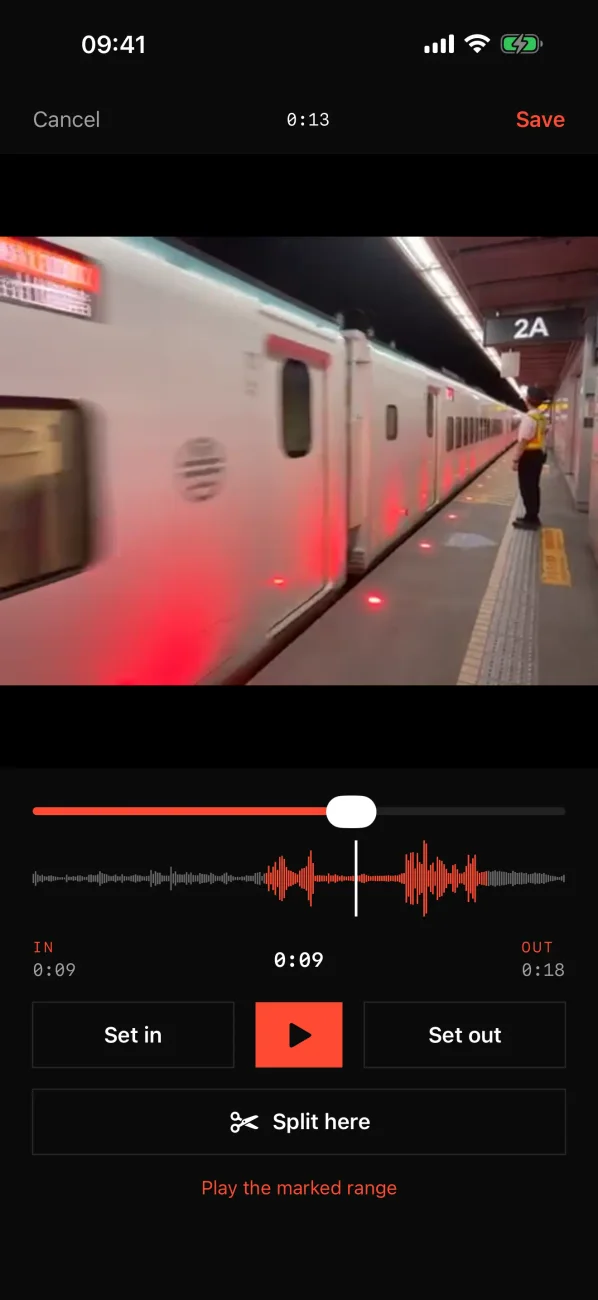
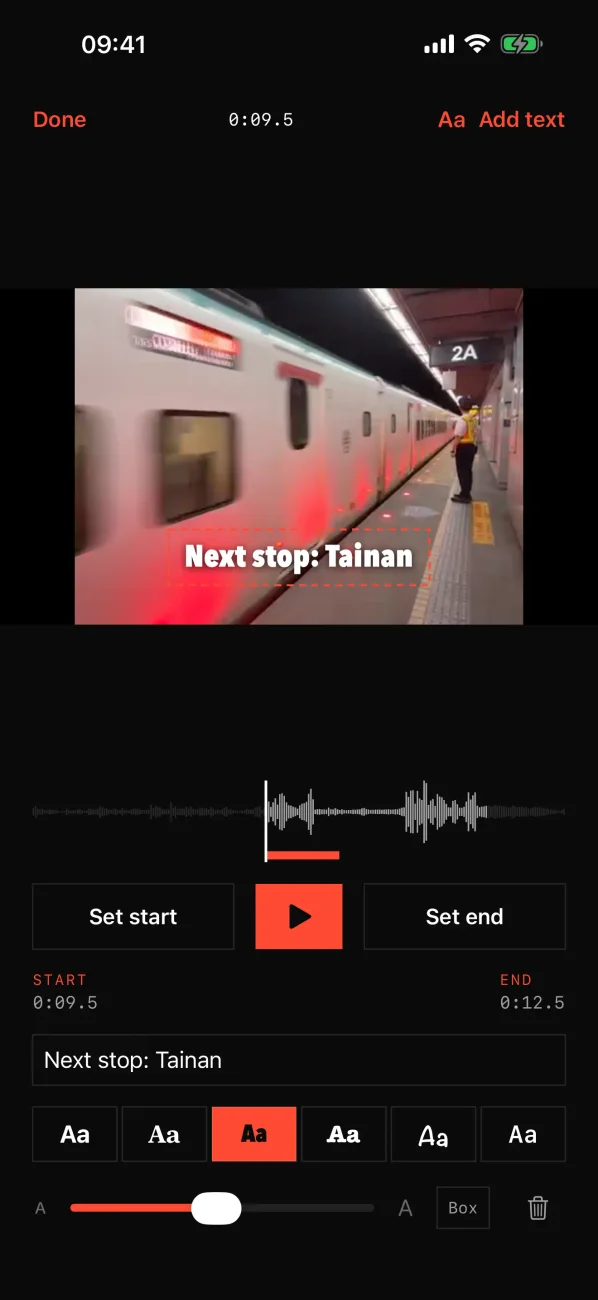
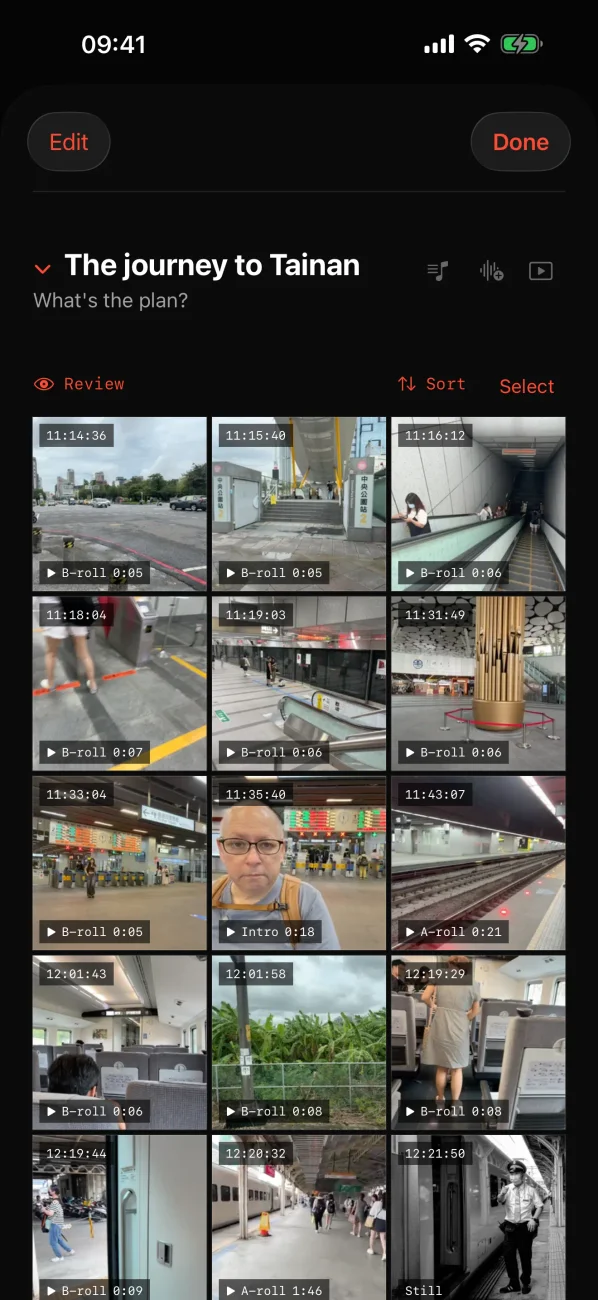
Shoot straight into a section, or drop in photographs, clips, notes, voice memos and places. Drag them into the order they should be seen, trim a clip to the seconds worth keeping, and put words where they belong on the picture and in time.
POV FILMS FROM YOUR OWN PHOTOGRAPHS
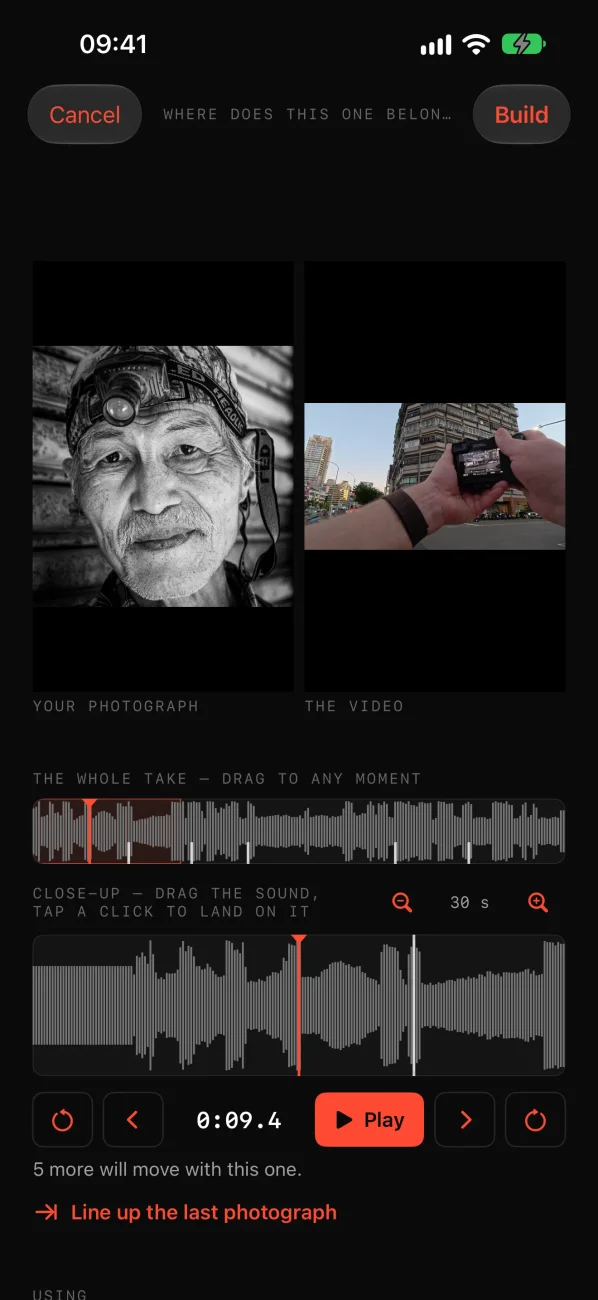
Lay your photographs over a continuous take: the viewer sees the street, then the frame you took of it. Anchor one by eye and the rest land by interval, so no clock has to be right. Send edited photographs in from Lightroom, straight into a section, a take or a slideshow.
TALK OVER YOUR PICTURES
Record a narration across a whole section and it plays over everything in it — a run of photographs, a slideshow, a take. Mute what a clip was carrying, or keep it underneath.
READ WITHOUT LOOKING AWAY
A teleprompter in a narrow column beside the lens that follows your voice as you speak, so your eyes stay where the camera is. It listens on the phone itself, in every language Klik speaks.
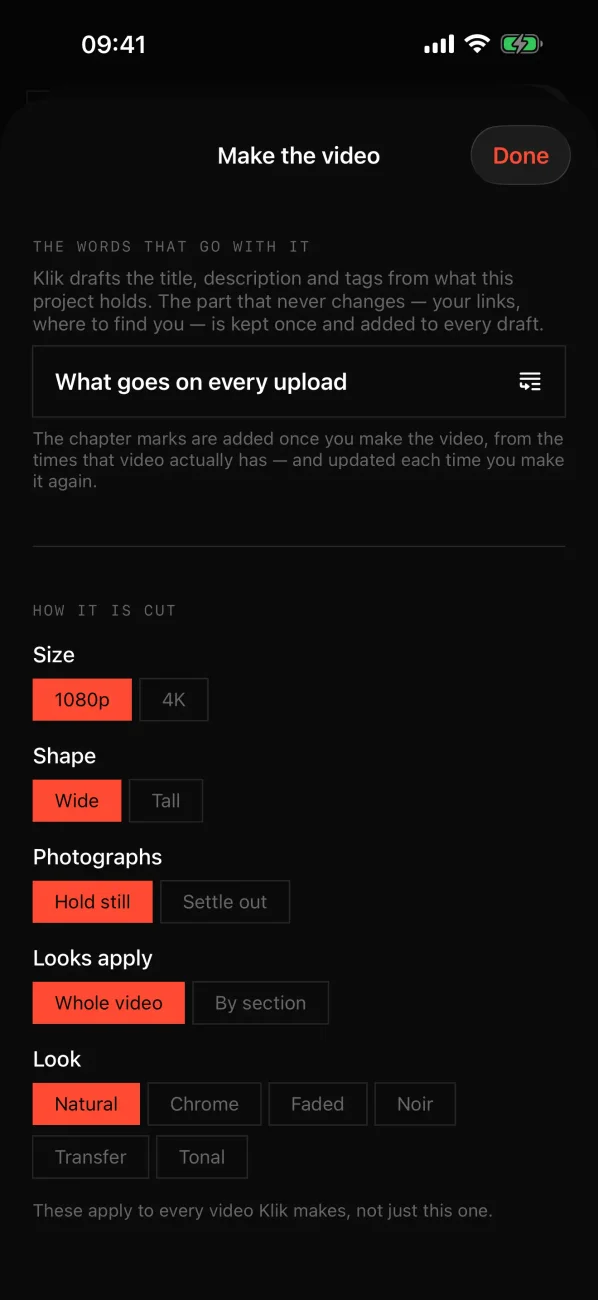
MAKE THE VIDEO
Klik cuts a project into a finished video and saves it to your photo library — wide for a screen, tall for a feed. Give each section its own music, which eases in and out and ducks under anything spoken. Choose a film look for the whole cut or section by section.
PUBLISH IT
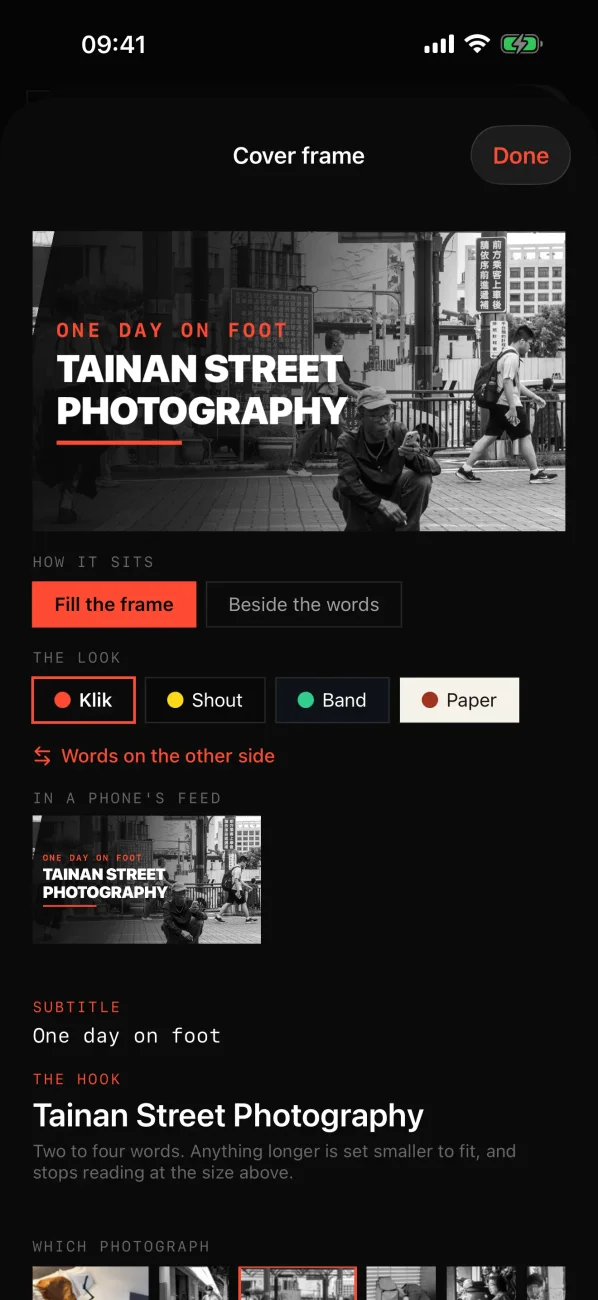
Klik writes the parts nobody enjoys: a thumbnail built from your own photograph and shown at the size people really see it, a title, tags, and a description you can paste straight into YouTube, with chapter marks from the video you actually made. Add an affiliate link to a piece of gear, and when that gear is in the video the link goes into the description.
YOUR PLACES
Keep the places worth going back to on a map of their own. Every place files itself by country and city as you save it. Search your own by name, street, note or tag. Drop a pin, search the world, or import from GPX, GeoJSON or CSV. Each project gets its own map, showing where the plan said to go and where you went.
THE LIGHT
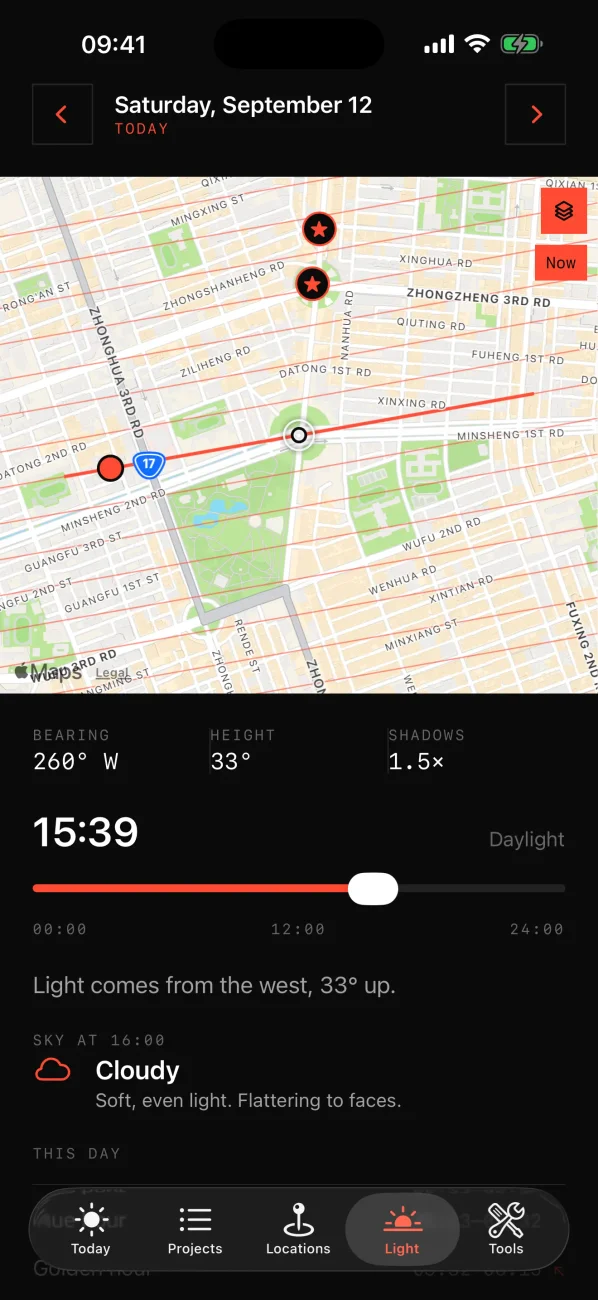
See where the sun will be through the day, when golden and blue hour fall, and what the light will do at a place you saved. A lock screen widget keeps the next good light in front of you.
KNOW WHERE YOU STAND
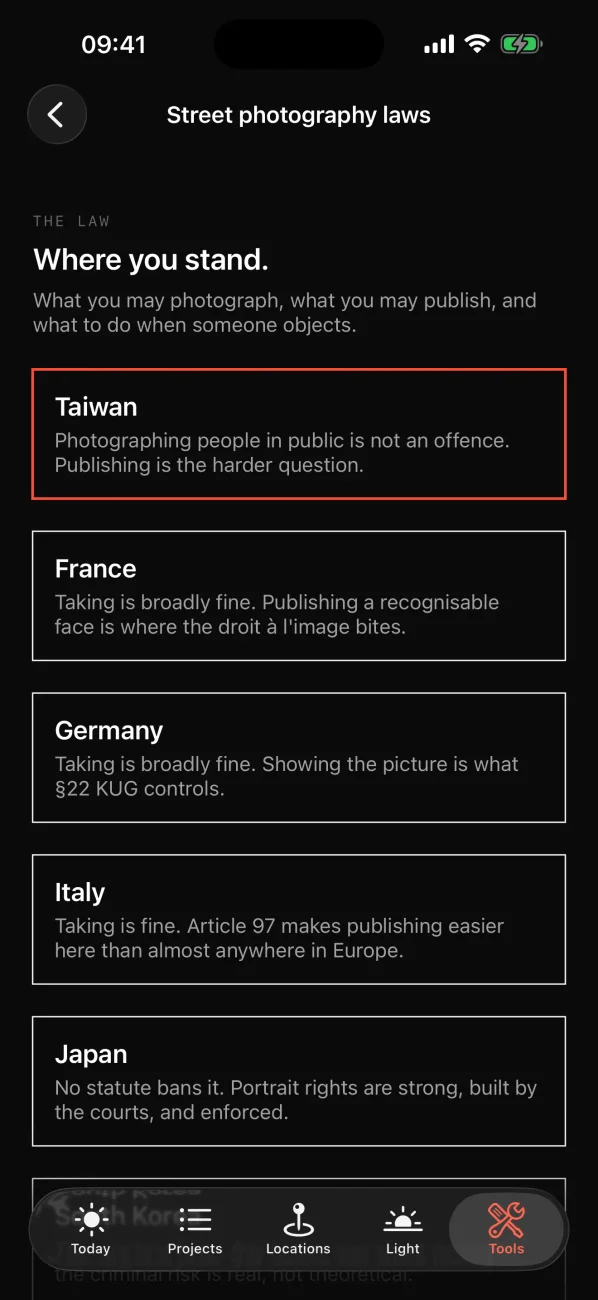
A plain-language guide to photographing in public for Taiwan, Japan, Korea, Germany, France, Spain, Italy and the UK, each written from that country's own law, with its sources.
AND THE KIT
Your gear, your film rolls frame by frame, and what you actually use.
PRIVATE BY DESIGN
No account, no sign-in, no analytics and no advertising. Your work lives on your device and, if you use iCloud, in your own account.
TRY IT FREE
Free for fourteen days from install, with nothing to pay and nothing lost when they end. After that, subscribe yearly or monthly, or buy it once for life. Without a plan, everything you have already made stays yours to open, read and export. Subscriptions renew automatically unless cancelled at least 24 hours before the end of the period, and can be managed in your App Store account settings.
Terms of Use: https://www.apple.com/legal/internet-services/itunes/dev/stdeula/
Privacy Policy: https://elementalcore.com/privacy/klik
Yang baru
Versi 1.3 · 21/10/2026
POV films, synchronized by sound
Your camera clicks when it takes a photograph, and the take hears it. Synchronizing now shows the take's sound with every photograph marked on it. Put the first photograph on its click; if the other marks sit on their clicks, it's right.
• Play the video with its sound from just before the marker.
• Zoom from two seconds to two minutes, so a half-hour walk is as easy as a short one.
• Tap near a click and the marker lands on it.
• If the marks drift, line up the last photograph too, and everything between is spaced to fit.
Pause the video for each photograph
A new option on the POV screen. The video and its sound stop while a photograph shows, then carry on from the same moment. Music under the section keeps playing, and comes up while the photograph is on screen.
Also
• Synchronize opens every time, portrait video included, and a portrait take now shows as portrait.
• A new project takes its shape, wide or tall, from the first clip you bring in.
• Removing a take can keep the clip and photographs.
• Importing from a card shows how far along it is.
• A first screen that says what Klik is for.
POV films: you choose what goes in
A POV film lays your photographs over one continuous take. Klik used to decide
which clip and which photographs that meant. Now you do.
Two clips in a section used to switch the POV maker off altogether. It asks
which one is the take instead.
A take used to use every photograph in its section, including ones that were
never meant to be in the film. Tick the ones you want. Leave them all on and
nothing changes.
Photographs with no time recorded on them cannot be placed over a take. They
are listed on their own now, rather than quietly going missing.
Bring the take in from anywhere
Import the video and the photographs straight into the POV screen — from your
photo library, or from Files, which means an external drive or iCloud too.
Both imports sit at the top, where you need them.
Importing into the POV screen now makes the section a take. One box, as it
should have been.
Festivals, and what is around you
Double Tenth Day is in the calendar, with 28 February — both Taiwan only.
Places of worship are named the way the country you are in names them, instead
of temples and shrines everywhere.
Privasi aplikasi
Yang dinyatakan Ian Jukes di App Store tentang cara aplikasi ini menangani data.
-
Data tidak dikumpulkan
Pengembang tidak mengumpulkan data apa pun dari aplikasi ini.
Praktik privasi dapat bervariasi, misalnya berdasarkan fitur yang Anda gunakan atau usia Anda.
Informasi
- Penjual
- Ian Jukes
- Kategori
- Foto & Video
- Versi
- 1.3
- Diperbarui
- 21/10/2026
- Dirilis
- 24/9/2026
- Ukuran
- 15,4 MB
- Memerlukan
- iOS 17.0 atau yang lebih baru
- Batasan usia
- 4+
- Harga
- Gratis
- Pembelian dalam aplikasi
- Ya
- Bahasa
- Inggris, Prancis, Jerman, Italia, Jepang, Korea, Spanyol, Tionghoa Tradisional
- Hak cipta
- © 2026 Ian Jukes
Mungkin Anda juga suka
-
 Lumyn: AI Photo Video MakerFoto & Video
-
 KLIK - Disposable Camera EventFoto & Video
-
 Better Camera: Point & ShootFoto & Video
-
 Frames: Jurnal Foto AnalogCatat Roll Film & Jepretan
-
 Euno ‑ MomentsFoto & Video
-
 cizucu - Creative CommunityBagikan perspektif fotomu
-
 Develop! Film TimerFoto & Video
-
 Massive Dev Chart TimerFoto & Video
-
 LFI - Leica Fotografie Int.Foto & Video
-
 FilmMeterFoto & Video