Laser Library
Your Laser Materials & Setting
Dirancang untuk iPhone, iPad
Gratis · Pembelian dalam aplikasi
- Batasan usia17+
- KategoriKegunaan
- PengembangTurboCycle Media, LLC
- BahasaInggris+ 4 lainnya
- Ukuran9,7 MB
Tertaut ke halaman resmi App Store
Download.org tidak menyimpan file Laser Library apa pun. Tombol ini membuka halaman aplikasi di App Store, tempat TurboCycle Media, LLC menerbitkannya. Halaman terakhir diperiksa pada 18/11/2026.
Tangkapan layar
Tentang
Pengembang belum menyediakan teks ini dalam bahasa Anda.
Every laser project starts with the same question: what settings do I use?
Laser Library answers it. Log a test once — the machine, the material, the power, speed, and passes, plus a photo of how it turned out — and you never have to guess at those numbers again.
BUILT AROUND YOUR WORKSHOP
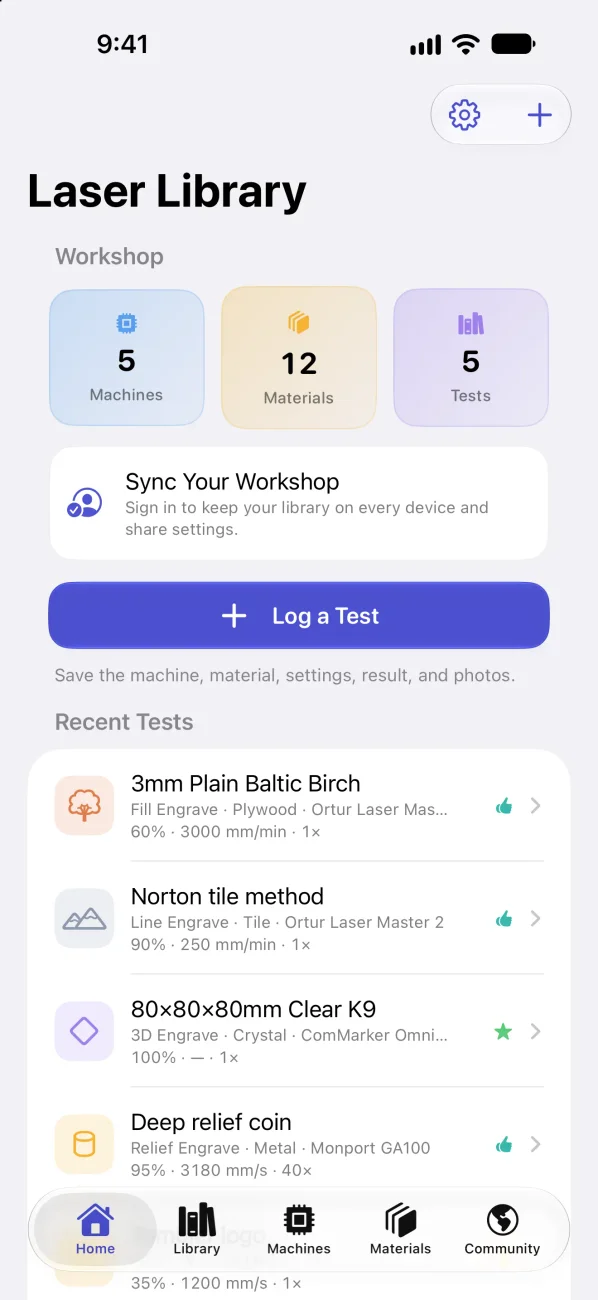
• Machines — track every laser you own: type, wattage, lens, work area, and the software you drive it with.
• Materials — save the stock you actually buy, down to species, coating, thickness, and supplier.
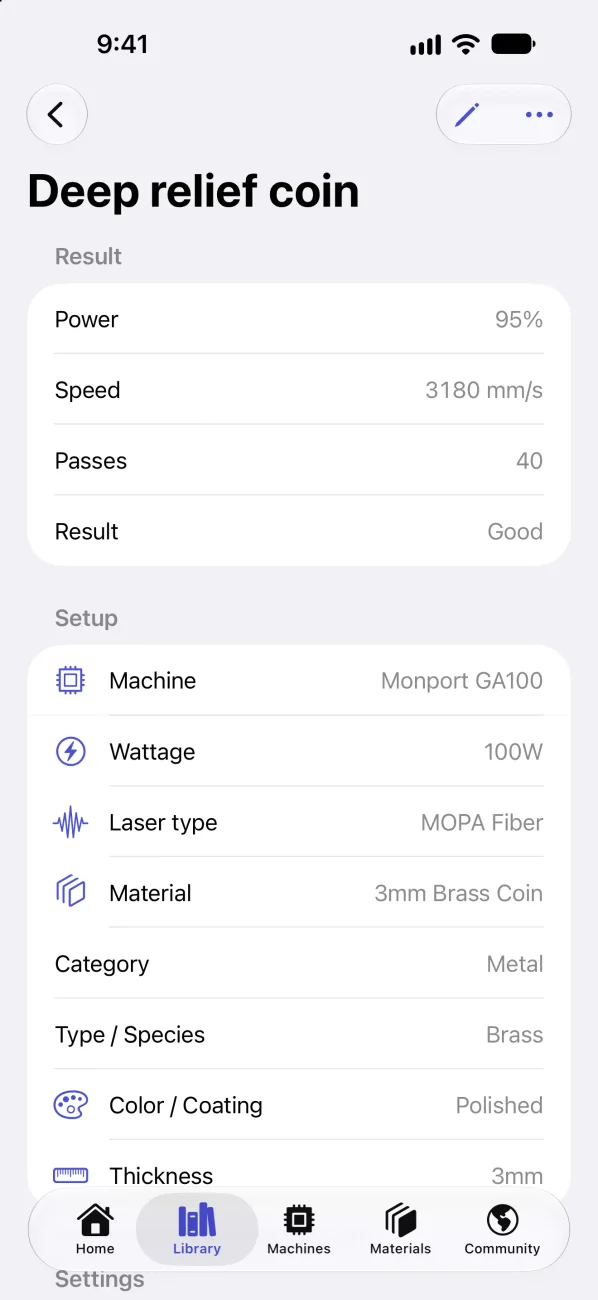
• Tests — record power, speed, passes, frequency, line interval, focus offset, air assist and more, then rate how the result came out.
SEE WHAT ACTUALLY WORKED
Photograph the finished cut or engrave and attach it to the entry. Six months later, the picture tells you more than the numbers do.
FIND IT AGAIN IN SECONDS
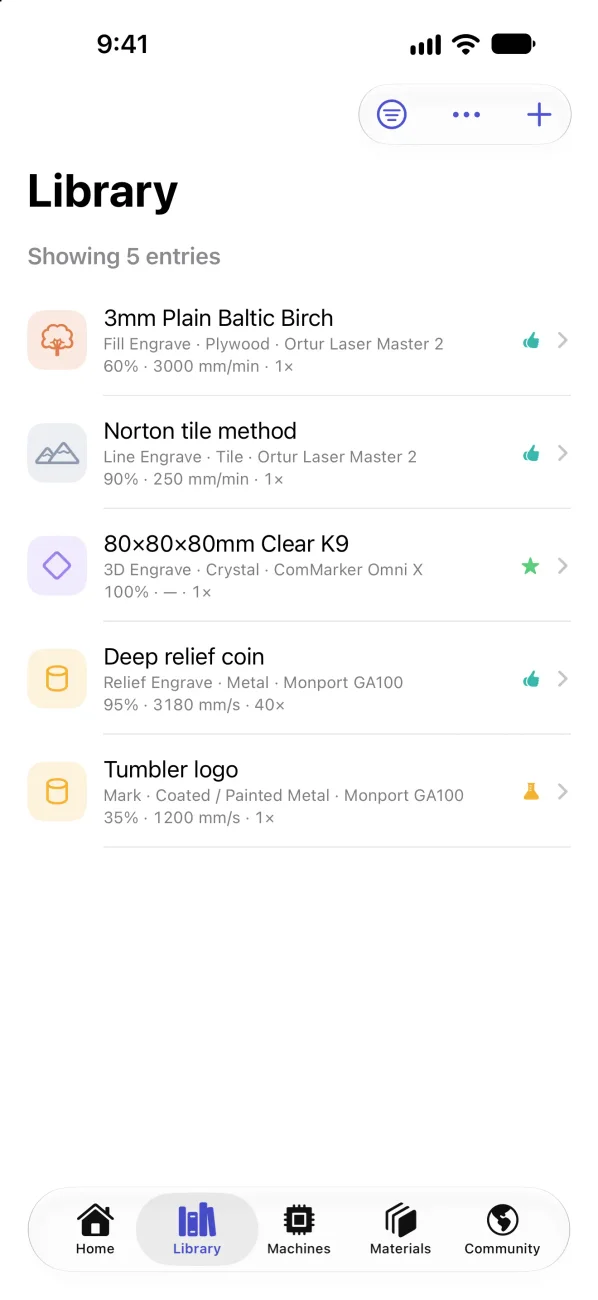
Search and filter your whole library by machine, material, operation, or result. Put two tests side by side to see exactly which setting made the difference.
SHARE WITH OTHER MAKERS
Publish a dialed-in setting to the community, or browse what other makers have already proven on the same material. Save anything useful straight into your own library.
ON IPHONE AND IPAD
Sign in and your library syncs across iPhone and iPad. Signing in is optional — the app works offline and keeps everything on your device until you decide otherwise.
PURCHASES
One purchase unlocks Laser Library Pro: unlimited machines, more photos per test, and no ads. Prefer to keep it simple? Remove Ads on its own for less. Neither is a subscription.
Works with diode, CO2, fiber, MOPA, and UV lasers.
Yang baru
Versi 1.1 · 12/10/2026
iPhone Duo, in every pose
• Fold and unfold without losing your place. Your section, your selected item, and any editor you have open stay put when you open or close the phone, including unsaved text.
• Side-mounted controls. On the outer display, the toolbar and tabs move to the side, within easy reach of your thumb.
• Two columns when open. The inner display shows your list and the selected item side by side.
• Folded like a book, the divider between the list and the detail lines up with the fold, so nothing sits in the crease.
• Propped up on a table, the tab bar sits on the lower half, where your hand rests.
Save materials straight from the web
• Share any product page from Safari to Laser Library, and the form fills itself in: name, category, type or species, colour or finish, thickness, supplier, price, and the full product title in Notes.
• The real price. On Amazon, Laser Library reads the price you'd actually pay, not a struck-through list price or a sponsored product's price.
• Shares from other apps work too. When an app shares a sentence with a link in it, Laser Library finds the link. Short links like a.co are expanded to the full product page.
• It's there right away. A material you share appears as soon as you open Laser Library. You no longer need to restart the app.
• Everything stays editable before you save, and nothing you type is overwritten.
Materials
• New Price field, shown on the material and editable any time.
• Product links are more forgiving. Links typed without "https://" (like "amazon.com/dp/…") now open as expected. Links saved that way before this update work too.
• Amazon product links open in a clean, short form.
Sign in
• A new sign-in screen: one simple column with your app icon at the top, email and password fields, Sign in with Apple, and passkeys.
• Creating an account now asks you to confirm your password, and warns you if the two don't match.
• The icon at the top matches the app icon you've chosen.
iPad
• The sidebar and the list-and-detail layout are unchanged, now built on the same foundation as iPhone Duo.
• Purchases on iPad are more reliable. The App Store purchase sheet now always opens in the window you tapped from.
Privasi aplikasi
Yang dinyatakan TurboCycle Media, LLC di App Store tentang cara aplikasi ini menangani data.
-
Data yang digunakan untuk melacak Anda
Dapat digunakan untuk melacak Anda di aplikasi dan situs web milik perusahaan lain.
- Pengenal
- Data penggunaan
-
Data yang ditautkan dengan Anda
Dapat dikumpulkan dan ditautkan dengan identitas Anda.
- Pembelian
- Lokasi
- Info kontak
- Konten pengguna
- Pengenal
- Data penggunaan
- Diagnostik
Praktik privasi dapat bervariasi, misalnya berdasarkan fitur yang Anda gunakan atau usia Anda.
Informasi
- Penjual
- TurboCycle Media, LLC
- Kategori
- Kegunaan
- Versi
- 1.1
- Diperbarui
- 12/10/2026
- Dirilis
- 8/10/2026
- Ukuran
- 9,7 MB
- Memerlukan
- iOS 17.0 atau yang lebih baru
- Batasan usia
- 17+
- Harga
- Gratis
- Pembelian dalam aplikasi
- Ya
- Bahasa
- Inggris, Prancis, Jerman, Tionghoa Sederhana, Spanyol
- Hak cipta
- © 2026 TurboCycle Media, LLC.
Mungkin Anda juga suka
-
 BeamLog: Laser Cutter SettingsKegunaan
-
 Beam Master Pro - Laser CalcKegunaan
-
 MobileDKegunaan
-
 BeamMate · Laser Engraver AppKegunaan
-
 SBM Laser Help: Laser CuttingKegunaan
-
 PaxxMakerKegunaan
-
 EtcherLaserKegunaan
-
 FE-ShuntKegunaan
-
 laser showKegunaan
-
 G-Code Generator: CNC & LaserGambar ke G-code untuk ukiran