
- Batasan usia4+
- KategoriKegunaan
- PengembangCarl Sieber
- BahasaInggris
- Ukuran7,3 MB
Tertaut ke halaman resmi App Store
Download.org tidak menyimpan file Lean: Inclinometer apa pun. Tombol ini membuka halaman aplikasi di App Store, tempat Carl Sieber menerbitkannya. Halaman terakhir diperiksa pada 15/11/2026.
Tangkapan layar



Tentang
Pengembang belum menyediakan teks ini dalam bahasa Anda.
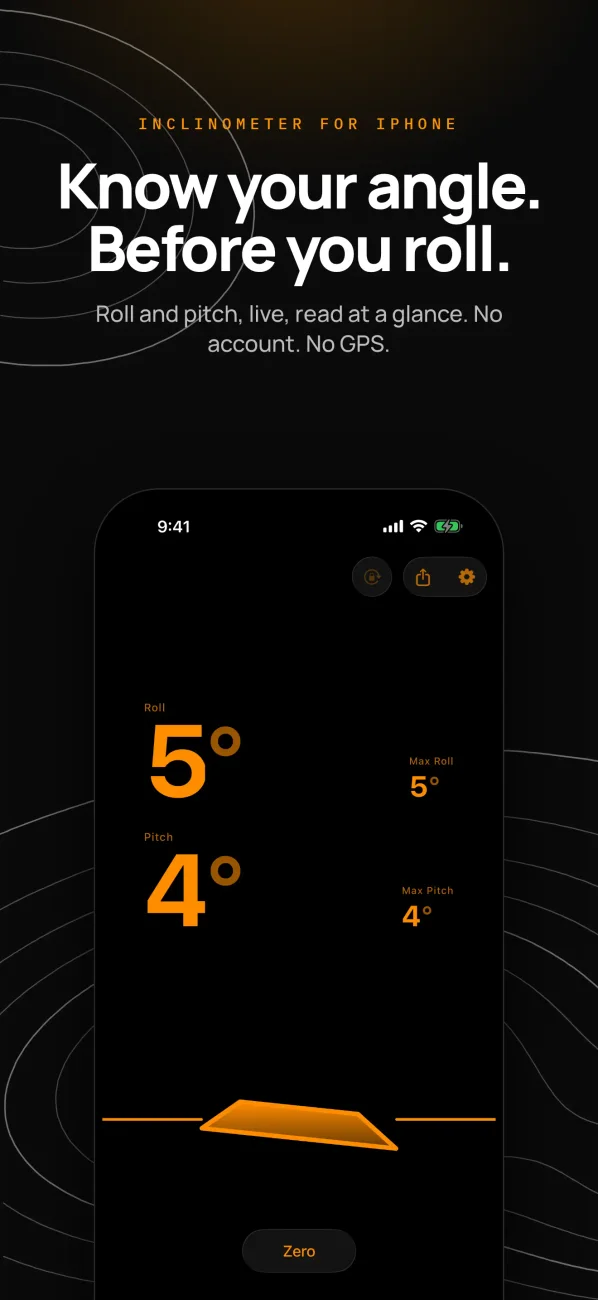
Lean turns your iPhone into a live inclinometer that's faster to read than a traditional gauge. It shows your vehicle's pitch and roll together, so a single look tells you your angle — climbing or descending, and how far you're leaning left or right. Set your own limits, and Lean warns you — amber as you approach, red at the limit.
FEATURES
• Pitch and roll in one view — read your vehicle's angle at a glance
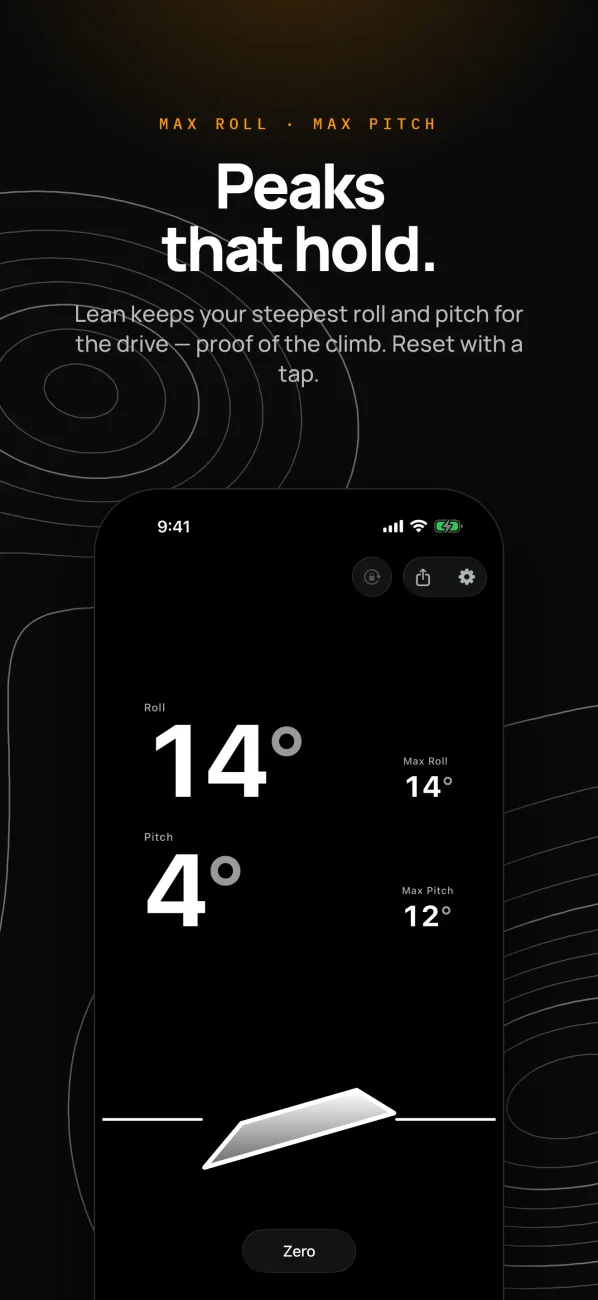
• Max Roll and Max Pitch — Lean holds your steepest angles for the drive; reset with a tap
• Clean angle readouts in whole degrees — a plain "12°", never a signed "−12°"
• One-tap Zero stores your mount angle, so Lean reads your vehicle's tilt, not the phone's
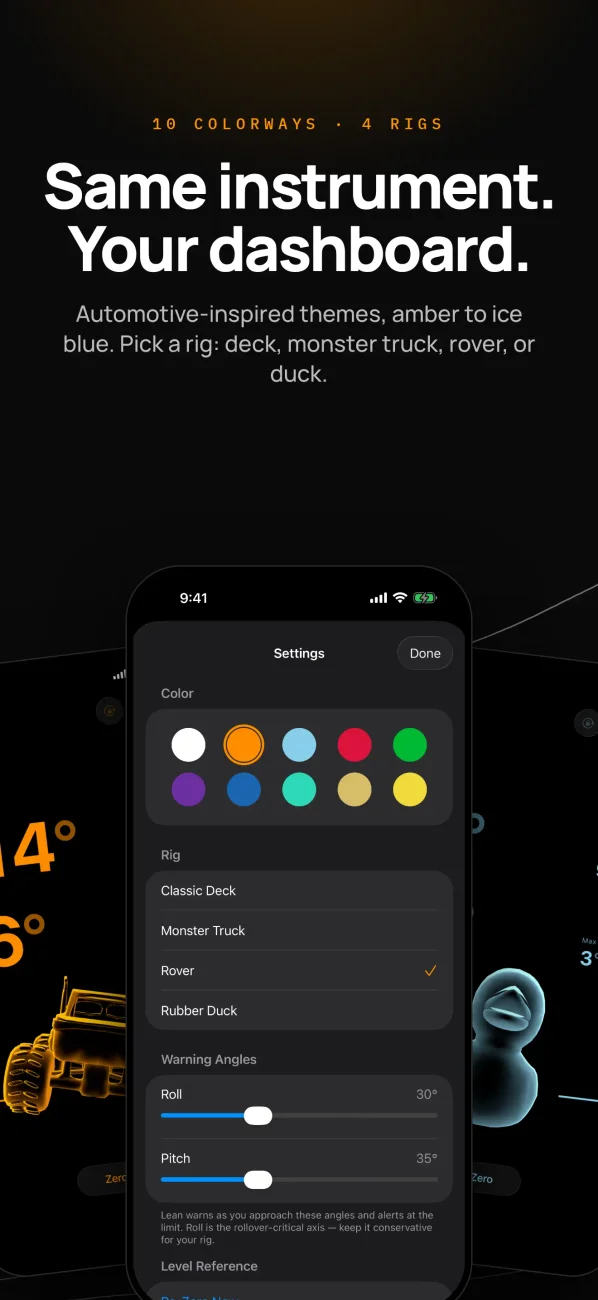
• Rollover awareness — set caution and limit angles for roll and pitch, and Lean warns you with color and haptics as you near a limit
• Share the angle — capture roll, pitch, and your warning color as a card
• Ten dashboard color themes
• Pick your rig — keep the classic deck, or swap in a live 3D wireframe Monster Truck, Rover, or rubber duck that tilts with you
• Portrait or landscape, in any mount — dashboard, vent, or a flat console charger
• Made for iPhone Duo — a layout for the outer screen, and for the inner screen held wide or tall
• Built-in orientation lock — pin to portrait even when your device rotation is on
• No GPS, no network, no account — everything runs on-device
HOW IT WORKS
Lean reads gravity directly from your iPhone's motion sensors to measure how far your vehicle is tilted — front-to-back (pitch) and side-to-side (roll). Park on level ground and tap Zero; Lean records your mount as the reference and measures every tilt from there.
It shows both axes together, so you read your situation in one look instead of cross-referencing two gauges. Set caution and limit angles to match your rig, and Lean adds a warning on top — amber as you approach a limit, red at it, with haptics you feel without looking down. Roll is the axis that matters most for tipping, so the warning follows whichever of roll or pitch is nearer its limit.
No GPS. No calibration drive. No account. Mount your iPhone in portrait, zero it once, and drive.
GREAT FOR
• Overlanders and rock-crawlers reading side-slopes and climbs
• 4x4, off-road, and trail driving where knowing your angle matters
• Anyone who wants a clear, glanceable read on roll and pitch
• Sizing up an obstacle before you commit
PRIVACY
Lean is a pure motion app. It reads gravity from your iPhone's sensors and nothing else — no GPS, no network, no account. Your zero reference and settings stay on your device and are never uploaded.
No account. No signup. No internet connection. No location permission.
QUICK START
1. Mount your iPhone in portrait in a dashboard or vent mount
2. Park on level ground and tap Zero
3. Drive — your angle updates live as the terrain changes
4. Set your caution and limit angles in Settings to match your rig
IMPORTANT
Lean estimates tilt from your iPhone's motion sensors and is an aid, not a guarantee. It cannot account for loose surfaces, shifting loads, or sudden movement. Never rely on it as a substitute for your own judgment. Mount your phone safely, keep your eyes on the trail, and always drive responsibly and obey local laws.
Yang baru
Versi 1.4.3 · 28/10/2026
NEW: made for iPhone Duo. Lean fits the outer screen, opens to a wide or tall layout on the inner screen, and moves its controls where iPhone Duo puts them.
Privasi aplikasi
Yang dinyatakan Carl Sieber di App Store tentang cara aplikasi ini menangani data.
-
Data tidak dikumpulkan
Pengembang tidak mengumpulkan data apa pun dari aplikasi ini.
Praktik privasi dapat bervariasi, misalnya berdasarkan fitur yang Anda gunakan atau usia Anda.
Informasi
- Penjual
- Carl Sieber
- Kategori
- Kegunaan
- Versi
- 1.4.3
- Diperbarui
- 28/10/2026
- Dirilis
- 17/6/2026
- Ukuran
- 7,3 MB
- Memerlukan
- iOS 17.0 atau yang lebih baru
- Batasan usia
- 4+
- Harga
- Gratis
- Bahasa
- Inggris
- Hak cipta
- © 2026, Carl Sieber
Mungkin Anda juga suka
-
 Baja Inclinometer 4x4 Off RoadKegunaan
-
 Pitch and Roll: InclinometerKegunaan
-
 Solar Potential TrackerKegunaan
-
 SEO Audit: Site CheckerKegunaan
-
 SD InclinometerKegunaan
-
 Calibre: Watch CollectorKegunaan
-
 Bubble Level: Smart ToolkitKegunaan
-
 Timegrapher AdvancedKegunaan
-
 iLOCK360Kegunaan
-
 Lean Angle: Kemiringan MotorPelacak Berkendara & Tikungan