Learn Cobol Programming Pro
COBOL Lessons & Coding
Dirancang untuk iPhone, iPad, iPod touch
Rp 59ribu
- Batasan usia9+
- KategoriPendidikan
- PengembangMuhammad Umair
- BahasaInggris
- Ukuran74,1 MB
Tertaut ke halaman resmi App Store
Download.org tidak menyimpan file Learn Cobol Programming Pro apa pun. Tombol ini membuka halaman aplikasi di App Store, tempat Muhammad Umair menerbitkannya. Halaman terakhir diperiksa pada 17/11/2026.
Tangkapan layar

Tentang
Pengembang belum menyediakan teks ini dalam bahasa Anda.
# Learn Cobol Professional
Learn COBOL programming step by step with organized lessons, knowledge quizzes, coding practice, and learning progress tracking.
Learn Cobol Professional provides a structured learning experience for exploring COBOL fundamentals, understanding program structure, and studying important concepts used in business and enterprise programming.
Whether you are discovering COBOL for the first time or reviewing core programming topics, the app helps you follow a clear learning path at your own pace.
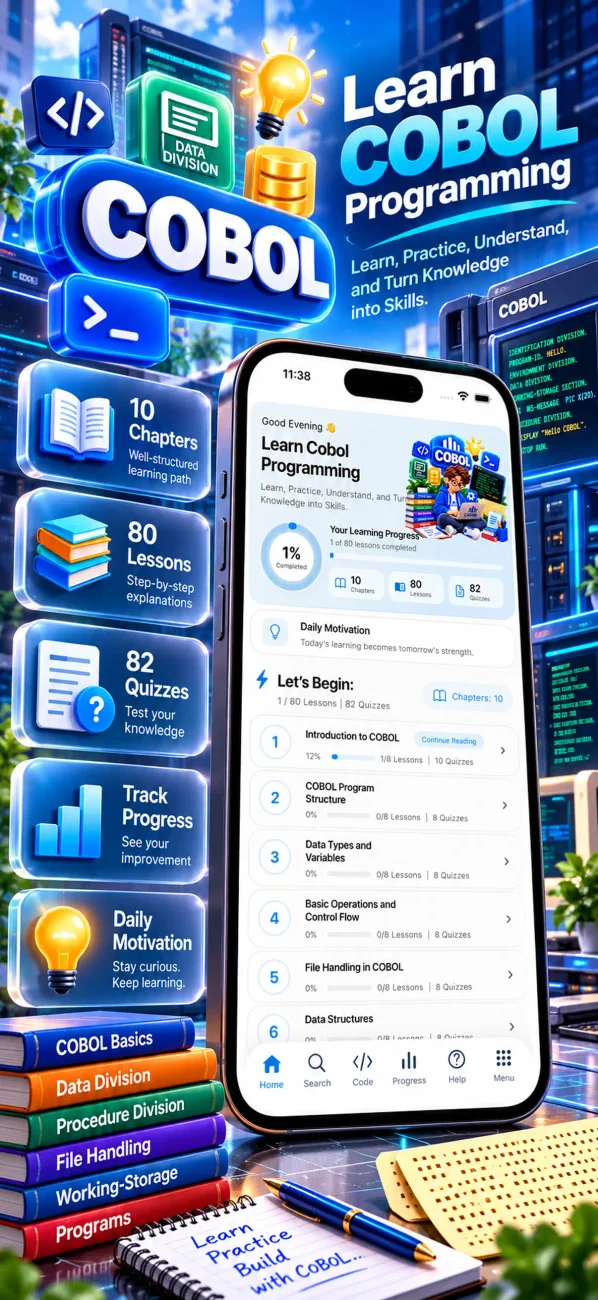
## EXPLORE 10 COBOL CHAPTERS
Build your knowledge through 10 organized chapters covering COBOL programming concepts.
The learning content includes:
• Introduction to COBOL
• COBOL Program Structure
• Data Types and Variables
• Basic Operations and Control Flow
• File Handling in COBOL
• Data Structures
Each chapter organizes related lessons and quiz questions to make learning easier to follow.
## LEARN WITH 80 STRUCTURED LESSONS
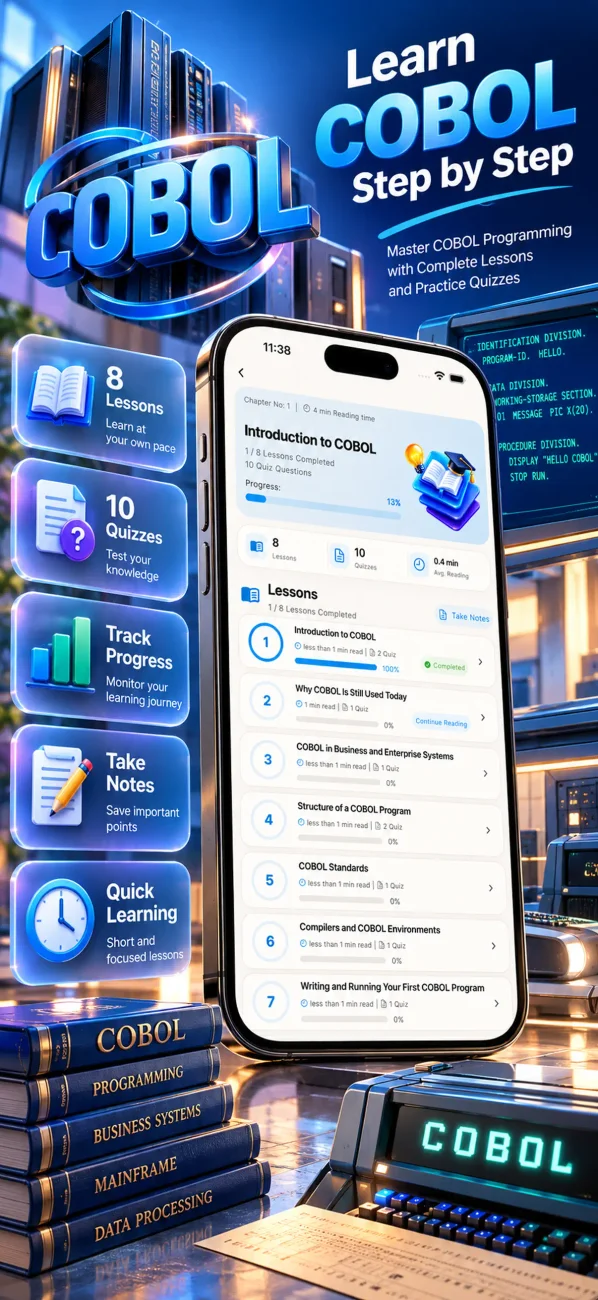
Explore 80 lessons designed to introduce COBOL concepts in an organized sequence.
Study topics including:
• Why COBOL Is Still Used Today
• COBOL in Business and Enterprise Systems
• Structure of a COBOL Program
## REVIEW YOUR KNOWLEDGE WITH 82 QUIZZES
Use 82 quiz questions to review programming concepts and reinforce your understanding.
Quizzes are organized alongside learning content, helping you check your knowledge as you move through COBOL lessons.
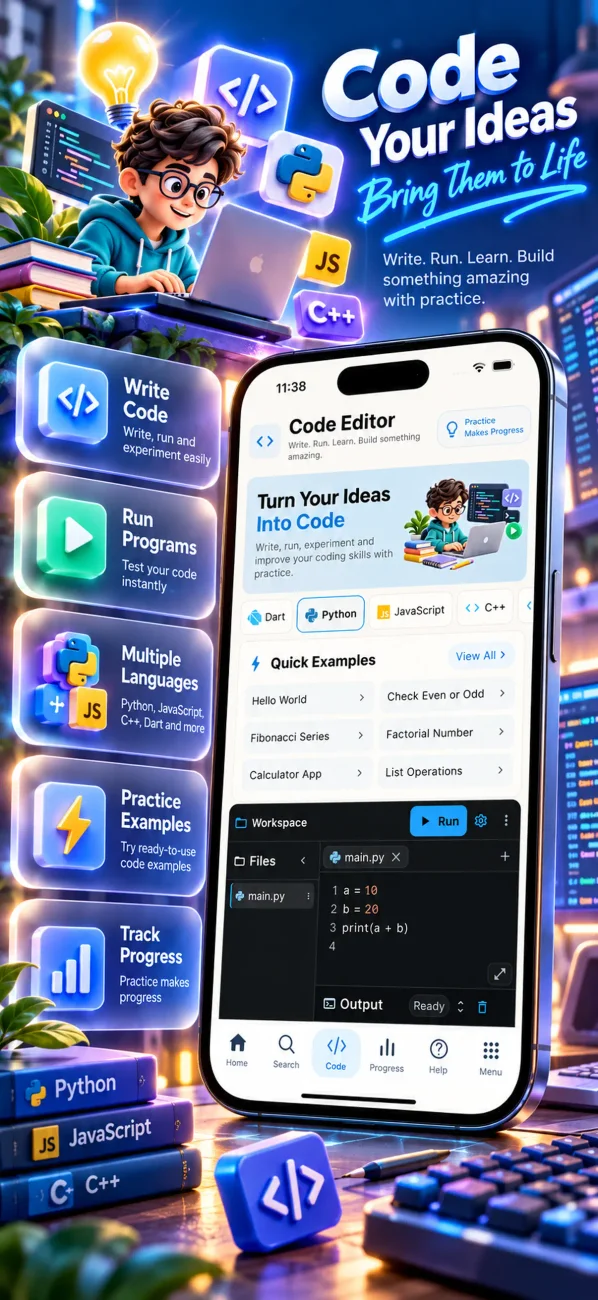
Use the built-in Code Editor to write, run, and experiment with code in supported programming languages.
The editor includes:
• A coding workspace
• File management
• Code execution and output
• Multiple programming language options
• Quick coding examples
Explore examples such as Hello World, Fibonacci Series, Factorial Number, Calculator App, and List Operations.
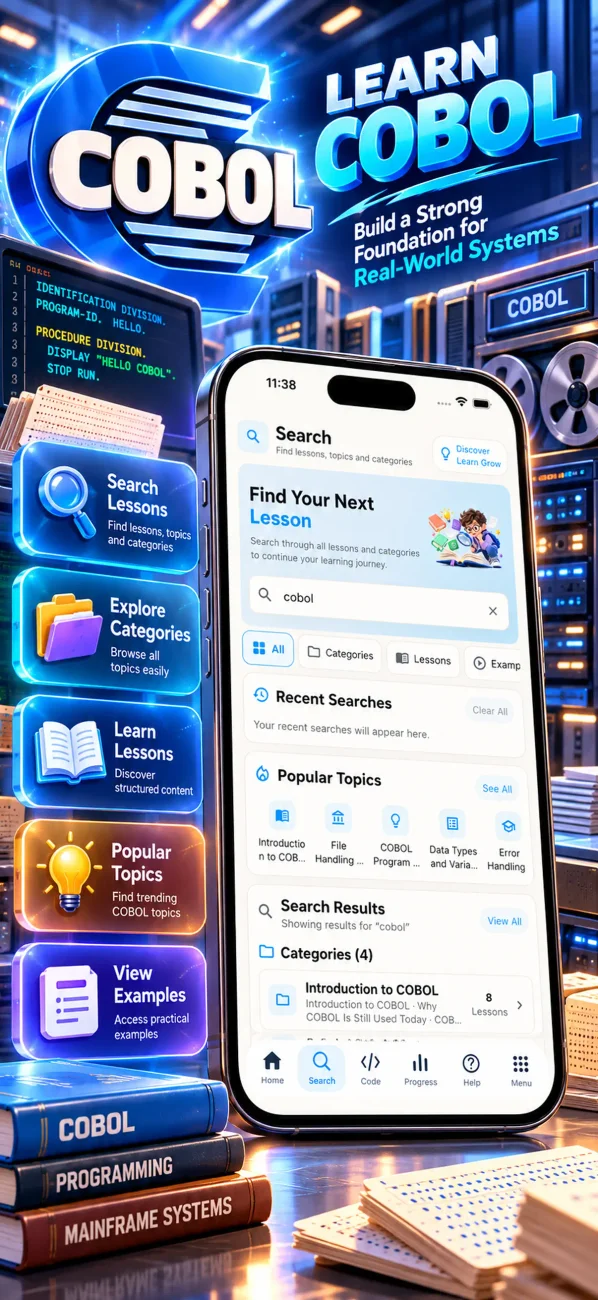
## SEARCH LESSONS AND TOPICS
Find relevant learning content using the built-in search feature.
• Search lessons and topics
• Browse learning categories
• Explore popular topics
• View available examples
• Return to recent searches
Find content about COBOL program structure, file handling, data types, variables, and other visible learning topics.
## TRACK YOUR LEARNING PROGRESS
Follow your progress throughout your COBOL learning journey.
View:
• Completed lessons
• Overall completion percentage
• Chapter progress
• Daily learning streak
• Completion rate
• Lessons in progress
• Lessons not yet started
Use the progress dashboard to see how far you have come and continue your learning routine.
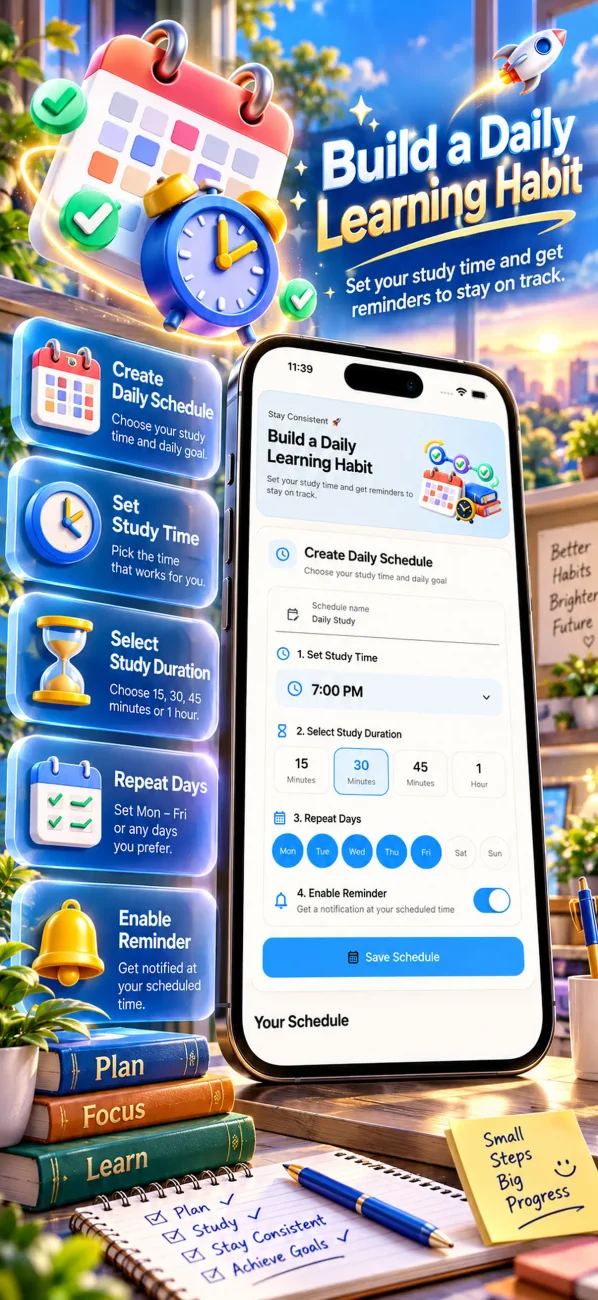
## CREATE A DAILY LEARNING SCHEDULE
Build a consistent study routine with the Learning Schedule feature.
• Set your preferred study time
• Choose a 15, 30, or 45-minute session, or 1 hour
• Select repeat days
• Enable study reminders
• Save your schedule
Plan your learning around your daily routine and receive reminders at your selected time.
## SAVE NOTES AND BOOKMARK LESSONS
Keep useful information organized as you study.
Use My Notes to save important points and bookmark lessons you want to revisit later.
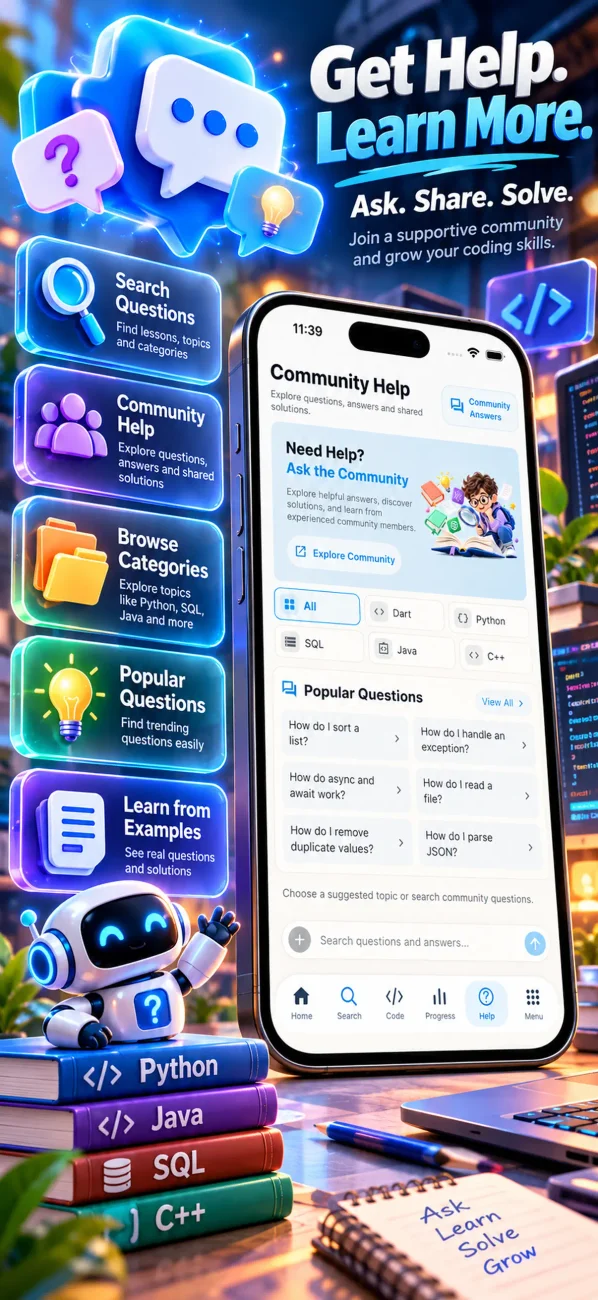
## EXPLORE COMMUNITY HELP
Browse programming questions, answers, and shared solutions.
Discover popular questions, explore programming categories, and search for community discussions when you want additional explanations.
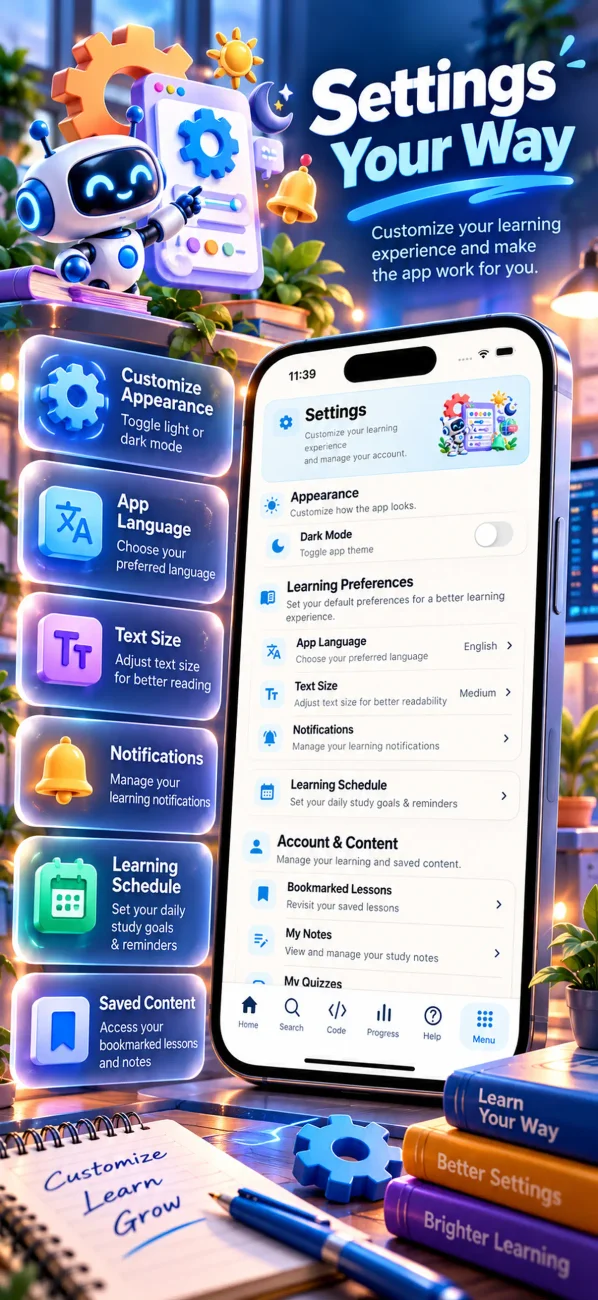
## PERSONALIZE YOUR LEARNING EXPERIENCE
Adjust the app to suit your preferences.
Available settings include:
• Light and dark appearance
• App language preferences
• Adjustable text size
• Notification settings
• Learning schedule
• Bookmarked lessons
• Saved notes
## WHY LEARN COBOL PROFESSIONAL?
• 10 organized COBOL chapters
• 80 structured lessons
• 82 quiz questions
• COBOL fundamentals and program structure
• Data types, variables, and file handling topics
• Built-in multi-language code editor
• Quick programming examples
• Lesson and topic search
• Progress and daily streak tracking
• Learning schedules and reminders
• Notes and bookmarked lessons
• Community programming questions
Yang baru
Versi 1.3 · 3/11/2026
Fixed Bugs
Privasi aplikasi
Yang dinyatakan Muhammad Umair di App Store tentang cara aplikasi ini menangani data.
-
Data tidak dikumpulkan
Pengembang tidak mengumpulkan data apa pun dari aplikasi ini.
Praktik privasi dapat bervariasi, misalnya berdasarkan fitur yang Anda gunakan atau usia Anda.
Informasi
- Penjual
- Muhammad Umair
- Kategori
- Pendidikan
- Versi
- 1.3
- Diperbarui
- 3/11/2026
- Dirilis
- 27/3/2025
- Ukuran
- 74,1 MB
- Memerlukan
- iOS 15.6 atau yang lebih baru
- Batasan usia
- 9+
- Harga
- Rp 59ribu
- Bahasa
- Inggris
- Hak cipta
- © Muhammad Umair
Mungkin Anda juga suka
-
 Learn COBOL ProgrammingPendidikan
-
 Learn Cobol Programming 2024Pendidikan
-
 MorseLab: Morse Trainer GamePendidikan
-
 MicroController Learning LabPendidikan
-
 GoGopher AcademyPendidikan
-
 Learn OOP Programming OfflinePendidikan
-
 pocketFORTHPendidikan
-
 Japanese-German DictionaryReferensi
-
 SQL Recipes ProLatihan SQL dengan basis data
-
 Learn Haskell OfflinePendidikan