
LearningSteps: Watch Code Run
SQL, Python, Docker, ML & more
Dirancang untuk iPhone
Gratis
- Batasan usia4+
- KategoriPendidikan
- PengembangAleksei Nesterov
- BahasaInggris
- Ukuran30,8 MB
Tertaut ke halaman resmi App Store
Download.org tidak menyimpan file LearningSteps: Watch Code Run apa pun. Tombol ini membuka halaman aplikasi di App Store, tempat Aleksei Nesterov menerbitkannya. Halaman terakhir diperiksa pada 12/11/2026.
Tangkapan layar

Tentang
Pengembang belum menyediakan teks ini dalam bahasa Anda.
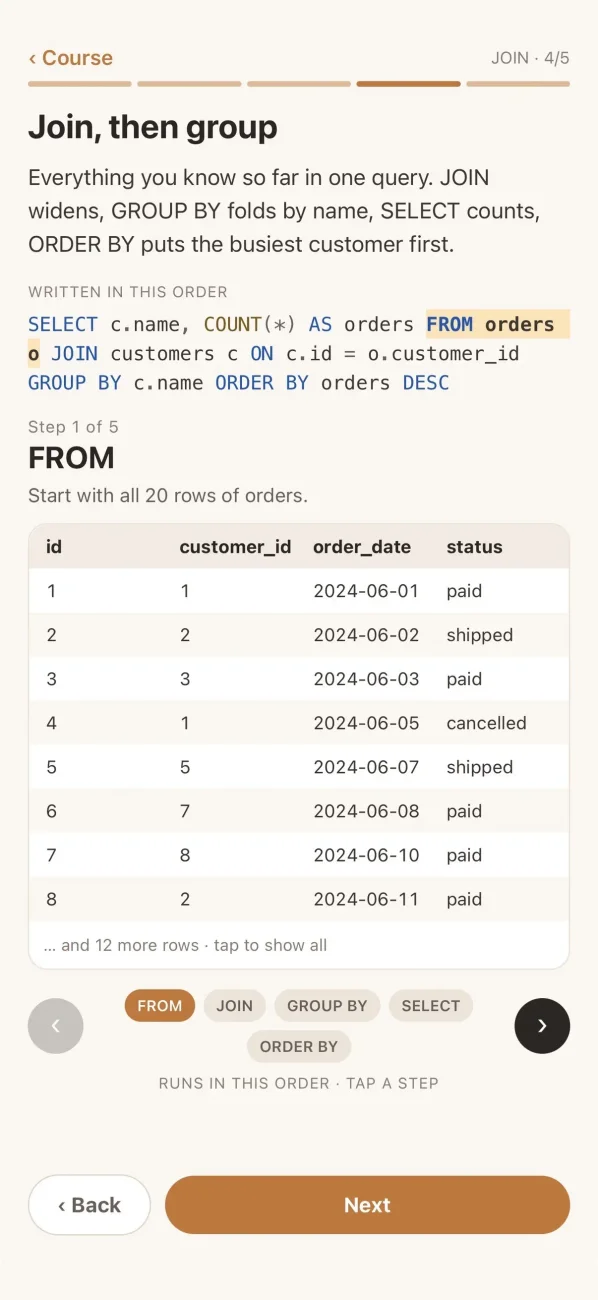
Most tutorials show you the answer. LearningSteps shows you what the computer does with it.
Type a query and watch it run the way the database runs it: FROM first, then WHERE, then GROUP BY, and SELECT almost last. Every step shows the rows it keeps and the rows it drops, so the order that confuses beginners becomes the thing you understand first.
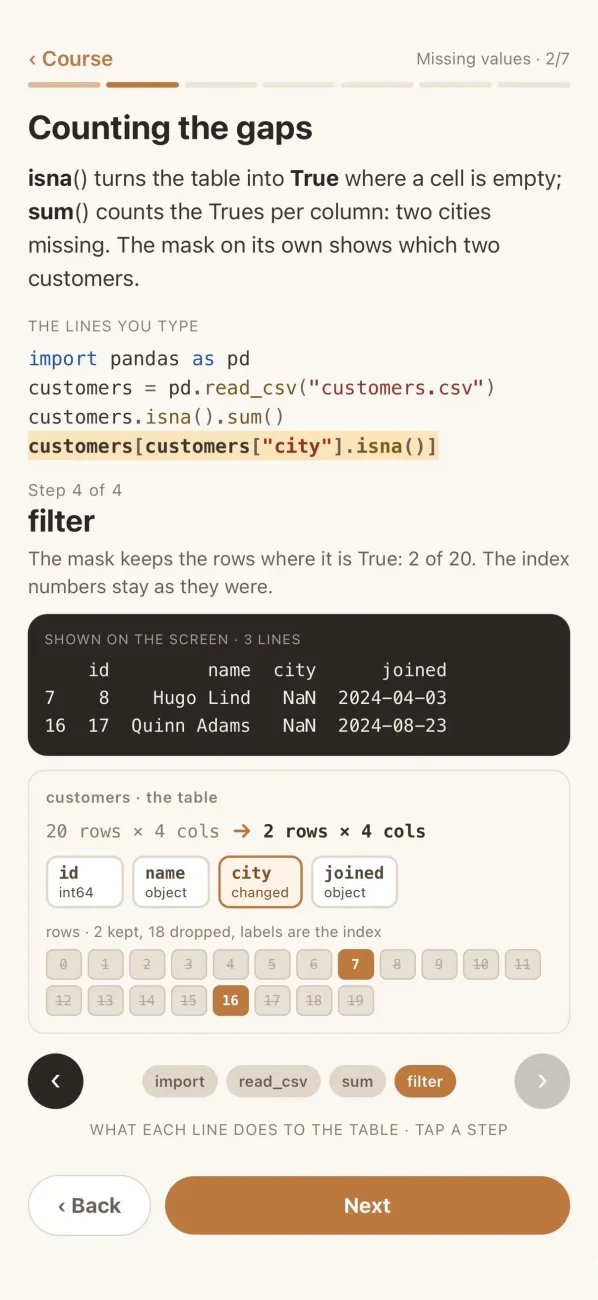
The same idea carries every course. Type a Bash pipeline and watch each command hand its lines to the next. Make Git commits and watch the three places a file can be. Run containers and watch who talks to whom on the network. Bring up a cluster and watch pods start, services find them and a rollout replace them one at a time. Load a lake table and watch the files a query reads and the files it skips. Fit a model in Python and watch the rows split, the line find the points, and the groups form around their centres.
COURSES
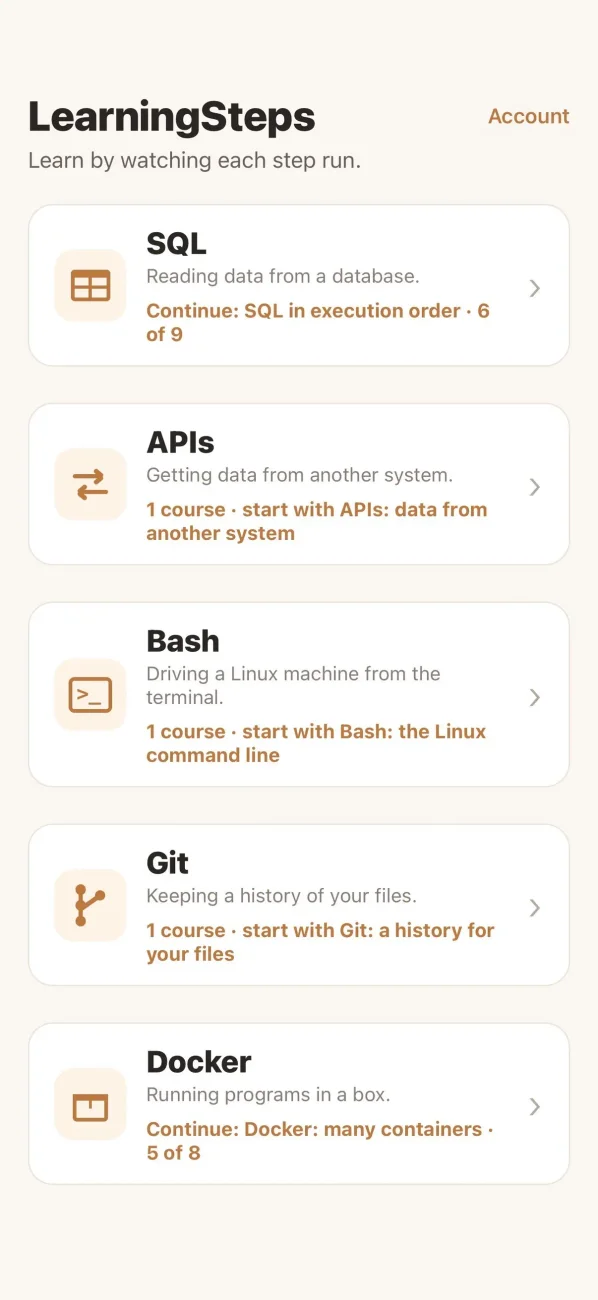
• SQL in execution order, then WITH and window functions
• APIs: how a request becomes an answer
• Bash: the Linux command line
• Git: a history for your files
• Docker, and Docker with many containers
• Kubernetes: the cluster
• dbt, and dbt for Data Vault 2.0
• Airflow: loads on a schedule
• Iceberg: a table made of files
• pandas: tables in Python
• Machine learning: the first model, who will leave (churn), and who our customers are (segments), with real pandas and scikit-learn
HOW A LESSON WORKS
Each lesson is a few short pages: an idea, an example you can step through, and a task you solve yourself. The app checks your answer by what it does, not by matching your text, and tells you what is still missing. Lessons unlock one at a time, so the order teaches too.
MOST OF IT RUNS ON YOUR PHONE
The database, the terminal, the Git repository, the containers, the cluster and the pandas notebook in the lessons are simulations built into the app. No setup, and they work offline.
The machine-learning courses are the exception: they run real pandas and scikit-learn, which a phone cannot, so the Python you type runs on our server in a sandbox and the result comes straight back. These courses need an internet connection and a free account. Your code is used only to run it, and is not stored.
AN ACCOUNT IS OPTIONAL FOR EVERYTHING ELSE
Every other course works without signing in. Sign in with Apple, Google or a six-digit email code to keep your progress on another phone and to open the machine-learning courses. We store your email, your name if Apple or Google provides it, and which lessons you finished. No ads, no analytics, no tracking, and you can delete the account in the app.
Privasi aplikasi
Yang dinyatakan Aleksei Nesterov di App Store tentang cara aplikasi ini menangani data.
-
Data yang ditautkan dengan Anda
Dapat dikumpulkan dan ditautkan dengan identitas Anda.
- Info kontak
- Pengenal
- Data penggunaan
Praktik privasi dapat bervariasi, misalnya berdasarkan fitur yang Anda gunakan atau usia Anda.
Informasi
- Penjual
- Aleksei Nesterov
- Kategori
- Pendidikan
- Versi
- 1.0
- Diperbarui
- 7/11/2026
- Dirilis
- 7/11/2026
- Ukuran
- 30,8 MB
- Memerlukan
- iOS 16.4 atau yang lebih baru
- Batasan usia
- 4+
- Harga
- Gratis
- Bahasa
- Inggris
- Hak cipta
- © 2026 Aleksei Nesterov