
LicenseManagerPro
Manage your software licenses
Dirancang untuk iPhone, iPad, Mac
Gratis · Pembelian dalam aplikasi
- Batasan usia4+
- KategoriProduktivitas
- PengembangKlaus Mack
- BahasaInggris+ 17 lainnya
- Ukuran9,7 MB
Tertaut ke halaman resmi App Store
Download.org tidak menyimpan file LicenseManagerPro apa pun. Tombol ini membuka halaman aplikasi di App Store, tempat Klaus Mack menerbitkannya. Halaman terakhir diperiksa pada 22/11/2026.
Tangkapan layar

Tentang
Pengembang belum menyediakan teks ini dalam bahasa Anda.
LicenseManagerPro – Manage your software licenses professionally
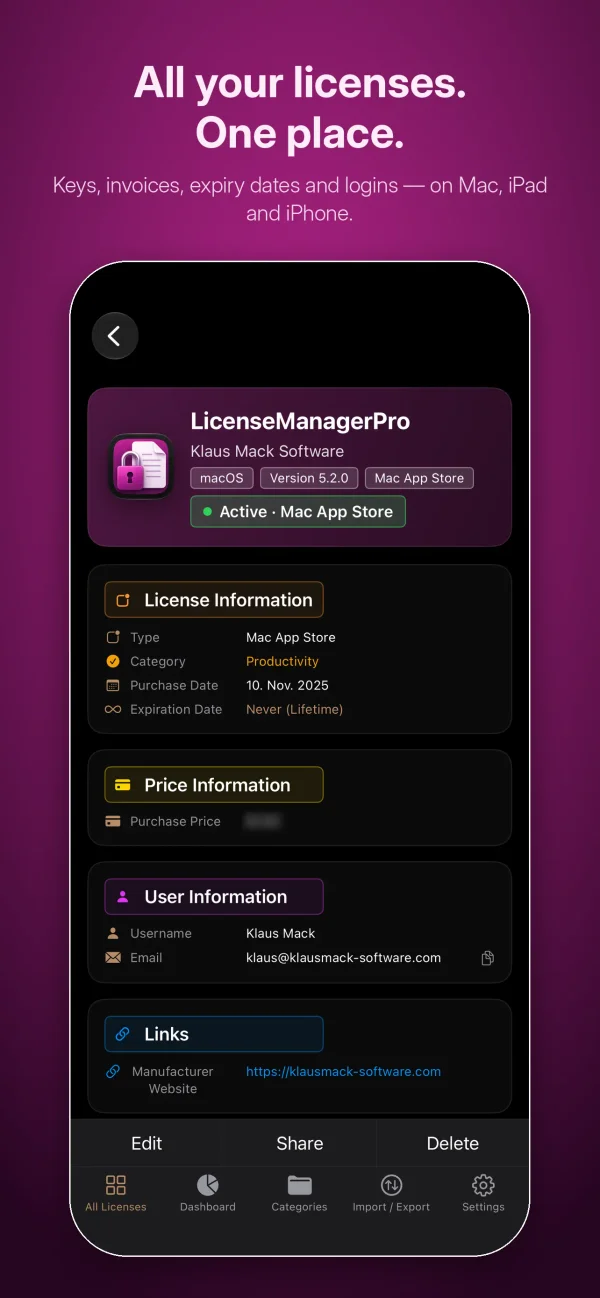
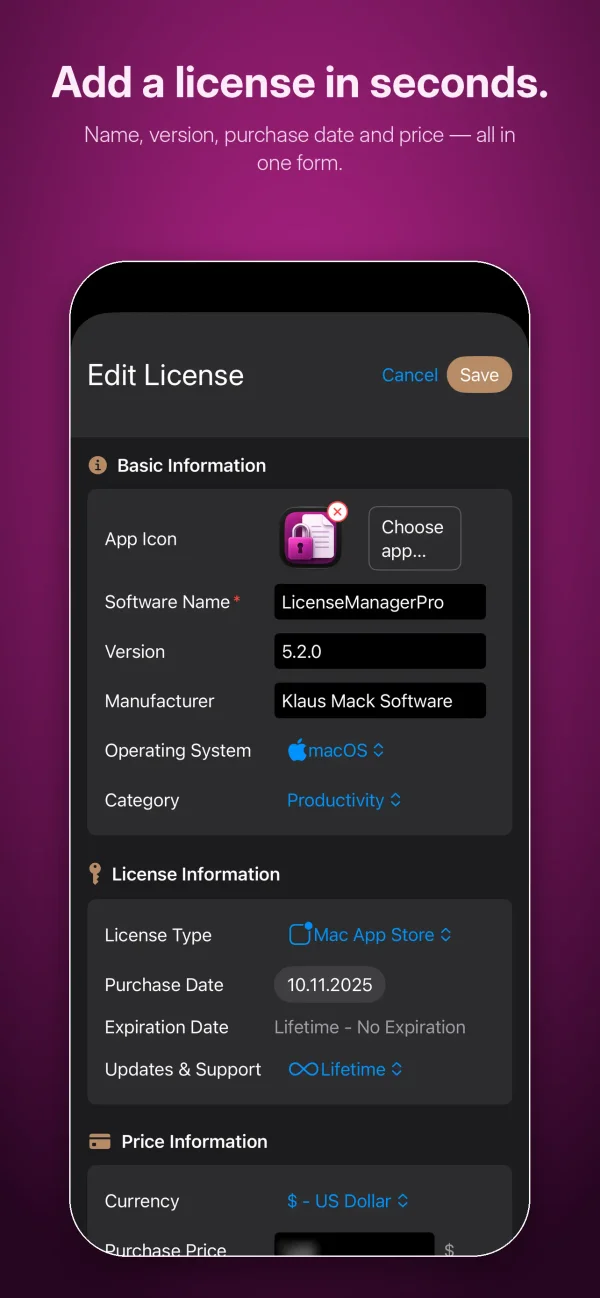
Keep track of all your software licenses – on Mac, iPad and iPhone. LicenseManagerPro stores license keys, purchase dates, expiration dates and every detail you need to never miss a renewal or hunt for a license key again.
CORE FEATURES
• Up to 4 license keys per license – perfect for family, team or multi-device licenses, each with its own license file.
• Track updates & support – record per license whether updates are included for life or limited in time. Get notified automatically before your update period ends.
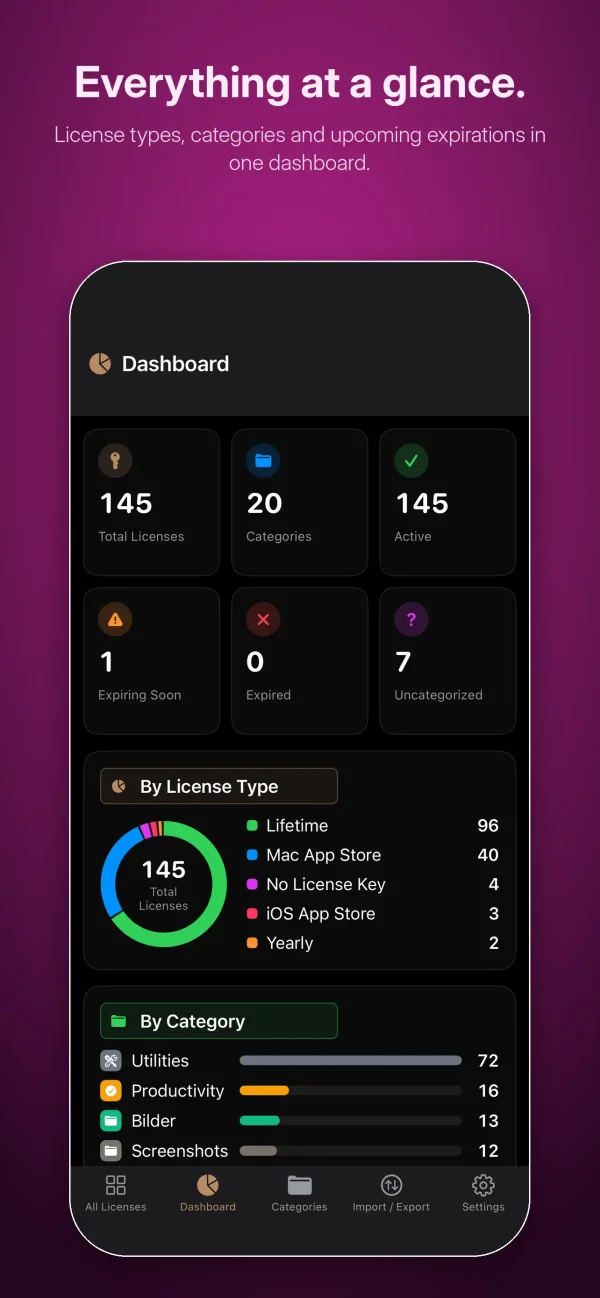
• Smart expiration notifications – configurable lead time for license expiry and end of update period. Never miss a renewal again.
• Custom fields – add your own fields per license: vendor, invoice number, internal reference, activation link. Fully flexible, with field types like text, number, date, URL or attachment.
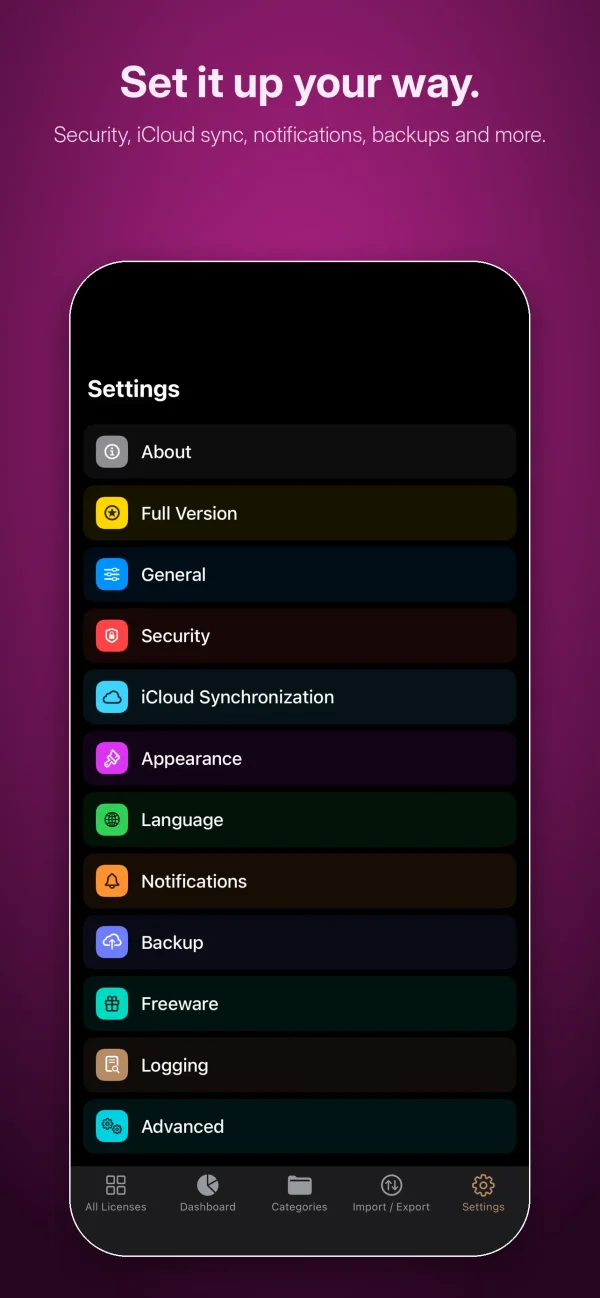
• iCloud synchronization – your licenses are always up to date on Mac, iPad and iPhone. Changes are transferred in real time over your private iCloud account – no third-party servers.
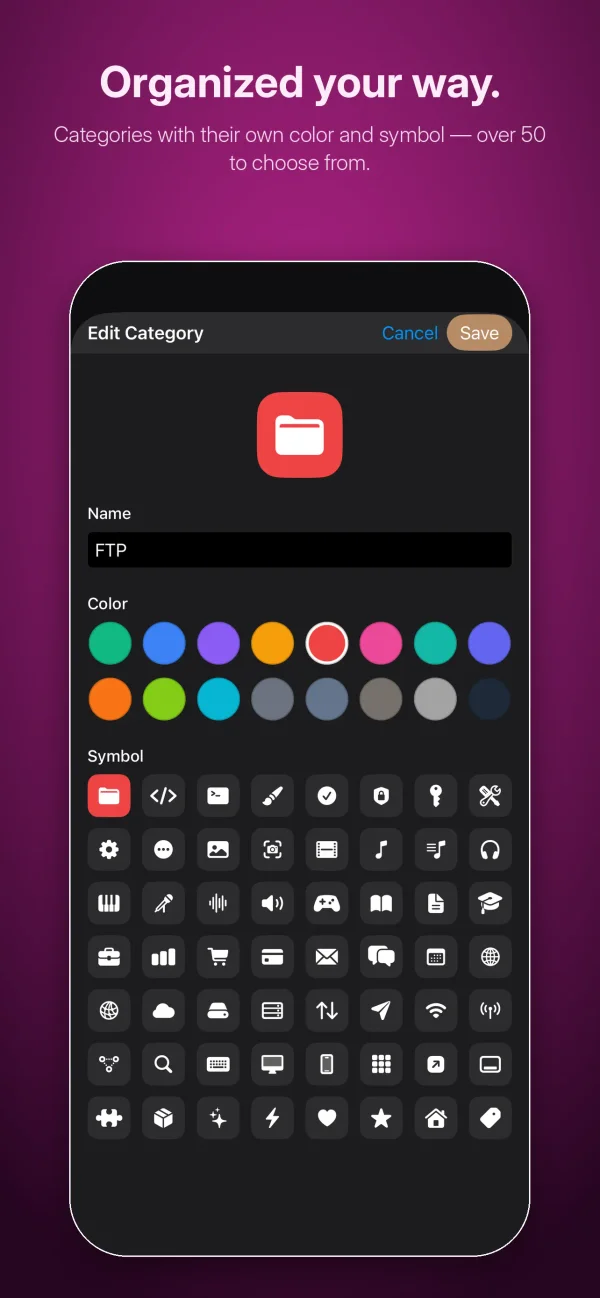
• Categories & organization – color-coded categories for design software, developer tools, productivity apps and more. Categories can be created and reordered freely.
• Bulk-edit multiple licenses – assign categories or delete in batches when working with large collections.
IMPORT, EXPORT & MIGRATION
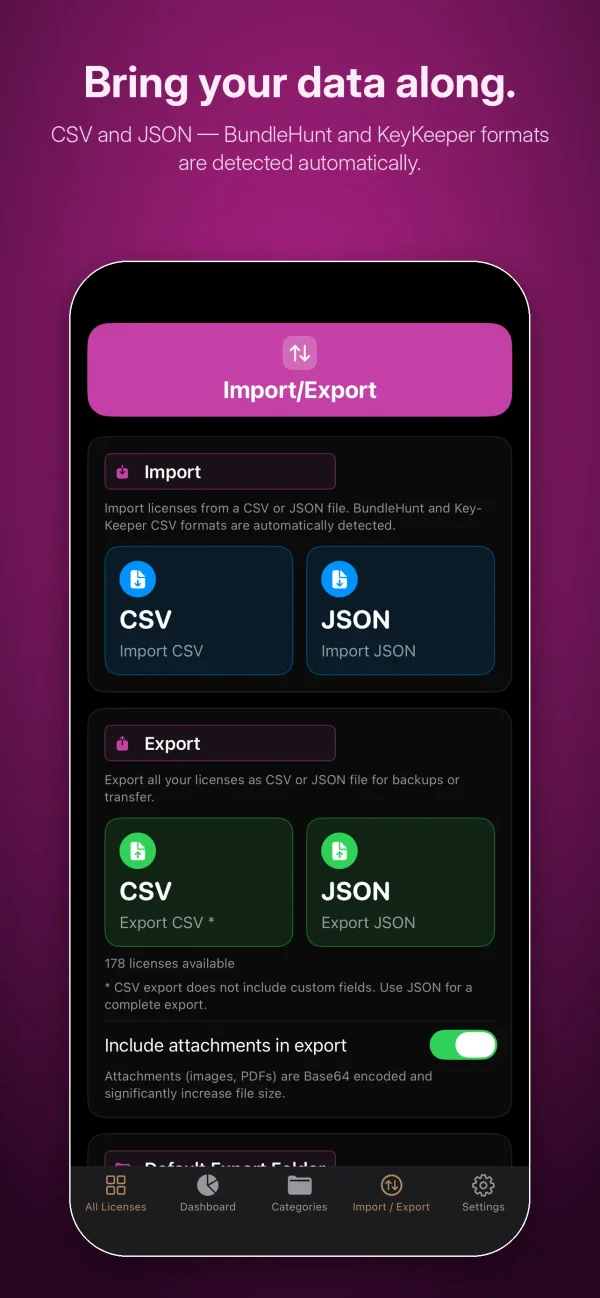
• BundleHunt and KeyKeeper import directly from the CSV file – including categories.
• CSV and JSON export for backups or moving between devices.
• Drag & Drop for license files, app icons and attachments.
EVERYDAY CONVENIENCE
• Automatic icon import – installed apps are recognized and their icons imported.
• Full-text search across all licenses.
• Recently viewed – the ten most recently opened licenses, one click away.
• Attachments – attach invoices, PDFs or license confirmations directly to the license.
• Copy license keys with a single click.
• Compact or standard view – adapts to the size of your collection.
SECURITY & PRIVACY
• Password protection with Face ID or Touch ID – optional auto-lock after inactivity.
• Your data belongs to you – synchronized only through your personal iCloud account, no server of our own, no third parties, no sign-up required.
WHO IS LICENSEMANAGERPRO FOR?
→ Software developers with many tools and frameworks
→ Designers and creatives using Adobe, Affinity or similar suites
→ IT administrators keeping track of team licenses
→ Power users with extensive software collections
→ BundleHunt and KeyKeeper users looking for a modern alternative
→ Anyone losing track between subscriptions, one-time purchases and renewals
WHY LICENSEMANAGERPRO?
In times of growing software subscriptions and digital licenses, keeping an overview has become a challenge. LicenseManagerPro brings order to your collection:
→ Spot renewals in time instead of being surprised
→ License keys at hand when you need them
→ Cost transparency in the dashboard by currency and category
→ One central place for everything around your software
Native app for Mac, iPad and iPhone. One-time purchase for all your devices, no subscription. Built by an independent developer in Denmark.
For questions or feedback, please reach out via the support page.
Yang baru
Versi 5.5.1 · 15/11/2026
Thanks for using LicenseManagerPro! Here’s what’s new in this version:
• In Settings › Appearance you can choose how the license type appears in the license list: as a badge, as a symbol or not at all. Expiry notices always remain visible.
• When creating a category, 18 suggestions are available, such as Office, Backup or Databases. They come with an icon and color and change with the language, just like the standard categories.
• A second click on the “Advanced Search” icon closes it again. The license shown before then reappears on the right.
• When editing several licenses, “Category” now shows all categories with their icons in a separate window, with “Cancel” and “Assign”. Previously some categories were missing on the Mac.
• Categories can be edited and deleted in the sidebar and in category management by swiping left or with a long press. Categories without licenses can be deleted.
• A category deleted on another device now disappears right away, not only after restarting the app.
• The sort menu now shows a checkmark next to the active sort order.
• In portrait, “Edit” for licenses and categories now appears as text instead of a pencil icon.
• Sharing a license or an attached file opens the share sheet again. Previously an empty window appeared.
• The three buttons at the bottom of the sidebar – “Manage Categories”, “Import / Export” and “Settings” – now have a colored background and a border, so they stand out clearly.
• Only one item in the sidebar is highlighted at a time. The button of the open area stays highlighted; previously a category or “All Licenses” stayed highlighted as well.
Enjoy the update! Feedback via the support page is always welcome.
Privasi aplikasi
Yang dinyatakan Klaus Mack di App Store tentang cara aplikasi ini menangani data.
-
Data tidak dikumpulkan
Pengembang tidak mengumpulkan data apa pun dari aplikasi ini.
Praktik privasi dapat bervariasi, misalnya berdasarkan fitur yang Anda gunakan atau usia Anda.
Informasi
- Penjual
- Klaus Mack
- Kategori
- Produktivitas
- Versi
- 5.5.1
- Diperbarui
- 15/11/2026
- Dirilis
- 12/11/2025
- Ukuran
- 9,7 MB
- Memerlukan
- iOS 17.6 atau yang lebih baru
- Batasan usia
- 4+
- Harga
- Gratis
- Pembelian dalam aplikasi
- Ya
- Bahasa
- Inggris, Arab, Cheska (Republik Cheska), Dansk (Denmark), Belanda, Prancis, Jerman, Italia, Jepang, Korea, Bokmål Norsk, Polski (Polandia) + 6 lainnya
- Hak cipta
- © Klaus Mack Software
Mungkin Anda juga suka
-
 Snug: Save & Organize AnythingProduktivitas
-
 AutoOrganize: File OrganizerProduktivitas
-
 QuickClipperProduktivitas
-
 FileCenter - Get OrganizedProduktivitas
-
 サプリメントマネージャーProduktivitas
-
 Custom Widgets - WidgetlyProduktivitas
-
 Tasks - ToDo & RemindersProduktivitas
-
 My Documents: Secure VaultProduktivitas
-
 PaslyProduktivitas
-
 PinListsProduktivitas