LogGate LUTLab
Log Video Color Grading
Dirancang untuk iPhone, iPad
Gratis · Pembelian dalam aplikasi
- Batasan usia4+
- KategoriFoto & Video
- PengembangMatt Stevens
- BahasaInggris
- Ukuran2,4 MB
Tertaut ke halaman resmi App Store
Download.org tidak menyimpan file LogGate LUTLab apa pun. Tombol ini membuka halaman aplikasi di App Store, tempat Matt Stevens menerbitkannya. Halaman terakhir diperiksa pada 14/11/2026.
Tangkapan layar
Tentang
Pengembang belum menyediakan teks ini dalam bahasa Anda.
LUT Lab turns your Apple Log footage into finished, color-graded video — right on your iPhone or iPad. No desktop required.
Shoot in Apple Log on iPhone 15 Pro or later, then open LUT Lab to instantly see how your footage will look with a professional color transform applied. Preview in real time, pick a LUT, and export a polished clip ready to share or drop into your editing timeline.
REAL-TIME APPLE LOG PREVIEW
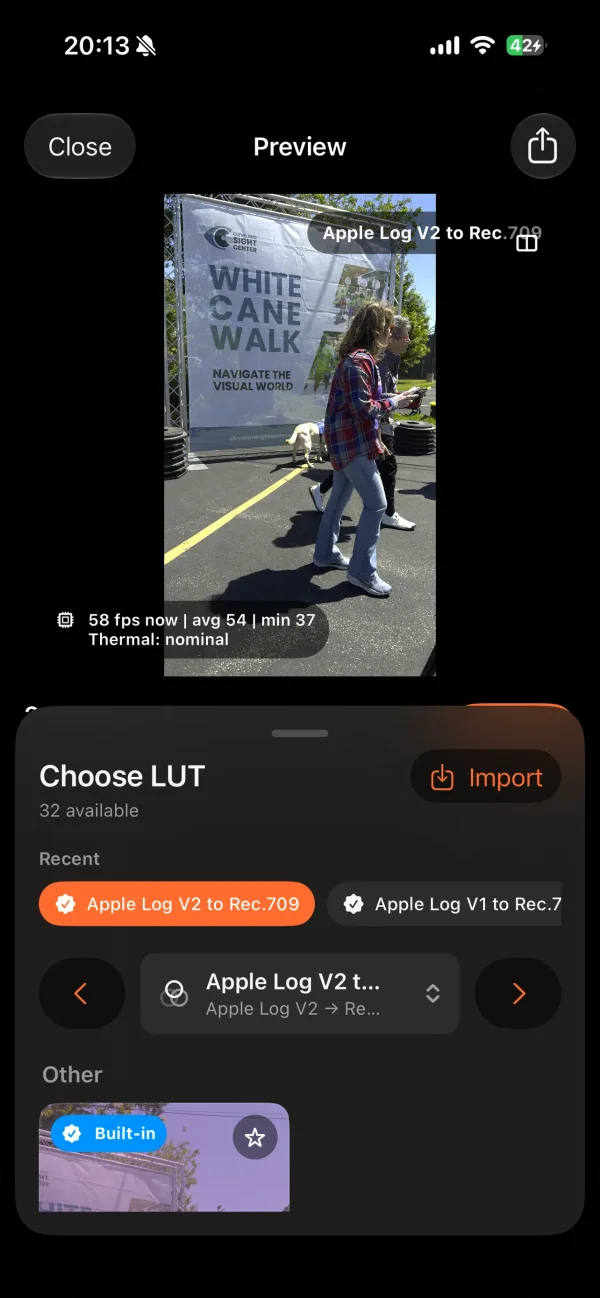
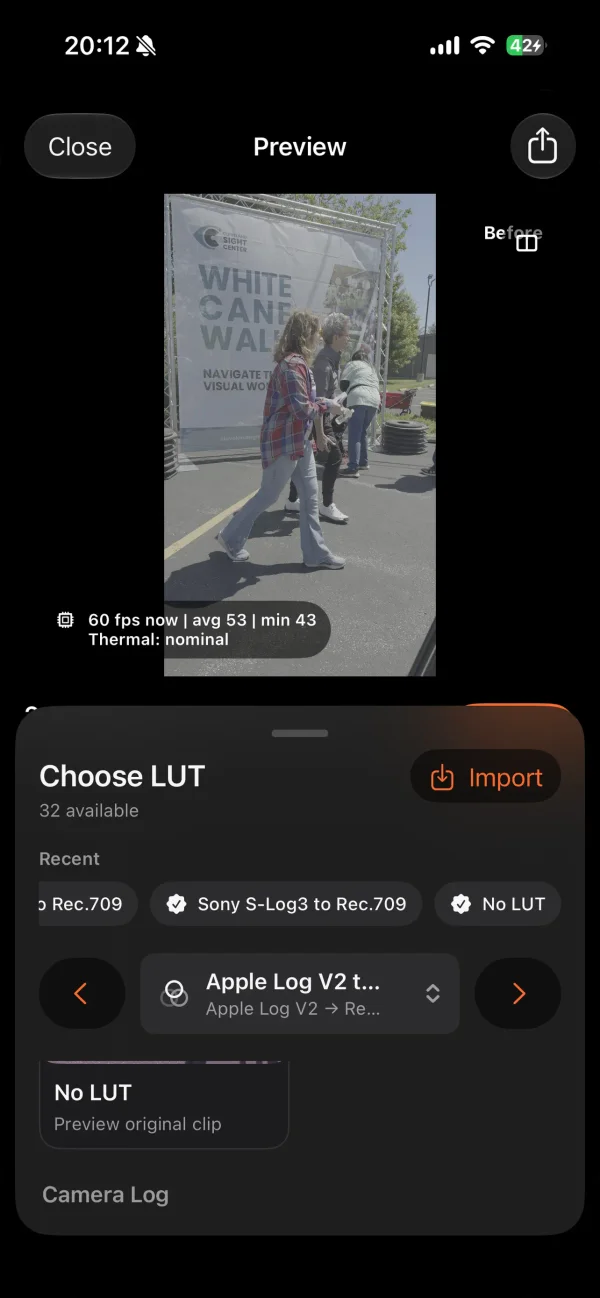
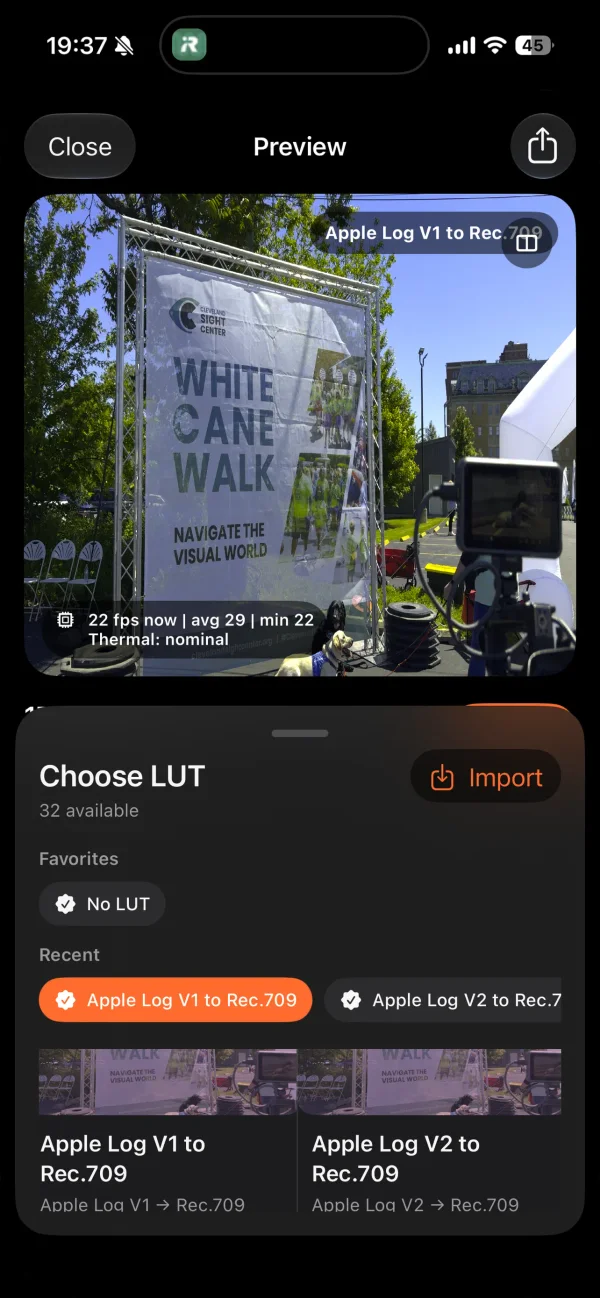
See your Apple Log clips transformed to Rec.709 the moment you open them. No more guessing what flat, desaturated log footage will look like once graded. Tap to toggle between the original log image and the graded result.
BUILT-IN LUT — FREE TO USE
Start with the included Apple Log → Rec.709 V1 transform and see your footage in accurate Rec.709 the moment you open it.
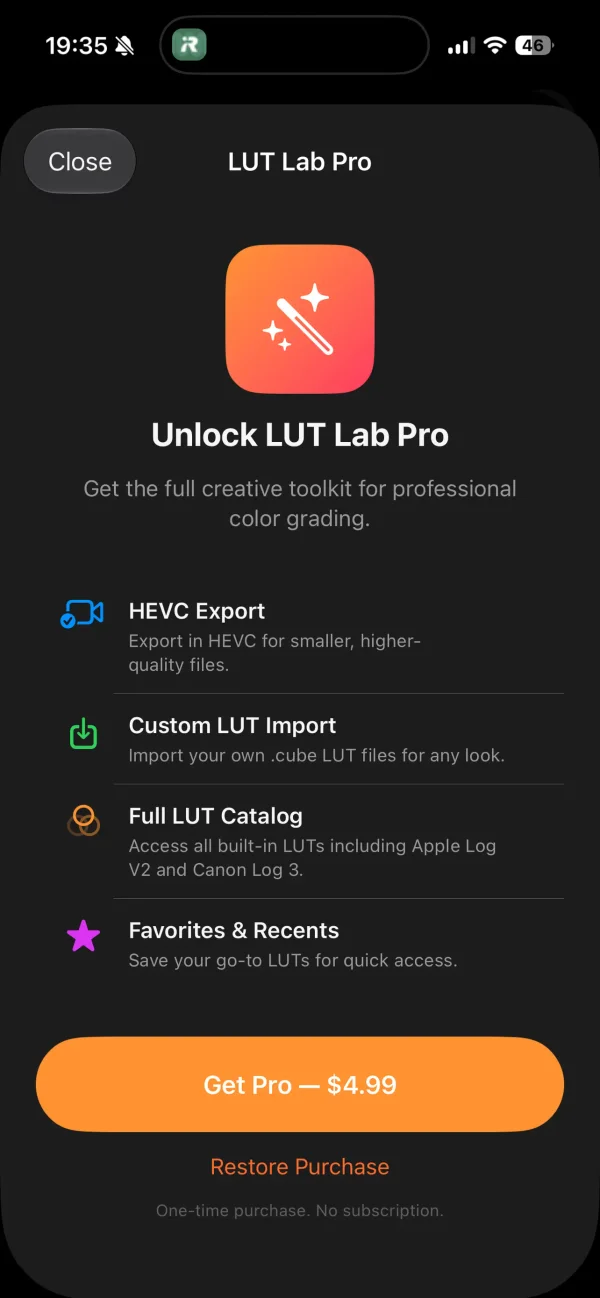
UNLOCK MORE WITH LUT LAB PRO
Upgrade to access Apple Log V2, the full built-in LUT catalog, custom .cube LUT import, and HEVC export. One purchase, no subscription.
BROWSE & IMPORT FROM PHOTOS
LUT Lab connects to your Photos library and automatically detects Apple Log clips. Browse, select, and start grading without leaving the app.
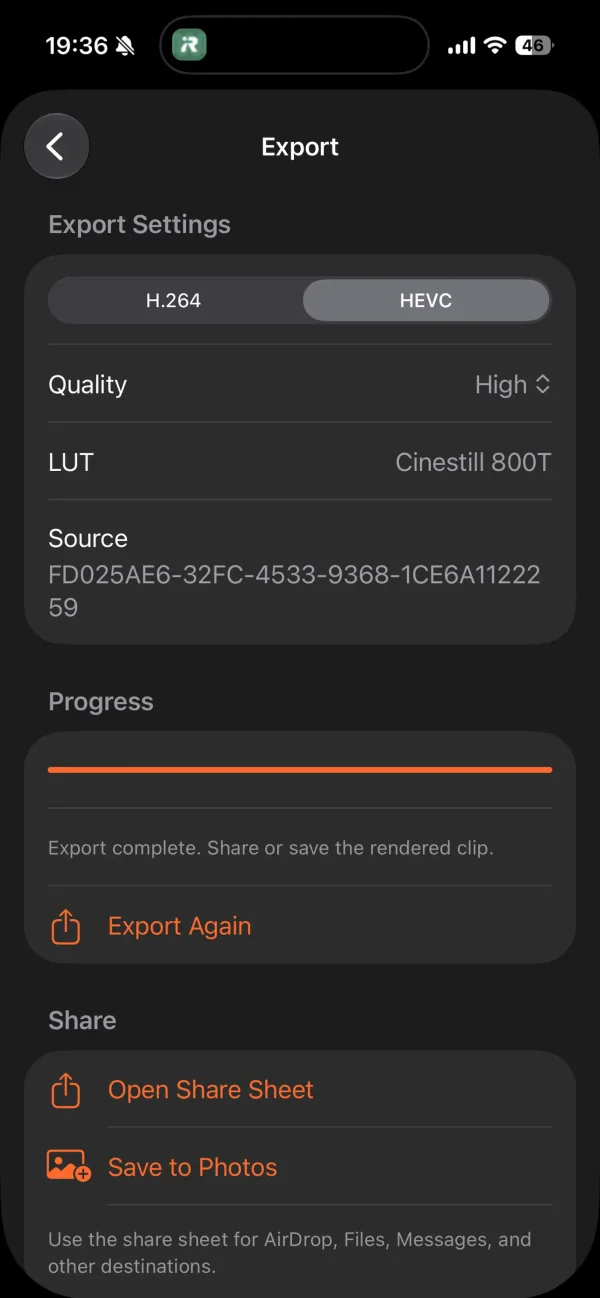
EXPORT YOUR GRADE
Export in H.264 (free) or upgrade to Pro for HEVC (H.265) — smaller files, same cinema quality. Finished clips save to Photos or share via AirDrop, Messages, or any app on your device.
ENTIRELY ON-DEVICE
No cloud. No accounts. LUT Lab processes everything locally on your device using Metal-accelerated rendering. Your footage never leaves your phone.
BUILT FOR iPHONE & iPAD
Designed for iPhone 15 Pro and later — the devices that shoot Apple Log. iPad support with an adapted layout for larger screens makes grading even more comfortable.
WHO IS LUT LAB FOR?
• iPhone filmmakers who shoot Apple Log and want to preview their look on set
• Creators who grade on desktop but want a quick mobile preview of their LUTs
• Videographers who need to send a graded clip to a client from their phone
• Anyone who wants their Apple Log footage to look great without opening a full NLE
From the makers of LogGate — trusted tools for iPhone video professionals.
FREE TO START, UPGRADE FOR MORE
Download LUT Lab free for the core Apple Log preview workflow, then unlock premium features with an in-app purchase when you need the full toolset.
Privasi aplikasi
Yang dinyatakan Matt Stevens di App Store tentang cara aplikasi ini menangani data.
-
Data tidak dikumpulkan
Pengembang tidak mengumpulkan data apa pun dari aplikasi ini.
Praktik privasi dapat bervariasi, misalnya berdasarkan fitur yang Anda gunakan atau usia Anda.
Informasi
- Penjual
- Matt Stevens
- Kategori
- Foto & Video
- Versi
- 1.0
- Diperbarui
- 20/7/2026
- Dirilis
- 19/7/2026
- Ukuran
- 2,4 MB
- Memerlukan
- iOS 17.0 atau yang lebih baru
- Batasan usia
- 4+
- Harga
- Gratis
- Pembelian dalam aplikasi
- Ya
- Bahasa
- Inggris
- Hak cipta
- © 2026 LogGate
Mungkin Anda juga suka
-
 LogGradeFoto & Video
-
 LumKit: LUT & Color GradeFoto & Video
-
 Color Grading: Video LUTsFoto & Video
-
 LogBloom: LUT Video GradingFoto & Video
-
 LUT LabFoto & Video
-
 Lutter: Color Grading & LUTEditor Foto & Video Sinematik
-
 BlackRAW Studio: Color GradingFoto & Video
-
 ToneLab: Video & Photo EditorFoto & Video
-
 FilmLab ProFoto & Video
-
 Color Grade Video - PeekLutFoto & Video