
LogPad: Quick Notes
Capture Fast. Search Smart.
Dirancang untuk iPhone
Gratis · Pembelian dalam aplikasi
- Batasan usia4+
- KategoriProduktivitas
- PengembangSemore Software
- BahasaInggris
- Ukuran5,8 MB
Tertaut ke halaman resmi App Store
Download.org tidak menyimpan file LogPad: Quick Notes apa pun. Tombol ini membuka halaman aplikasi di App Store, tempat Semore Software menerbitkannya. Halaman terakhir diperiksa pada 18/11/2026.
Tangkapan layar

Tentang
Pengembang belum menyediakan teks ini dalam bahasa Anda.
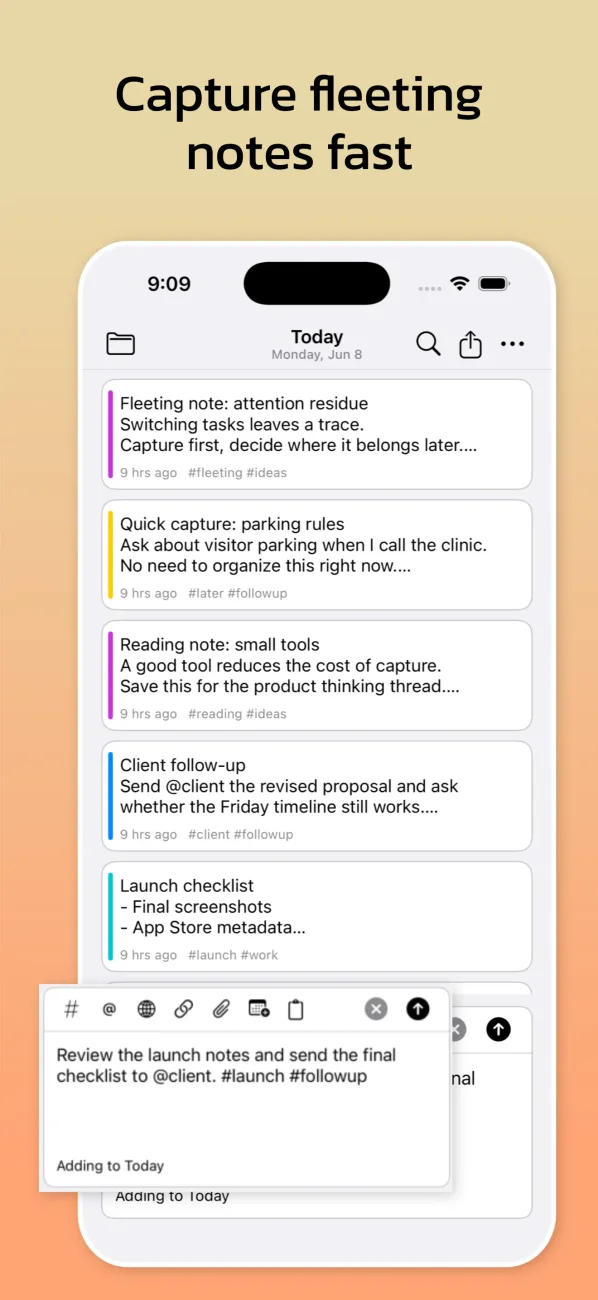
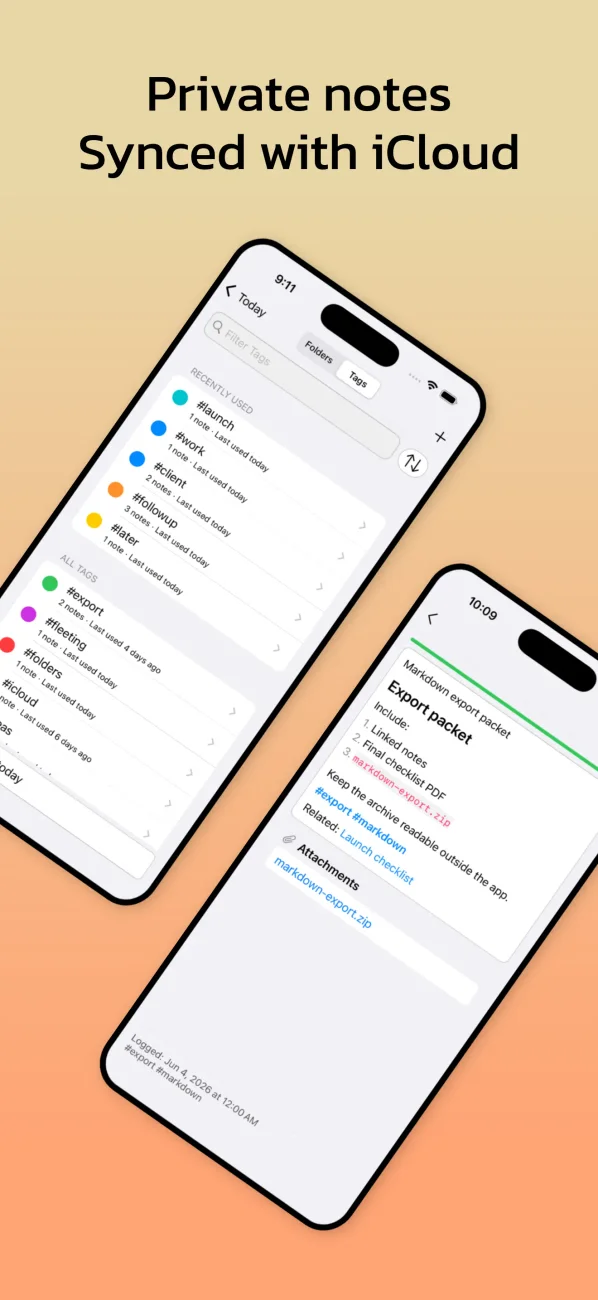
LogPad is a fast, private capture app for daily logs, fleeting notes, ideas, links, attachments, and anything you want to save before it disappears.
Write naturally from Today, Search, Folders, Smart Folders, widgets, or filtered lists. Add #tags, @mentions, dates, note links, attachments, and Markdown as part of the note itself. LogPad keeps capture simple, then helps you find and organize notes later.
WHY LOGPAD
Capture without filing first
• Open LogPad, write a note, and save it. No notebook decision. No folder cleanup. Just capture the thought while it is still fresh.
Find notes later
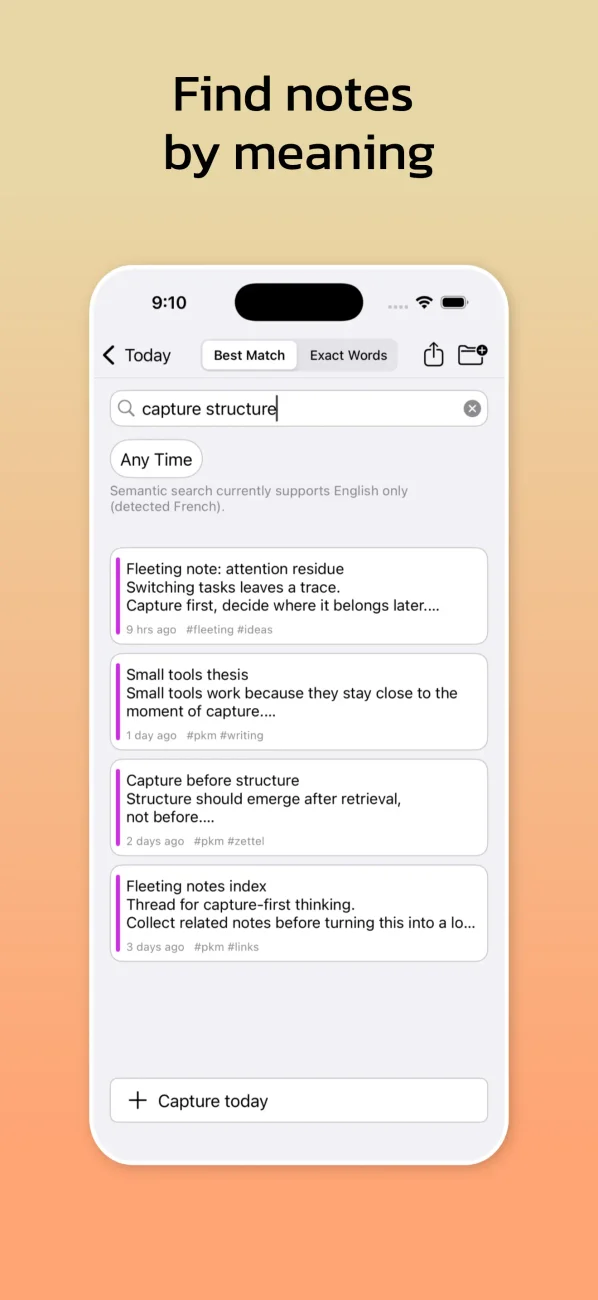
Use Exact Words when you remember the phrase, or Best Match for broader ranked results. Add date filters when you need to narrow things down.
Organize naturally
• Use #tags and @mentions while writing. LogPad detects them automatically so you can browse, filter, and organize notes without extra filing.
Smart Folders
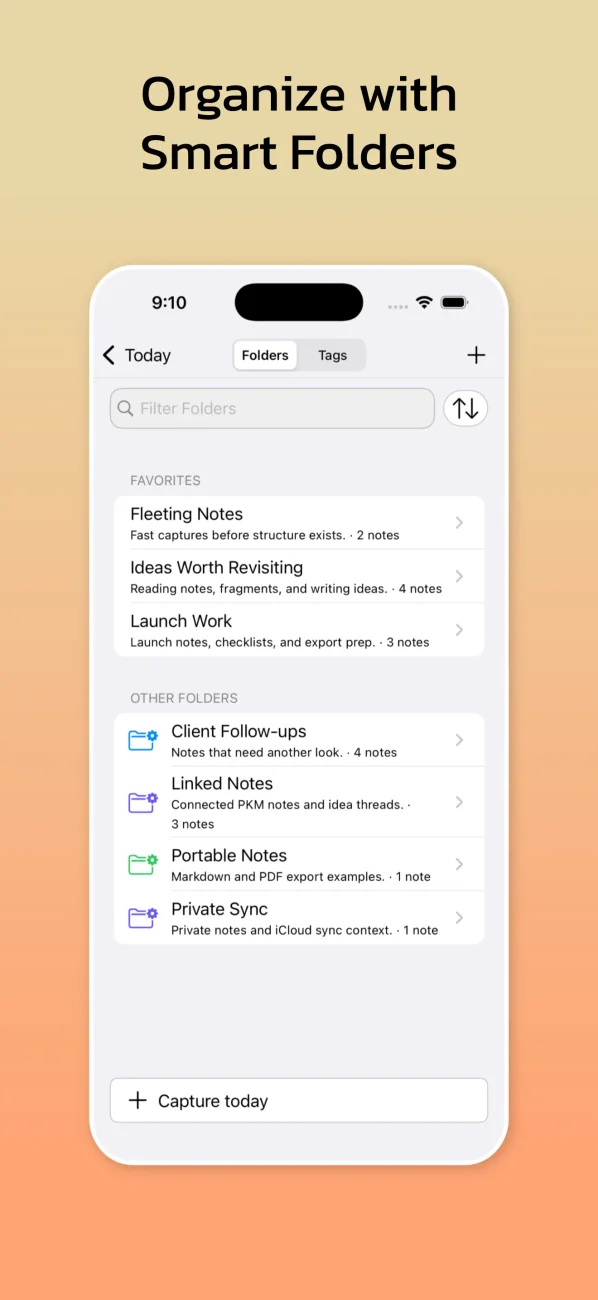
• Save useful filters as Smart Folders. Build views for work ideas, meeting notes, links, attachments, writing fragments, recent notes, or dynamic date ranges like Last 7 Days and This Month.
Note links and attachments
• Connect related notes with inline note links. Attach files and keep references inside the note so context stays together.
Markdown preview
• Write with lightweight Markdown for headings, emphasis, lists, and quotes. Reading mode renders supported Markdown while editing stays plain text.
iCloud sync
• Keep notes available across your Apple devices with iCloud sync when enabled and available on your device.
Export when needed
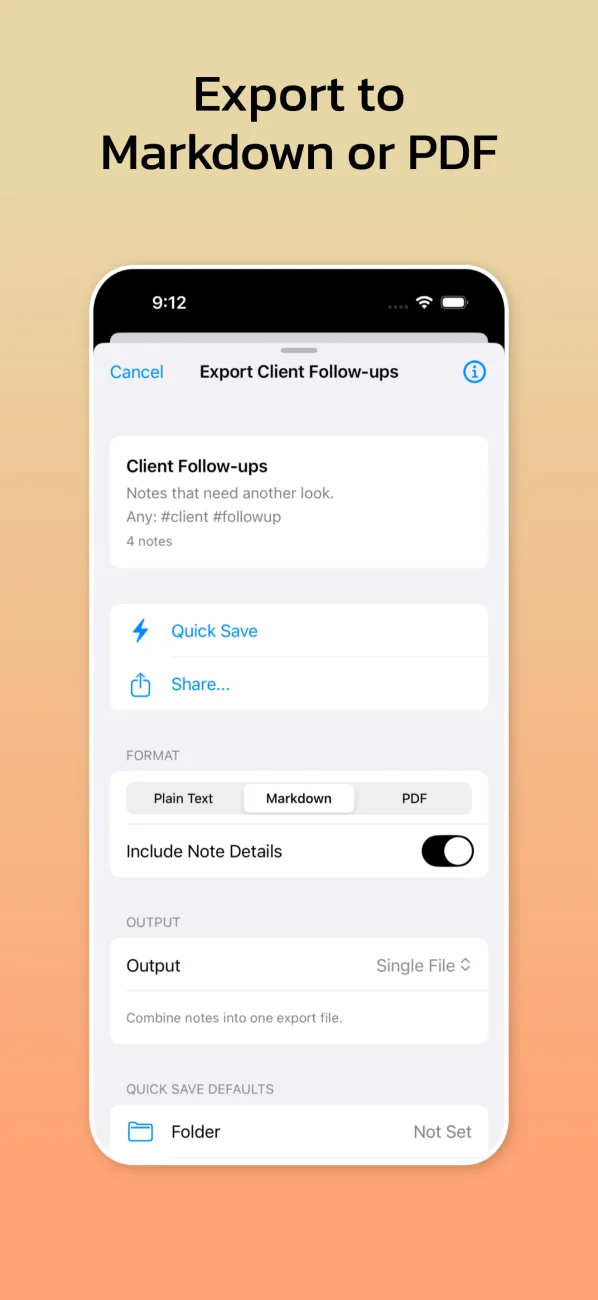
• Share or save notes as Plain Text or Markdown. Premium adds PDF export, bulk list export, export bundles, and one-tap save automation.
Private by design
• Notes are stored on your device. LogPad does not operate a server that receives or stores your note content. Search runs on device.
FREE FEATURES
-Unlimited notes
-Fast capture
-Today timeline
-Exact Words search
-Best Match search where supported
-Date range filtering
-Tags and mentions
-Note links
-Attachments
-Markdown preview
-Widgets
-iCloud sync
-Plain Text and Markdown export
-First 3 Smart Folders
PREMIUM
• LogPad Premium is a one-time lifetime unlock. No subscription.
Premium adds:
*More than 3 Smart Folders-
*PDF export
*Bulk list export
*Export bundles as folders or zip files
GOOD FOR
• Quick notes
• Daily logs
• Brain dumps
• Fleeting notes
• Work notes
• Meeting notes
• Ideas and writing fragments
• Personal journaling
• Project notes
• Tracking links and useful references
• Lightweight PKM
Your notes should be easy to capture and easy to find. LogPad keeps both simple.
Support: support@semore-software.com
Privacy Policy: https://semore-software.com/logpad-privacy-policy.html
By using this app, you agree to Apple’s standard End User License Agreement (EULA): https://www.apple.com/legal/internet-services/itunes/dev/stdeula/
Yang baru
Versi 1.0.1 · 19/6/2026
Fixed an issue with premium status not recognized in some areas.
Privasi aplikasi
Yang dinyatakan Semore Software di App Store tentang cara aplikasi ini menangani data.
-
Data tidak dikumpulkan
Pengembang tidak mengumpulkan data apa pun dari aplikasi ini.
Praktik privasi dapat bervariasi, misalnya berdasarkan fitur yang Anda gunakan atau usia Anda.
Informasi
- Penjual
- Semore Software
- Kategori
- Produktivitas
- Versi
- 1.0.1
- Diperbarui
- 19/6/2026
- Dirilis
- 12/6/2026
- Ukuran
- 5,8 MB
- Memerlukan
- iOS 18.0 atau yang lebih baru
- Batasan usia
- 4+
- Harga
- Gratis
- Pembelian dalam aplikasi
- Ya
- Bahasa
- Inggris
- Hak cipta
- © 2026 Semore Software
Mungkin Anda juga suka
-
 Inkly PlannerProduktivitas
-
 Sift: Screenshot CleanerProduktivitas
-
 WriteForge: AI Writing ToolsProduktivitas
-
 TaggyNotepad - Rich Text NotesProduktivitas
-
 Journzy for novel writersProduktivitas
-
 TearpadProduktivitas
-
 BlastListProduktivitas
-
 HOLDit: Thoughts & MomentsProduktivitas
-
 ShotTidierProduktivitas
-
 impactrackr: Brag DocProduktivitas