- Batasan usia4+
- KategoriKegunaan
- PengembangFabien Lefebvre
- BahasaInggris+ 1 lainnya
- Ukuran1,1 MB
Tertaut ke halaman resmi App Store
Download.org tidak menyimpan file logSPL apa pun. Tombol ini membuka halaman aplikasi di App Store, tempat Fabien Lefebvre menerbitkannya. Halaman terakhir diperiksa pada 12/11/2026.
Tangkapan layar

Tentang
Pengembang belum menyediakan teks ini dalam bahasa Anda.
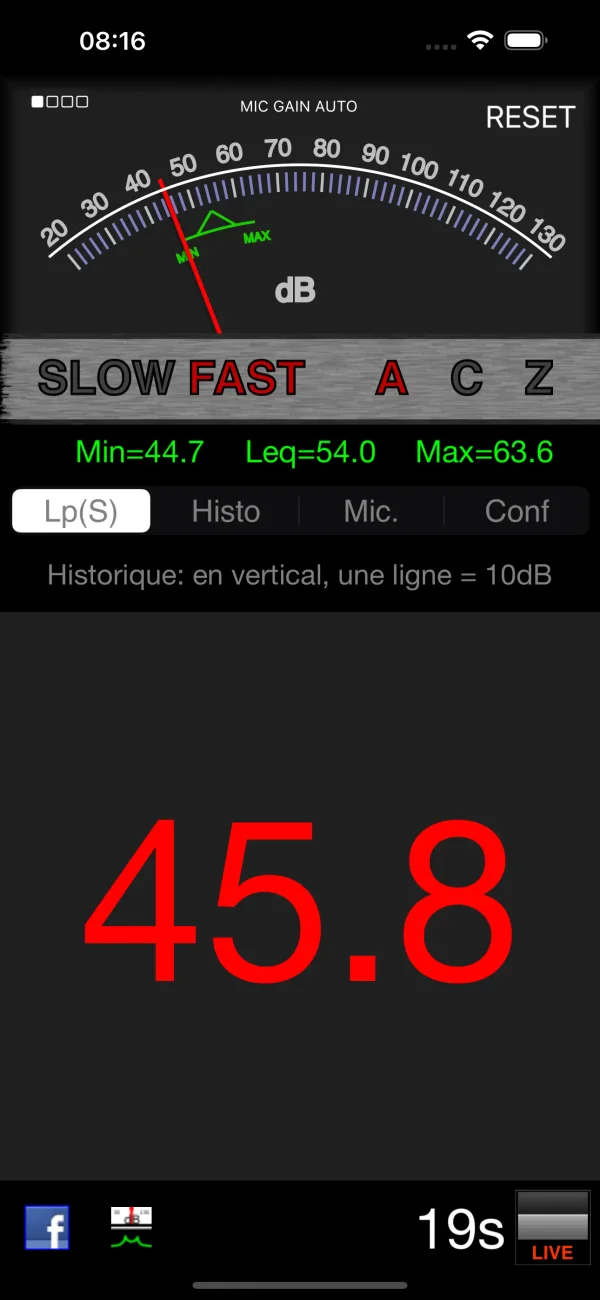
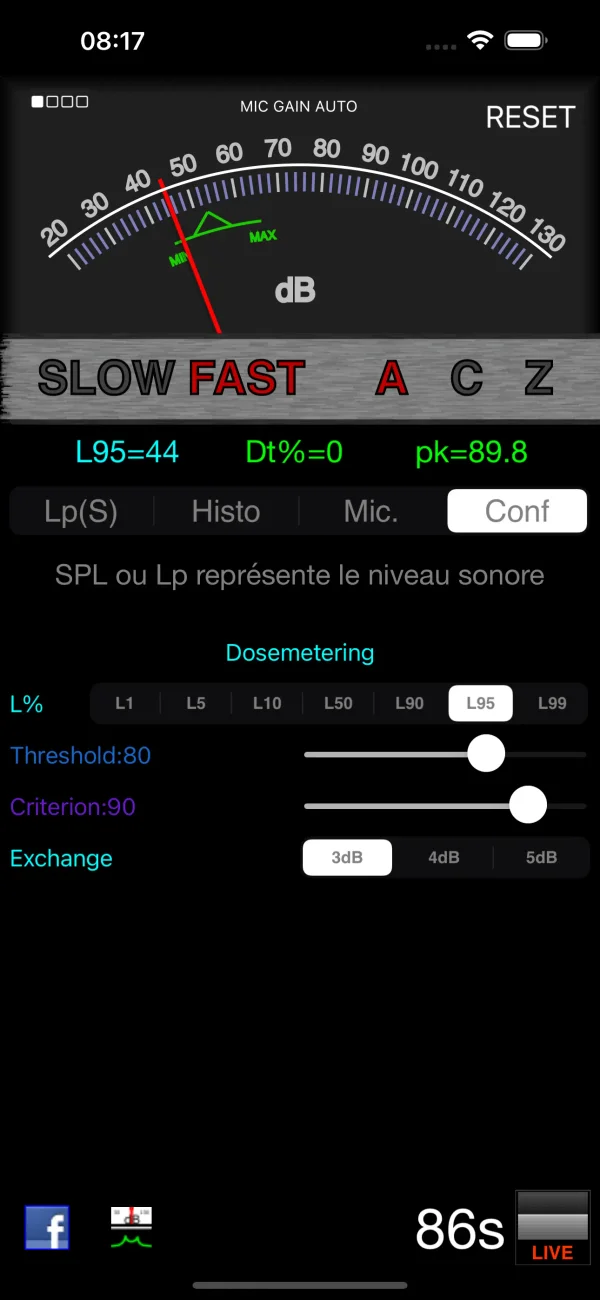
This App is a full featured sound level meter, designed by a signal processing expert. It is iPhone/iPod/iPad compatible and adapts itself to the actual screen resolutions ("HD", "retina").
It consists in two parts: half top for basic features, half bottom for advanced ones (L95, %D, ...).
Half top was thus designed to be extremely easy to use. Only two settings are requested:
* select 'fast' or 'slow' update rate, which corresponds to 2 different integration periods
* select the type of weighting: A or C or Z (Z meaning roughly: no filtering)
These settings are saved when exiting the App.
Some tips for weighting:
* select A to evaluate the feeling of a person against a noise
* select Z to balance an audio system
Supports upside-down orientation.
The min and max values are monitored and displayed in green in the upper view. An average value (Leq, LAeq, ...) is computed on top of this: the green triangle. Take care that this latter corresponds to the logarithm of the average power and not to the average of logarithm values, which is completely different. Integration time for this average value is: all time since start-up of the App or last reset.
To reset these extreme and average values, touch the text named RESET.
Bottom view is used to display an historical curve. A grid is visible, with lines every 10dB vertical and 10s horizontal.
Half bottom now:
* a real-time histogram is displayed on left side
* it can compute L%: L95, L50, ...
* it can make some dosemetering: for this you need to set threshold, criterion and exchange values. This is for advanced users due to the complexity of underlying concepts
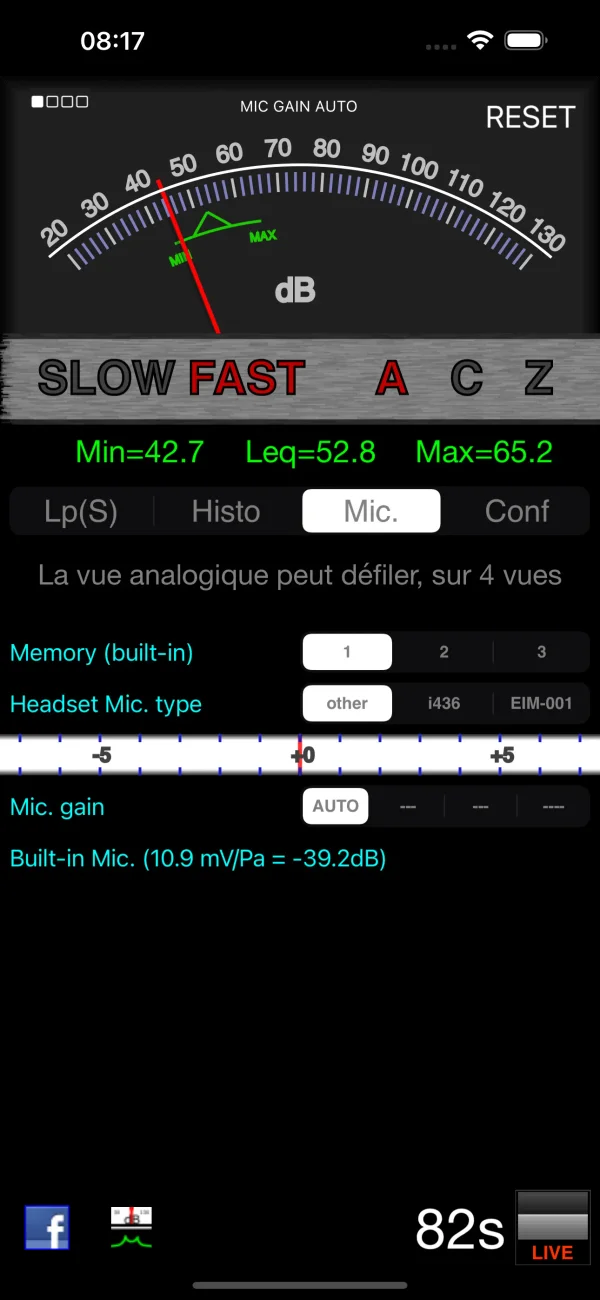
As for all sound-meter (at any price, hardware or software), you should calibrate it against a reference in order to achieve best accuracy. For this go to Mic. tab to add or remove a fixed offset to the measured values.
Any question ? Click on the Facebook icon !
Yang baru
Versi 4.6 · 25/11/2023
Re-compiled for latest iOS. Better handling of various screen sizes and shapes.
Privasi aplikasi
Yang dinyatakan Fabien Lefebvre di App Store tentang cara aplikasi ini menangani data.
-
Data tidak dikumpulkan
Pengembang tidak mengumpulkan data apa pun dari aplikasi ini.
Praktik privasi dapat bervariasi, misalnya berdasarkan fitur yang Anda gunakan atau usia Anda.
Informasi
- Penjual
- Fabien Lefebvre
- Kategori
- Kegunaan
- Versi
- 4.6
- Diperbarui
- 25/11/2023
- Dirilis
- 7/1/2012
- Ukuran
- 1,1 MB
- Memerlukan
- iOS 15.2 atau yang lebih baru
- Batasan usia
- 4+
- Harga
- Rp 39ribu
- Bahasa
- Inggris, Prancis
- Hak cipta
- © 2011 Fabien LEFEBVRE