Loop In: Share Events
Say it. Invite everyone.
Dirancang untuk iPhone, iPad
Gratis
- Batasan usia4+
- KategoriProduktivitas
- PengembangMark Alberto
- BahasaInggris
- Ukuran5,8 MB
Tertaut ke halaman resmi App Store
Download.org tidak menyimpan file Loop In: Share Events apa pun. Tombol ini membuka halaman aplikasi di App Store, tempat Mark Alberto menerbitkannya. Halaman terakhir diperiksa pada 24/11/2026.
Tangkapan layar

Tentang
Pengembang belum menyediakan teks ini dalam bahasa Anda.
Loop In turns one sentence — or a photo, email or text — into Google Calendar events, to-dos and shared lists, and keeps the people who need to know in the loop.
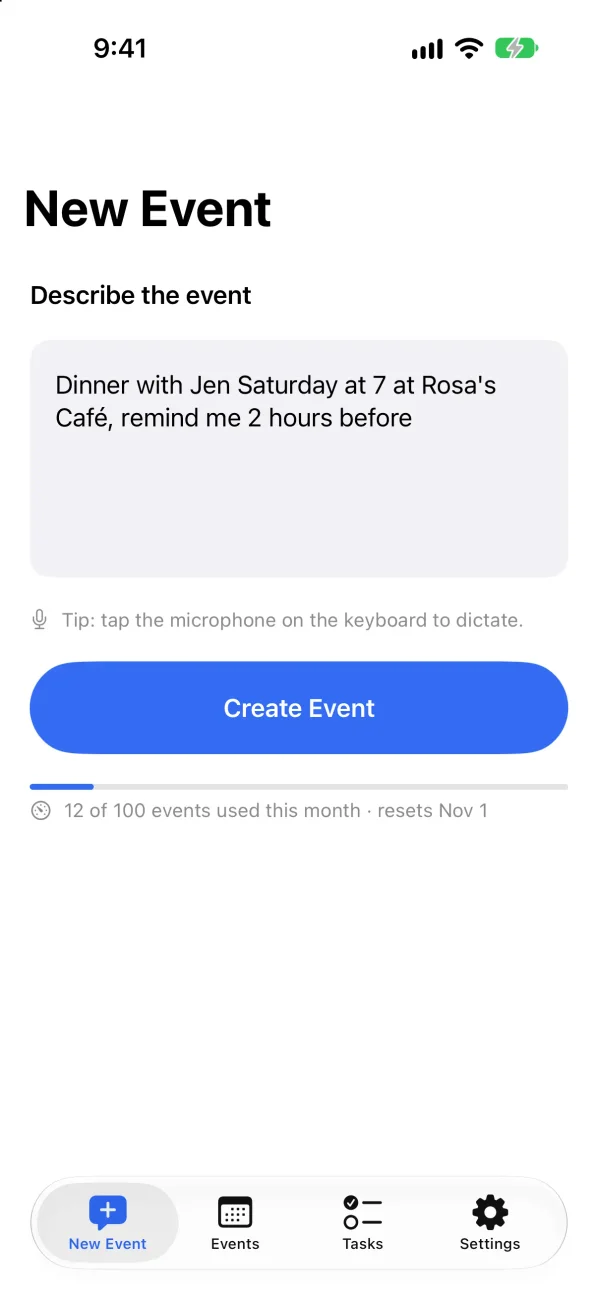
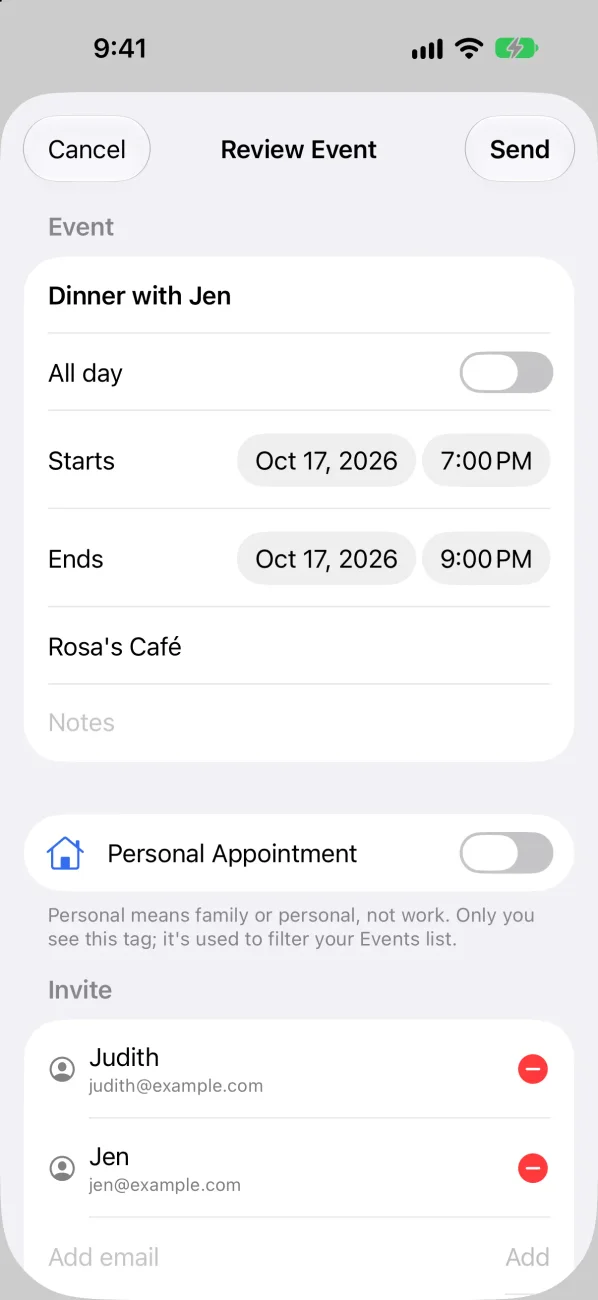
Type or say something like “Dentist Thursday at 3:30, remind me an hour before,” “Dinner with Jen Saturday at 7 at Rosa’s, invite the family,” or “Add milk, eggs and bread to Groceries.” Loop In fills in the details, shows you everything to check, and sends invitations from your own Google account.
CAPTURE FROM ANYWHERE
• Share a school email, a text or a web page to Loop In — or a photo of a flyer or schedule — and it finds every event and to-do inside.
• Review them together, set reminders, and add them all with one tap.
LISTS FOR THE WHOLE FAMILY
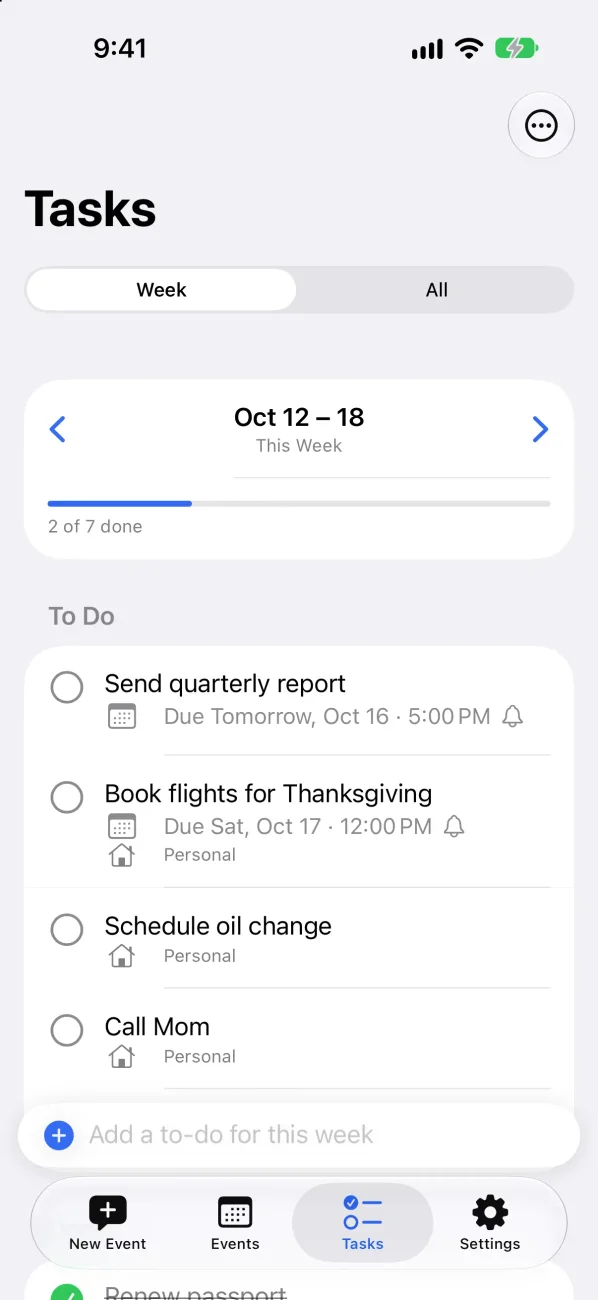
• To-do lists (Work, House, Kids) planned by week — open to-dos carry forward until they're done.
• Checklists (Groceries, Packing) — items stay until someone checks them off.
• Share any list. See who checked what, assign a to-do to someone, and get a single running alert when others make changes.
MADE FOR FAMILIES AND BUSY PEOPLE
• Save the people you invite most, and make groups like “Family” or “the kids.”
• Everyone you invite gets a normal Google Calendar invitation, even if they don’t use Loop In.
SEE YOUR SCHEDULE
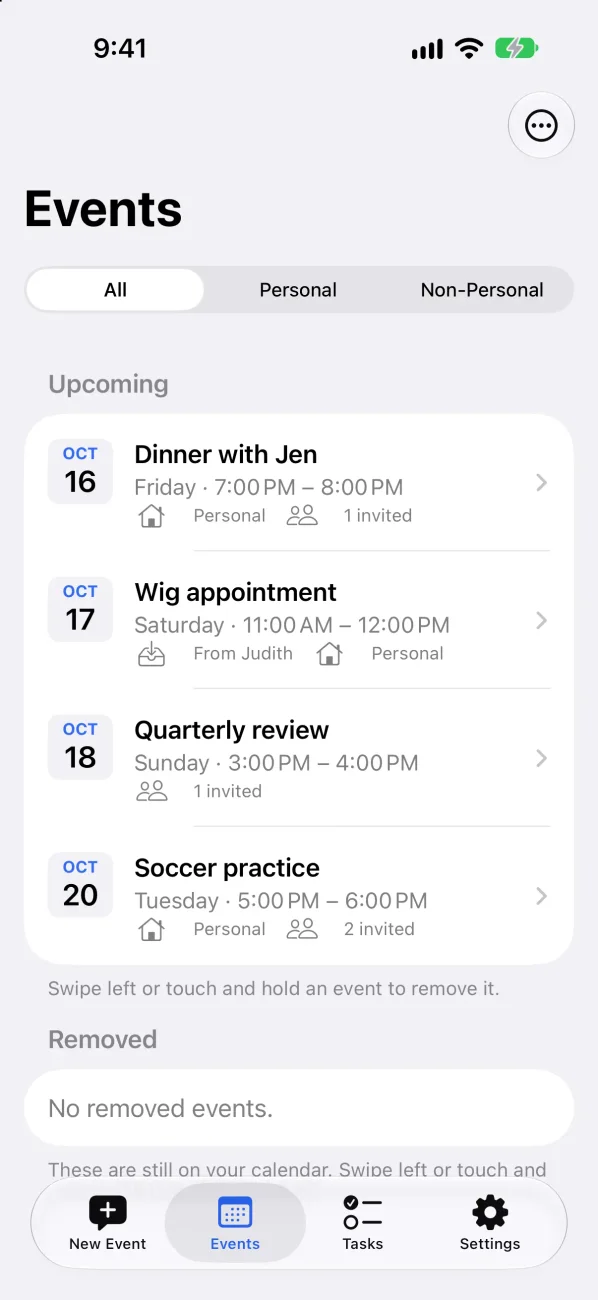
• Day, Week, Month and List views of your Loop In events and to-dos, with a traditional week grid.
• Compare your day with another time zone.
• Events other Loop In users send you show up too — reply Yes, Maybe or No right in the app.
• Your own tags (Personal, Work, “Mom’s Medical”…) — filter every view by tag.
PRIVATE BY DESIGN
• No ads, no tracking, no analytics.
• Your calendar goes directly between your device and Google.
• Text and photos are used only to find your events and aren’t stored. Speech is recognized on your device.
Requires a Google account. Free to use, with up to 100 AI-created events per month.
Yang baru
Versi 1.6 · 23/11/2026
Loop In is now your family hub and personal assistant.
• Just ask: “What do I have Saturday?” or “Move the dentist to 4.” Loop In answers, and any change shows a Confirm button first.
• Shared notes for the family: babysitter info, the lake house, gift ideas. Plus a quick shortcut to Apple Passwords.
• Better checklists: edit items, drag them into store-aisle order, swipe to delete, and clear checked items.
• Move an item to another list, or also show it on yours, like Pop's “peanut butter” on your grocery list.
• Plan to-dos for a month, like “get the car inspected in December,” then pull them into a week when you're ready.
• Short tips the first time you meet a feature.
• Traveling? See your home time next to local time, like “10 AM ET / 9 AM CT.”
• Edit repeating events (this one or all of them), tag many events at once, and filter by more than one tag.
• Alerts when someone invites you or changes a shared list. You choose which ones you get.
• Event notes and confirmation numbers now show, and you can copy any event.
• New setup guide and a searchable Help & How-To.
• A cleaner, simpler look on every screen.
Privasi aplikasi
Yang dinyatakan Mark Alberto di App Store tentang cara aplikasi ini menangani data.
-
Data yang ditautkan dengan Anda
Dapat dikumpulkan dan ditautkan dengan identitas Anda.
- Info kontak
- Konten pengguna
- Pengenal
-
Data yang tidak ditautkan dengan Anda
Dapat dikumpulkan, tetapi tidak ditautkan dengan identitas Anda.
- Konten pengguna
Praktik privasi dapat bervariasi, misalnya berdasarkan fitur yang Anda gunakan atau usia Anda.
Informasi
- Penjual
- Mark Alberto
- Kategori
- Produktivitas
- Versi
- 1.6
- Diperbarui
- 23/11/2026
- Dirilis
- 2/11/2026
- Ukuran
- 5,8 MB
- Memerlukan
- iOS 18.0 atau yang lebih baru
- Batasan usia
- 4+
- Harga
- Gratis
- Bahasa
- Inggris
- Hak cipta
- © 2026 Mark Alberto