Markitown: Markdown Editor
AI Agents & Coding Workflows
Dirancang untuk iPhone, iPad, Mac
Gratis · Pembelian dalam aplikasi
- Batasan usia17+
- KategoriProduktivitas
- PengembangGabhel Studios
- BahasaInggris+ 10 lainnya
- Ukuran47,2 MB
Tertaut ke halaman resmi App Store
Download.org tidak menyimpan file Markitown: Markdown Editor apa pun. Tombol ini membuka halaman aplikasi di App Store, tempat Gabhel Studios menerbitkannya. Halaman terakhir diperiksa pada 21/11/2026.
Tangkapan layar


Tentang
Pengembang belum menyediakan teks ini dalam bahasa Anda.
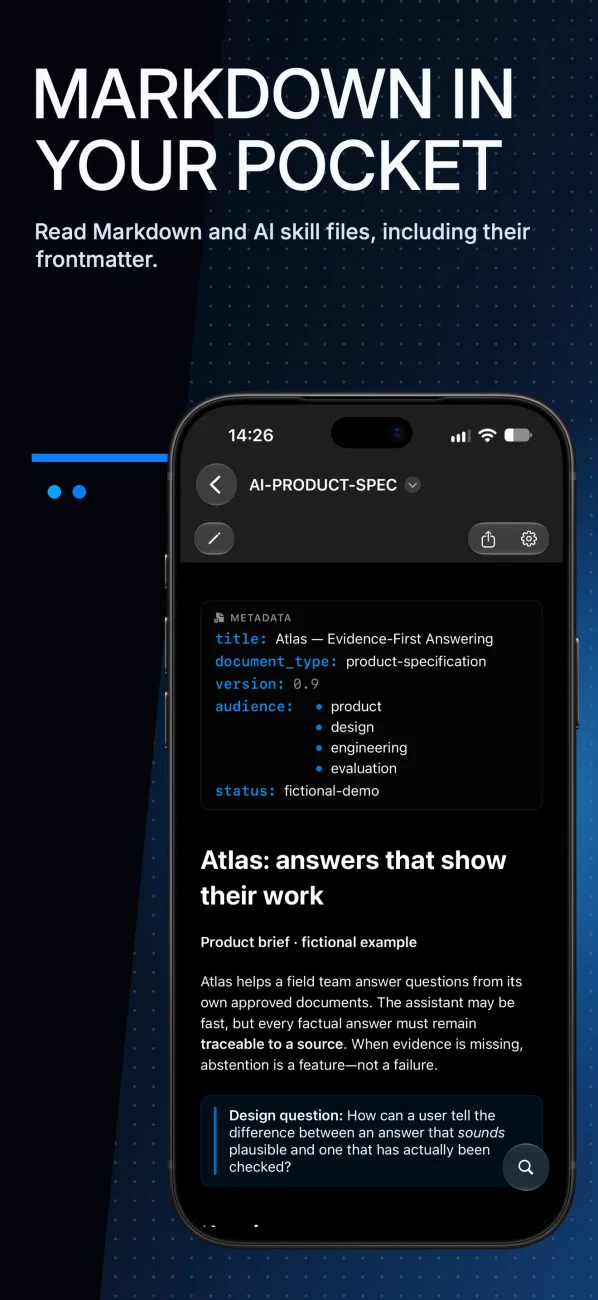
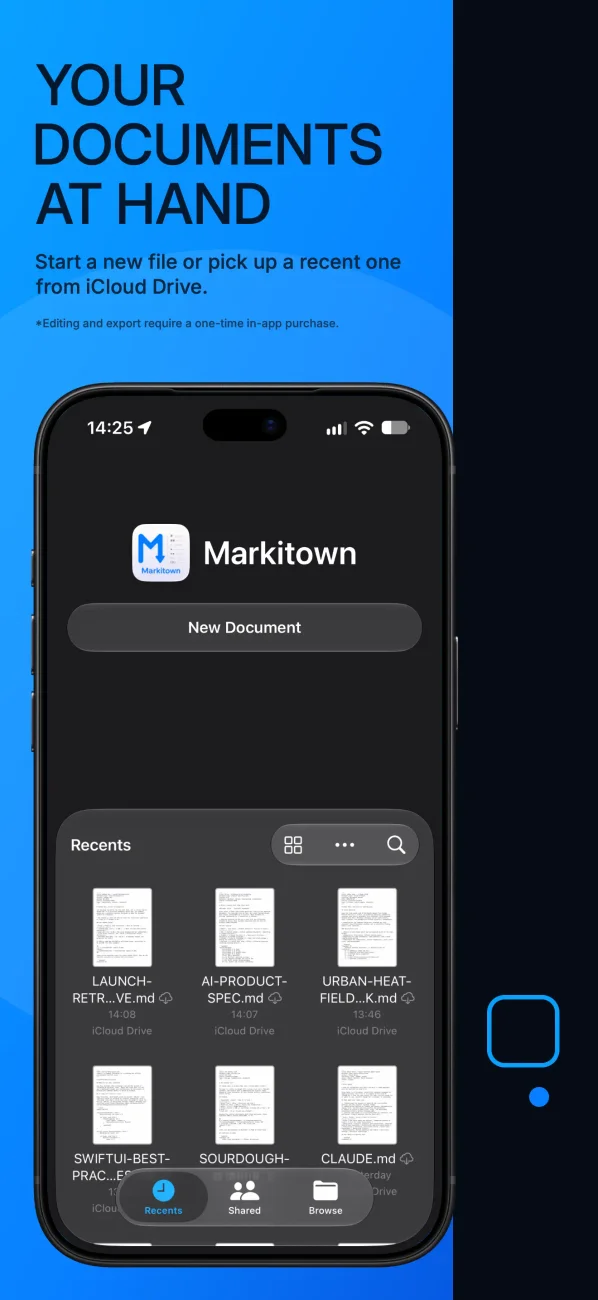
Markitown is a Markdown editor and viewer for iPhone and iPad. Open any .md file from Files or iCloud Drive and see it the way it's meant to look: GFM tables, task lists, highlighted code, LaTeX and Mermaid, beautifully rendered.
Made for the way you work with AI, too: open skills, subagents, AGENTS.md or your favorite AI agent's constitution file and read them formatted, YAML front matter and all.
Reading is free, with no limits. When you're ready to write, one purchase unlocks the editor on every version: iPhone, iPad, Mac and Apple Vision Pro. No subscription, no account.
YOUR AI AGENT FILES, READABLE
• Skills, subagents, AGENTS.md, any agent's constitution file, prompts and READMEs open as clean documents, right from Files.
• YAML front matter shows up as a tidy card at the top.
• With Markitown Full, edit them in Render or Markdown mode and replace text across the file.
FREE TO READ
• Works on the file itself, right in Files: nothing to import.
• GFM tables with column alignment, task lists with checkboxes, headings, lists, quotes, strikethrough and highlights.
• LaTeX equations and Mermaid diagrams (flowcharts, sequence, class, state and ER diagrams), with zoom.
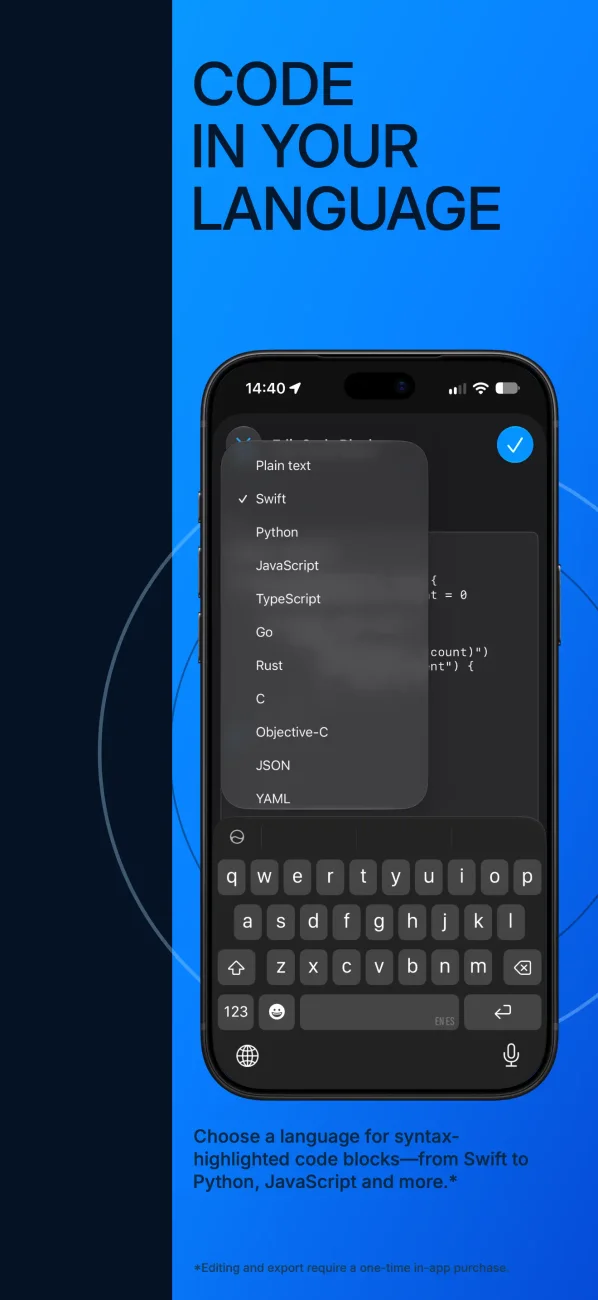
• Syntax highlighting for 14 languages, from Swift and Python to JavaScript, Go and Rust, with a copy button.
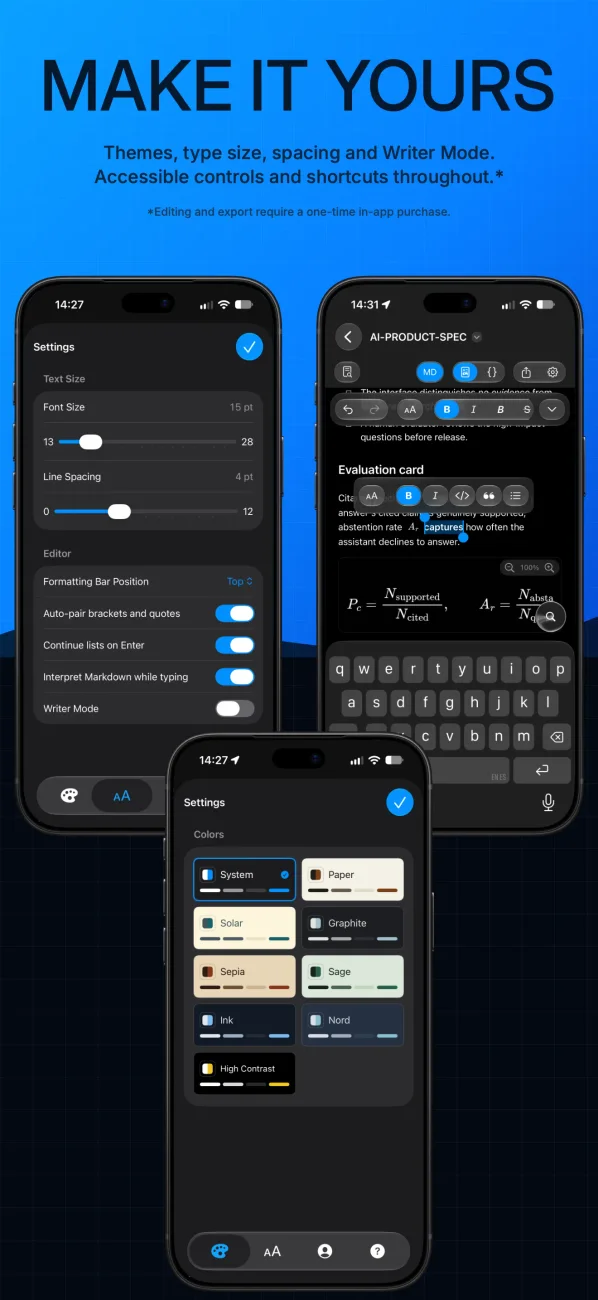
• Nine color themes: System, Paper, Solar, Graphite, Sepia, Sage, Ink, Nord and High Contrast.
• Any text size from 13 to 28 points, and the line spacing you like.
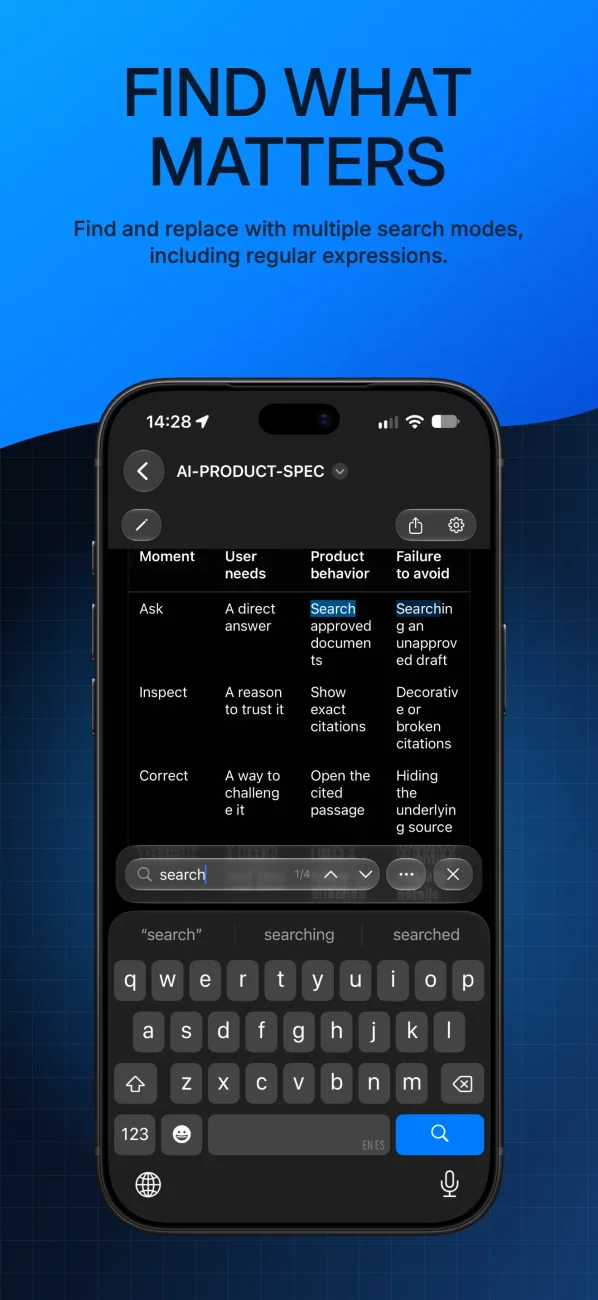
• Find with regular expressions, match case, whole words and smart scopes, with every match in context.
ONE PURCHASE, EVERY DEVICE
Markitown Full is a one-time purchase. Buy it once and it unlocks all of this on iPhone, iPad, Mac and Apple Vision Pro, with the same Apple Account:
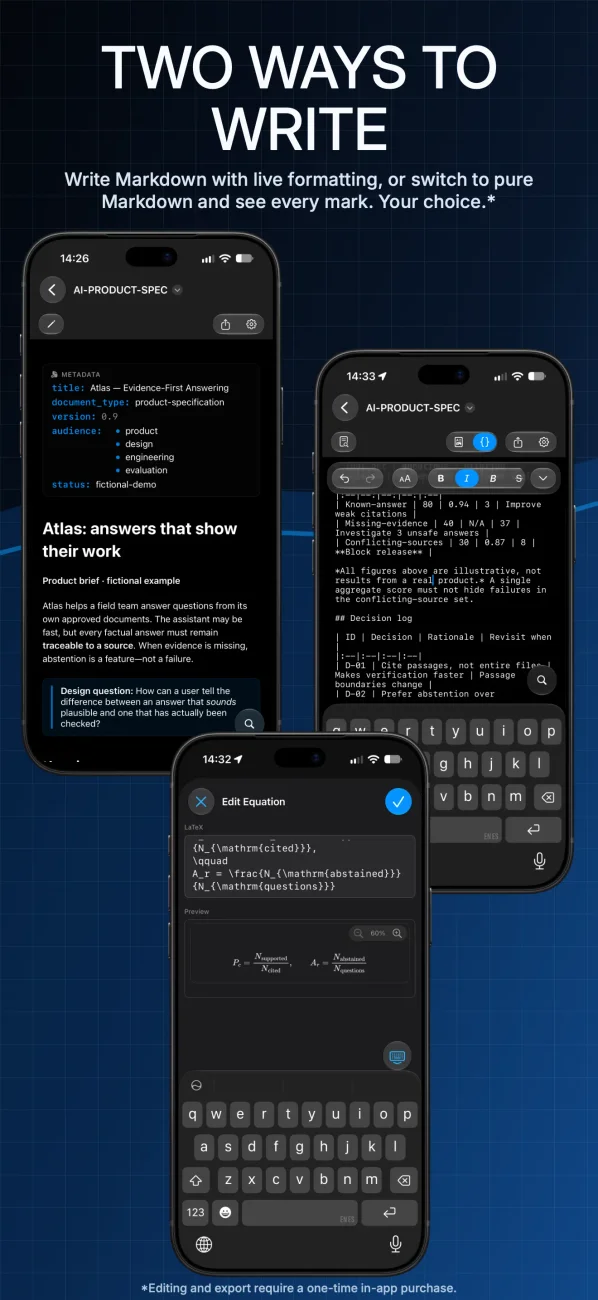
• Render mode to edit the formatted text directly (WYSIWYG) and Markdown mode for the raw source. On iPad, Split mode shows both side by side.
• Live Markdown: type the syntax and watch it format as you go.
• A floating formatting bar with headings, bold, italic, lists, links, tables and more.
• Insert tables, code blocks, LaTeX equations, Mermaid diagrams, links and web images, with live previews.
• Task lists you can tick off, smart lists, paired brackets and quotes, Focus Mode and Writer Mode.
• Replace and Replace All, with regex templates and preserved case.
• Export to HTML or PDF, and print with AirPrint.
ACCESSIBLE FROM THE FIRST LINE
• VoiceOver reads equations in words and describes diagrams. Announce Formatting tells you what's bold, italic, code or a link.
• Accessibility Check reviews your document against seven rules and takes you to each issue.
• Dynamic Type, High Contrast theme, Increase Contrast, Reduce Motion, Voice Control and Assistive Access. With Markitown Full, tagged PDF and semantic HTML.
FULLY NATIVE ON iPad AND iPhone
• On iPad: several documents at once in multiple windows, a full menu bar, pointer support and keyboard shortcuts for everything.
• On iPhone: a floating formatting bar that rises with the keyboard, and a Hide Keyboard button for when you just want to read.
• Ready for iPhone Duo: the large inner display gives you Split mode and multiple windows.
• Siri and Shortcuts, SwiftUI and TextKit 2, Liquid Glass. Plain Markdown files: no proprietary format, no lock-in, no tracking.
Privasi aplikasi
Yang dinyatakan Gabhel Studios di App Store tentang cara aplikasi ini menangani data.
-
Data tidak dikumpulkan
Pengembang tidak mengumpulkan data apa pun dari aplikasi ini.
Praktik privasi dapat bervariasi, misalnya berdasarkan fitur yang Anda gunakan atau usia Anda.
Informasi
- Penjual
- GABHEL STUDIOS SL
- Kategori
- Produktivitas
- Versi
- 1.0
- Diperbarui
- 4/11/2026
- Dirilis
- 4/11/2026
- Ukuran
- 47,2 MB
- Memerlukan
- iOS 26.0 atau yang lebih baru
- Batasan usia
- 17+
- Harga
- Gratis
- Pembelian dalam aplikasi
- Ya
- Bahasa
- Inggris, Katalan, Suomi (Finlandia), Prancis, Jerman, Hindi, Italia, Jepang, Portugis, Tionghoa Sederhana, Spanyol
- Hak cipta
- © 2026 Gabhel Studios SLU