- Batasan usia17+
- KategoriBisnis
- PengembangMcLeod Software
- BahasaInggris+ 2 lainnya
- Ukuran33,1 MB
McLeod Driver Sidekick mungkin sedang tidak tersedia di App Store
Halaman di toko tidak dapat dijangkau saat terakhir kami periksa. Tautan tetap mengarah ke halaman resmi App Store.
Tangkapan layar


Tentang
Pengembang belum menyediakan teks ini dalam bahasa Anda.
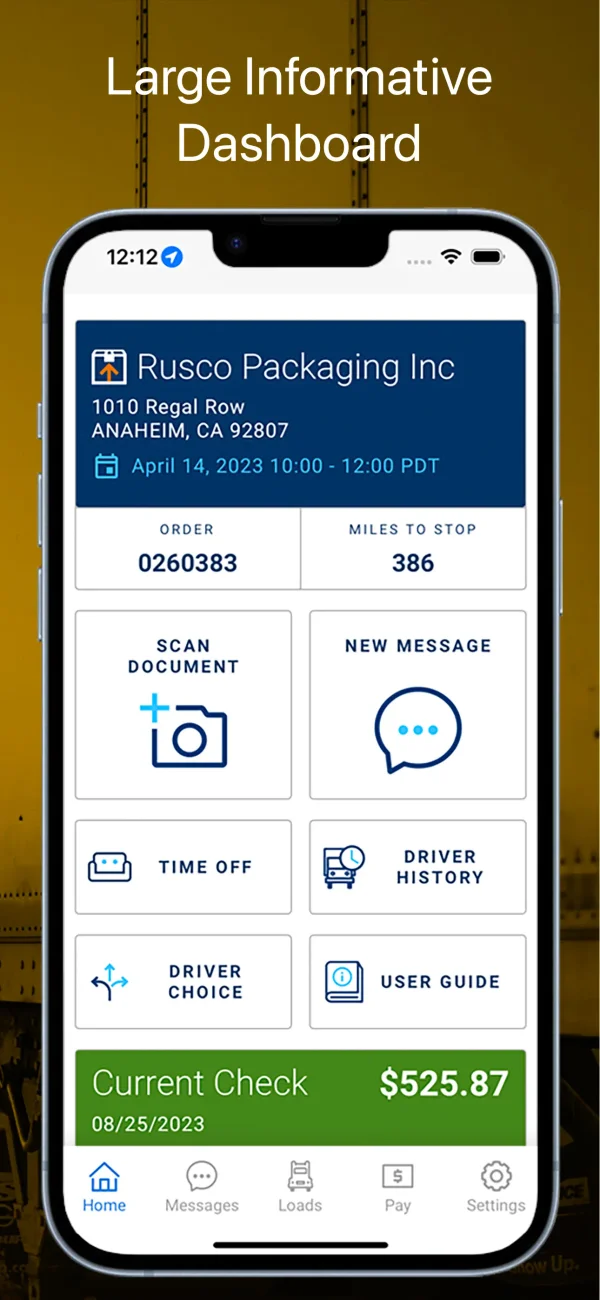
Driver Sidekick is an all-new app connecting drivers to the back office, expediting billing, and enhancing driver satisfaction. It features an updated, intuitive look and feel, a home screen “dashboard” view, and a dedicated set of permissions to ease implementation. Driver Sidekick is designed for drivers. They can easily see their current assignment and can use the filterable list views to quickly locate the information they desire.
Home Screen
On the Home Screen, the Current Assignment card welcomes the driver and provides load details, stop information, and appointment details and mileage to the next stop. The buttons visible beneath the card allow drivers to scan a document, create a new message, request time off, or run a Driver History Report. Drivers can review their most recent settlement details. Custom links allow the home office to curate employee communications, safety videos, links to vendor partners, benefit providers, and more.
Messages
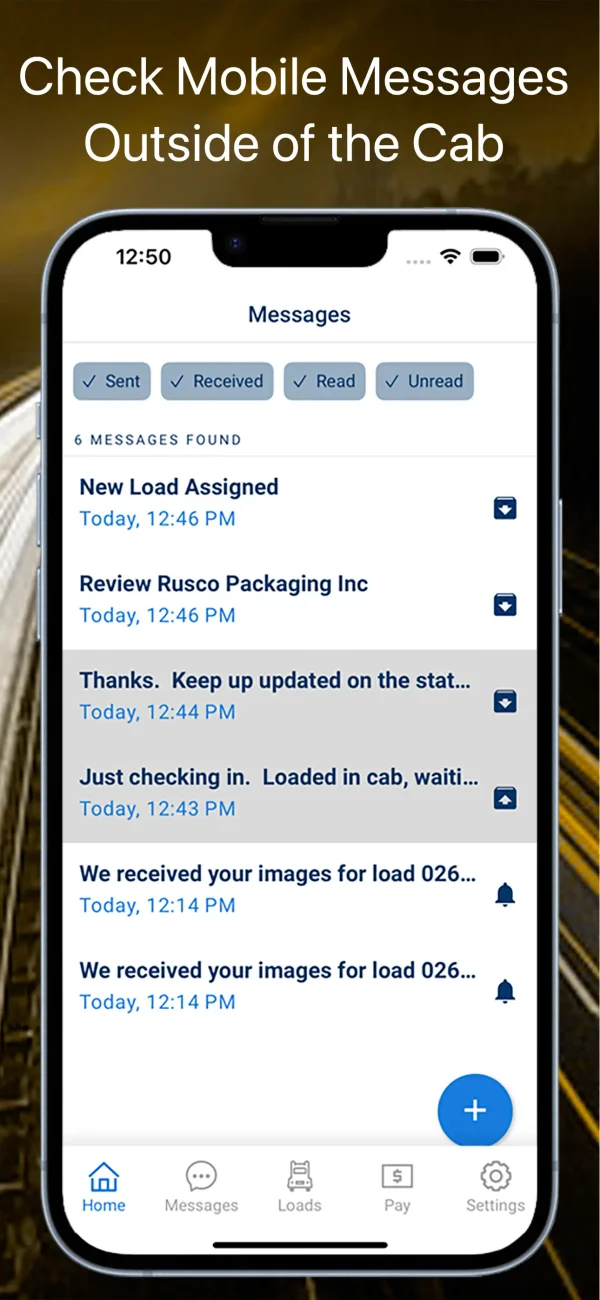
Sidekick’s Messages center makes it easy to filter messages sent and received, read and unread. The app sends confirmation messages with tappable thumbnails to review scanned images for easy reference.
Loads
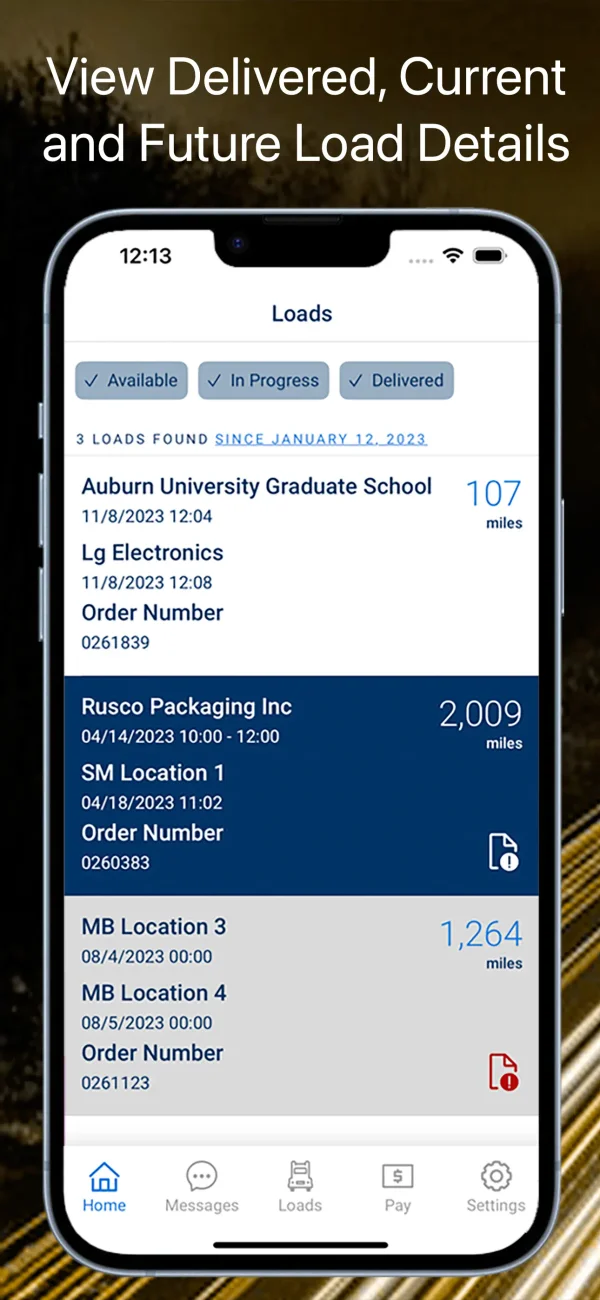
In the Loads section, Sidekick allows you to filter loads based on whether they’re available, in progress, or delivered. Each load type is color coded for consistency. The detail view for each load includes the following tabs: Stops, Map, Freight, and Images. The Stops tab displays key information about each stop on the load along with the load’s total miles. Drivers can see the stop’s average location rating and review the location after a visit, answering your custom questions. If freight is damaged, they can submit an OS&D claim, capturing photos of damaged freight and providing details as needed.
The Map tab allows drivers to see plotted commercial routes. The Freight tab displays weights, measures, and commodity information, along with safety training links for that commodity.
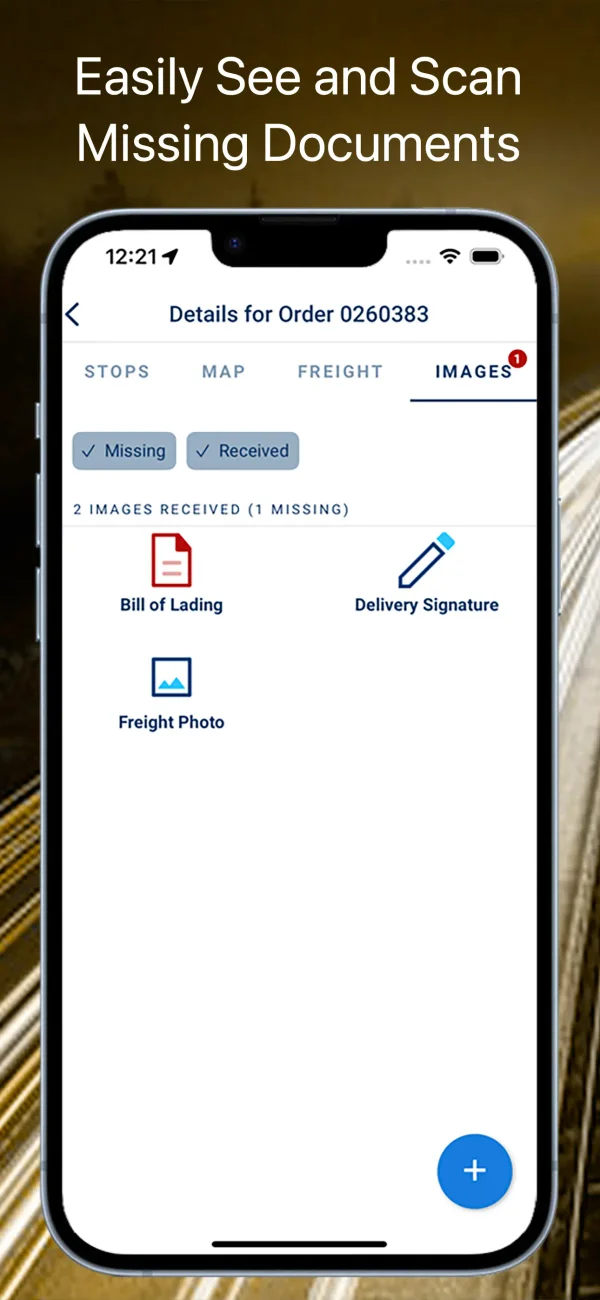
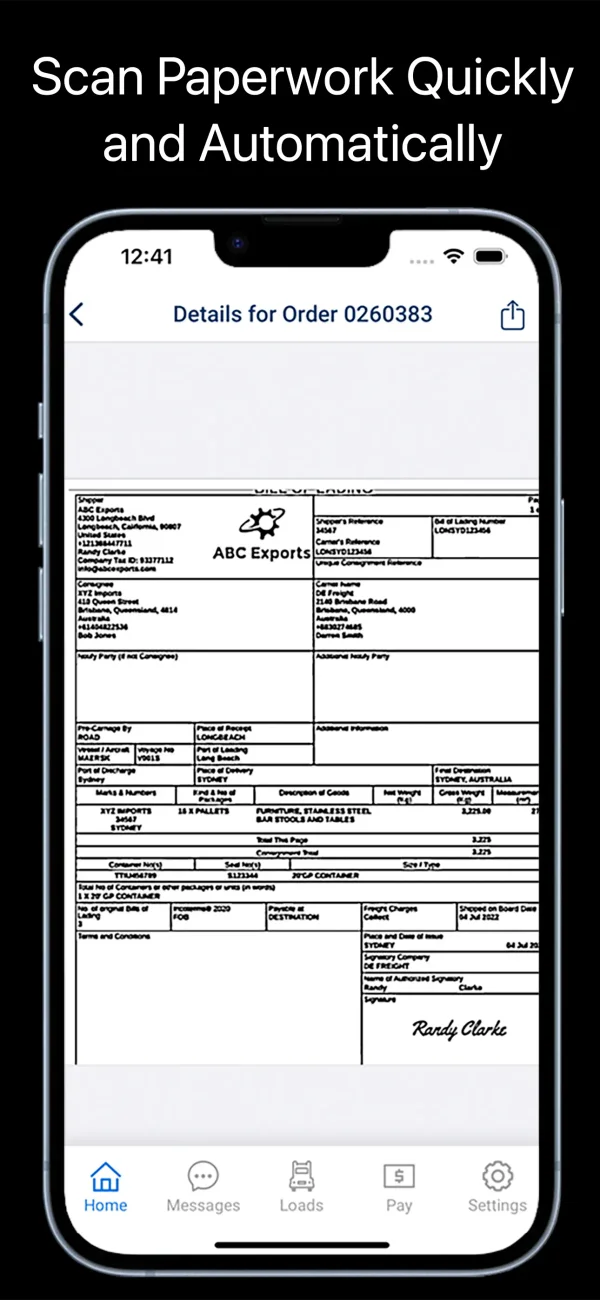
The Images tab displays a badge with a count of missing required images and allows drivers to review previously scanned documents. This way, drivers can easily see if a load is missing a required image from Rendition Customer because that missing document’s icon will be red. Drivers can also capture signatures, scan documents, and either take freight photos or upload them from the device’s photo library.
Pay
The Pay screen makes it easy for drivers to see their pay history and pending settlements. The list of paid settlements includes the check number, date and amount and is linked to the Settlement Summary PDF from LoadMaster. The Pay section is configurable. You can disable paid settlements, pending settlements, or the Current Check Card on the Home Screen.
Settings
Drivers can view their profile, which includes important dates like the driver’s work anniversary and the expiration of the driver’s physical and other certifications. You can enable automatic reminders to renew these credentials in LoadMaster. These reminders are sent to the driver as “push” notifications even when the app is not running on the driver’s device. If necessary, drivers can create a Motor Accident report that includes details and photos from the accident scene. The Support tab contains critical device and app data and a convenient button to request McLeod Support.
Driver Sidekick requires McLeod LoadMaster version 22.2 or newer.
Yang baru
Versi 27.1.10 · 6/11/2026
- Various enhancements and bug fixes
Privasi aplikasi
Yang dinyatakan McLeod Software di App Store tentang cara aplikasi ini menangani data.
-
Data yang ditautkan dengan Anda
Dapat dikumpulkan dan ditautkan dengan identitas Anda.
- Kesehatan dan kebugaran
- Lokasi
- Konten pengguna
- Pengenal
-
Data yang tidak ditautkan dengan Anda
Dapat dikumpulkan, tetapi tidak ditautkan dengan identitas Anda.
- Data penggunaan
- Diagnostik
Praktik privasi dapat bervariasi, misalnya berdasarkan fitur yang Anda gunakan atau usia Anda.
Informasi
- Penjual
- McLeod Software
- Kategori
- Bisnis
- Versi
- 27.1.10
- Diperbarui
- 6/11/2026
- Dirilis
- 26/12/2023
- Ukuran
- 33,1 MB
- Memerlukan
- iOS 16.0 atau yang lebih baru
- Batasan usia
- 17+
- Bahasa
- Inggris, Prancis, Spanyol
- Hak cipta
- © 2026 McLeod Software