MediaUtilityPro
Timeline video editor
Dirancang untuk iPhone, iPad, iPod touch
Gratis · Pembelian dalam aplikasi
- Batasan usia12+
- KategoriFoto & Video
- PengembangSanjay Korde
- BahasaInggris
- Ukuran10,5 MB
Tertaut ke halaman resmi App Store
Download.org tidak menyimpan file MediaUtilityPro apa pun. Tombol ini membuka halaman aplikasi di App Store, tempat Sanjay Korde menerbitkannya. Halaman terakhir diperiksa pada 13/11/2026.
Tangkapan layar




Tentang
Pengembang belum menyediakan teks ini dalam bahasa Anda.
Media Utility Pro — Timeline Video Editor for Filmmakers & Creators on iPhone, iPad and Mac
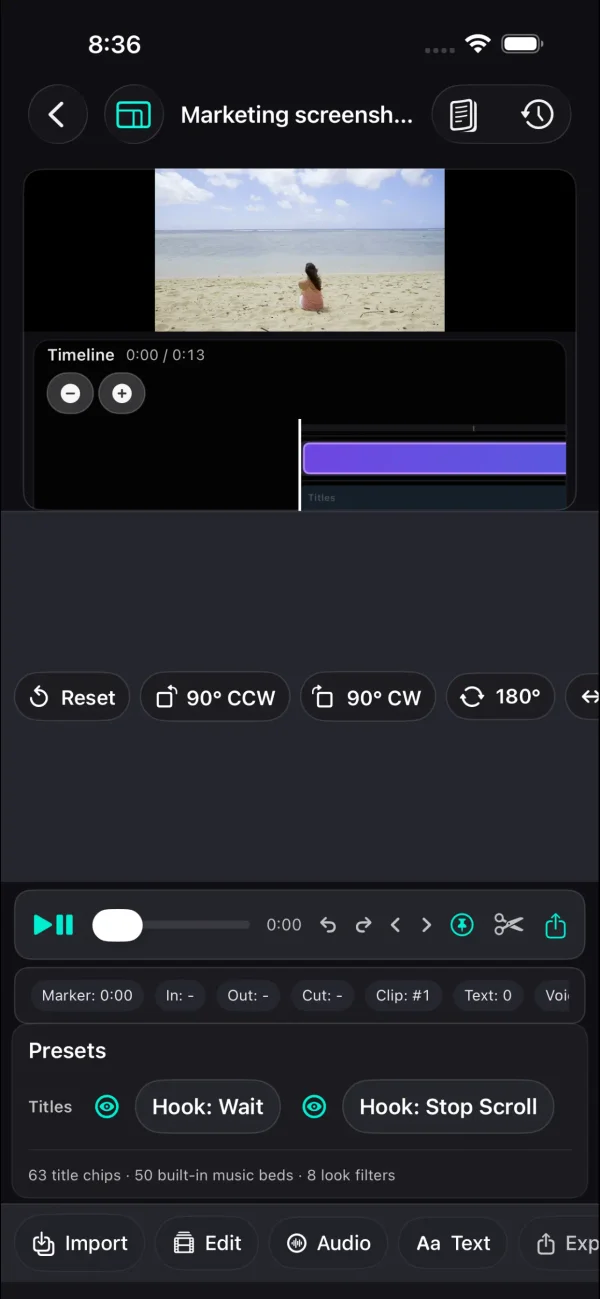
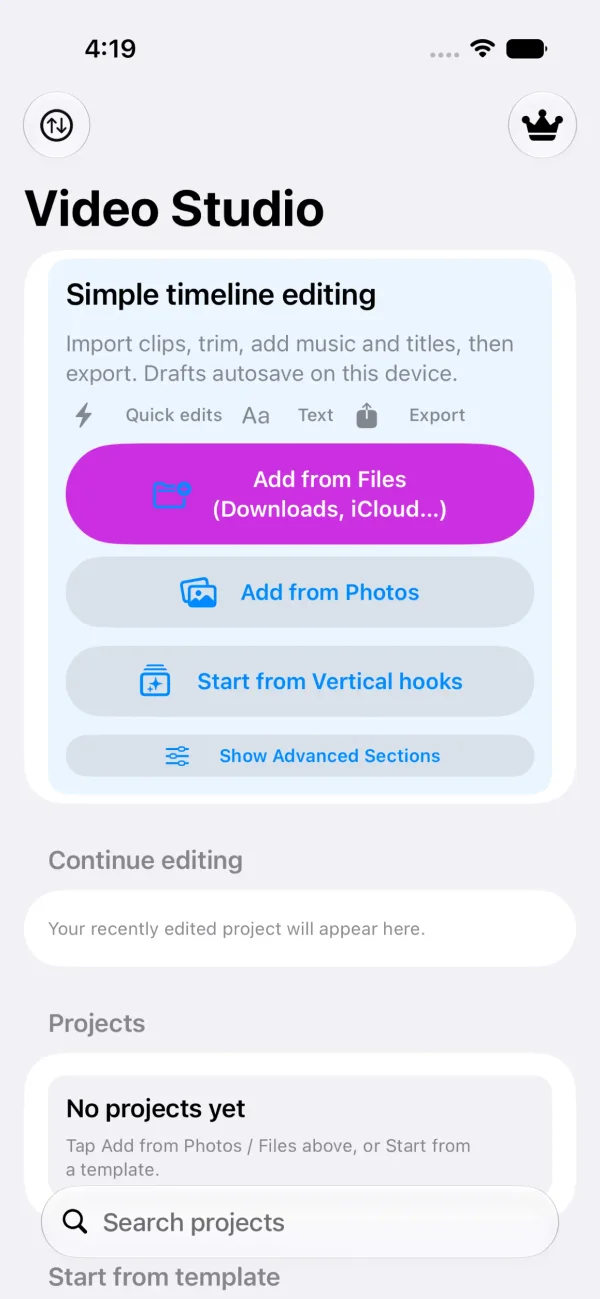
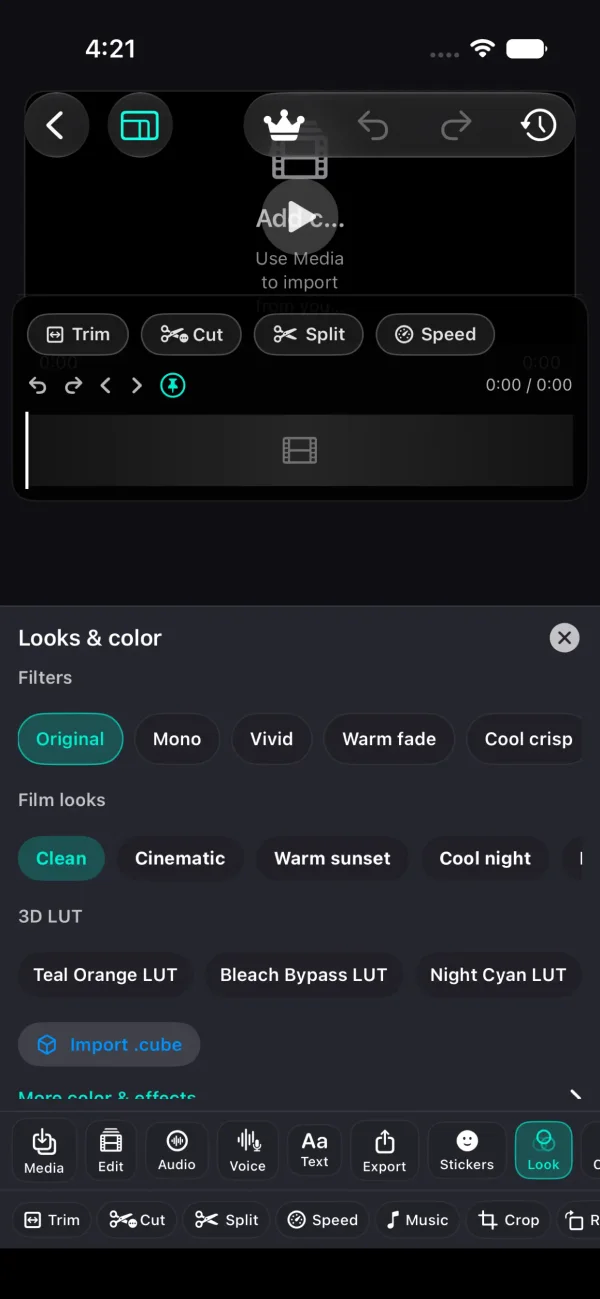
Edit videos on your phone, tablet, or Mac. Media Utility Pro is a multi-track timeline video editor for cutting and finishing clips, then exporting HD video—fast.
Free forever
• Timeline editing — Arrange clips and build your story.
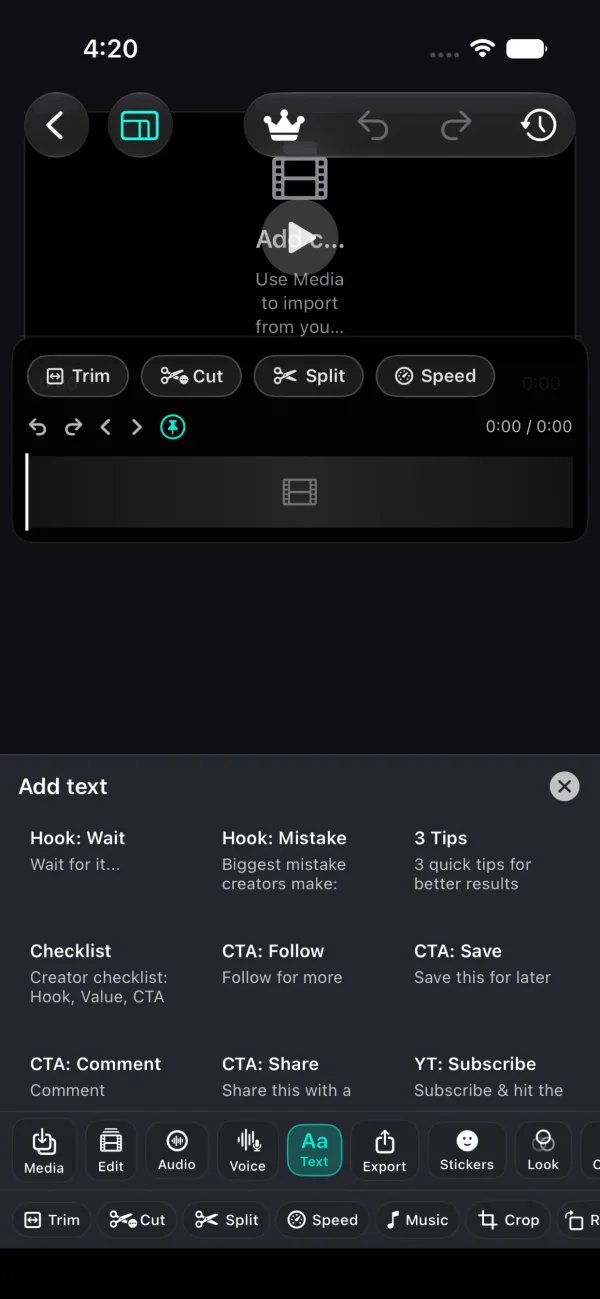
• Cut, trim & split — Core tools to shape each shot.
• Speed — Change clip speed (constant speed).
• Crop, rotate, flip & reverse — Adjust framing and playback.
• Transitions — Simple transitions between clips.
• Titles & stickers — Add text and stickers on your edit.
• Captions — Add captions for clearer viewing.
• Music, Film Sound & voiceover — Background music, Film Sound beds, VO, and ducking so speech stays clear.
• Basic looks — Simple color filters.
• Export — Share up to 1080p HD.
• Optional iCloud — Access projects across devices when signed in.
Filmmaker Pro — one-time unlock (no subscription)
Only finishing tools that are ready to use:
• Film looks — Cinematic grades that match on export.
• 3D LUT — Built-in and imported .cube LUTs in preview and export.
• Color grade & denoise — Exposure, contrast, temperature, vignette, grain, and denoise.
• Dialogue cleanup — Clean and isolate voice on the timeline.
• Speed ramp — Smooth speed changes on a clip.
• Person mask — On-device person masking for selective looks.
• 4K / Maximum export — Higher-quality delivery presets.
• ProRes export — ProRes 422 edit masters for desktop handoff.
Start free. Unlock Filmmaker Pro once when you need cinema finishing—no subscription.
Download Media Utility Pro and start your next video today.
Note - Take back of videos before processing .
Yang baru
Versi 1.2 · 29/10/2026
• Filmmaker Pro now unlocks watermark-free exports only — all editing tools stay free
• Free exports show a centered Media Utility Pro / Free export proof watermark
• Unlock Pro once to remove the watermark — no subscription
• Looks, LUTs, color grade, captions, stickers, Film Sound, 4K/ProRes and more remain available free
• Export sheet notes when a free watermark will be applied
Privasi aplikasi
Yang dinyatakan Sanjay Korde di App Store tentang cara aplikasi ini menangani data.
-
Data tidak dikumpulkan
Pengembang tidak mengumpulkan data apa pun dari aplikasi ini.
Praktik privasi dapat bervariasi, misalnya berdasarkan fitur yang Anda gunakan atau usia Anda.
Informasi
- Penjual
- Sanjay Korde
- Kategori
- Foto & Video
- Versi
- 1.2
- Diperbarui
- 29/10/2026
- Dirilis
- 24/5/2026
- Ukuran
- 10,5 MB
- Memerlukan
- iOS 15.0 atau yang lebih baru
- Batasan usia
- 12+
- Harga
- Gratis
- Pembelian dalam aplikasi
- Ya
- Bahasa
- Inggris
- Hak cipta
- © Cinematics
Mungkin Anda juga suka
-
 Video to Frames: Extract PhotoFoto & Video
-
 Infrared CameraFoto & Video
-
 QuickFrame - True RAW CameraFoto & Video
-
 One SouvenirFoto & Video
-
 FaceIdent: Galeri Foto AICari Wajah & Orang di Foto
-
 ChillClean - Photo CleanerFoto & Video
-
 PresetCollectionFoto & Video
-
 PicPin - Photo Walls & CleanupFoto & Video
-
 VideoRecord: Jeda & LanjutkanTanggal, Waktu, GPS & Alamat
-
 PicsFold - Galeri KeduaPindahkan dan atur foto