
MemoMa
Anti Social Media
Dirancang untuk iPhone, iPad
Gratis · Pembelian dalam aplikasi
- Batasan usia4+
- KategoriGaya Hidup
- PengembangTsuyoshi Niwa
- BahasaInggris+ 12 lainnya
- Ukuran11,3 MB
Tertaut ke halaman resmi App Store
Download.org tidak menyimpan file MemoMa apa pun. Tombol ini membuka halaman aplikasi di App Store, tempat Tsuyoshi Niwa menerbitkannya. Halaman terakhir diperiksa pada 12/11/2026.
Tangkapan layar

Tentang
Pengembang belum menyediakan teks ini dalam bahasa Anda.
There are things you want to write down without worrying about what anyone else might think.
Sometimes you want a personal album of memories that isn't meant to be shared with anyone.
MemoMa is an app for people like you.
MemoMa displays only your own notes and photos.
There are no ads or recommendation algorithms, so you can enjoy a completely private space, free from social media.
It's perfect for keeping a journal of everyday life that doesn't need to be shared, or for recording personal health information that you'd rather keep private.
Of course, you can also relive your favorite trips through photos and add notes to your pictures so they're easier to find later.
Your notes are available across your iPhone, iPad, and Mac, so you can pick up where you left off on any of your devices.
If you enable iCloud Photos, your photos will be available across your devices as well.
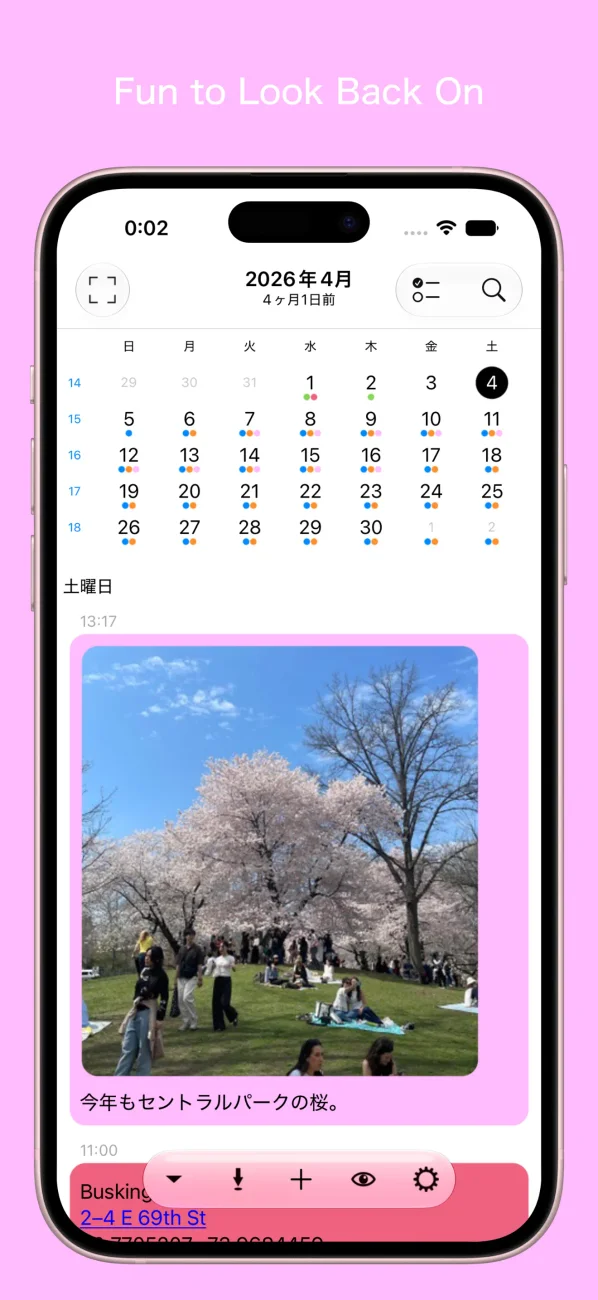
Simply open MemoMa and tap the "+" button to create a note.
Your notes appear in chronological order on each day's timeline.
Photos are not imported into MemoMa. Instead, the app displays the photos you've taken with the Camera app.
You can choose to display only specific albums or hide photos you don't want to see.
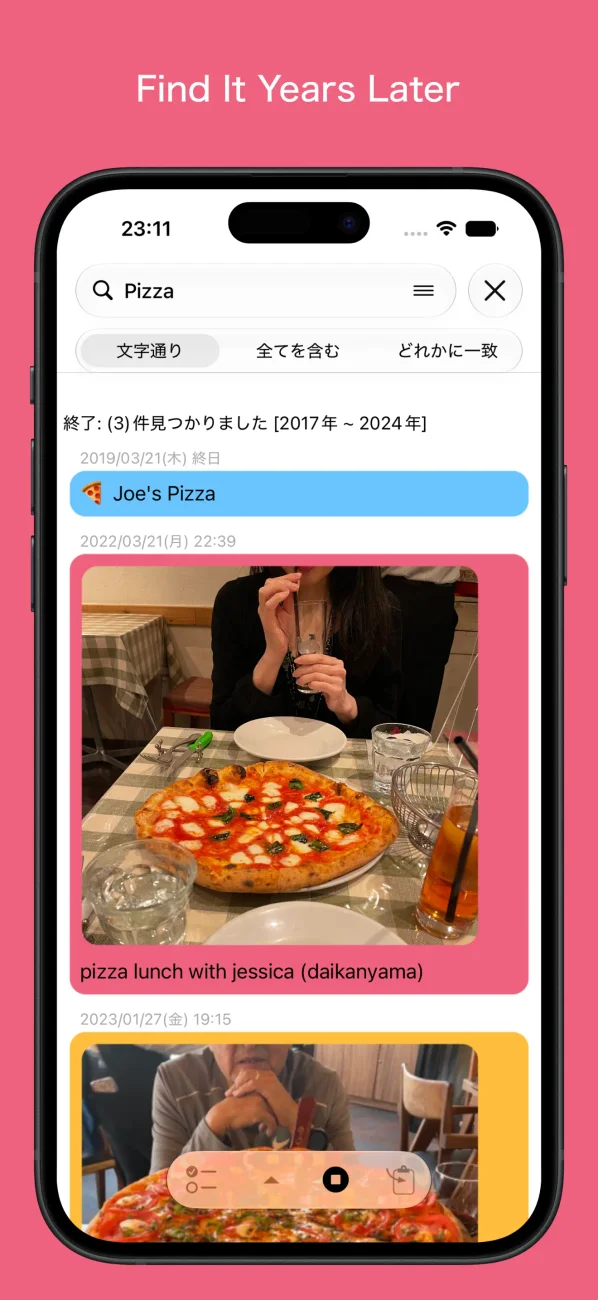
Long-press a photo and select "Add Note" to make it searchable by the note's contents.
You can search using multiple keywords with either "Match All" or "Match Any" options.
If you set a date and time when creating a note, it can also be saved as a calendar event.
In Edit mode, you can duplicate notes and events, change their dates, or delete multiple items at once.
You can take notes while viewing your photos, keep the notes, and later delete photos you no longer need with a simple long press.
Please note:
MemoMa cannot protect the privacy of items added to public calendars or shared photo albums.
Calendar data itself is not encrypted, so other apps that have access to the same calendar may also be able to view it.
To help protect your privacy, MemoMa includes a Private Mode that prevents others from casually viewing your information.
For more information, please read the User Guide from the Settings screen in the app.
Terms of Use: https://www.apple.com/legal/internet-services/itunes/dev/stdeula/
Yang baru
Versi 6.0.4 · 6/11/2026
bug fix and performance improvement
Privasi aplikasi
Yang dinyatakan Tsuyoshi Niwa di App Store tentang cara aplikasi ini menangani data.
-
Data yang tidak ditautkan dengan Anda
Dapat dikumpulkan, tetapi tidak ditautkan dengan identitas Anda.
- Konten pengguna
- Pengenal
- Data penggunaan
- Diagnostik
Praktik privasi dapat bervariasi, misalnya berdasarkan fitur yang Anda gunakan atau usia Anda.
Informasi
- Penjual
- Tsuyoshi Niwa
- Kategori
- Gaya Hidup
- Versi
- 6.0.4
- Diperbarui
- 6/11/2026
- Dirilis
- 20/1/2015
- Ukuran
- 11,3 MB
- Memerlukan
- iOS 17.6 atau yang lebih baru
- Batasan usia
- 4+
- Harga
- Gratis
- Pembelian dalam aplikasi
- Ya
- Bahasa
- Inggris, Belanda, Prancis, Jerman, Italia, Jepang, Korea, Portugis, Rusia, Tionghoa Sederhana, Spanyol, Tionghoa Tradisional + 1 lainnya
- Hak cipta
- © Tsuyoshi Niwa
Mungkin Anda juga suka
-
 Hanako magazineGaya Hidup
-
 AstaraGaya Hidup
-
 StoopingGaya Hidup
-
 TLMemo - TimeLine MemoGaya Hidup
-
 G-JournalGaya Hidup
-
 Diary! SmartDiaryGaya Hidup
-
 Years JournalTanggal sama, tahun berbeda
-
 ShowDay - Diary,Notes,JournalGaya Hidup
-
 ADAY: Shared Photo CalendarGaya Hidup
-
 Simple photo diary app -Nikky-Gaya Hidup