Menu Bar Notes: Quick Capture
Quick and Easy Menu Bar Notes
Dirancang untuk iPhone, iPad, Mac
Gratis
- Batasan usia4+
- KategoriProduktivitas
- PengembangOlamide Ojumu
- BahasaInggris
- Ukuran1,3 MB
Tertaut ke halaman resmi App Store
Download.org tidak menyimpan file Menu Bar Notes: Quick Capture apa pun. Tombol ini membuka halaman aplikasi di App Store, tempat Olamide Ojumu menerbitkannya. Halaman terakhir diperiksa pada 15/11/2026.
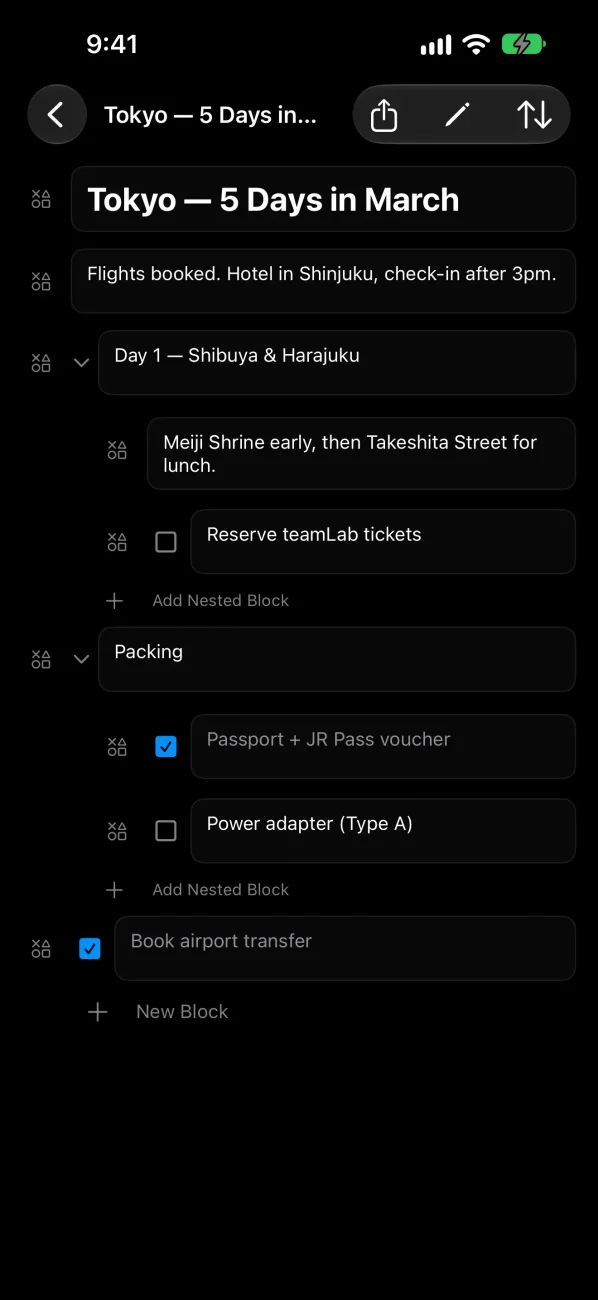
Tangkapan layar
Tentang
Pengembang belum menyediakan teks ini dalam bahasa Anda.
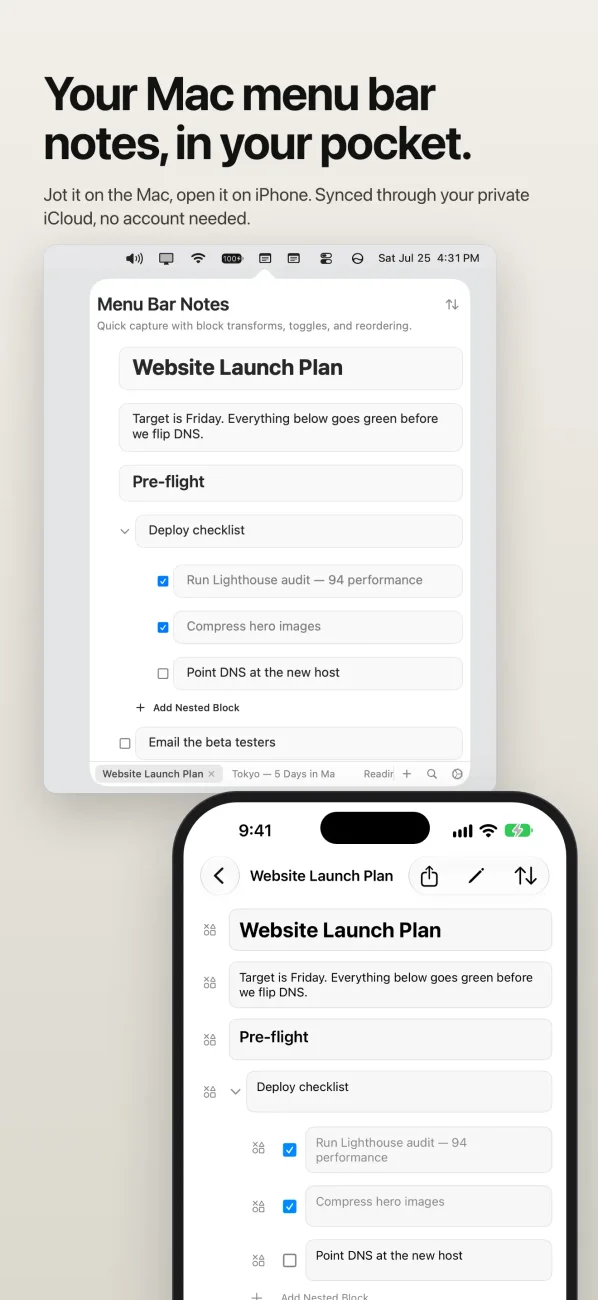
Easily reach into your menubar to quickly jot down a thought or reference, edit it on your synced iPhone and iPad app with your private iCloud keeping every device in step. No accounts or signups are needed and no data is collected. I always wanted a simple tool like this and I hope someone else finds it useful.
On Mac, it sits in your menu bar. Click the icon or press ⌥⌘N from any app to open your notes, and click the icon again or press Esc to put them away. On iPhone and iPad, it's a clean, touch-first editor that stays out of your way.
Markdown Style Blocks
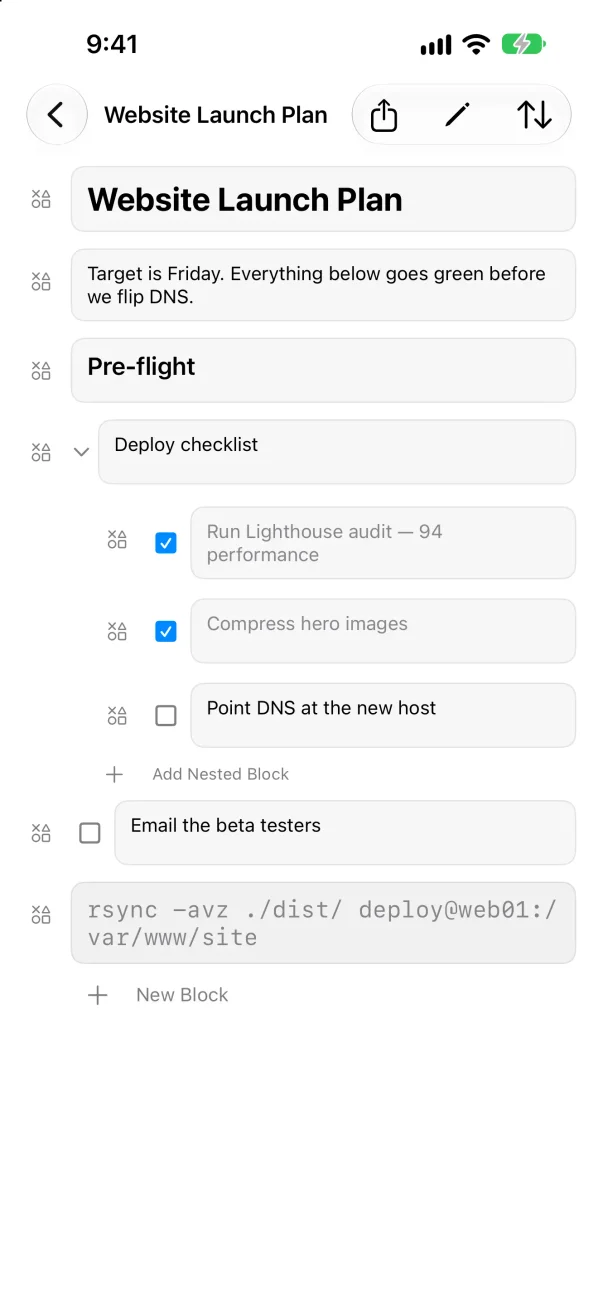
Every note is built from blocks: text, headings, collapsible toggles, to-dos with checkboxes, and code. Type shortcuts like "# ", "> ", or "[] " at the start of a line and the block transforms as you write. Toggles nest without limit, so a quick list can grow into a real outline.
Browser Style Tabs
Notes are tabs. Switch with ⌘1–⌘9, open a new note with ⌘T, close one with ⌘W.
Privately Sync over iCloud- No Account Needed
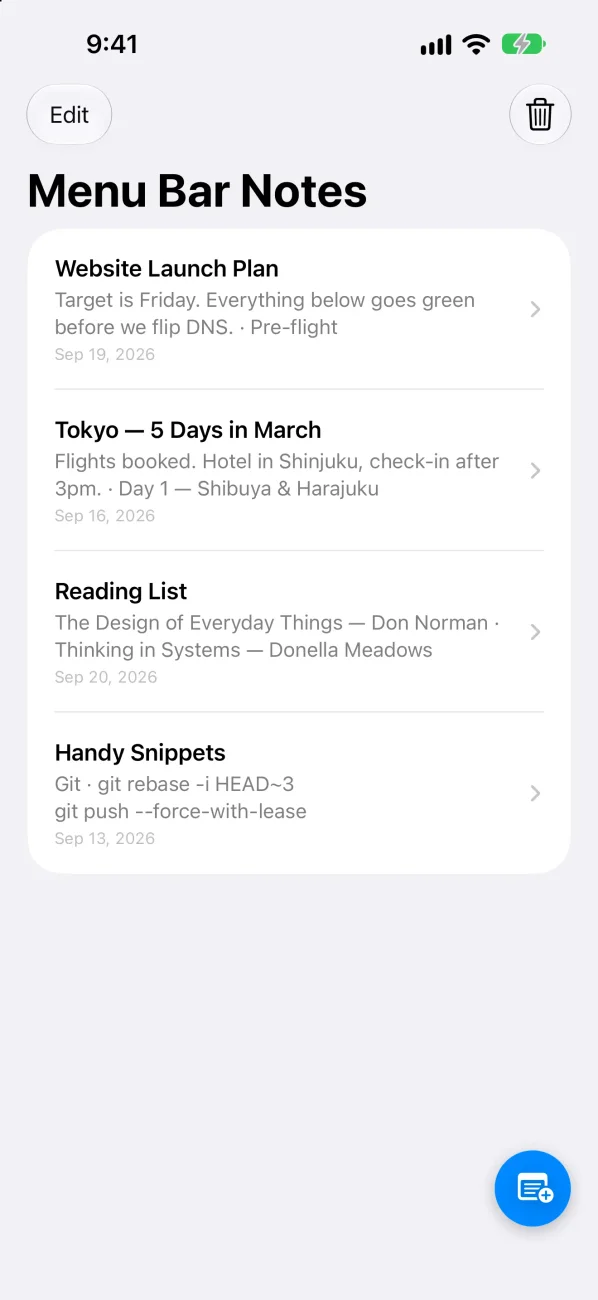
iCloud sync keeps iPhone, iPad, and Mac in step automatically. No account to create, no subscription — your notes live in your personal, private iCloud.
Forgiving By Design
Deleted notes and blocks go to the Trash, where they can be restored for 30 days.
FEATURES
• Block editor: text, Heading 1 and 2, toggles, to-dos, and code
• Markdown-style shortcuts for instant block transforms
• Collapsible toggle blocks with unlimited nesting
• Duplicate any block along with its children
• Menu bar quick capture on Mac, with a global ⌥⌘N (Option-Command-N) hotkey
• Tabbed notes with full keyboard navigation on Mac
• iCloud sync across iPhone, iPad, and Mac
• 30-day Trash with restore
• No accounts, no tracking, no data collection
Menu Notes stores your notes on your device and syncs them through your own private iCloud database. We can't read them, and we wouldn't want to.
Yang baru
Versi 1.2 · 29/9/2026
- Search: find any note by its name or its text. Tap a result to open the note right at that line.
- Share or copy a whole note as Markdown from the editor.
- Shortcuts and Siri: "New Note" and "Add to Note" capture text without opening the app. Find Notes and Get Note as Markdown are there for your own shortcuts.
Privasi aplikasi
Yang dinyatakan Olamide Ojumu di App Store tentang cara aplikasi ini menangani data.
-
Data tidak dikumpulkan
Pengembang tidak mengumpulkan data apa pun dari aplikasi ini.
Praktik privasi dapat bervariasi, misalnya berdasarkan fitur yang Anda gunakan atau usia Anda.
Informasi
- Penjual
- Olamide Ojumu
- Kategori
- Produktivitas
- Versi
- 1.2
- Diperbarui
- 29/9/2026
- Dirilis
- 10/8/2026
- Ukuran
- 1,3 MB
- Memerlukan
- iOS 17.0 atau yang lebih baru
- Batasan usia
- 4+
- Harga
- Gratis
- Bahasa
- Inggris
- Hak cipta
- © 2026 Ace Console
Mungkin Anda juga suka
-
 Recto NotesProduktivitas
-
 Carbon - Calendar MirrorProduktivitas
-
 Nova Voice: AI Text to SpeechProduktivitas
-
 Ratiba+: Family OrganizerProduktivitas
-
 SnapNote: Offline AI ScannerProduktivitas
-
 Countdown Reminder: Days LeftProduktivitas
-
 ArrivalSentinelProduktivitas
-
 Insta formsProduktivitas
-
 Grafik Master Data VisualisasiPie Garis Ekspor Template Off
-
 Ego ChatProduktivitas