MIDIPen
Draw MIDI CC with a pencil
Dirancang untuk iPad
Gratis · Pembelian dalam aplikasi
- Batasan usia4+
- KategoriMusik
- PengembangRocamr Labs, LLC
- BahasaInggris
- Ukuran5,0 MB
Tertaut ke halaman resmi App Store
Download.org tidak menyimpan file MIDIPen apa pun. Tombol ini membuka halaman aplikasi di App Store, tempat Rocamr Labs, LLC menerbitkannya. Halaman terakhir diperiksa pada 18/11/2026.
Tangkapan layar

Tentang
Pengembang belum menyediakan teks ini dalam bahasa Anda.
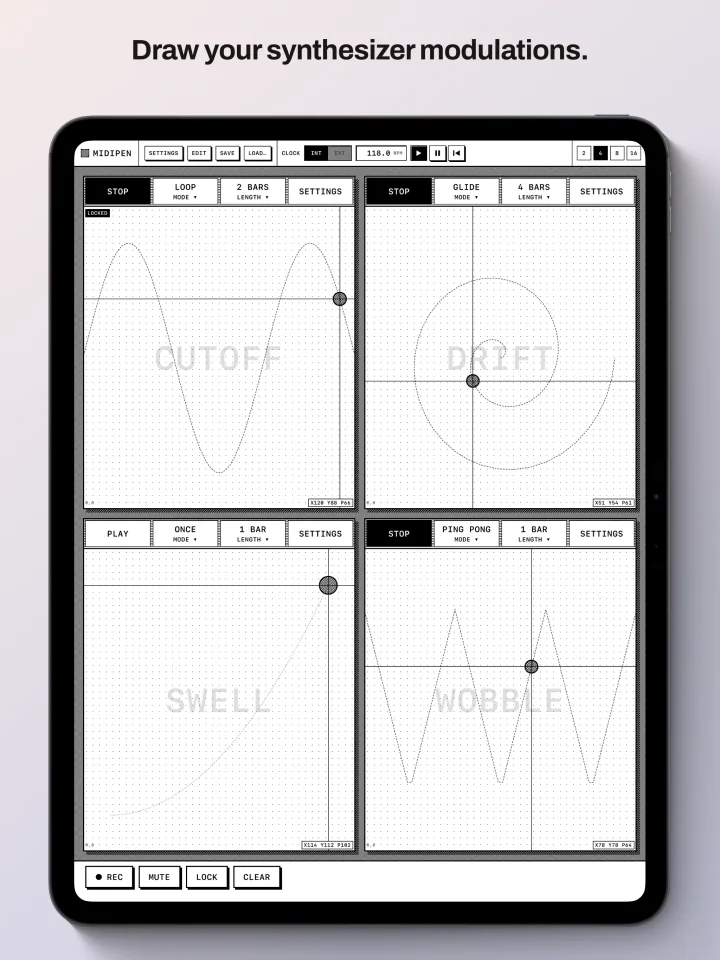
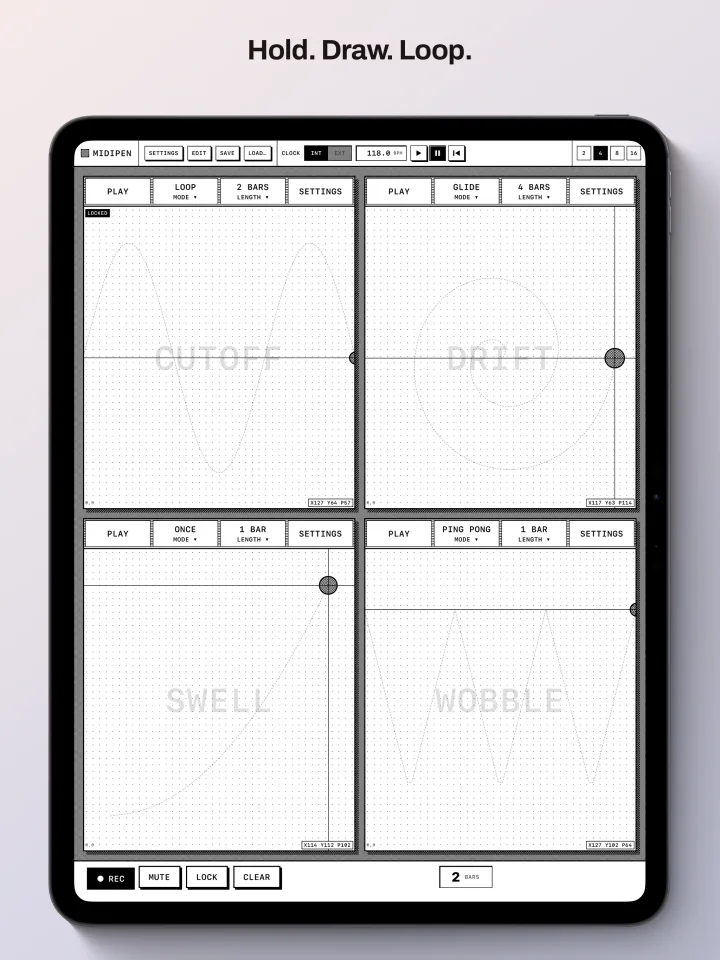
MIDIPen turns your iPad into a drawing surface for MIDI. Put a pencil (or a finger) on a block and its X position, Y position and pressure become MIDI control changes, sent live to any synth, DAW or hardware that speaks MIDI. Lift the pen and the block holds its last value. Draw a shape and it becomes a loop.
BLOCKS ARE THE INSTRUMENT
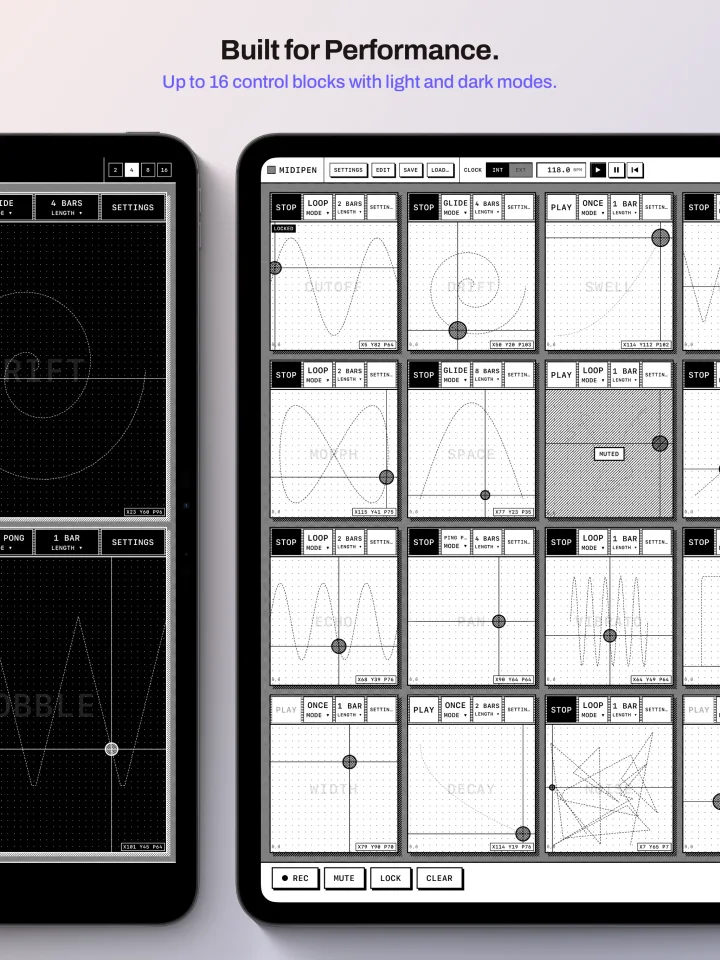
The screen is a grid of blocks. Each block is a small XY-plus-pressure pad with its own MIDI mappings. Name it "CUTOFF", point it at CC 74 on channel 1, and you have a filter knob you can draw with. Show two, four, eight or sixteen blocks at once.
ONE BLOCK, MANY CONTROLLERS
A block is a macro. Add up to eight mappings per block, each with its own channel, CC number (or channel aftertouch), axis, range and invert switch. One stroke can open a filter, close another and push reverb send at the same time.
RECORD A GESTURE, PLAY IT BACK IN TIME
Hold REC, draw on any blocks you like, let go. Each block captured during the hold plays back on the clock, quantized to a length of one to eight bars. Four play modes: ONCE plays through and holds the last value, LOOP repeats, PING PONG runs forward then backward, GLIDE crossfades the loop seam so nothing jumps.
IN TIME WITH EVERYTHING
An internal clock with a tempo panel (40–240 BPM), or lock to external MIDI clock. Start, stop and continue from your DAW or hardware sequencer restart every loop together.
MIDI LEARN
Tap LEARN on any mapping, wiggle a knob on your controller or DAW, and MIDIPen picks up the channel and CC number for you.
BUILT FOR PERFORMANCE
Bottom-bar tools (REC, MUTE, LOCK, CLEAR) are hold-and-tap so nothing fires by accident. LOCK freezes a finished curve so a stray palm can't smear it. MUTE silences a block instantly. Hide the block controls and the pads fill the whole screen. PREVENT SLEEP keeps the iPad awake for a whole set. Apple Pencil Pro users get a squeeze menu right under the pen. Save and load named setups.
CONNECTS TO EVERYTHING
MIDIPen appears as a MIDI source ("MIDIPen") and destination ("MIDIPen In") to every other app on the iPad, and sends to every connected MIDI destination: USB interfaces, Bluetooth MIDI, Network MIDI, and other apps like AUM, Drambo, Loopy Pro or your synth apps. No audio engine, no sounds of its own. It drives the instruments you already have.
A LOOK FROM THE FIRST MACINTOSH
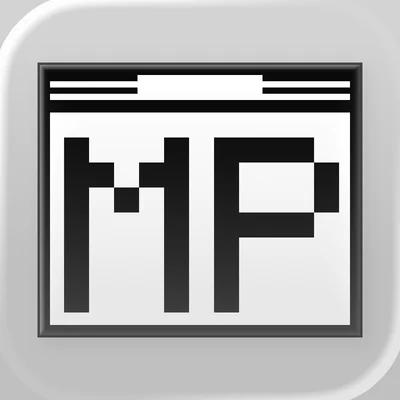
Pure black and white. Hairlines, striped title bars, dithered shadows. No gradients, no color, no distractions. Light and dark mode.
FREE, WITH ONE UPGRADE
MIDIPen is free with the two-block layout. A single $9.99 purchase unlocks the four, eight and sixteen block layouts: up to sixteen blocks drawing at once. One purchase, no subscription.
REQUIREMENTS
iPad with iPadOS 17.5 or later. A MIDI destination to control: a synth app on the same iPad, or hardware via a USB or Bluetooth MIDI interface. Apple Pencil is recommended for pressure; a finger works for X and Y.
Privasi aplikasi
Yang dinyatakan Rocamr Labs, LLC di App Store tentang cara aplikasi ini menangani data.
-
Data tidak dikumpulkan
Pengembang tidak mengumpulkan data apa pun dari aplikasi ini.
Praktik privasi dapat bervariasi, misalnya berdasarkan fitur yang Anda gunakan atau usia Anda.
Informasi
- Penjual
- Rocamr Labs, LLC
- Kategori
- Musik
- Versi
- 1.0
- Diperbarui
- 24/9/2026
- Dirilis
- 24/9/2026
- Ukuran
- 5,0 MB
- Memerlukan
- iOS 17.5 atau yang lebih baru
- Batasan usia
- 4+
- Harga
- Gratis
- Pembelian dalam aplikasi
- Ya
- Bahasa
- Inggris
- Hak cipta
- © 2026 Rocamr Labs, LLC