Mobile Mouse Remote - Cloud
Computer Trackpad & Keyboard
Dirancang untuk iPhone, iPad
Gratis · Pembelian dalam aplikasi
- Batasan usia4+
- KategoriKegunaan
- PengembangR.P.A. Tech
- BahasaInggris
- Ukuran64,0 MB
Tertaut ke halaman resmi App Store
Download.org tidak menyimpan file Mobile Mouse Remote - Cloud apa pun. Tombol ini membuka halaman aplikasi di App Store, tempat R.P.A. Tech menerbitkannya. Halaman terakhir diperiksa pada 12/11/2026.
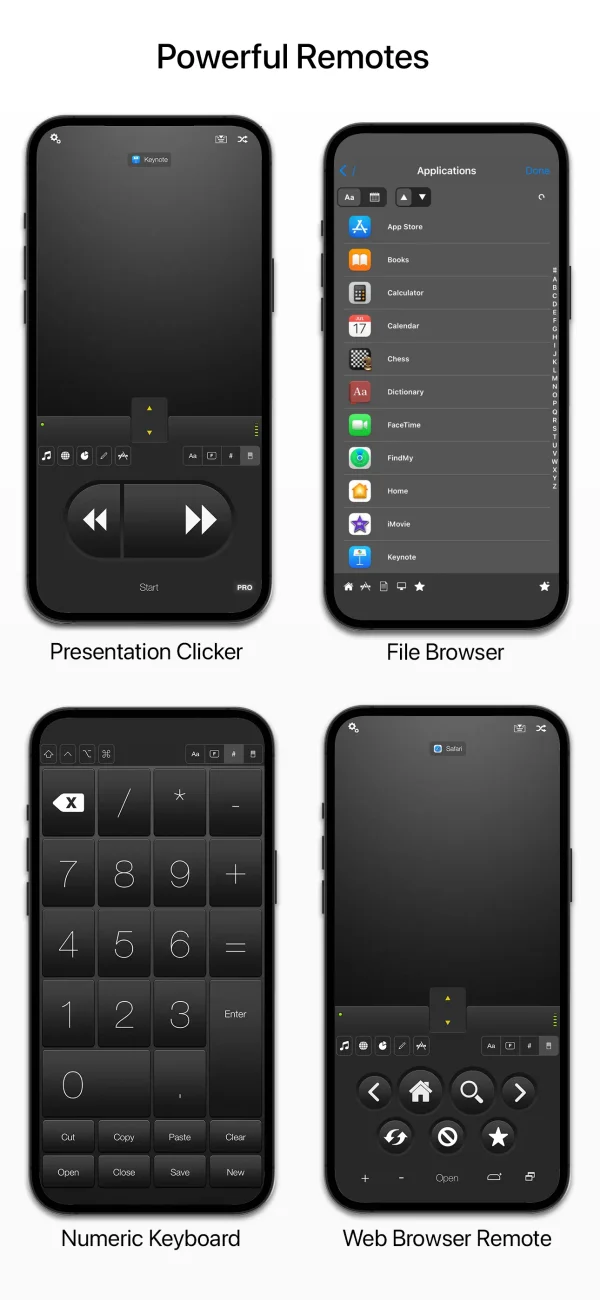
Tangkapan layar
Tentang
Pengembang belum menyediakan teks ini dalam bahasa Anda.
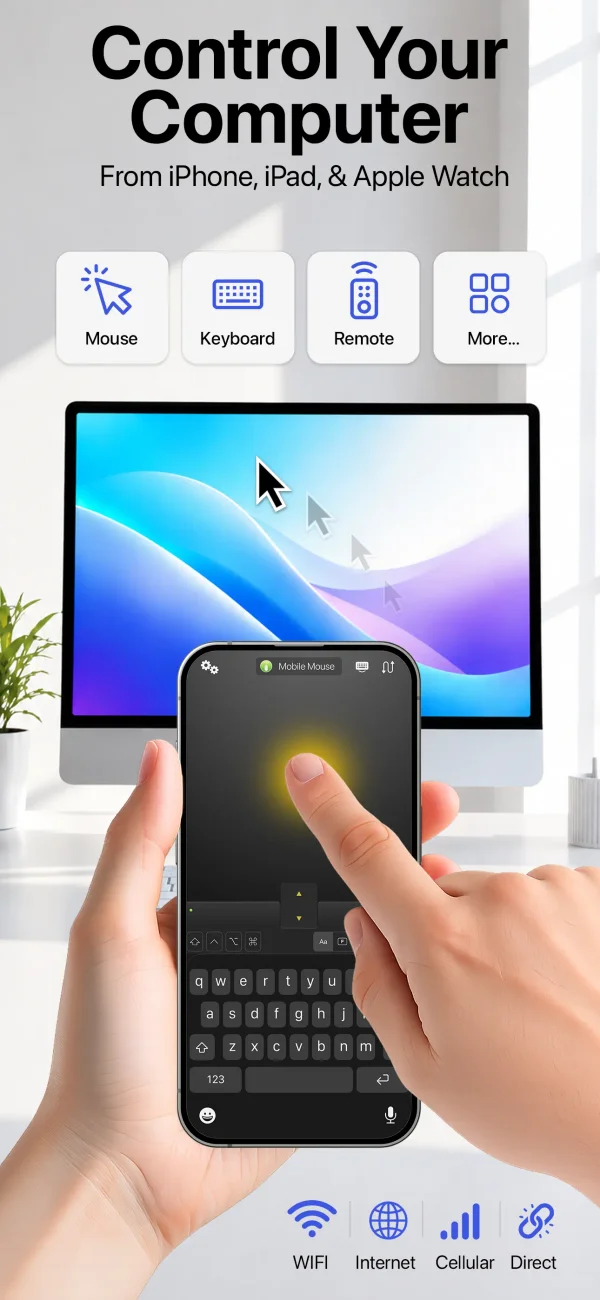
Mobile Mouse instantly transforms your iPhone, iPad, and Apple Watch into a wireless trackpad mouse, remote control, keyboard, and MUCH more for your Mac or Windows PC. Sit back and surf the web, browse your photo library or control your media player from the comfort of your couch. Mobile Mouse works as a fully functional mutitouch trackpad mouse, as well as an AirMouse, allowing you to control your computer with the motion of your hand. The accompanying Apple Watch app includes a trackpad, application switcher, as well as media and presentation remotes, giving you complete control over your computer and advanced presentation controls all on your wrist.
Mobile Mouse was the original wireless trackpad app for iOS, launched in 2009, and has been downloaded by over a million users worldwide.
Features:
• Wireless control over your entire computer
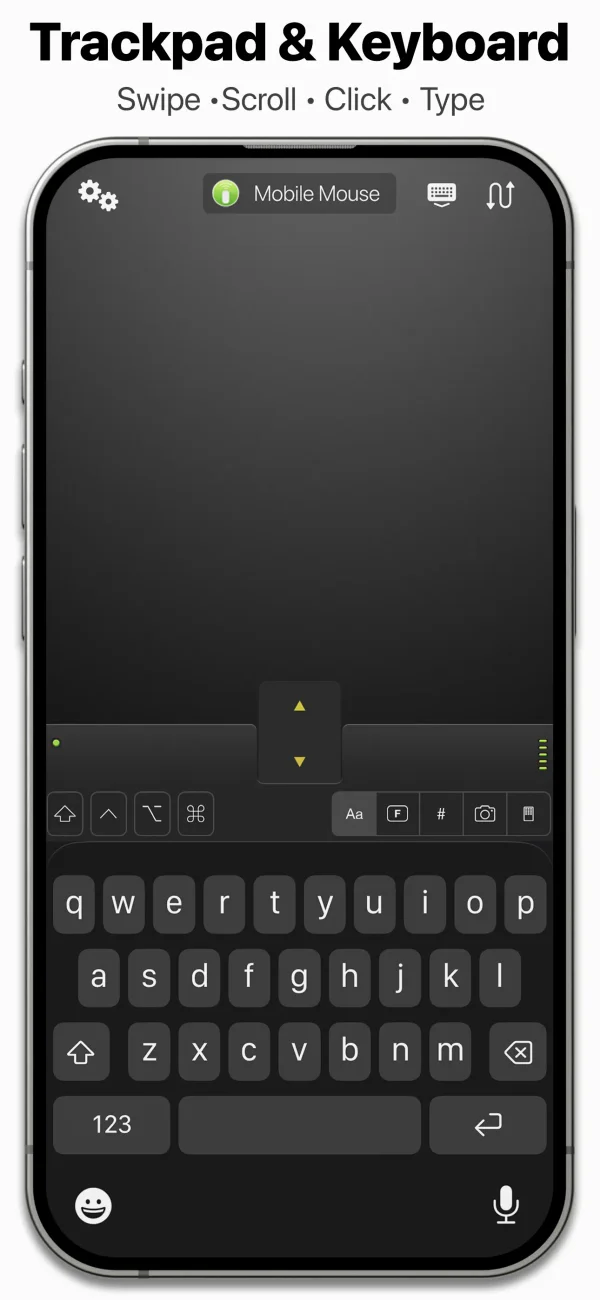
• Multi-touch trackpad (full screen vertical and landscape modes)
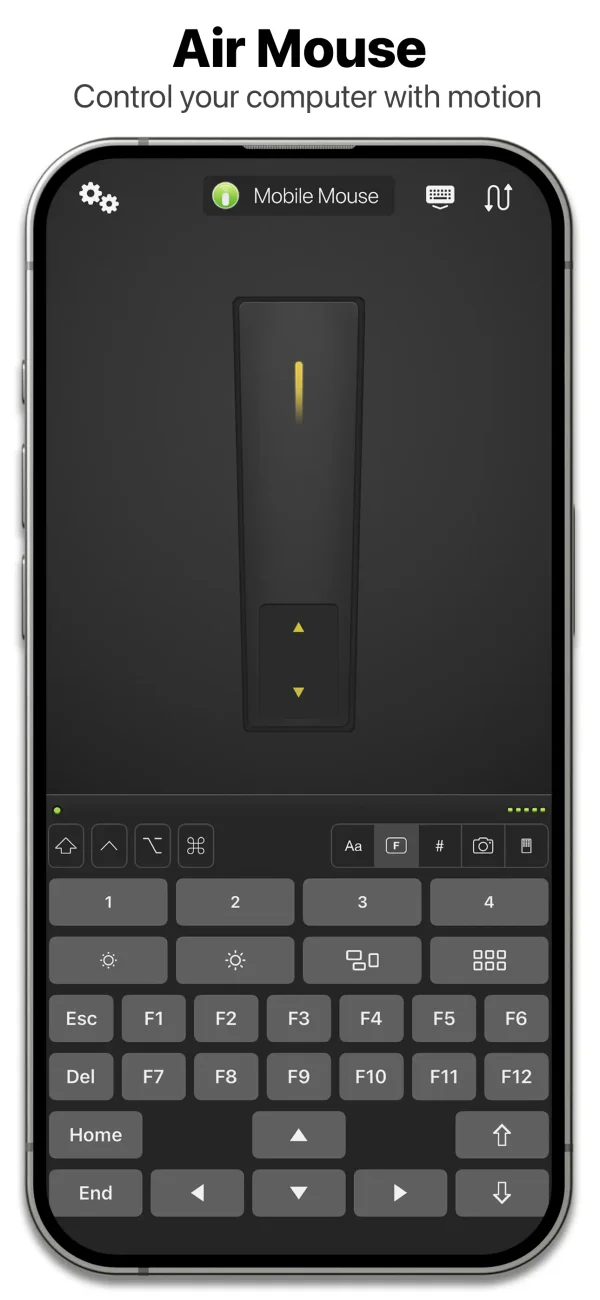
• Air Mouse (works with the motion of your hand)
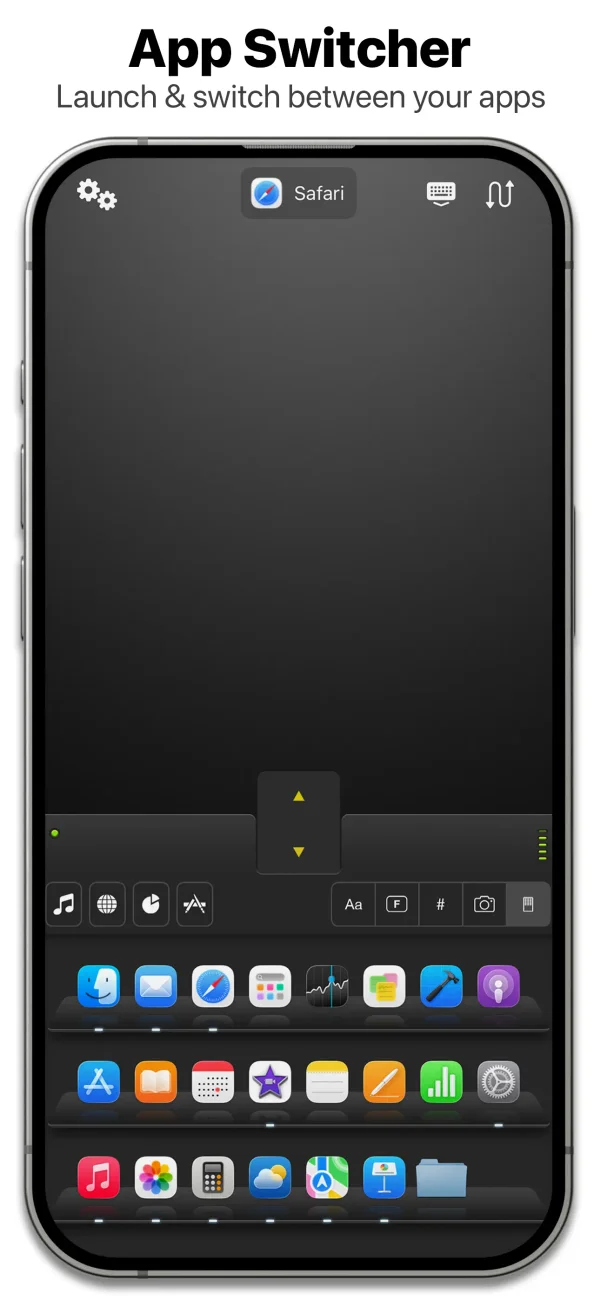
• OS X style application switcher (works just like the dock in OS X)
• Automatic local network and peer-to-peer connectivity
• Cloud Connect for access over the internet and cellular networks
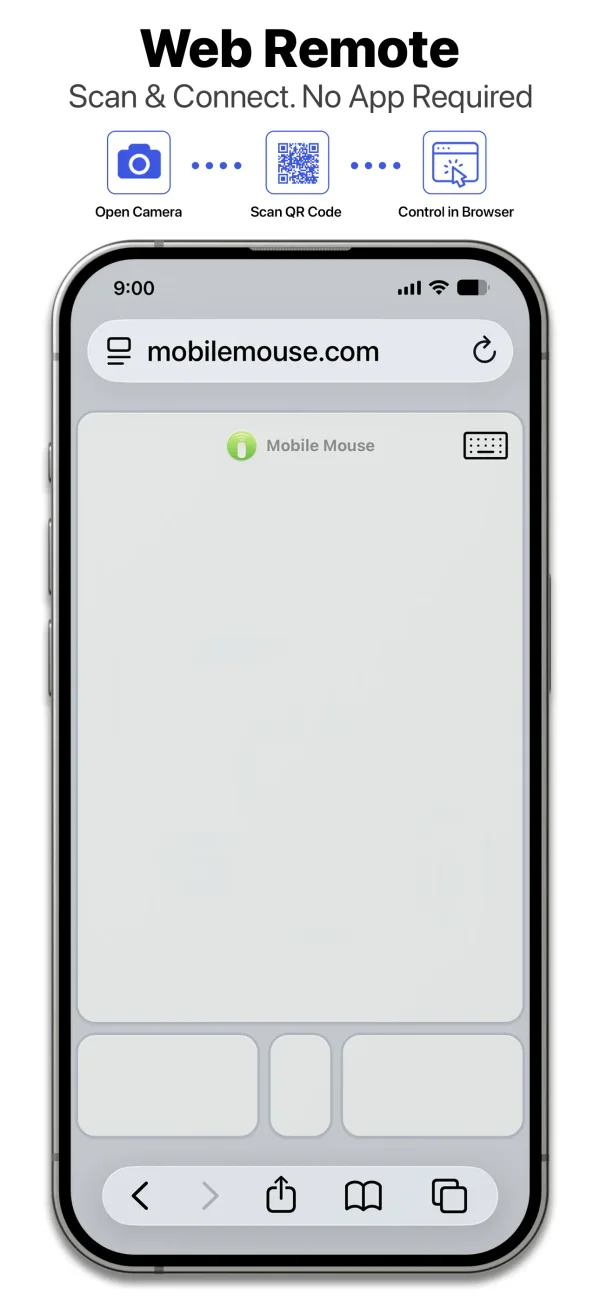
• QR Code Web Remote. Scan a QR code to control your Mac from any mobile web browser without installing an app
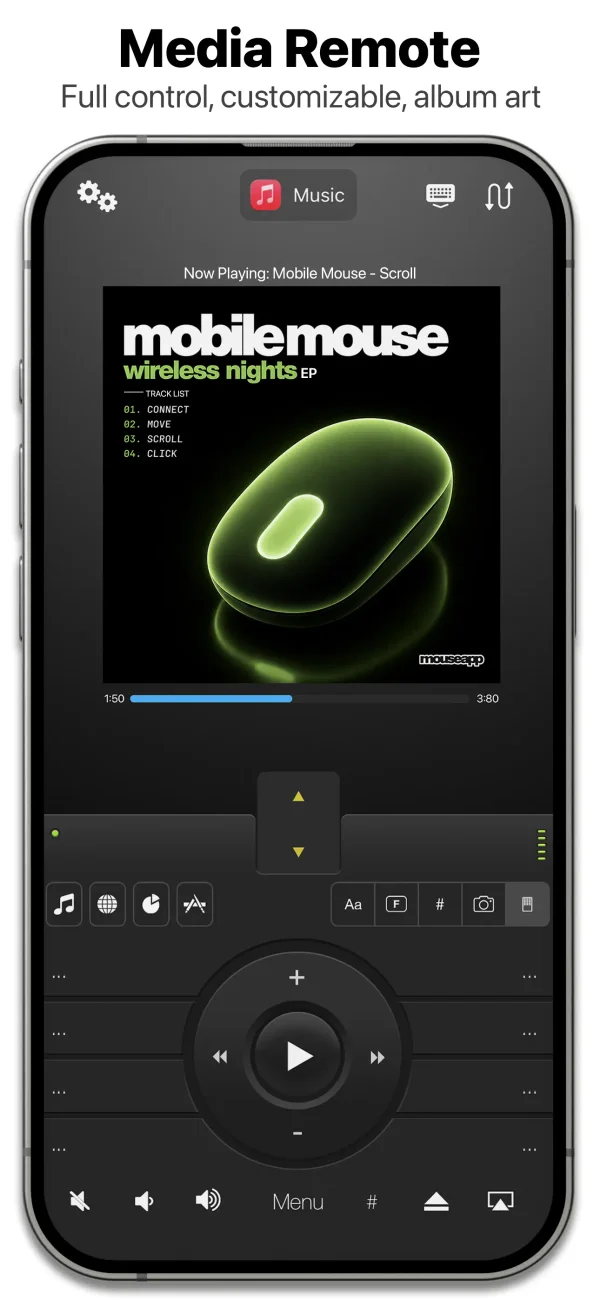
• Album artwork and track info for current playing song for Apple Music and Spotify
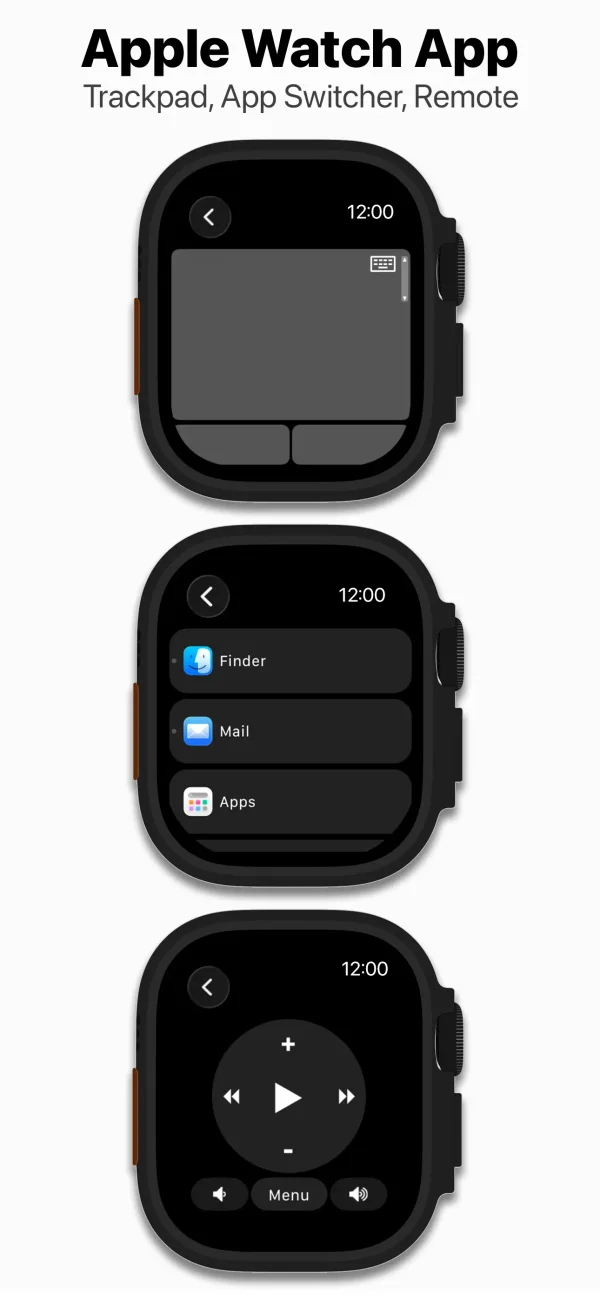
• Apple Watch App (Trackpad/Media/Presentation control)
• Live text/image scanner. Insert live text, photos, QR/UPC codes, and documents in any application using your iPhone camera.
• Photo and text Sync. Send content from your computer directly to your iOS device. Call a phone number on your computer, push an address from your computer to your Maps app.
• Remote file Browser
• Media Remote & Web Remote
• Presentation Remote
• Numeric keyboard
• Programmable hotkeys
• Password protection
• Pressure sensitive graphic Tablet for Photoshop, Illustrator, Sketchbook, Pixelmator, and more. (iPad only, requires Apple Pencil)
• Control media websites such as YouTube, Pandora, Hulu, Netflix
• And much, much, much, much more.
Apple Watch App
• Trackpad with full mouse control and scrolling
• Basic Presentation mode supports next/back with any presentation software
• Media remote supports play and volume controls
• Apple Music & Spotify remote supports album art and track info
• Application switcher lets you switch to any running app. Apps can be filtered to show all running apps, or just the ones that have remotes
** BEFORE YOU RUN THE SOFTWARE **
You will need to download the server application from: mobilemouse.com
IMPORTANT: IF YOU HAVE ANY PROBLEMS OR QUESTION, PLEASE CHECK THE TROUBLESHOOTING SECTION ON OUR SITE, OR USE THE CONTACT FORM TO ASK FOR HELP.
Privacy Policy: https://mobilemouse.com/privacy.html
Terms Of Use: https://mobilemouse.com/terms.html
Yang baru
Versi 4.0.3 · 21/10/2026
• Updated to support the iPhone Duo
• Now available as Actions in any app that supports sharing photos or text. These actions will type text or paste an image from your iPhone to wherever your cursor is on your computer.
• Improved Camera functionality. Select multiple lines of text in the camera scanner: pause the view, drag over a block of text or tap individual lines, then tap Send to send your selection together. Improved text tracking also keeps live text highlights steadier.
• Added dedicated power button to the application switcher for Sleep and Restart option
Privasi aplikasi
Yang dinyatakan R.P.A. Tech di App Store tentang cara aplikasi ini menangani data.
-
Data tidak dikumpulkan
Pengembang tidak mengumpulkan data apa pun dari aplikasi ini.
Praktik privasi dapat bervariasi, misalnya berdasarkan fitur yang Anda gunakan atau usia Anda.
Informasi
- Penjual
- RPA Tech, INC
- Kategori
- Kegunaan
- Versi
- 4.0.3
- Diperbarui
- 21/10/2026
- Dirilis
- 25/2/2010
- Ukuran
- 64,0 MB
- Memerlukan
- iOS 17.0 atau yang lebih baru
- Batasan usia
- 4+
- Harga
- Gratis
- Pembelian dalam aplikasi
- Ya
- Bahasa
- Inggris
- Hak cipta
- © RPA Tech, Inc
Mungkin Anda juga suka
-
 Remote Trackpad: Virtual ToolKegunaan
-
 Remote MouseRemote komputer yang praktis
-
 Tracepad - Mouse & TrackpadKegunaan
-
 Remote, Mouse and KeyboardKendalikan Apple TV, Mac & PC
-
 FullControl: Remote for MacKegunaan
-
 btkbdkeyboard Bluetooth universal
-
 Remote App - Mouse, KeyboardKegunaan
-
 Unified RemoteKegunaan
-
 Universal TV Remote Control #Smart Remote for Any TV
-
 PC RemoteKegunaan