
mobitty
AI terminal, touch-first, ssh
Dirancang untuk iPhone, iPad
Gratis · Pembelian dalam aplikasi
- Batasan usia4+
- KategoriAlat Pengembang
- PengembangCCSW LLC
- BahasaInggris
- Ukuran1,5 MB
Tertaut ke halaman resmi App Store
Download.org tidak menyimpan file mobitty apa pun. Tombol ini membuka halaman aplikasi di App Store, tempat CCSW LLC menerbitkannya. Halaman terakhir diperiksa pada 18/11/2026.
Tangkapan layar
Tentang
Pengembang belum menyediakan teks ini dalam bahasa Anda.
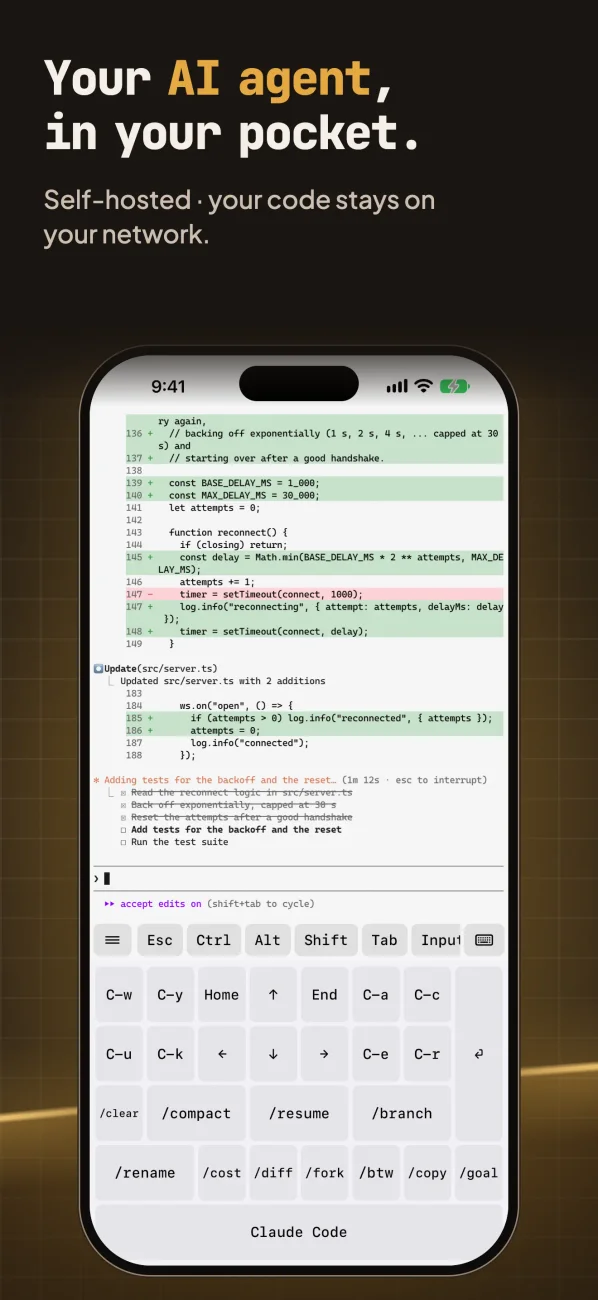
Run AI agents from your phone. A real terminal with a real keyboard, in your pocket.
Mobitty is a touch-first SSH terminal built for AI-agent workflows on iOS. You bring the server — self-hosted, behind SSH, Tailscale, or Cloudflare — and Mobitty brings the parts the browser can't: a native on-screen terminal keyboard, multi-URL server rotation, gesture shortcuts, and touch-friendly selection with a magnifier loupe.
MADE FOR AI AGENTS
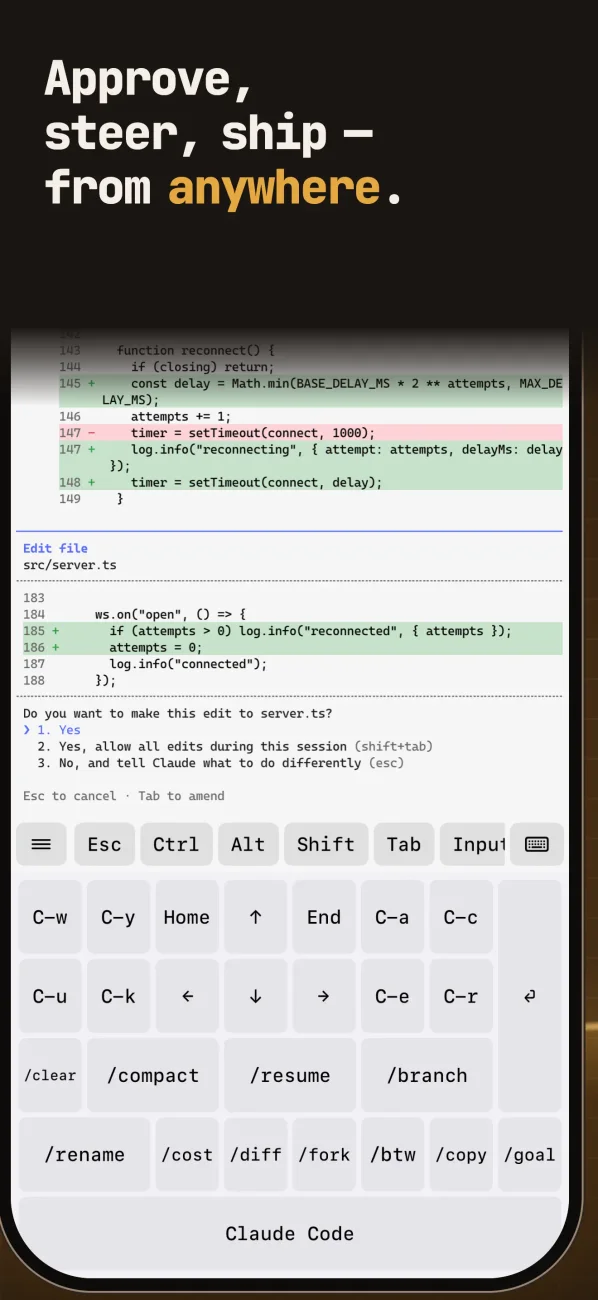
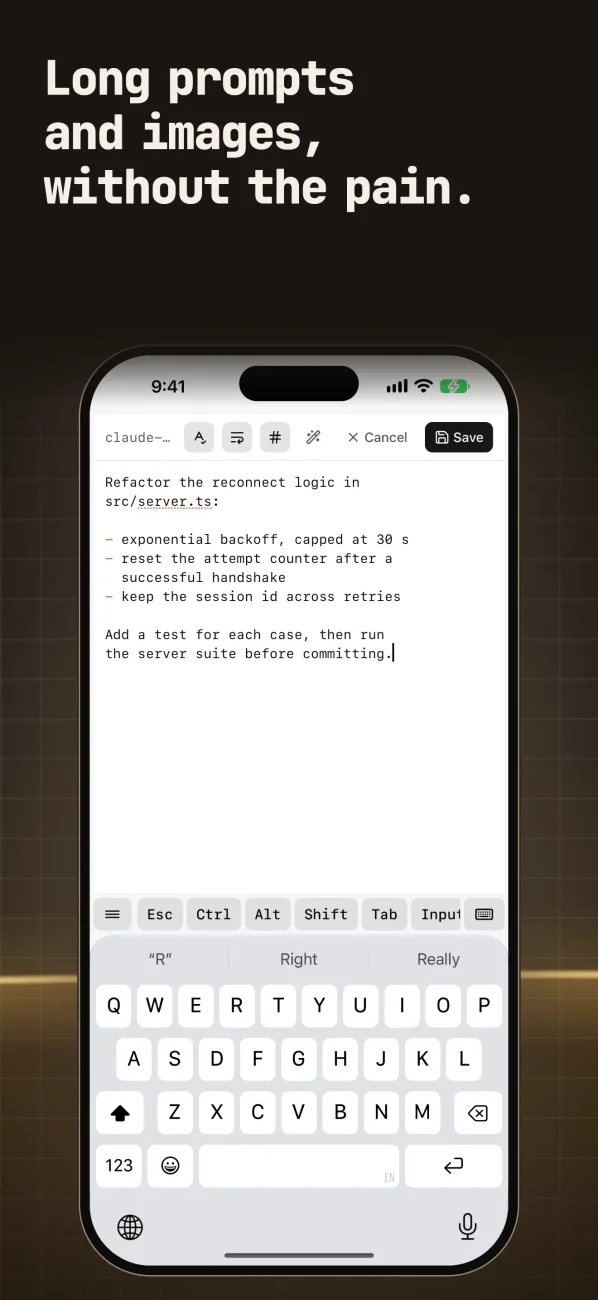
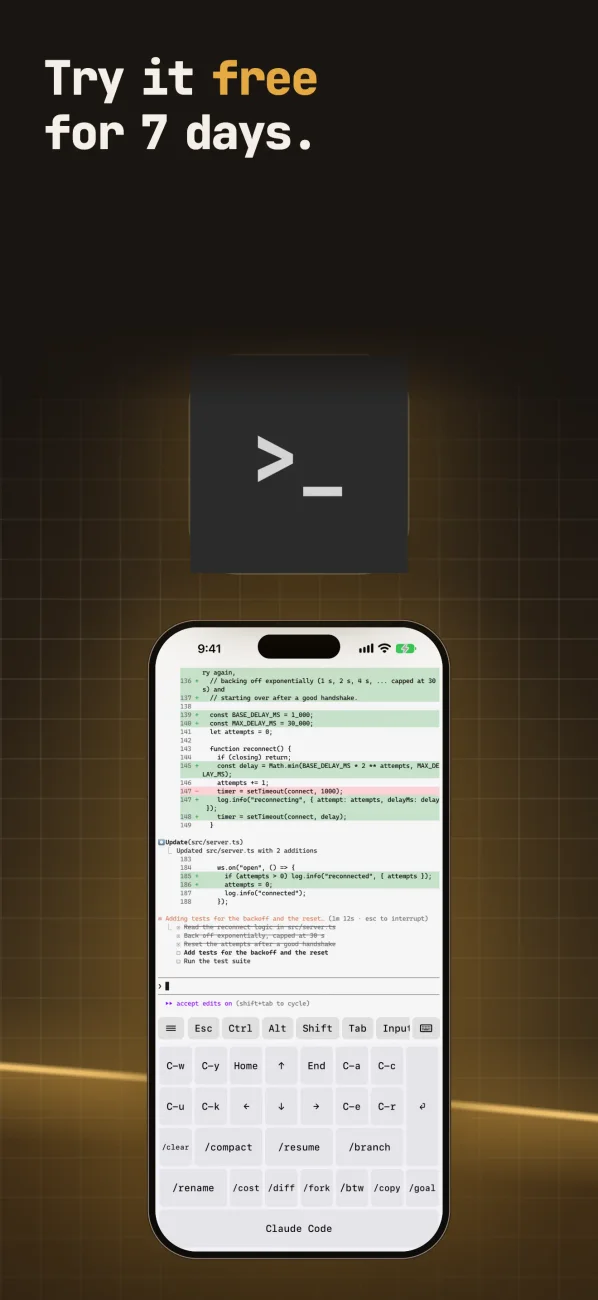
A dedicated Claude Code layout. A remote editor that handles Ctrl-G and long multi-line prompts mid-stream. Paste an image straight from the camera roll into the agent's context — your phone becomes the AI-agent dashboard.
SESSIONS THAT FOLLOW YOU
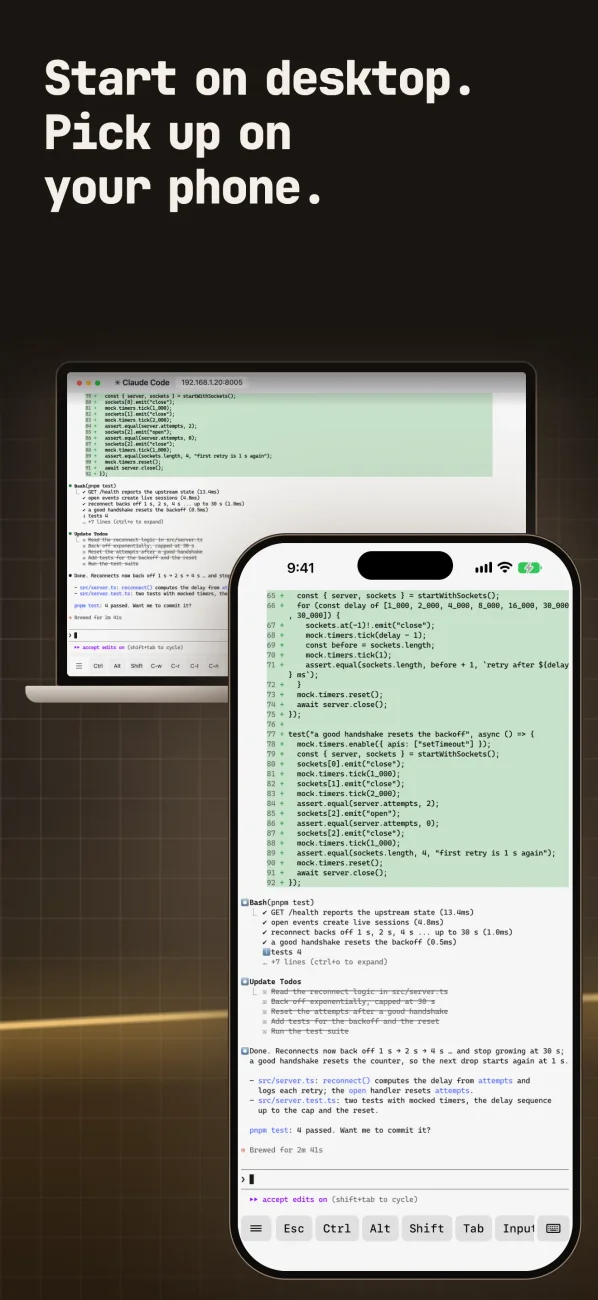
Sessions live on your server, not your phone. Reattach from mobile or desktop, survive LTE↔Wi-Fi handoffs and subway tunnels. Mobitty's adaptive transport keeps the line open with frugal data usage.
BUILT FOR iPHONE DUO
Closed, the softkeys sit in a column beside the camera and the terminal runs full height. Open, the terminal spans the whole screen, the keys move to the side rail, and the terminal keyboard splits at the fold, one half per side. Stand it in tabletop and the terminal stays on top while the keyboard or your session list fills the lower half.
A REAL KEYBOARD
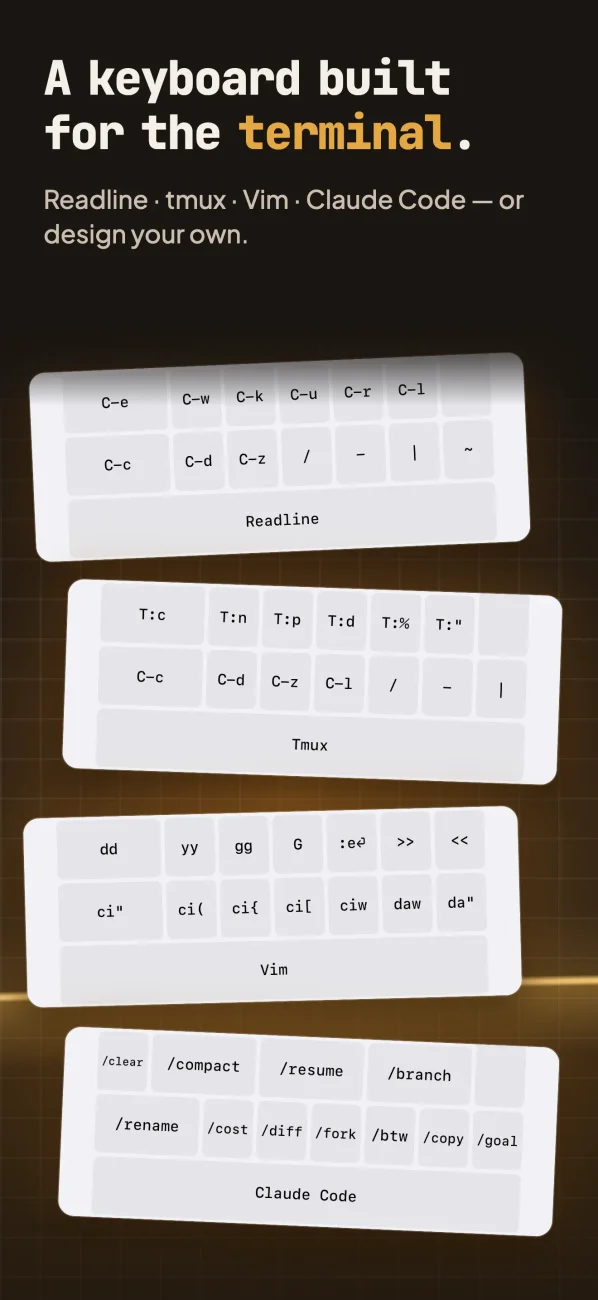
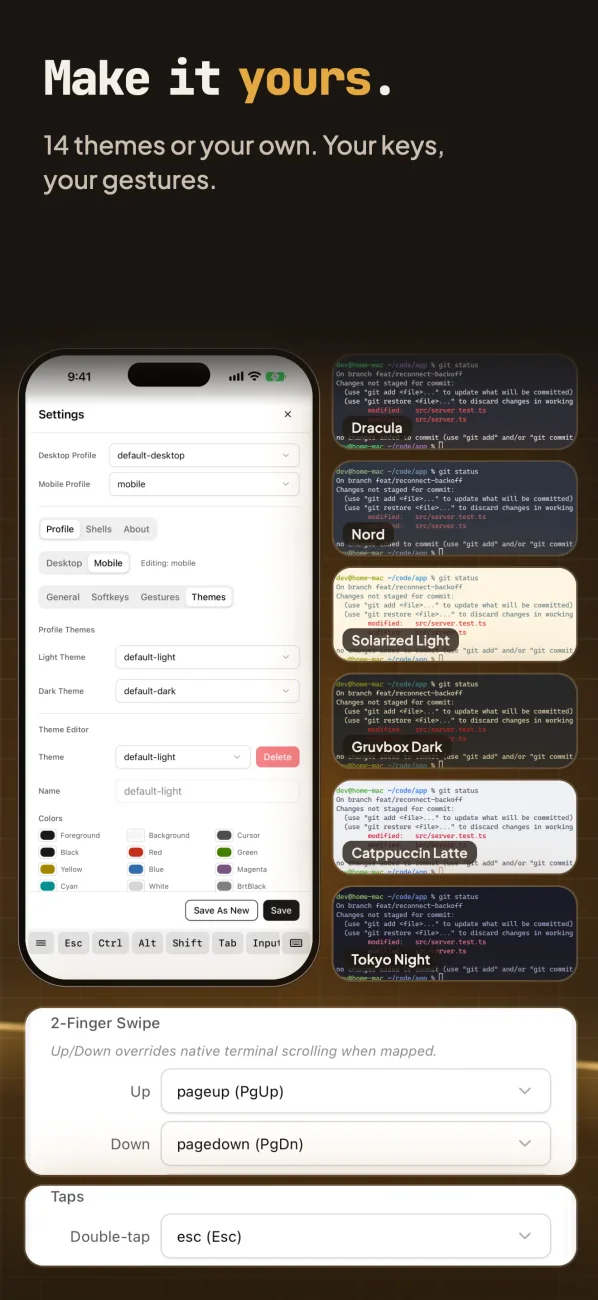
A softkey bar drawn by the app, with hold-to-repeat arrows and extra keys in a popover. Readline · Tmux · Vim · Claude Code layouts out of the box. Drag-arrange your own grid, and bind any chord or sequence — Ctrl-Shift-X, a tmux prefix followed by a pane move, Esc :wq Enter — to a single tap. Hardware keyboard paired? Mobitty hides the softkey bar automatically.
MULTI-SERVER, MULTI-URL
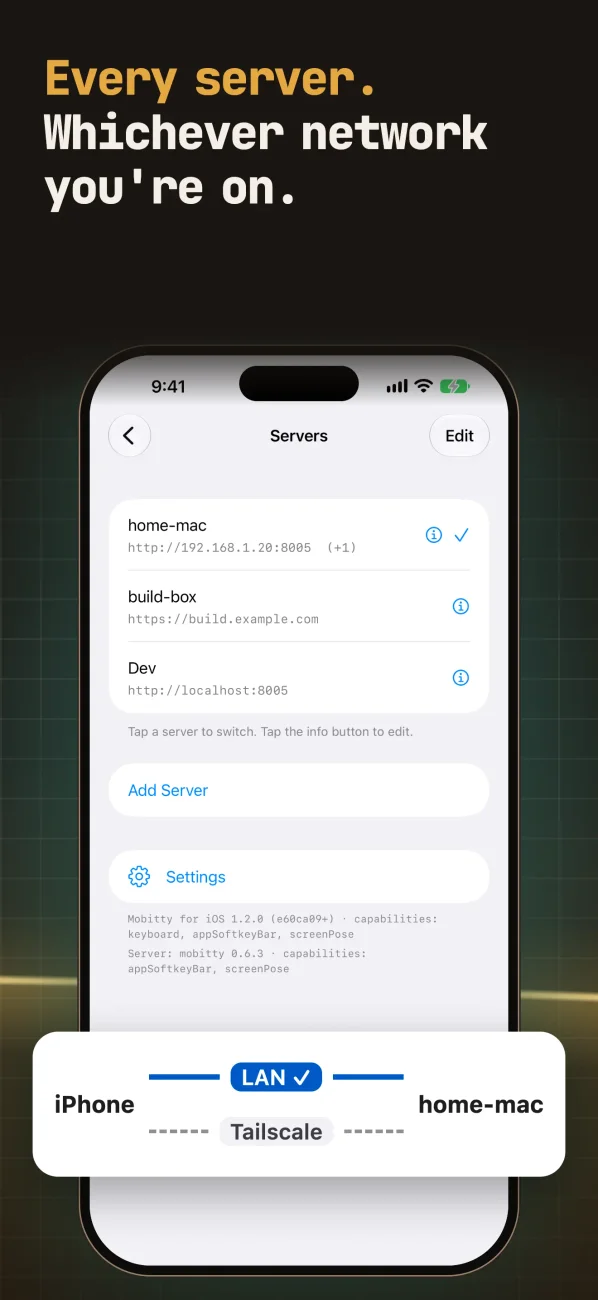
Save Production, staging, and lab boxes once. Each server can list several URLs — LAN, Tailscale, public hostname — probed in parallel until one connects. Drag to reorder, swipe to delete.
TOUCH-FIRST, FROM SCROLL TO SELECTION
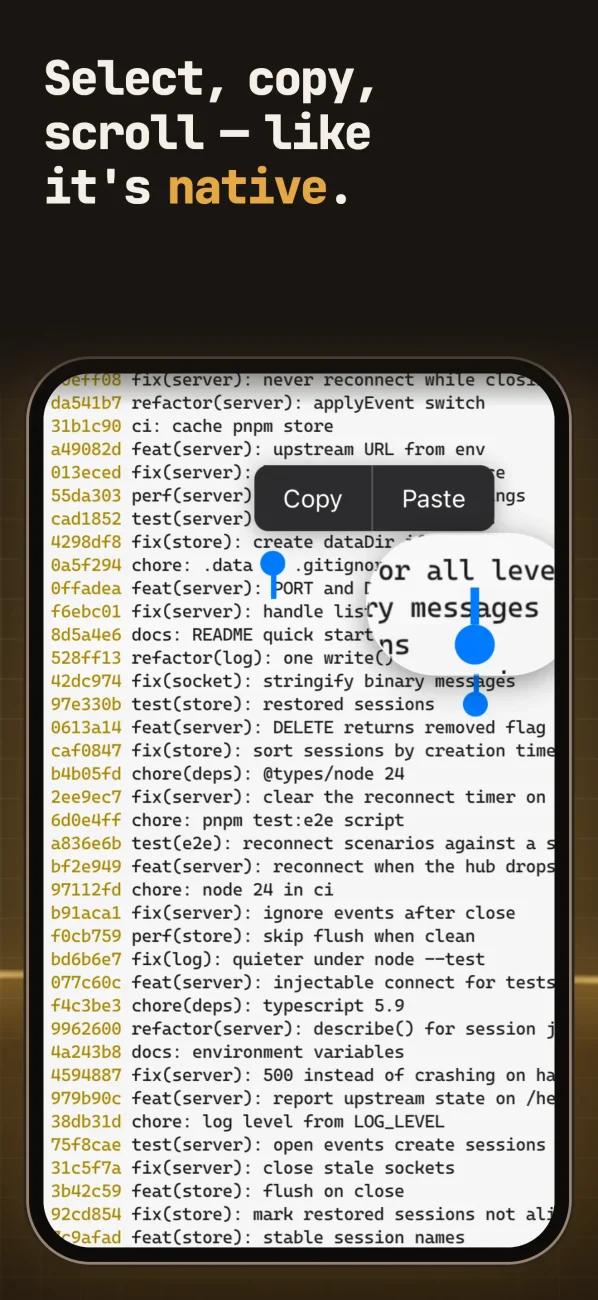
1:1 momentum scrolling that doesn't fight the terminal renderer. Long-press a word to select, drag iOS handles, and a magnifier loupe rides above your finger so you can land the boundary on the right character — in plain shells and in alt-buffer apps like tmux, vim, and less.
SETTINGS THAT MATCH THE DESKTOP
Four tabs — General · Softkeys · Gestures · Themes — share the same profile model as the desktop client. Bind 1-finger swipes and flicks to your most-used keys. Edit ANSI palette colors live.
BUILT FOR iOS
A 3-finger long-press surfaces a quick menu. A right-edge swipe pulls in the native server list. A left-edge swipe opens the session list. iOS 17+, Apple silicon.
FREE TO TRY
Every feature is free for 7 days. Then a one-time purchase of USD 14.99 unlocks Mobitty for good. No subscription.
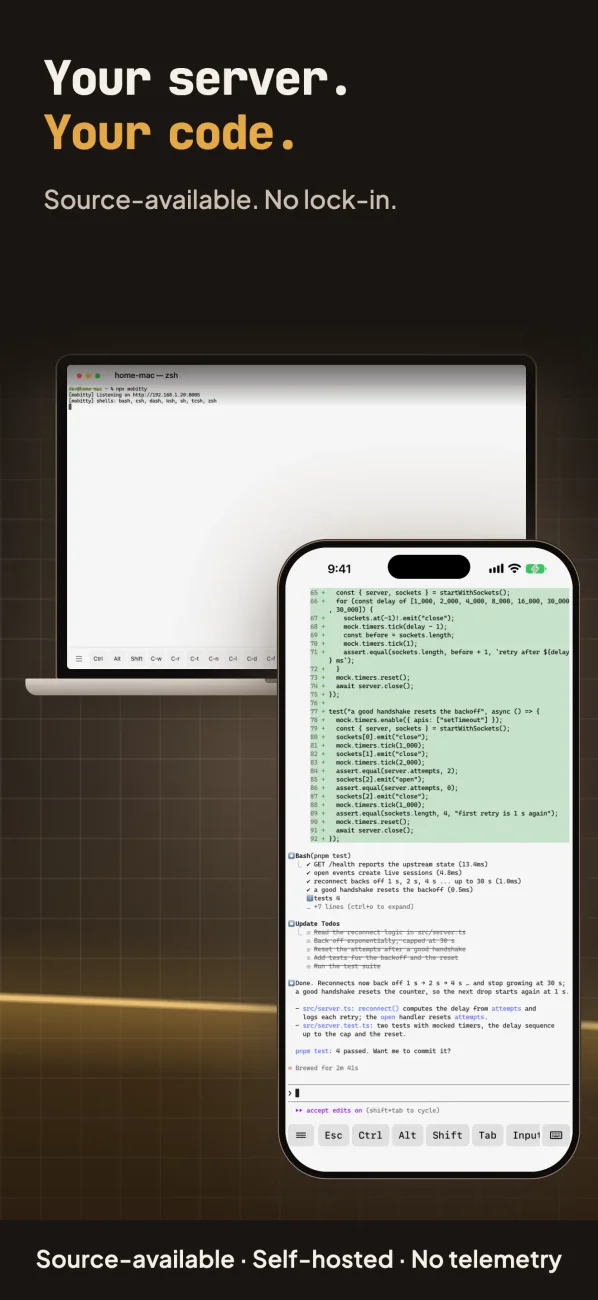
Source-available · Self-hosted · No telemetry. Your terminal stays on your network.
Yang baru
Versi 1.2.0 · 17/11/2026
Mobitty now supports iPhone Duo, with a new key bar that moves to wherever the screen has room as you fold and turn it: a column beside the camera when closed, the side rail when open, a strip along the top when you stand it in tabletop. The terminal keeps the rest of the screen in every pose. Open, the terminal keyboard splits into two halves, one per side of the fold. In tabletop the terminal stays on the upper half while the keyboard or your session list fills the lower one.
On iPhone and iPad the new bar sits right above the keyboard and feels like part of iOS, and your extra keys open in a popover beside their key.
The new bar and the iPhone Duo layouts need mobitty server 0.7.0 or later. With an older server you keep the previous bar, and the app shows how to update the server.
Privasi aplikasi
Yang dinyatakan CCSW LLC di App Store tentang cara aplikasi ini menangani data.
-
Data tidak dikumpulkan
Pengembang tidak mengumpulkan data apa pun dari aplikasi ini.
Praktik privasi dapat bervariasi, misalnya berdasarkan fitur yang Anda gunakan atau usia Anda.
Informasi
- Penjual
- CCSW LLC
- Kategori
- Alat Pengembang
- Versi
- 1.2.0
- Diperbarui
- 17/11/2026
- Dirilis
- 23/6/2026
- Ukuran
- 1,5 MB
- Memerlukan
- iOS 17.0 atau yang lebih baru
- Batasan usia
- 4+
- Harga
- Gratis
- Pembelian dalam aplikasi
- Ya
- Bahasa
- Inggris
- Hak cipta
- © 2026 CCSW LLC.
Mungkin Anda juga suka
-
 EzsshAlat Pengembang
-
 ShellTime.xyzAlat Pengembang
-
 CLI FilesAlat Pengembang
-
 Terminal WAlat Pengembang
-
 Rafter Homelab ConsoleAlat Pengembang
-
 teletype computerAlat Pengembang
-
 The Architect SSHAlat Pengembang
-
 ssh ChatAlat Pengembang
-
 Muxly: Native tmux & SSHAlat Pengembang
-
 CoTerm – AI Coding TerminalAlat Pengembang