My Sides
Learn Your Lines with AI
Dirancang untuk iPhone, iPad
Gratis · Pembelian dalam aplikasi
- Batasan usia4+
- KategoriHiburan
- PengembangLucas Young
- BahasaInggris
- Ukuran7,4 MB
Tertaut ke halaman resmi App Store
Download.org tidak menyimpan file My Sides apa pun. Tombol ini membuka halaman aplikasi di App Store, tempat Lucas Young menerbitkannya. Halaman terakhir diperiksa pada 29/11/2026.
Tangkapan layar

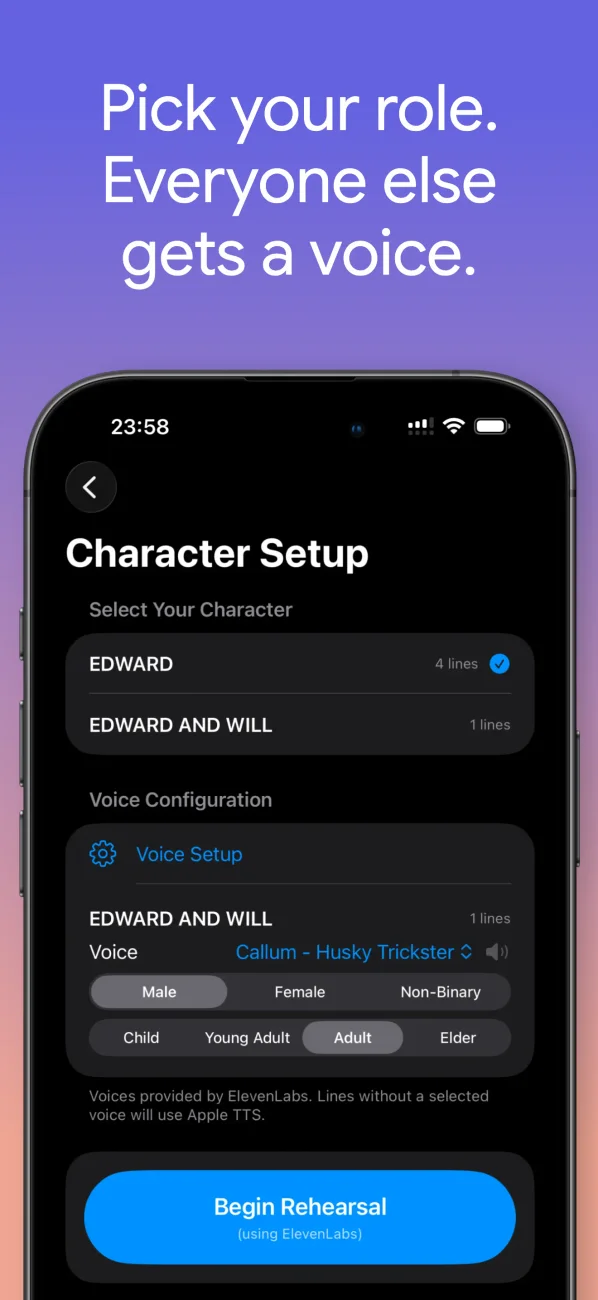
Tentang
Pengembang belum menyediakan teks ini dalam bahasa Anda.
My Sides is a rehearsal partner for actors. Import your screenplay, choose your character, and run your lines with AI voices playing every other part.
HOW IT WORKS
Import a script in PDF, Final Draft (.fdx), Fountain, or Fade In format. My Sides reads the screenplay, identifies every character, and builds an interactive rehearsal session. Pick the role you're playing, and the app voices all your scene partners while you speak your lines into the mic.
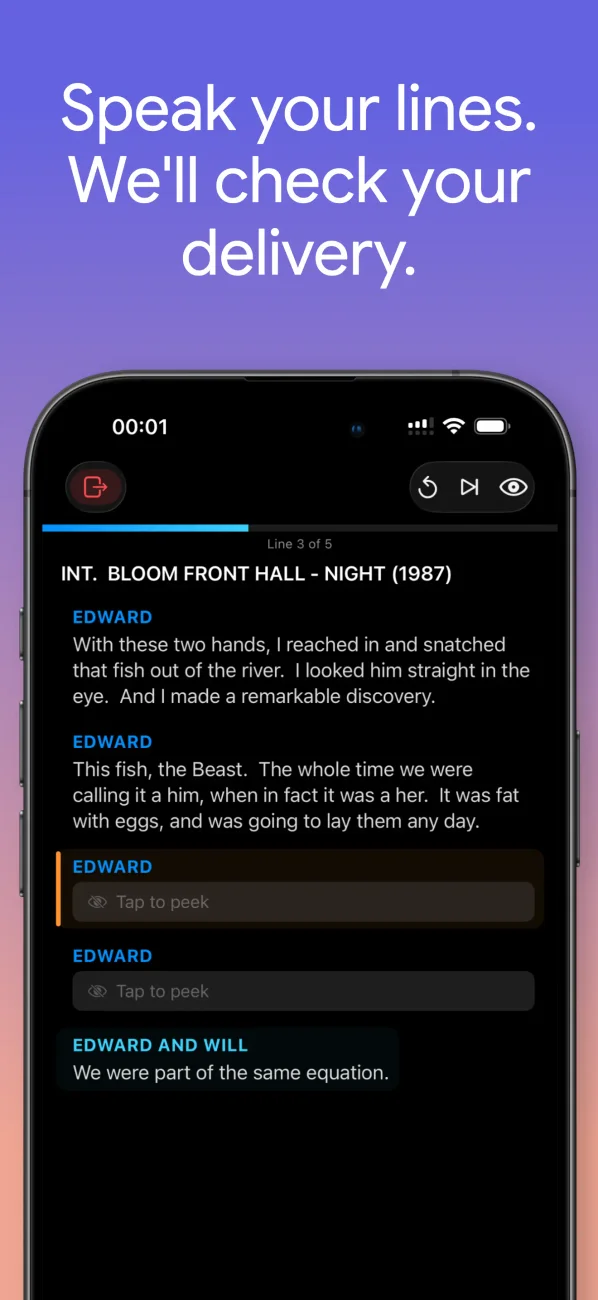
The app listens to your delivery, checks it against the script, and tells you how close you got. Retry the lines you stumble on, skip the ones you've nailed, and track your score as you go.
WORKS OUT OF THE BOX
Fountain, Final Draft and Fade In scripts open instantly on any device, with no AI and no account. Apple's built-in voices read your scene partners straight away.
PDFs need AI to read the screenplay layout. On iPhone 15 Pro, iPhone 16 and later, or an M-series iPad, that runs on the device for free. On older devices, connect a free Claude or OpenAI account and PDFs work there too.
OPTIONAL PREMIUM VOICES
Connect your own ElevenLabs account for realistic, natural-sounding voices. Give each character a distinct voice - different ages, accents, tones.
SMARTER SCRIPT READING
For complex or unusually formatted scripts, connect a Claude (Anthropic) or OpenAI account. These AI services are better at parsing messy formatting. Both offer free credits to new accounts. On devices with Apple Intelligence, on-device AI handles most scripts without any cloud service.
SCENE AUDIO
Save any scene as an audio file. After a rehearsal, keep a recording with your own takes and your scene partners, or a partners-only version with silence where your lines go, sized to your delivery, so you can run the scene on a walk or on the train. Send it as a voice note, AirDrop it, save it to Files, or open it in an audio app.
WORKS WITHOUT A CONNECTION
On the Tube or backstage with no signal, voices already saved on your device keep playing and Apple's voice covers the rest straight away. Nothing waits on a connection that isn't there.
SCENE-BY-SCENE REHEARSAL
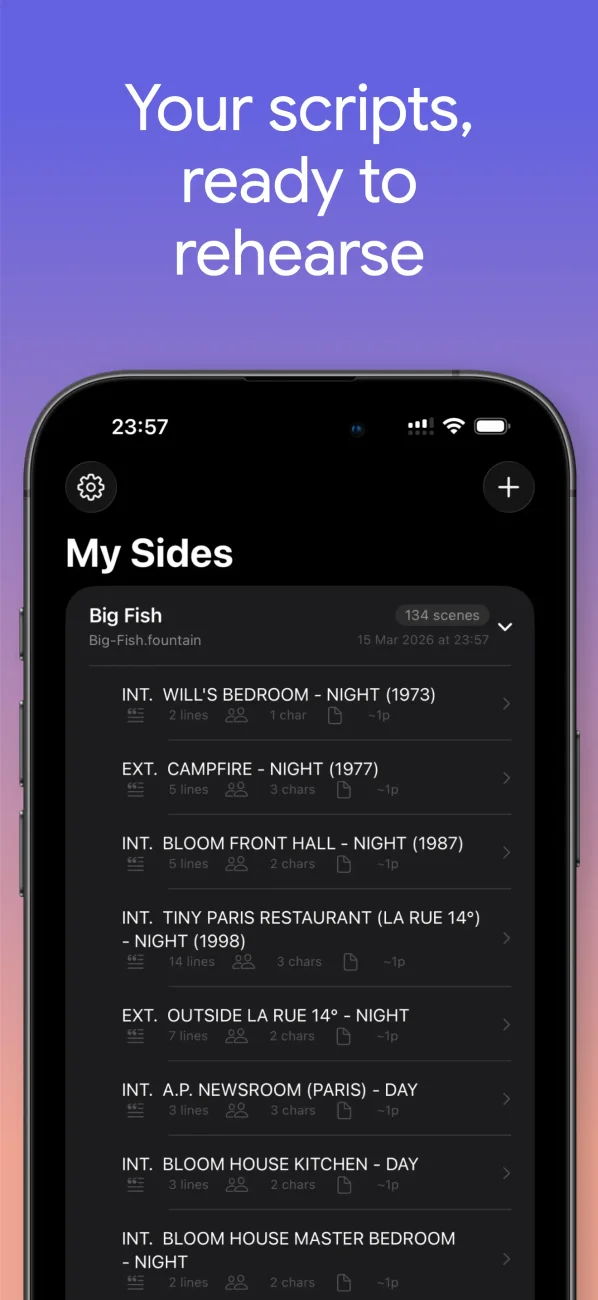
Long scripts are automatically split into rehearsable scenes. Practise one scene at a time, or run the full script end to end.
BUILT FOR ACTORS
- Speak your lines into the mic and get instant accuracy feedback
- Lines are masked until you peek, and every reveal is counted in your session stats
- Colour-coded characters so you can scan for your cue
- Strict mode (word-for-word) or Sense mode (meaning preserved, wording flexible)
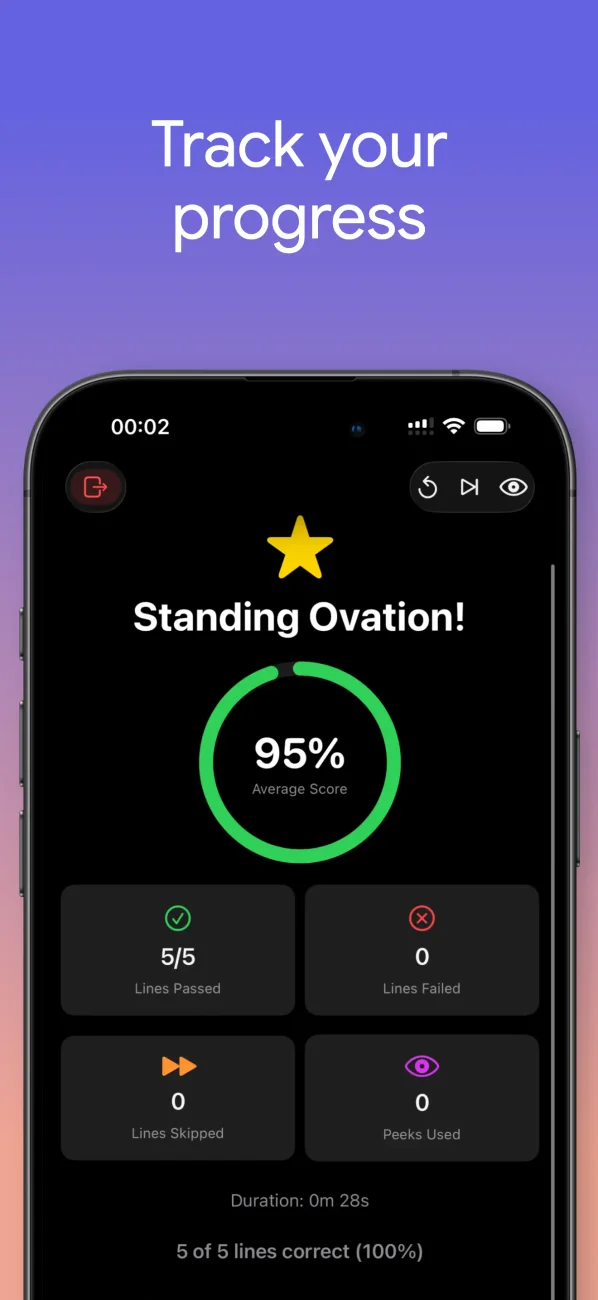
- Session stats: pass rate, average score, retries, peeks used, line-by-line breakdown
- Track your improvement across rehearsal sessions
PRIVACY FIRST
Your scripts stay on your device by default. Choose On-Device in Settings and script text never leaves the phone. Add your own Claude, OpenAI or ElevenLabs key and only then is text sent to that service, for parsing or voices. Your takes are kept on the device only until you leave the rehearsal, so you can save the scene as audio, and they are never sent anywhere by the app. No analytics, no tracking, no ads. API keys are stored in the iOS Keychain and never shared with anyone except the services they belong to.
FREE TO USE
One script with unlimited rehearsals, completely free. Unlock unlimited scripts with a single one-time purchase - no subscriptions.
Yang baru
Versi 1.2 · 28/11/2026
Save your scene as audio. At the end of a rehearsal, keep a recording of the scene with your own takes, or a partners-only version with silence where your lines go, so you can rehearse along anywhere. You can also make the partners-only version from Character Setup without rehearsing first. Send it as a voice note, AirDrop it, save it to Files, or open it in an audio app.
Rehearse with a weak or no connection. Voices saved on your iPhone keep playing, Apple's voice covers the rest without waiting, and meaning checks and script reading switch to the device when there's no signal.
Privasi aplikasi
Yang dinyatakan Lucas Young di App Store tentang cara aplikasi ini menangani data.
-
Data yang tidak ditautkan dengan Anda
Dapat dikumpulkan, tetapi tidak ditautkan dengan identitas Anda.
- Konten pengguna
Praktik privasi dapat bervariasi, misalnya berdasarkan fitur yang Anda gunakan atau usia Anda.
Informasi
- Penjual
- Lucas Young
- Kategori
- Hiburan
- Versi
- 1.2
- Diperbarui
- 28/11/2026
- Dirilis
- 23/3/2026
- Ukuran
- 7,4 MB
- Memerlukan
- iOS 26.0 atau yang lebih baru
- Batasan usia
- 4+
- Harga
- Gratis
- Pembelian dalam aplikasi
- Ya
- Bahasa
- Inggris
- Hak cipta
- © 2026