
MyTrader
Trading, charts, analysis
Dirancang untuk iPhone, iPad, iPod touch
Gratis
- Batasan usia17+
- KategoriKeuangan
- PengembangFX Blue
- BahasaInggris
- Ukuran25,9 MB
Tertaut ke halaman resmi App Store
Download.org tidak menyimpan file MyTrader apa pun. Tombol ini membuka halaman aplikasi di App Store, tempat FX Blue menerbitkannya. Halaman terakhir diperiksa pada 12/11/2026.
Tangkapan layar

Tentang
Pengembang belum menyediakan teks ini dalam bahasa Anda.
No compromises! Trade from your iPhone or iPad with more tools and controls than your desktop platform.
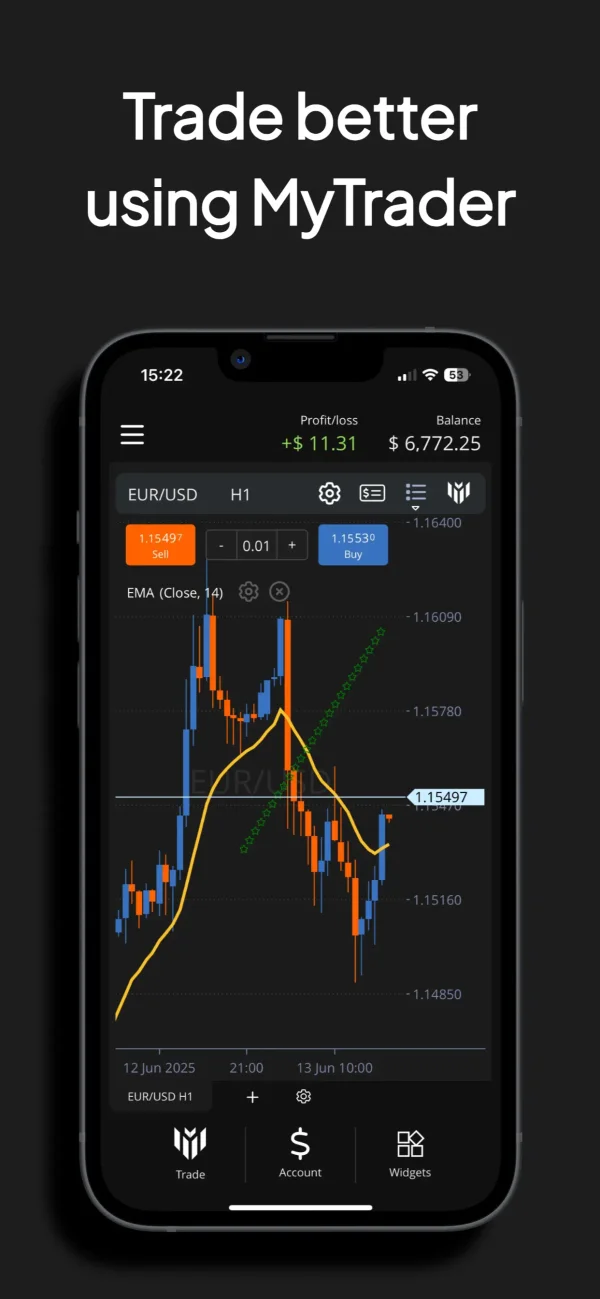
MyTrader offers outstanding charting, market analysis, and power-user trading tools including order batches, grids, and market depth. And it’s fully customisable. MyTrader contains over 40 different trading widgets which you can combine in any order to create your own personalised trading platform - as simple or as complex as you want.
MyTrader can trade FX Blue's own demo accounts, and can also currently to forex, CFD, and cryptocurrency accounts with OANDA, Forex.com, FXCM, or any MT4/MT5 broker by running the MyTrader Connector EA in the MT4/5 client terminal. MyTrader also offers a data-only connection if you just want to analyse markets and prices without trading an account.
Trading
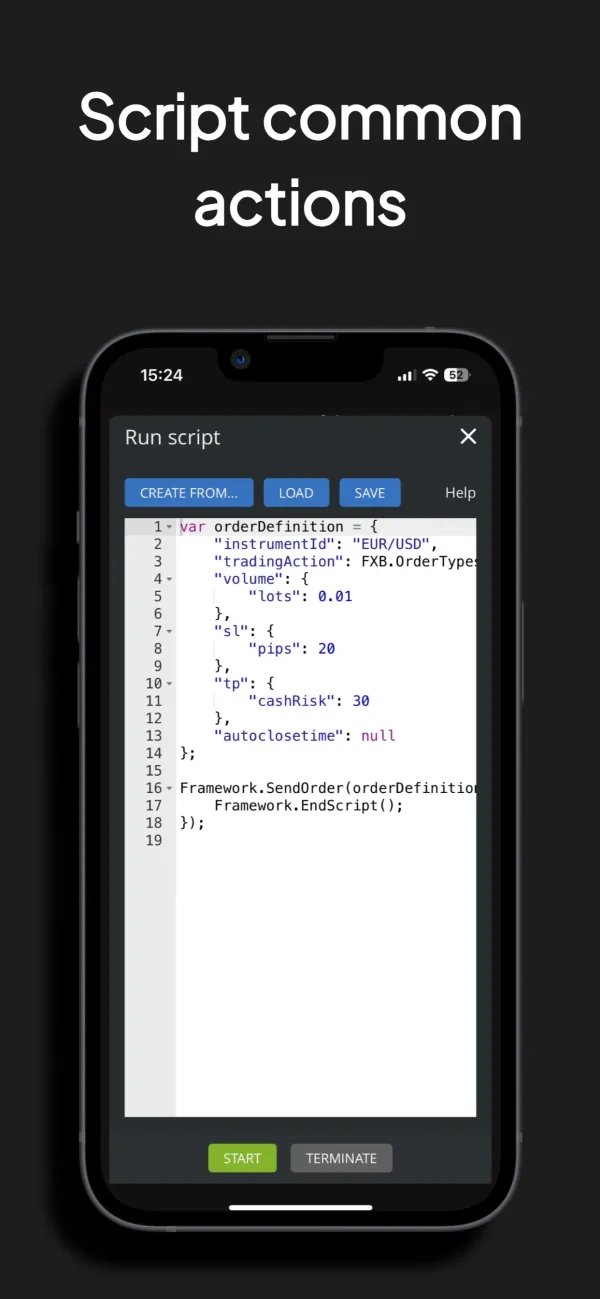
MyTrader has it all: one-tap trading, order placement and editing direct from charts, choice between deal tickets or order grids, sophisticated order templating, and power tools such as grids and batches. You can even write your own scripts to place a single order or basket with a tap of an icon.
Outstanding Charting
Over 100 technical indicators, over 50 drawing tools, and chart types which include Renko, Kagi, and Point & Figure as well as more traditional bar and candle charts. Hugely flexible and unique drawing features, to create stunning charts. Supports multi-chart layouts on iPads.
Technical Analysis
Automated technical analysis, combining multiple moving averages, oscillators, and pivot points into a single overall buy/sell rating.
Heat Map, Currency Strength, and Sentiment
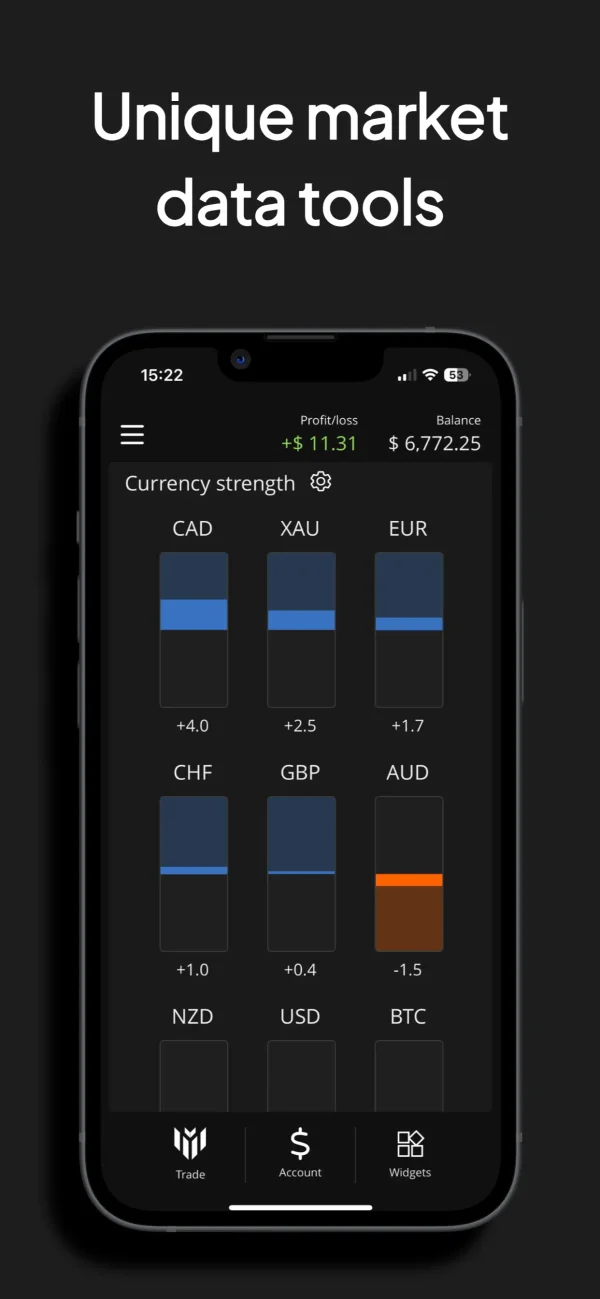
Keep track of market movements using a heat map of major changes, a display of relative currency strength, and real-time long/short sentiment based on real-money trades by FX Blue users.
Quote Boards and Watch-lists
Monitor current prices using the app's simple but effective quote board. Choose from pre-defined lists of markets, such as USD crosses, or create your own watch-lists which can then be used throughout the app.
Calculators
Easy-to-use calculators for common trading needs: calculate position sizes, Fibonacci retracements, pivot levels etc, or simply convert cash values from one currency to another.
Fully Customisable
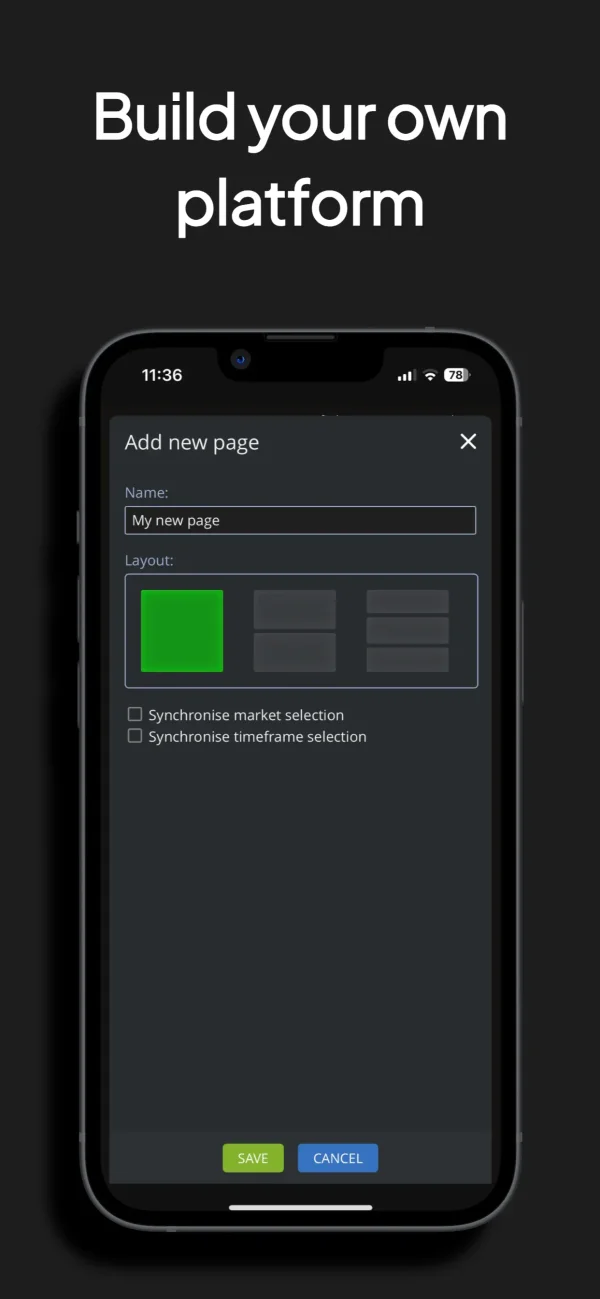
Open widgets on a temporary basis if you just want a quick peek at some information, or create saved pages within the app which make your preferred widgets more permanently available. iPhones can have any number of pages within the app, but each page can only display a singe widget. The larger screen of iPads allows multi-widget layouts of huge flexibility - in particular, multiple charts side by side.
Scripts
Create scripts for your common actions and turn them into one-tap icons in the software's banner. Software developers can go much, much further and create whole new widgets of the software with access to all the same features as the built-in components.
Yang baru
Versi 1.57 · 22/10/2026
It's here!
* Updated design, including optional icon bar for quickly switching between pages
* Free AI tools
The Ask tab of our new AI Creator lets you ask questions about your account, or about the market. For example: "what's my win rate by market?" or "what is the highest high of the last 10 EURUSD H1 bars?".
The Ask tab is:
* Free
* Has no registration
* Is 100% private
Privacy: the Ask tab works by using AI to build a script which then runs on your device, answering your question. Your account figures never leave your device. They are fed into the script which the AI creates.
Even better: you can turn responses on the Ask tab into new widgets of the software, and new pages. For example, a question such as "what's my win rate by market?" can be turned into a new page which shows you that information whenever you want, with a single tap on its icon in the new icon bar.
Privasi aplikasi
Yang dinyatakan FX Blue di App Store tentang cara aplikasi ini menangani data.
-
Data yang tidak ditautkan dengan Anda
Dapat dikumpulkan, tetapi tidak ditautkan dengan identitas Anda.
- Data penggunaan
Praktik privasi dapat bervariasi, misalnya berdasarkan fitur yang Anda gunakan atau usia Anda.
Informasi
- Penjual
- FXBlue LLP
- Kategori
- Keuangan
- Versi
- 1.57
- Diperbarui
- 22/10/2026
- Dirilis
- 14/6/2021
- Ukuran
- 25,9 MB
- Memerlukan
- iOS 13.0 atau yang lebih baru
- Batasan usia
- 17+
- Harga
- Gratis
- Bahasa
- Inggris
- Hak cipta
- © FX Blue LLP
Mungkin Anda juga suka
-
 TraderWavesKeuangan
-
 Copy Trading by TaurexKeuangan
-
 FX Journal - Trading JournalKeuangan
-
 Forex BacktestKeuangan
-
 VolFix.NETKeuangan
-
 Market Countdown Times & NewsKeuangan
-
 Sinyal ForexBerdagang dengan sinyal
-
 ThinkMarkets: TradingKeuangan
-
 Jurnal Trading – Plancana AICatat transaksi, analisa, naik
-
 Sinyal forex trading- FXLeaderSinyal forex, kurs & gr