
NanoTerm
SSH terminal, SFTP & monitor
Dirancang untuk iPhone, iPad, Mac
Gratis · Pembelian dalam aplikasi
- Batasan usia4+
- KategoriKegunaan
- Pengembang恒俭 董
- BahasaInggris+ 4 lainnya
- Ukuran40,6 MB
Tertaut ke halaman resmi App Store
Download.org tidak menyimpan file NanoTerm apa pun. Tombol ini membuka halaman aplikasi di App Store, tempat 恒俭 董 menerbitkannya. Halaman terakhir diperiksa pada 8/11/2026.
Tangkapan layar


Tentang
Pengembang belum menyediakan teks ini dalam bahasa Anda.
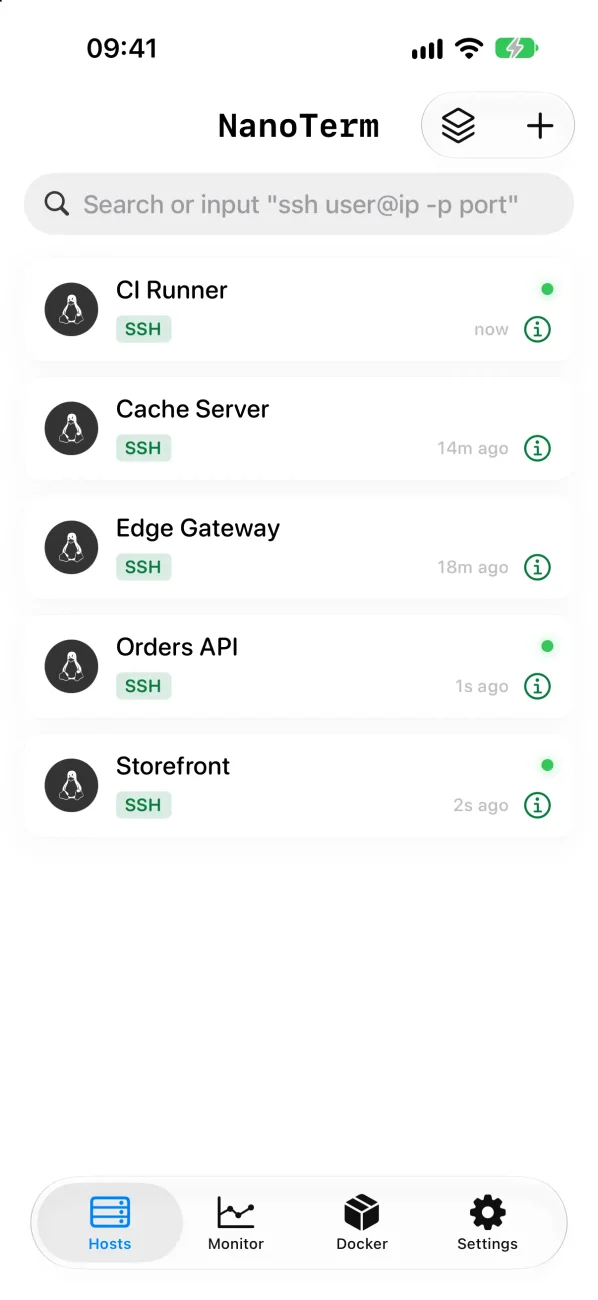
NanoTerm is a fast, native SSH client and terminal for iPhone and iPad, built for developers and system administrators who manage remote servers on the go.
Connect over SSH, transfer files with SFTP, keep an eye on your servers, and manage Docker containers — all from a clean, native interface with strong security built in.
TERMINAL & SSH
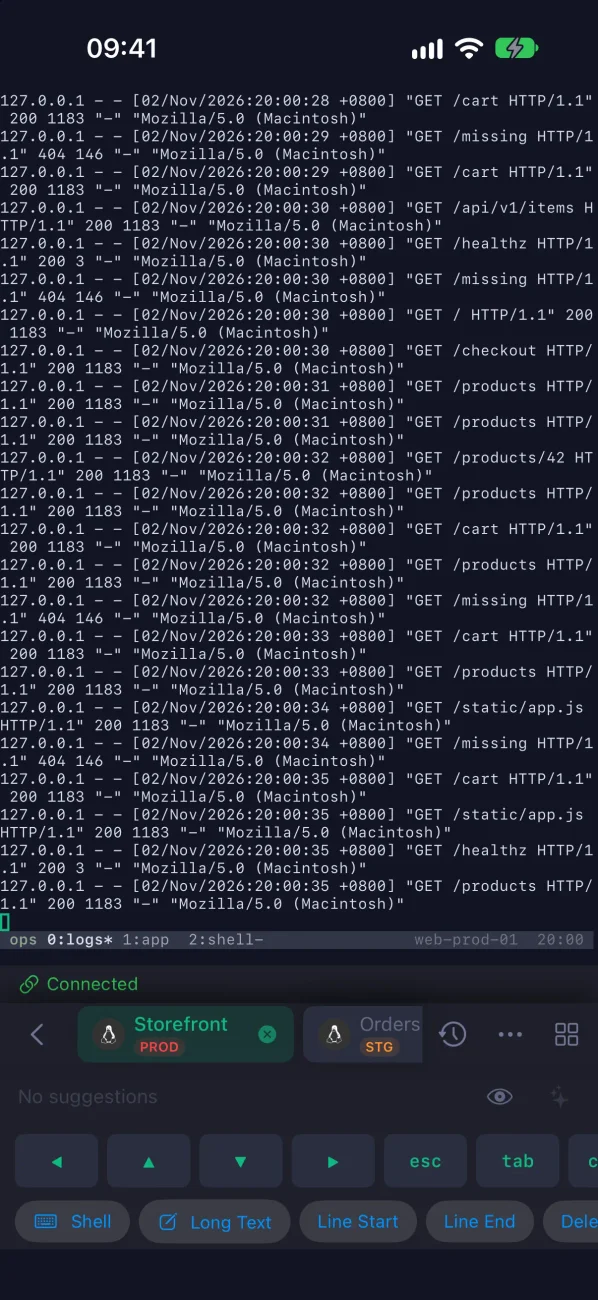
• Native SSH terminal with full keyboard support, customizable themes and fonts
• Command history and autocomplete
• Organize hosts into groups, with automatic OS detection
• Connect through jump hosts (bastion) and SOCKS5 / HTTP proxies
AUTHENTICATION & SECURITY
• Password and SSH key authentication (Ed25519, RSA)
• Generate hardware-backed keys in the Secure Enclave, protected by Face ID / Touch ID
• Host key verification (trust on first use) with an alert when a server's key changes
• Lock the app with Face ID or a PIN
• Optional post-quantum key exchange
FILES (SFTP)
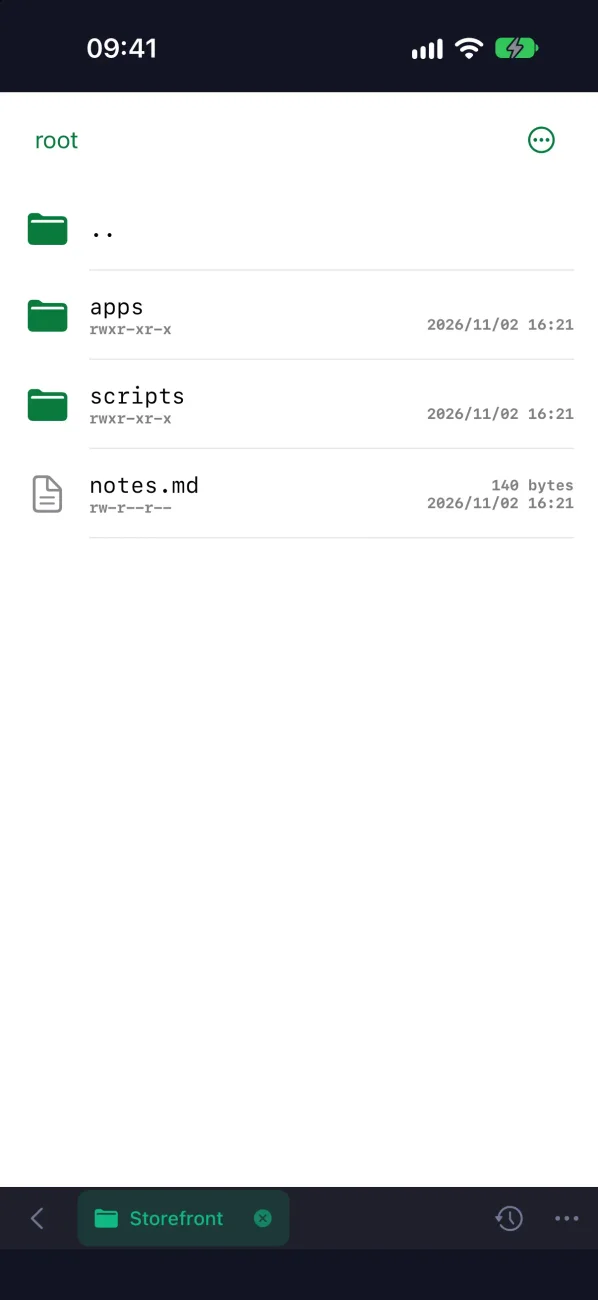
• Browse the remote file system
• Upload, download, rename and delete files, and create folders
SERVER MONITORING
• Real-time CPU, memory, network and disk metrics
• Daily and monthly network traffic usage
• Availability of some metrics depends on the server's environment
DOCKER
• View running containers and their stats
• Start, stop, restart and remove containers
• Quick deploy
SNIPPETS
• Save and reuse your common commands
FILES APP INTEGRATION
• Your servers become locations in the system Files app
• Browse remote directories and open files in place
• Edit and save straight back to the server
• Upload, rename, move, delete, and create folders
• Works with password and ED25519 key auth — proxy and jump-chain hosts included
• Reach any server file from any app's document picker
• Choose which hosts appear, per host
SYNC & PRIVACY
• Optional iCloud sync for your hosts, snippets and known hosts across devices
• Credentials are stored in the device keychain
• Universal app for iPhone and iPad
NanoTerm keeps the essentials fast and the interface clean, so you can reach your servers in seconds.
Yang baru
Versi 1.2.0 · 2/11/2026
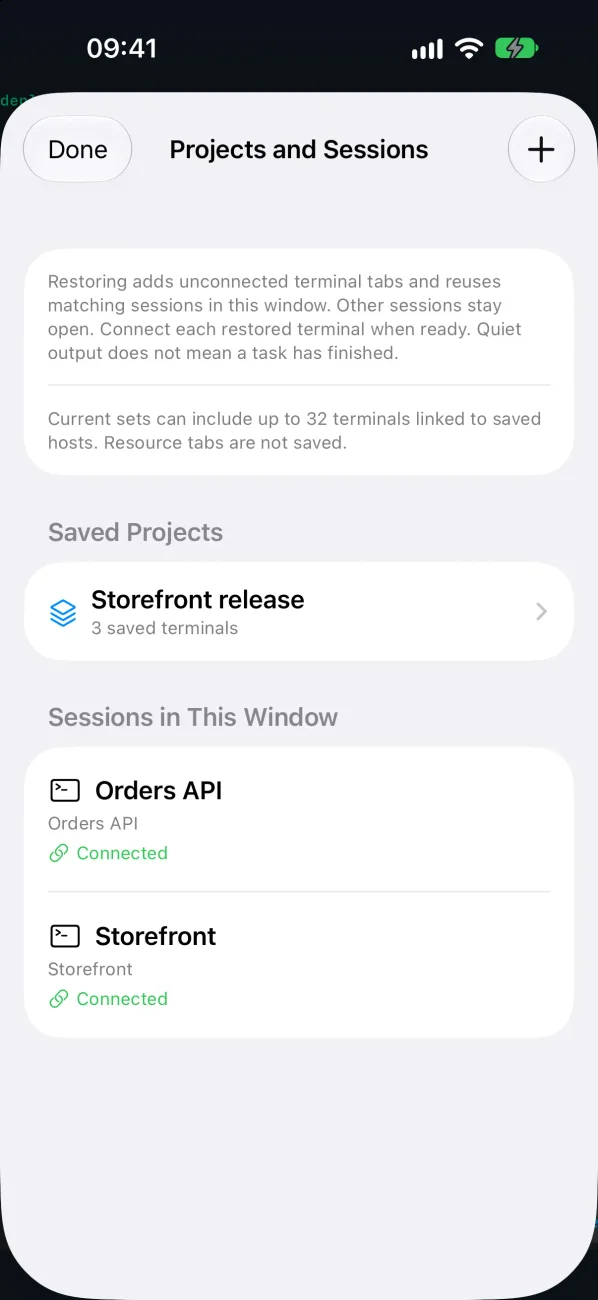
• New: Projects. Save a set of server terminals as a named project and reopen them all at once.
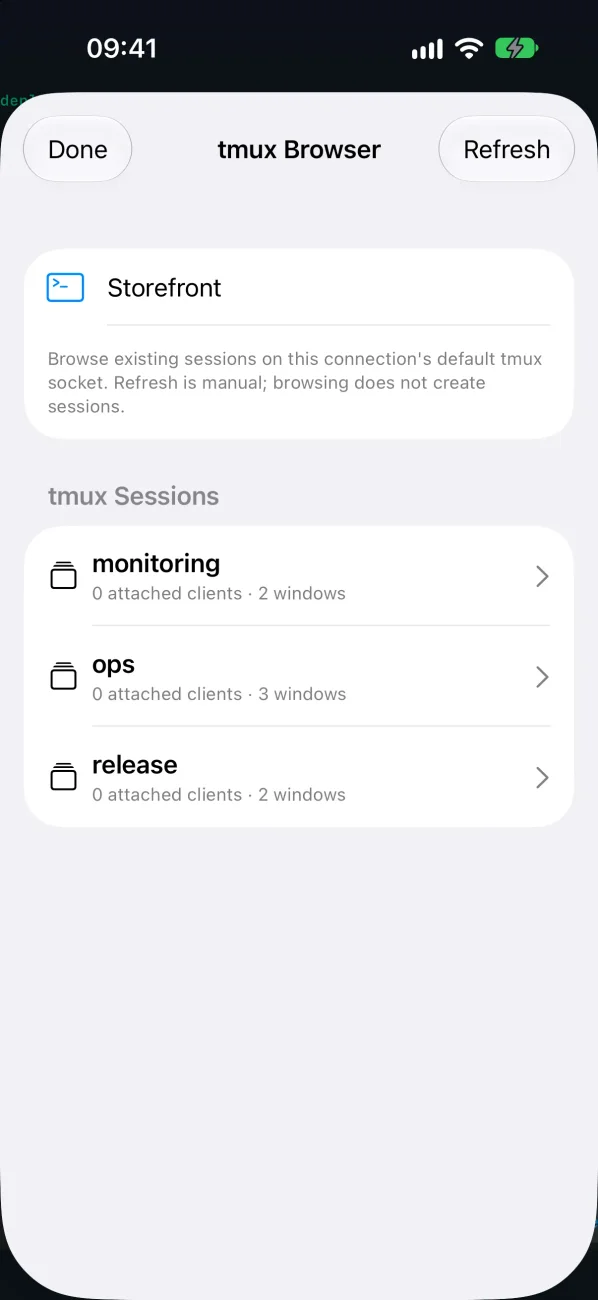
• New: tmux browser. See tmux sessions and windows on the server and attach in a separate terminal without interrupting what is running in the current one.
• New: Remote web preview. Open a web port on your server inside the app through the current SSH connection, with no port forwarding setup.
• New: Output actions. Copy the selected or latest terminal output, save it as a snippet or an output bookmark, or ask on-device AI to explain it. Suggested commands are shown for review first and are only filled into the input line, never run automatically.
• After uploading a file, insert or copy its remote path straight into the terminal.
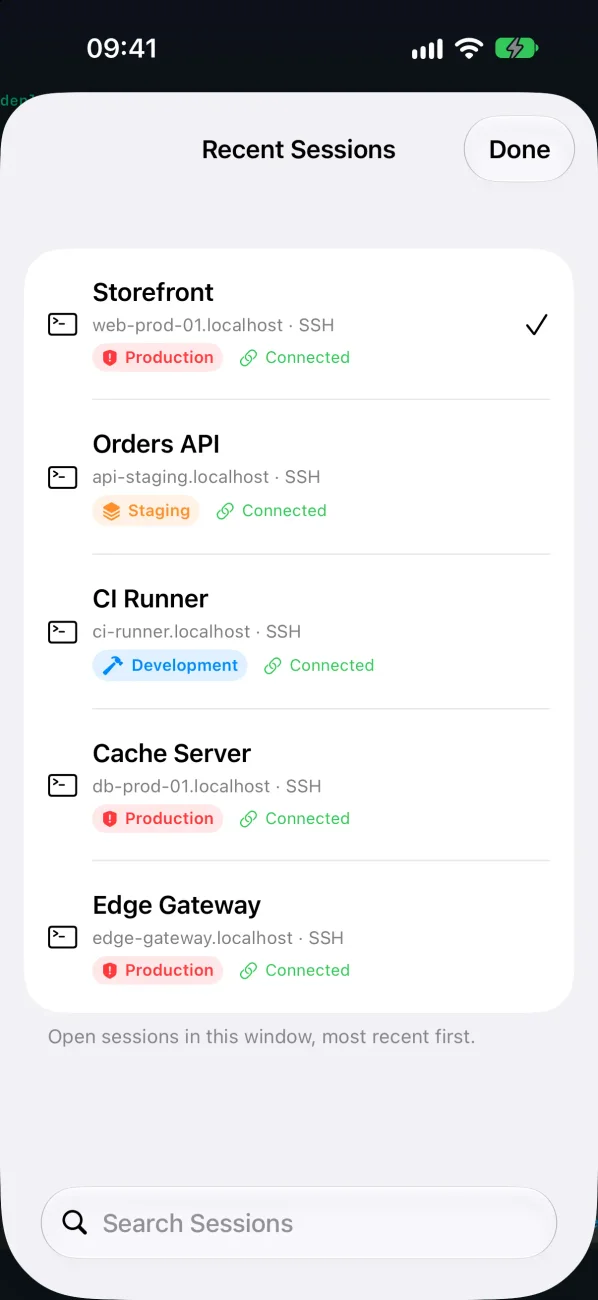
• Give sessions custom names and environment labels (Production, Staging, Development, Test). Use the new recent sessions list, or press Ctrl+Tab to return to the previous session.
• New long text editor for writing and pasting multi-line commands.
• Snippets now support parameter templates such as {{container}}; fill in the values when you use them.
• Clearer status: see whether a session is receiving output, has gone quiet or has disconnected, and when monitoring data was last updated.
• Command history is kept separately for each host configuration, and passwords, tokens and similar secrets are no longer saved. New History Privacy settings let you exclude text or clear history.
• Each iPad window now keeps its own layout. Layouts are adapted for iPhone Duo.
• Host keys are now confirmed separately on each device. Saved servers whose key has not changed are confirmed automatically the first time you connect. If the Files app can't connect to a server, open NanoTerm and connect to it once.
• Faster SFTP uploads and downloads on high-latency networks.
• Port forwarding no longer keeps broken forwards after a connection drops, and stops old forwards when you change a server's settings or credentials.
• Improved stability: memory stays under control during heavy output, long transfers in the Files app are more reliable, and if local data can't be opened the app now offers recovery options instead of failing to start. Underlying components have also been updated.
Privasi aplikasi
Yang dinyatakan 恒俭 董 di App Store tentang cara aplikasi ini menangani data.
-
Data tidak dikumpulkan
Pengembang tidak mengumpulkan data apa pun dari aplikasi ini.
Praktik privasi dapat bervariasi, misalnya berdasarkan fitur yang Anda gunakan atau usia Anda.
Informasi
- Penjual
- 恒俭 董
- Kategori
- Kegunaan
- Versi
- 1.2.0
- Diperbarui
- 2/11/2026
- Dirilis
- 9/6/2026
- Ukuran
- 40,6 MB
- Memerlukan
- iOS 18.6 atau yang lebih baru
- Batasan usia
- 4+
- Harga
- Gratis
- Pembelian dalam aplikasi
- Ya
- Bahasa
- Inggris, Jepang, Korea, Tionghoa Sederhana, Tionghoa Tradisional
- Hak cipta
- © 2026 levi