
NextStep: Visual Routine Timer
Morning steps, finish-by time
Dirancang untuk iPhone
Gratis · Pembelian dalam aplikasi
- Batasan usia4+
- KategoriProduktivitas
- PengembangMubarak Almahmeed
- BahasaInggris
- Ukuran11,8 MB
Tertaut ke halaman resmi App Store
Download.org tidak menyimpan file NextStep: Visual Routine Timer apa pun. Tombol ini membuka halaman aplikasi di App Store, tempat Mubarak Almahmeed menerbitkannya. Halaman terakhir diperiksa pada 15/11/2026.
Tangkapan layar
Tentang
Pengembang belum menyediakan teks ini dalam bahasa Anda.
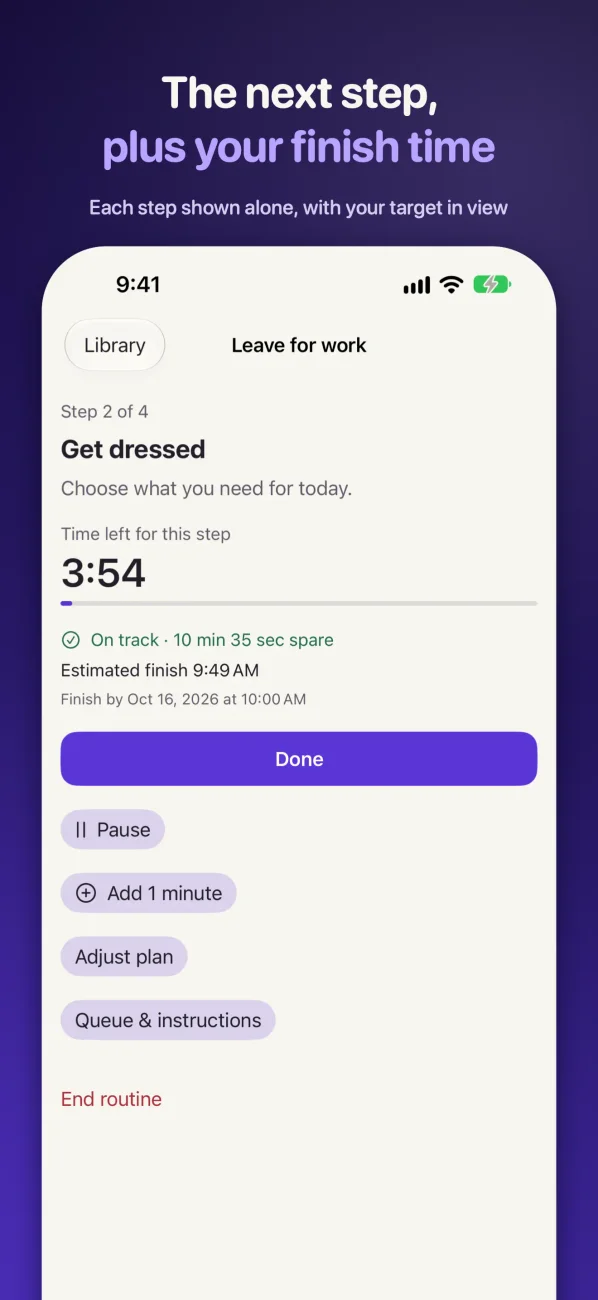
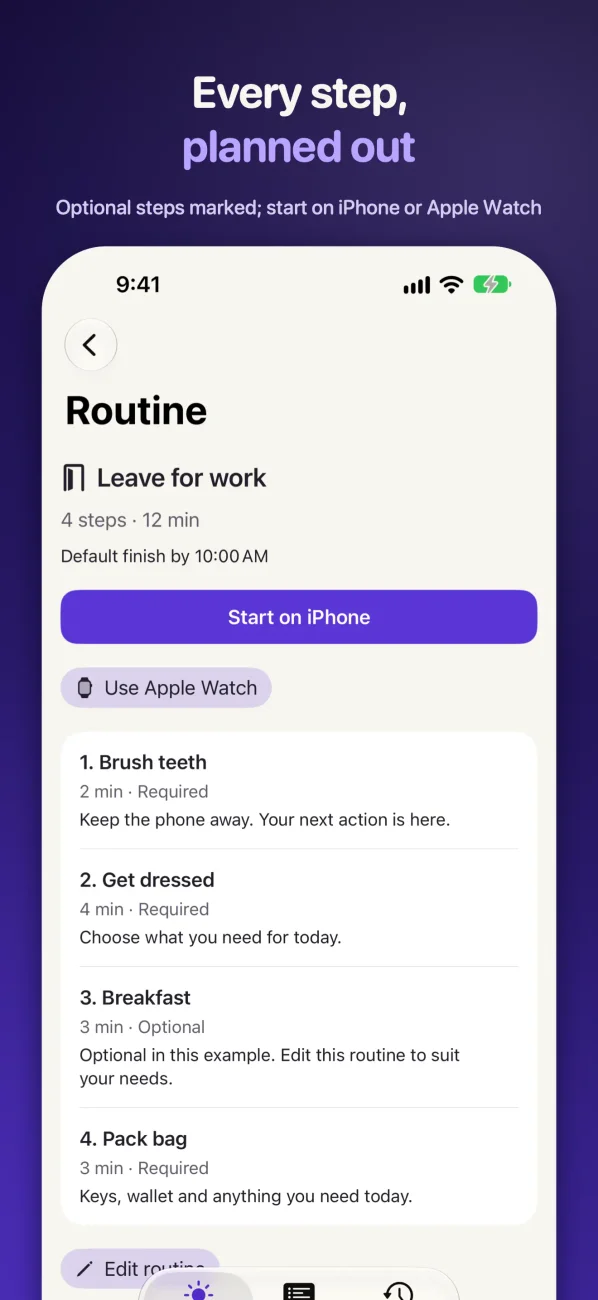
One step on screen and your finish-by time right beside it. NextStep turns getting ready, heading out or winding down into a short run of steps that you follow on iPhone or Apple Watch.
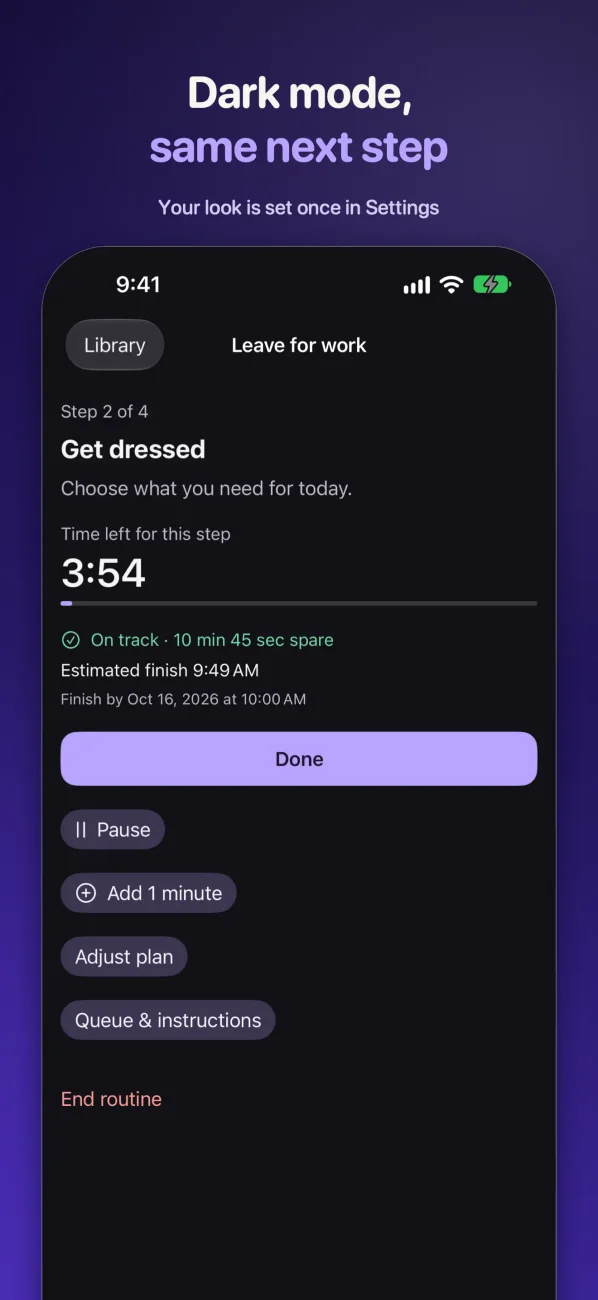
Every step counts down its own estimate. When the countdown hits zero, nothing jumps ahead: the step waits for you to tap Done.
PLAN THE ROUTINE
• Up to 30 steps per routine, each with a time estimate, a short note and an optional flag
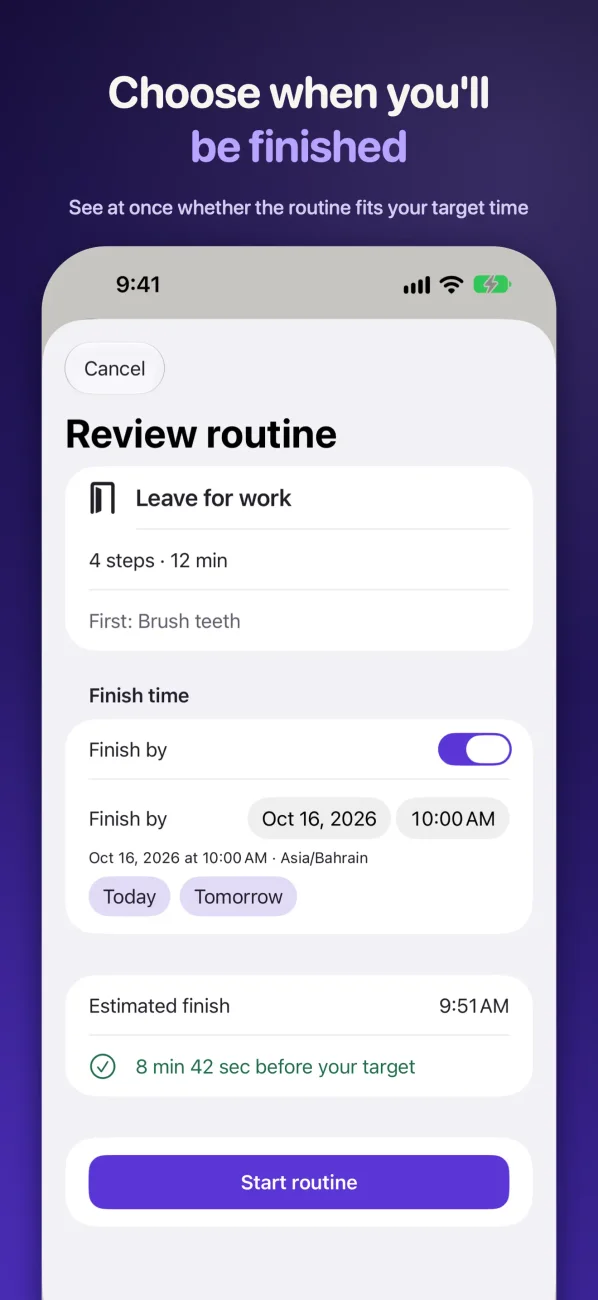
• Give the routine a finish-by time and keep an eye on the estimated finish while you go
• Begin from a starter such as Leave for work, Evening reset or Start a focus block, or write your own
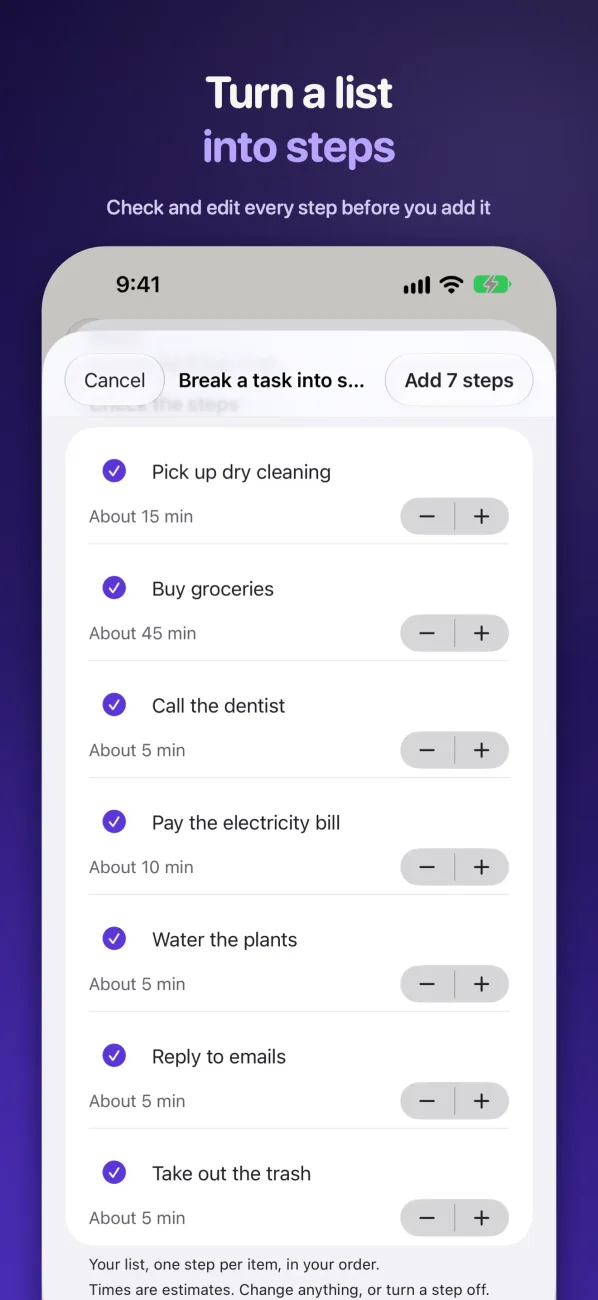
• Break a task into steps: NextStep suggests steps and times from its own templates for common tasks and, on iPhones with Apple Intelligence, from the on-device model for the rest. You check every step before it is added
• Reorder, duplicate or archive routines
• Recurring reminders nudge you at the time you pick; a reminder never starts a routine by itself
FOLLOW ALONG, STEP BY STEP
• Done, Skip, Pause, Add 1 minute and End are always your call
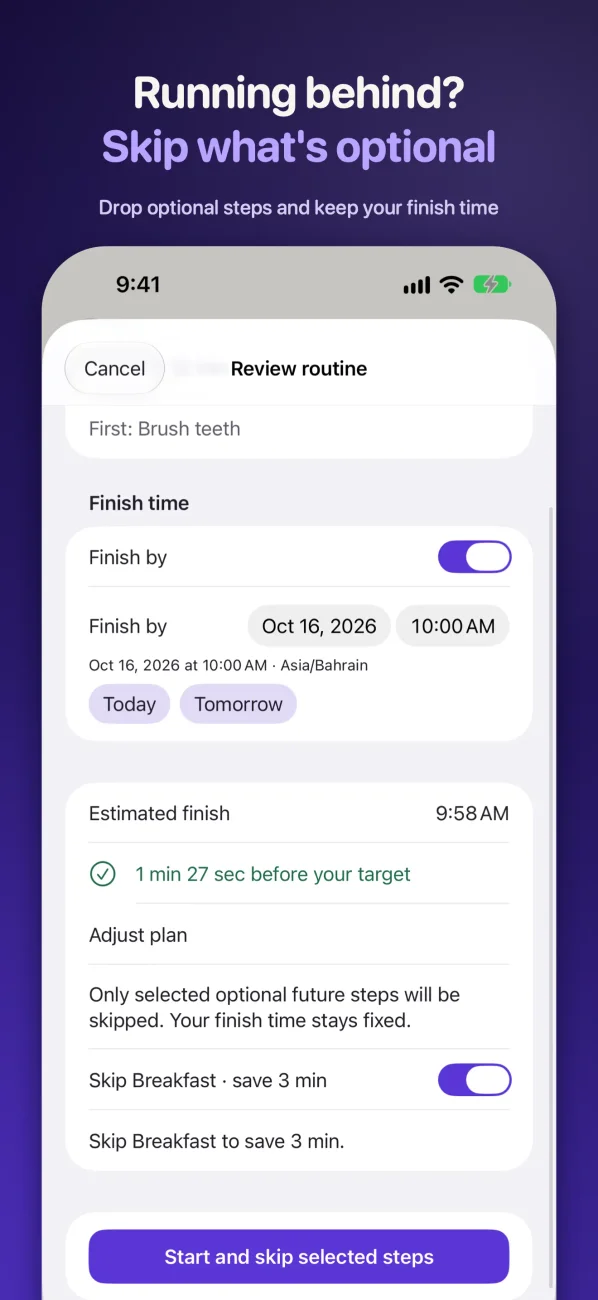
• Running behind? Adjust plan lists the optional steps still ahead and the minutes each one would save. Skip a few, or move the finish time for this run only
• Pausing or adding a minute leaves your deadline where you set it, so you see straight away what it does to the plan
APPLE WATCH, WIDGETS AND LOCK SCREEN
• The Apple Watch app runs saved routines by itself, even with iPhone out of reach, and the two catch up when they reconnect
• An optional Live Activity follows routines started on iPhone, with a Done button for the current step
• The Home Screen widget shows the current step with a Done button, or your next routine
• A Start routine control in Control Center or on the Action button opens your next routine, ready for you to confirm
• Watch complications show your current progress at a glance
ESTIMATES THAT LEARN YOUR PACE
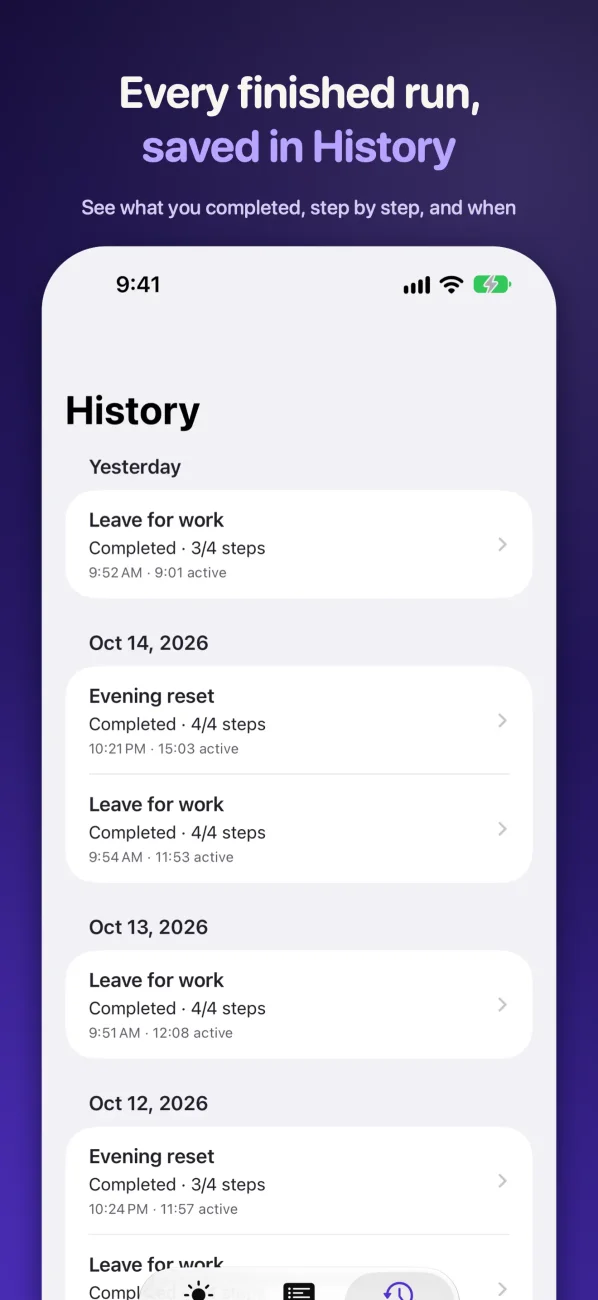
• History lists the routines you completed or ended
• After enough real runs, NextStep proposes new step times based on your own pace, and you choose which ones to keep
WITHOUT PRO
• Two saved routines, run as often as you like
• Routine editing, reminders, widgets, the Live Activity, the Start routine control, the last seven days of history, estimate suggestions and file export and import
• Three tries of Break a task into steps
• Watch complications, if you used NextStep before version 1.1
• A 45-second demo run that stays out of your history
NEXTSTEP PRO
• No two-routine limit
• Full history plus planned-versus-actual time comparisons
• Extra ready-made programs, such as Ready to go and A calmer evening, each one open to preview before you buy
• Break a task into steps as often as you like
• Watch complications, when NextStep was first installed at version 1.1 or later
• If Pro ends, every routine you made stays available to view, edit and run
• A paywall never interrupts a routine in progress
KEPT ON YOUR DEVICES
There is no NextStep account, no advertising and no outside AI service; Apple Intelligence suggestions are made on the iPhone itself. Routines and history stay on the devices that run them, and you can export a file whenever you want a copy.
PAYING FOR PRO
Pro is sold three ways: a monthly subscription, an annual subscription, or a lifetime unlock bought once. Before you confirm, the purchase sheet lists what Pro costs in your region and how often it bills, and payment comes from your Apple Account. A subscription carries on into each new period by itself. To stop that, turn off auto-renewal at least a day before the current period ends, since the coming period is billed in the final 24 hours. Manage or cancel from Settings, then your name, then Subscriptions. A lifetime unlock does not end a subscription you already pay for; cancel that separately.
Privacy: https://mubaraklabs.com/privacy/nextstep/
Terms: https://mubaraklabs.com/terms/nextstep/
License: https://www.apple.com/legal/internet-services/itunes/dev/stdeula/
Yang baru
Versi 1.1 · 17/10/2026
Version 1.1 helps you set up a routine sooner and follow it from more places.
• On a new install, a five-step setup lets you choose what NextStep should help with first, set a finish-by time, then review your first routine and start it
• Break a task into steps from the routine editor. NextStep suggests steps and times for common tasks; on iPhones with Apple Intelligence, the on-device model helps with other tasks. You check every step before it is added (three free tries, then Pro)
• Tap Done on the current step from the Home Screen widget or the Live Activity
• A Start routine control for Control Center, the Lock Screen or the Action button opens your next routine, ready to confirm
• Siri and Shortcuts can mark a step done, skip a step or tell you what's next. Spotlight finds saved routines when step names aren't set to private
• Clearer VoiceOver labels, and layouts that hold up at the largest text sizes
• Watch complications are part of Pro for people who first installed NextStep at version 1.1 or later. Anyone who used NextStep before keeps them free
Privasi aplikasi
Yang dinyatakan Mubarak Almahmeed di App Store tentang cara aplikasi ini menangani data.
-
Data tidak dikumpulkan
Pengembang tidak mengumpulkan data apa pun dari aplikasi ini.
Praktik privasi dapat bervariasi, misalnya berdasarkan fitur yang Anda gunakan atau usia Anda.
Informasi
- Penjual
- Mubarak Almahmeed
- Kategori
- Produktivitas
- Versi
- 1.1
- Diperbarui
- 17/10/2026
- Dirilis
- 22/9/2026
- Ukuran
- 11,8 MB
- Memerlukan
- iOS 17.0 atau yang lebih baru
- Batasan usia
- 4+
- Harga
- Gratis
- Pembelian dalam aplikasi
- Ya
- Bahasa
- Inggris
- Hak cipta
- © 2026 Mubarak Almahmeed
Mungkin Anda juga suka
-
 Calibrate: Time Block PlannerProduktivitas
-
 Buckets: Time Blocking PlannerProduktivitas
-
 HelpDo: Goals, Todos & HelpProduktivitas
-
 Patter — Run your routinesProduktivitas
-
 Momentum — ADHD RoutinesProduktivitas
-
 ONE-THINGProduktivitas
-
 FlowCue AppProduktivitas
-
 Commute Prep - MorningRushProduktivitas
-
 Morning Speedrun: Rizora AIProduktivitas