- Batasan usia4+
- KategoriReferensi
- PengembangLVL35 LLC
- BahasaInggris
- Ukuran204,0 MB
Tertaut ke halaman resmi App Store
Download.org tidak menyimpan file Nibble! apa pun. Tombol ini membuka halaman aplikasi di App Store, tempat LVL35 LLC menerbitkannya. Halaman terakhir diperiksa pada 23/11/2026.
Tangkapan layar



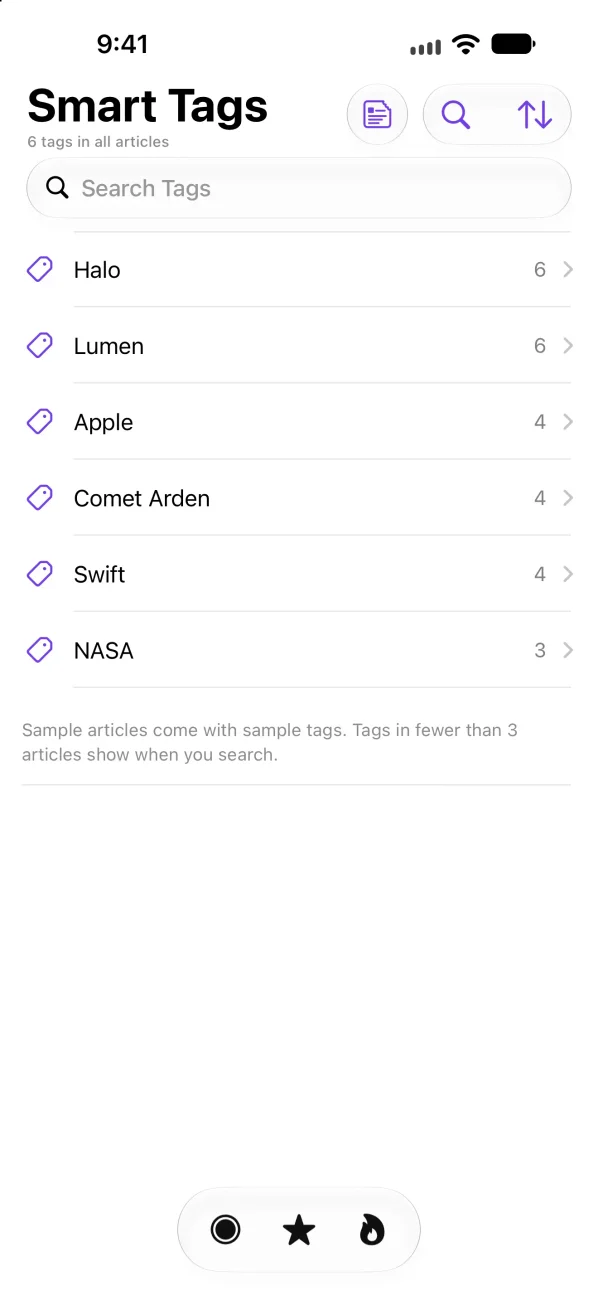
Tentang
Pengembang belum menyediakan teks ini dalam bahasa Anda.
Nibble! Feed your curiosity.
Your favorite publications and podcasts, together in one thoughtful app. Follow the sources you love, catch up on the stories that matter, and switch from reading to listening whenever it suits your day.
YOUR LIBRARY, YOUR CHOICE
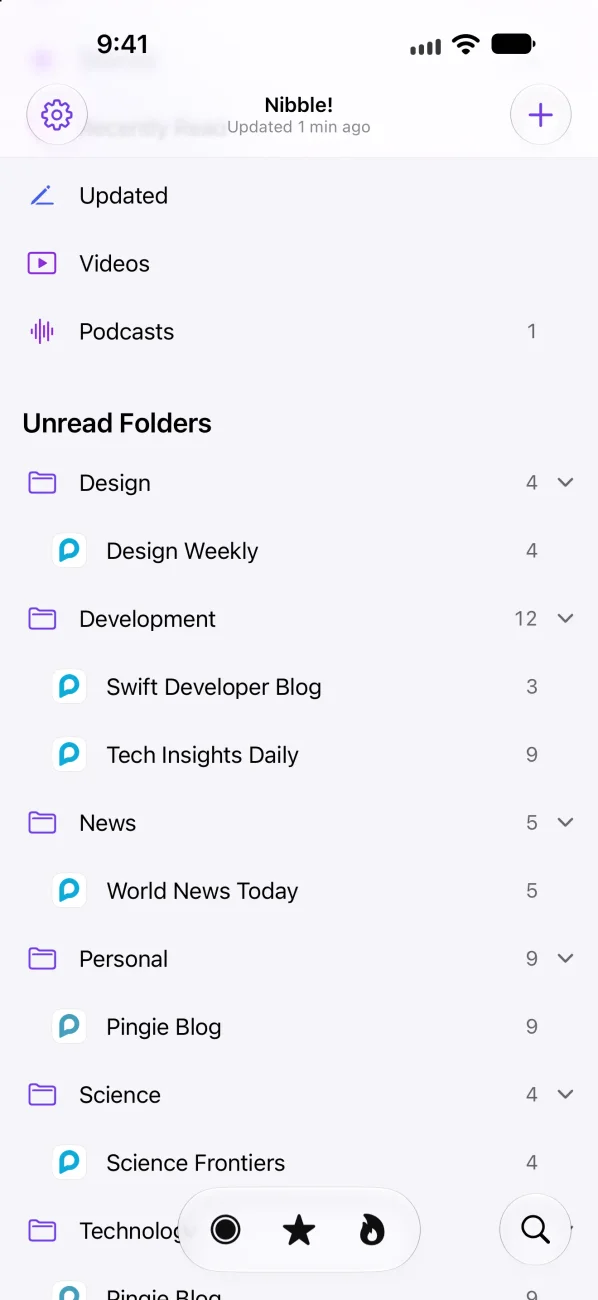
Start with iCloud, or connect your Feedbin account. Organize feeds into folders, keep track of unread articles and favorites, and carry your reading place between devices. Import or export your subscriptions with OPML. Discover publications in the Feed Directory, and use Magic Feeds to follow supported websites without RSS.
A BETTER PLACE TO READ
Enjoy full articles in a clean reader with adjustable fonts, spacing and themes. Save pages for later, star favorites, and read cached text and images offline. Search your library, build Smart Folders, and choose which feeds deserve notifications.
CATCH UP WITHOUT THE CLUTTER
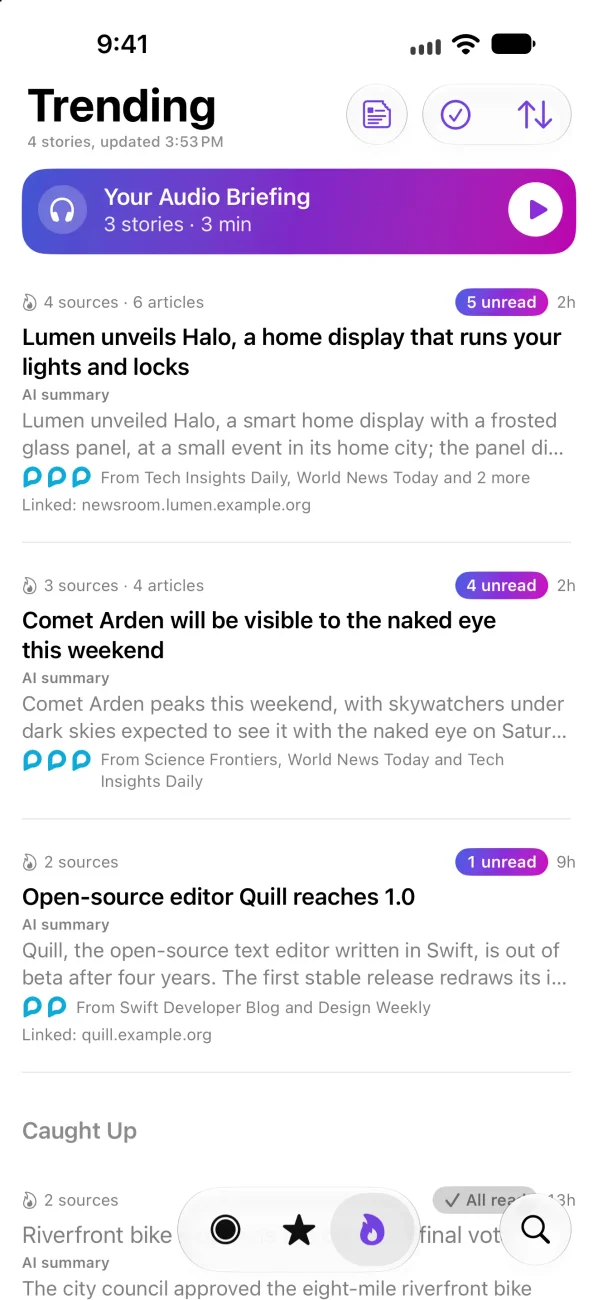
Trending brings together stories covered by multiple feeds. Curated groups related coverage so you can work through your unread articles with less repetition. Get article summaries and Smart Tags with Apple Intelligence on supported devices.
PODCASTS, PROPERLY ORGANIZED
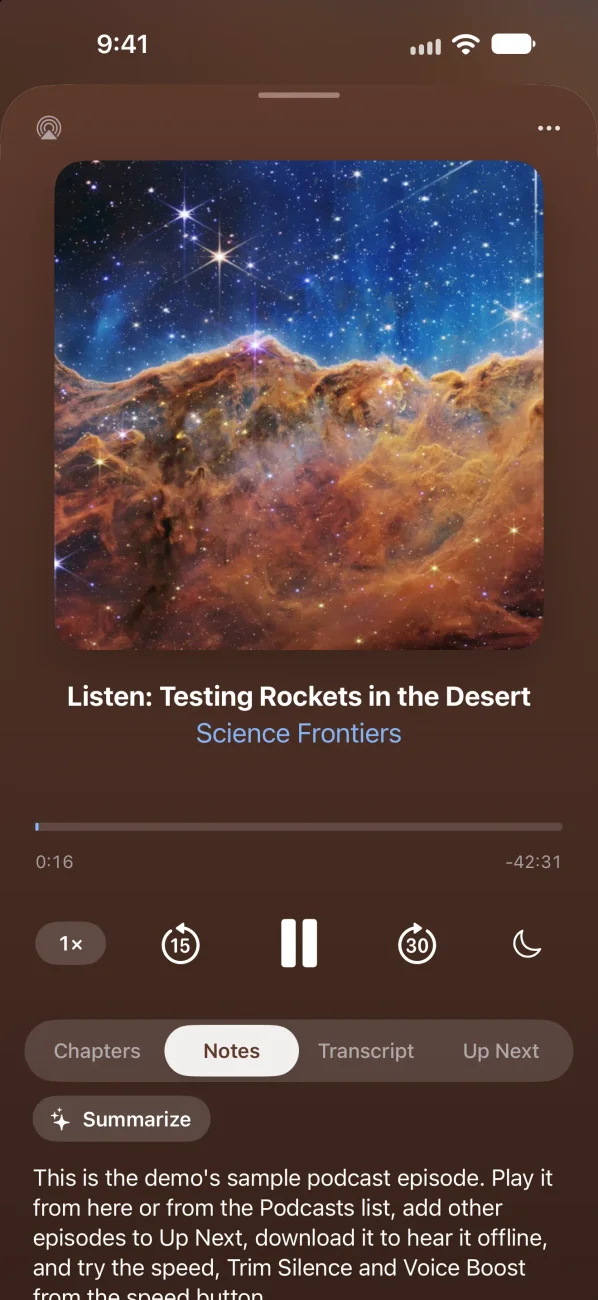
Follow shows, browse Latest Episodes by date or show, and create Smart Lists that match your listening preferences. Build an Up Next queue, resume an unfinished episode, or download one for later. Chapters, adjustable speed, a sleep timer, Voice Boost and Trim Silence help you listen your way.
READ ALONG, FIND THE MOMENT
Use a show's transcript or create one on your device from a downloaded episode. Follow along, search for words and tap a timed passage to jump there. Choose automatic transcripts when you start listening, and manage storage by keeping recent episodes or removing played downloads.
SKIP A DETECTED AD
For downloaded episodes with a generated English transcript, opt in to cloud ad detection. Skip Ad jumps past the detected break you're hearing, with Undo if you need it. Analysis uses transcript and timing information, without uploading your audio. You decide whether to enable it.
TURN READING INTO LISTENING
Have articles read aloud with Nibble's on-device voice. Play All reads the articles in your filtered list in order. Prefer a quick catch-up? Audio Briefing turns stories from your feeds into a spoken update, with headline playback when Apple Intelligence isn't available.
TAKE NIBBLE WITH YOU
CarPlay brings your podcasts, feed articles, Audio Briefing and queue to the dashboard. Resume the episode you started on your phone, browse Smart Lists, or play a feed's articles. Home Screen and CarPlay widgets give you quick access to your briefing, the latest unplayed episode or a chosen show. Add a separate Skip Ad control to your Lock Screen or Control Center to use ad timings already prepared in Nibble.
MADE FOR YOUR DEVICES
Enjoy layouts that adapt to the device you use, with VoiceOver, Dynamic Type, Siri and Shortcuts. On-device transcription and Apple Intelligence features require supported devices and languages.
Yang baru
Versi 6.11.25 · 21/11/2026
Nibble now gives your podcasts a place alongside the stories you follow.
PODCASTS, YOUR WAY
Build an Up Next queue, create Smart Lists, and browse Latest Episodes grouped by date or show. Resume listening from the Podcasts screen, even after dismissing the player. Press and hold an episode to play it, queue it or mark it as listened.
TRANSCRIPTS THAT FOLLOW ALONG
Create transcripts on your device from downloaded episodes, search the text and tap a timed passage to play it. Automatic transcripts are optional, with download settings to keep recent episodes or remove played ones.
SKIP ADS WITH A TAP
With your permission, cloud analysis finds breaks in a generated English transcript without uploading the audio. Skip Ad jumps past the detected break you're hearing, right in the player, with Undo. You can also add a separate Skip Ad control to the Lock Screen or Control Center for ad timings already prepared in Nibble.
NIBBLE IN THE CAR
CarPlay now brings together Podcasts, Feeds, Trending and Up Next. Resume an episode from your phone, browse Smart Lists, play your Audio Briefing or listen to all the articles in a feed.
MORE WAYS TO PRESS PLAY
New playback widgets put your briefing, latest unplayed episode or chosen show on the Home Screen and CarPlay dashboard. Play All in an article list's options reads the current filtered list in order.
Plus clearer playback and download settings, improved artwork, and layout refinements.
Privasi aplikasi
Yang dinyatakan LVL35 LLC di App Store tentang cara aplikasi ini menangani data.
-
Data yang tidak ditautkan dengan Anda
Dapat dikumpulkan, tetapi tidak ditautkan dengan identitas Anda.
- Data penggunaan
Praktik privasi dapat bervariasi, misalnya berdasarkan fitur yang Anda gunakan atau usia Anda.
Informasi
- Penjual
- LVL35 LLC
- Kategori
- Referensi
- Versi
- 6.11.25
- Diperbarui
- 21/11/2026
- Dirilis
- 16/1/2026
- Ukuran
- 204,0 MB
- Memerlukan
- iOS 26.0 atau yang lebih baru
- Batasan usia
- 4+
- Harga
- Gratis
- Bahasa
- Inggris
- Hak cipta
- © 2026
Mungkin Anda juga suka
-
 The Gospel in Five MinutesReferensi
-
 SchoolgramPendidikan
-
 MidMandoPendidikan
-
 LAI Prep AppPendidikan
-
 Learn Russian OnlinePendidikan
-
 SwipeK12 Mobile AdministratorPendidikan
-
 HSK MOBILE EXAM CENTERPendidikan
-
 Articulate: Speech CoachPendidikan
-
 IPSD 204 ConnectPendidikan
-
 Physics Solver - AI StudyPendidikan