OFFICE RECEPTION
Touch panel reception desk
Dirancang untuk iPhone, iPad, iPod touch
Gratis
- Batasan usia4+
- KategoriBisnis
- PengembangABphone, Inc.
- BahasaInggris+ 1 lainnya
- Ukuran66,1 MB
Tertaut ke halaman resmi App Store
Download.org tidak menyimpan file OFFICE RECEPTION apa pun. Tombol ini membuka halaman aplikasi di App Store, tempat ABphone, Inc. menerbitkannya. Halaman terakhir diperiksa pada 12/11/2026.
Tangkapan layar

Tentang
Pengembang belum menyediakan teks ini dalam bahasa Anda.
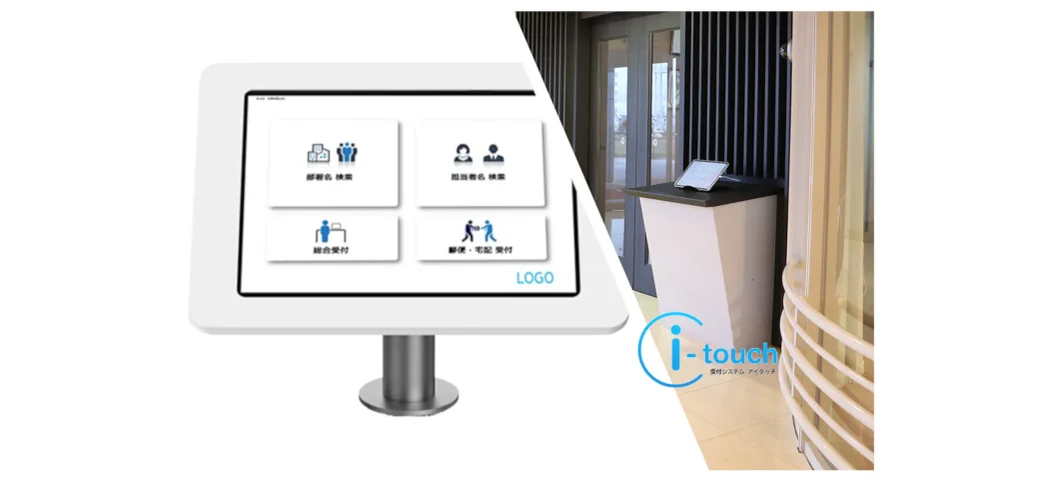
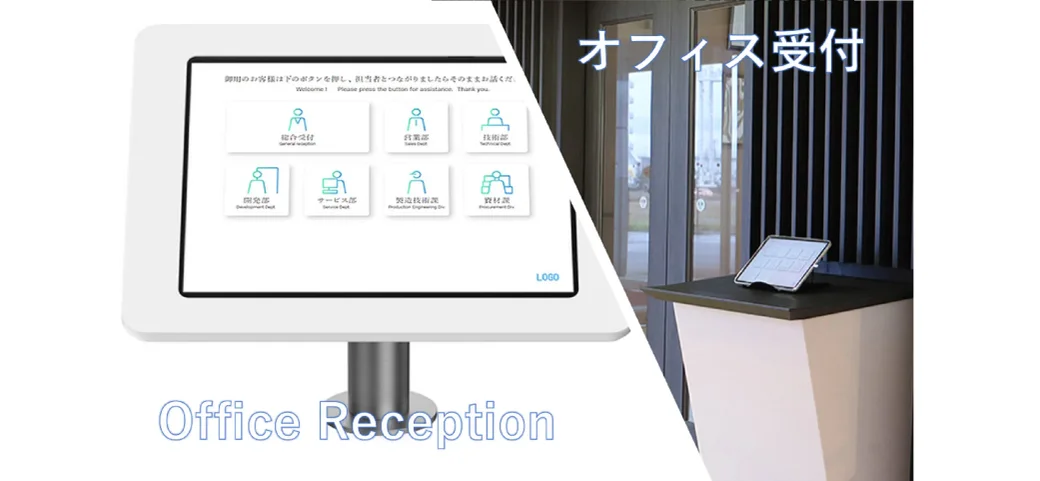
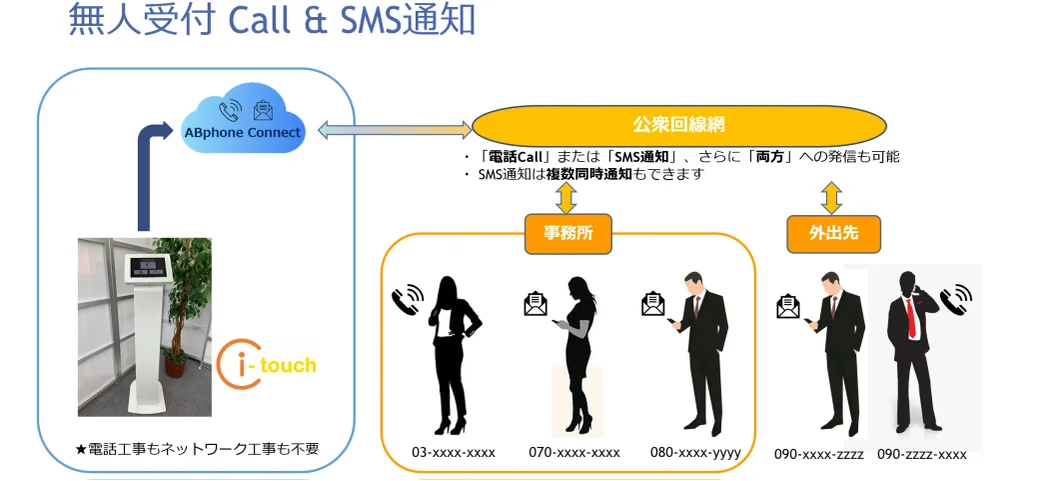
“OFFICE RECEPTION” is the app of iPad or iPhone for visitor reception which can improve a corporate image and reduce labor cost.
If you put a installed “OFFICE RECEPTION” iPad or iPhone on a company reception desk or each floor, visitors can connect to a visit destination and person easily by telephone system using SIP technology.
“OFFICE RECEPTION” is the tool which lead to an image improvement of the company to visitors.
System Requirements : iPad,iPad pro,or iPhone: iOS13-
Language:English, Japanese
#Majaor fuction
VoIP telephone & support for SIP.
Telephone data link with the “Contacts” app.
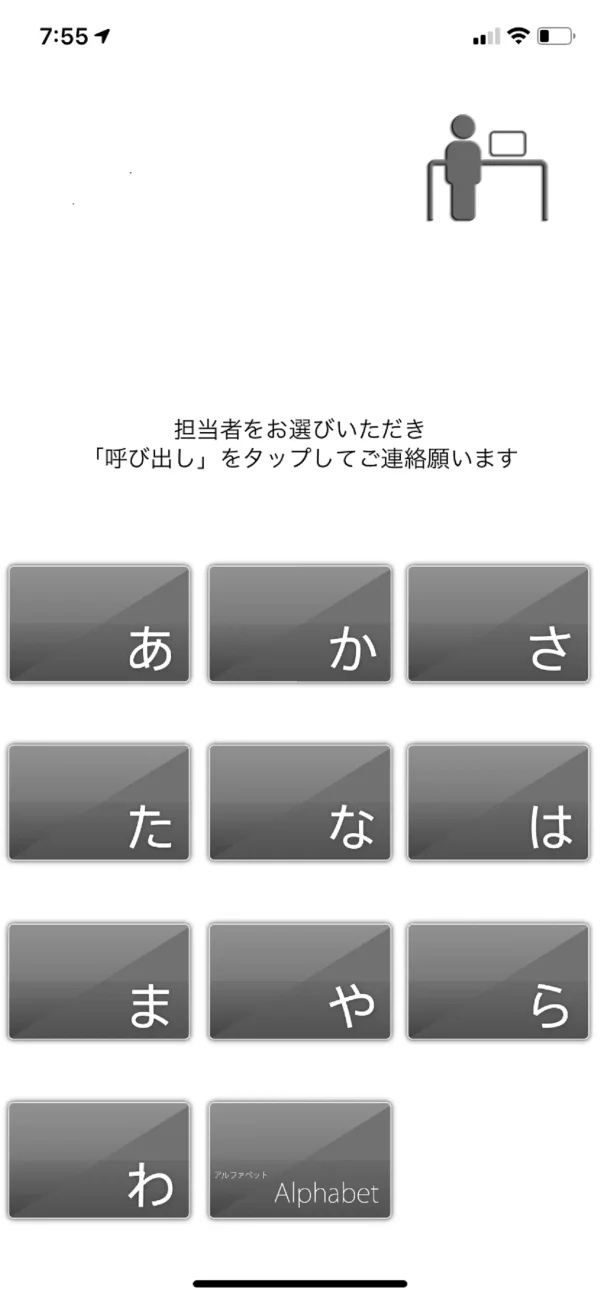
3 types of screen layout design.
General receptionist button.
Calendar display.(On or Off)
Select the background picture and logos.
Easy operation.
#Notes
A SIP server and Wi-Fi or 4G connection environment are needed for using this application separately.
This application is specified for reception use. The application cannot receive incomming calls.
This application reads data from the standard “Contacts” application. To add data, please register data to the “Contacts” app.
In order to use as a reception telephone, please connect the cable to keep the battery being charged.
Any damages of the iPad, including theft, are out of warranty.
### OFFICE RECEPTION Operation ###
1. Touch the panel.
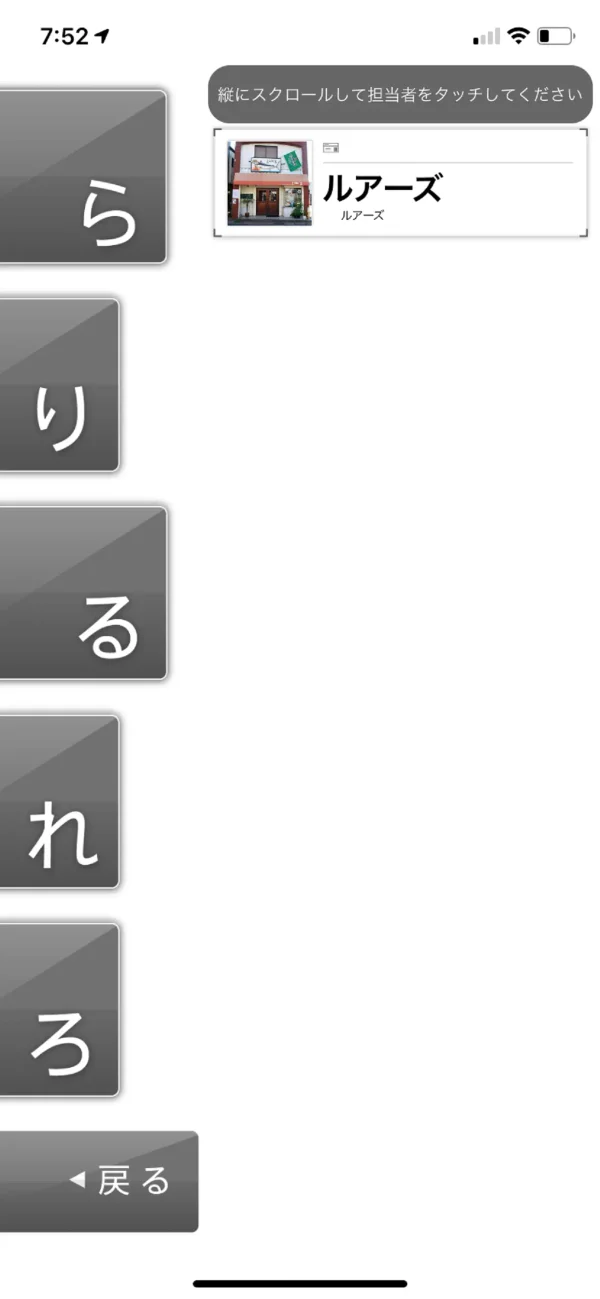
2. Choose “NAME.”
3. "CALL" it.
4. Talking
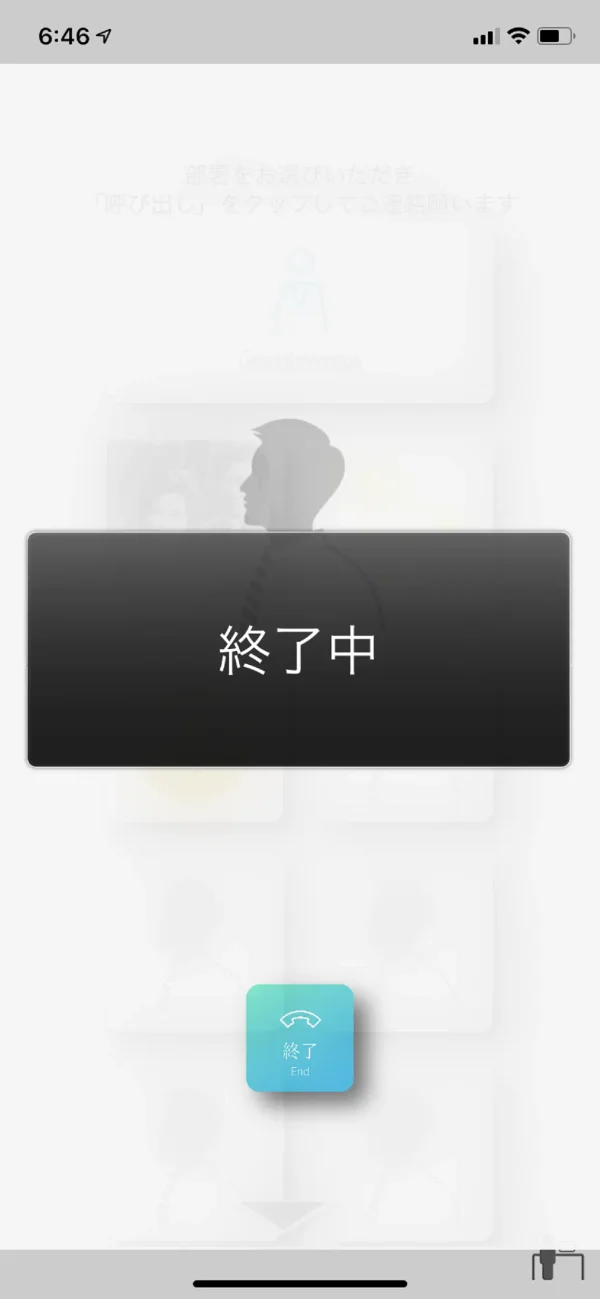
5. "CANCEL"
■ User interface
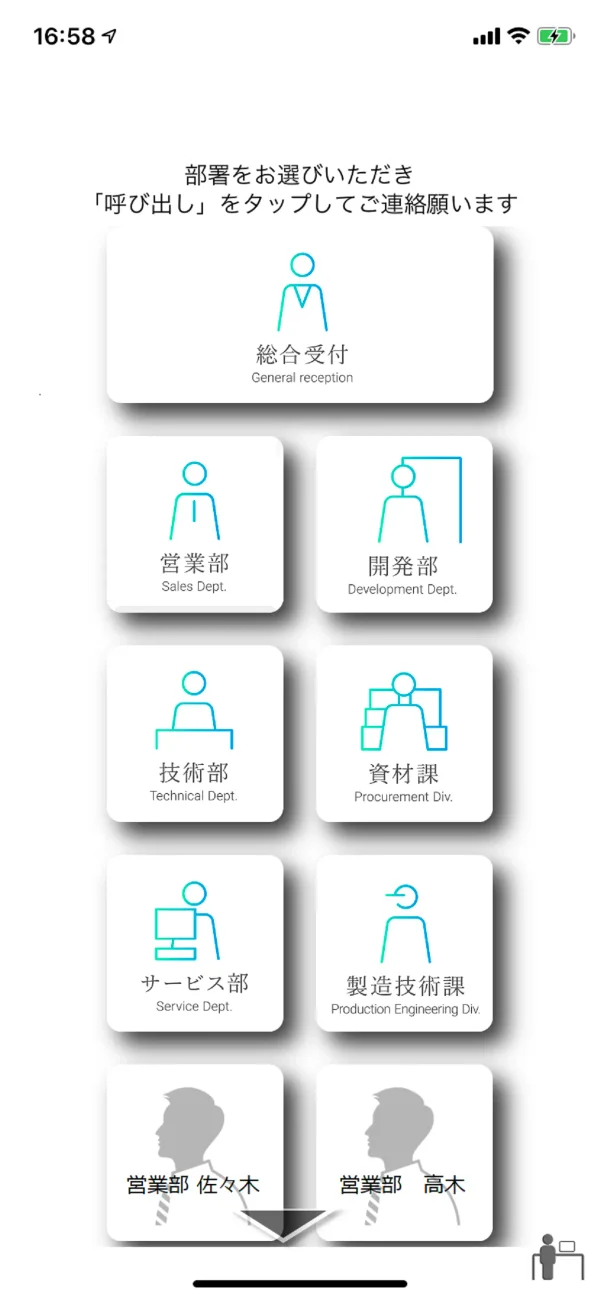
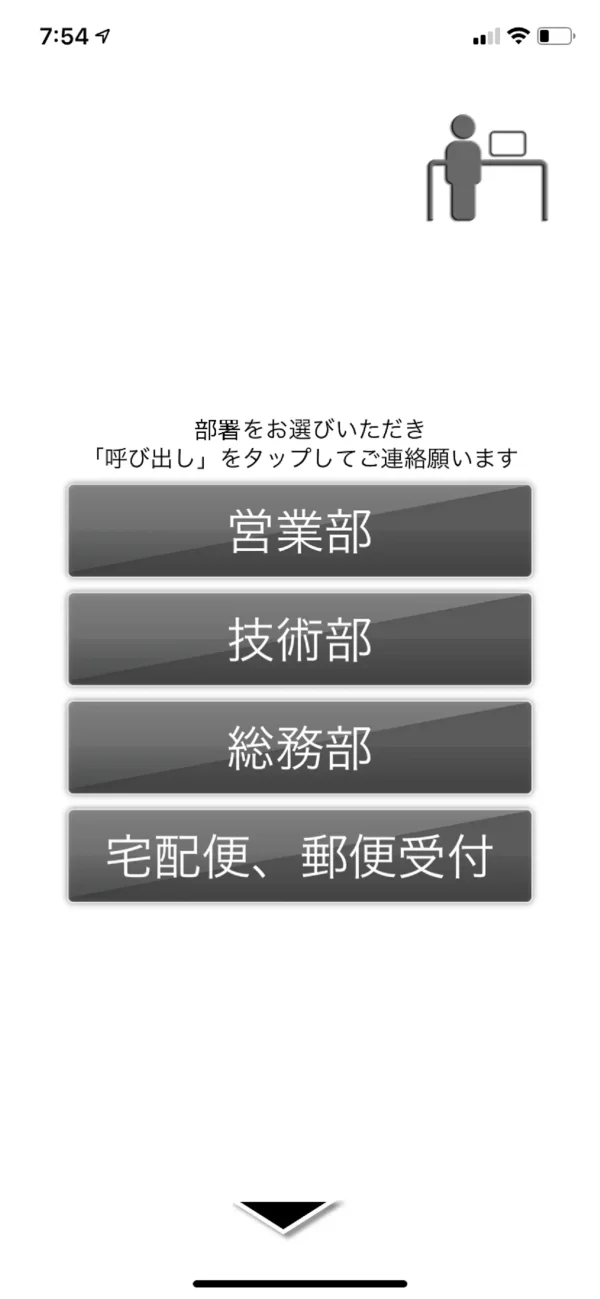
You can choose your preferred user interface from three layouts.
1. Graphical layout
2. Simple layout
3. Alphabet layout
4.Single tap mode
#FAQ and Setting.
@How to setting?
To set up, use THREE FINGERS. Please tap the screen of the iPad or iPhone.
@What settings are necessary to use this app?
Please set 6 values as follows:
– SIP Server IP address
– SIP Server port
– SIP Proxy Server IP address
– SIP Proxy Server port
– User name
– Password
※Please prepare SIP service or a SIP Server(ex.Asterisk etc..) on your own before using this app.
@What is a SIP server?
SIP servers accept SIP requests and respond to them. A SIP server is an application that may act on the behalf of a SIP client or user agent (UA) or may provide information or direction to a UA. There are several types of SIP servers including proxy, redirect, and registration.
Though I input the parameter “SIP server name” to “SIP Server IP” , I can’t use (connect) this app.
Please input the IP Address into parameter “SIP Server IP” or “Server name”.
“SIP Proxy Server IP” is similar, too.
@What is a SIP proxy server?
A proxy server acts on behalf of a UA or even another proxy. The proxy’s purpose is to facilitate a connection between UAs to establish a session for VoIP or other activity. A proxy does not originate SIP requests. It forwards requests and responses received from one UA or another proxy on to another proxy or UA.
@What should be put into User and Password?
Please set up the user name of the SIP account registered on the SIP server, and a password.
Please ask the SIP server administrator of use about the account.
@What is the Admin telephone number of a telephone setup?
The application has a button for the main phone number of the company. The Main phone number is the number called when this button is pressed.
@What is the representation Organization of a telephone setup?
When the Main phone number button is pressed, a Calling display will show up. The Representation Organization will be shown on that Calling display.
About a the telephone directory
@Where should the contacts be set up from?
Please register the information of the person you want to call from the "Contacts" app.
@What kind of data should be registered into a “contacts” application?
The following data of the “Contacts” app is used within this application:
First Name (#Required) (Don’t use Last name)
Phone number (#Required)
Department
Company
Photo or image
Yang baru
Versi 6.2.1 · 10/6/2026
A new design has been added to the category layout on the touch panel screen.
Privasi aplikasi
Yang dinyatakan ABphone, Inc. di App Store tentang cara aplikasi ini menangani data.
-
Data tidak dikumpulkan
Pengembang tidak mengumpulkan data apa pun dari aplikasi ini.
Praktik privasi dapat bervariasi, misalnya berdasarkan fitur yang Anda gunakan atau usia Anda.
Informasi
- Penjual
- ABphone, Inc.
- Kategori
- Bisnis
- Versi
- 6.2.1
- Diperbarui
- 10/6/2026
- Dirilis
- 3/1/2019
- Ukuran
- 66,1 MB
- Memerlukan
- iOS 13.0 atau yang lebih baru
- Batasan usia
- 4+
- Harga
- Gratis
- Bahasa
- Inggris, Jepang
- Hak cipta
- © ABphone, Inc.