OneCentrate
Focus Timer, Habits, Reminders
Dirancang untuk iPhone, iPad, Mac
Gratis · Pembelian dalam aplikasi
- Batasan usia4+
- KategoriProduktivitas
- PengembangOneCentrate
- BahasaInggris+ 5 lainnya
- Ukuran256,7 MB
Tertaut ke halaman resmi App Store
Download.org tidak menyimpan file OneCentrate apa pun. Tombol ini membuka halaman aplikasi di App Store, tempat OneCentrate menerbitkannya. Halaman terakhir diperiksa pada 19/11/2026.
Tangkapan layar



Tentang
Pengembang belum menyediakan teks ini dalam bahasa Anda.
Keep the flow you need close on iPhone and iPad.
OneCentrate is a Digital OneCentrator that brings daily rhythm, state changes, small actions, and reflection into one connected flow. Instead of adding more to a never-ending list, it helps make the One that matters now feel clear.
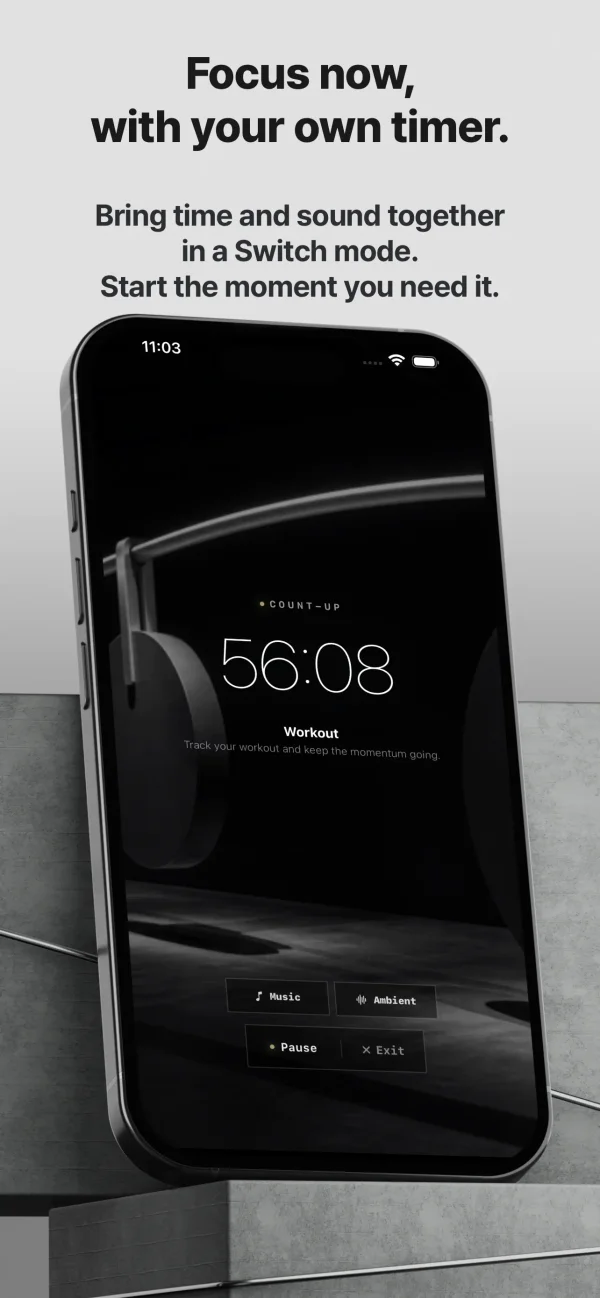
Switch — Change state with one tap
Count up, count down, or focus until a set deadline. Bring focus and break time into one mode, then add OneCentrate’s curated music, Apple Music, or ambient sounds. Turn photos you love into cards and recognize the flow you need the moment you see it.
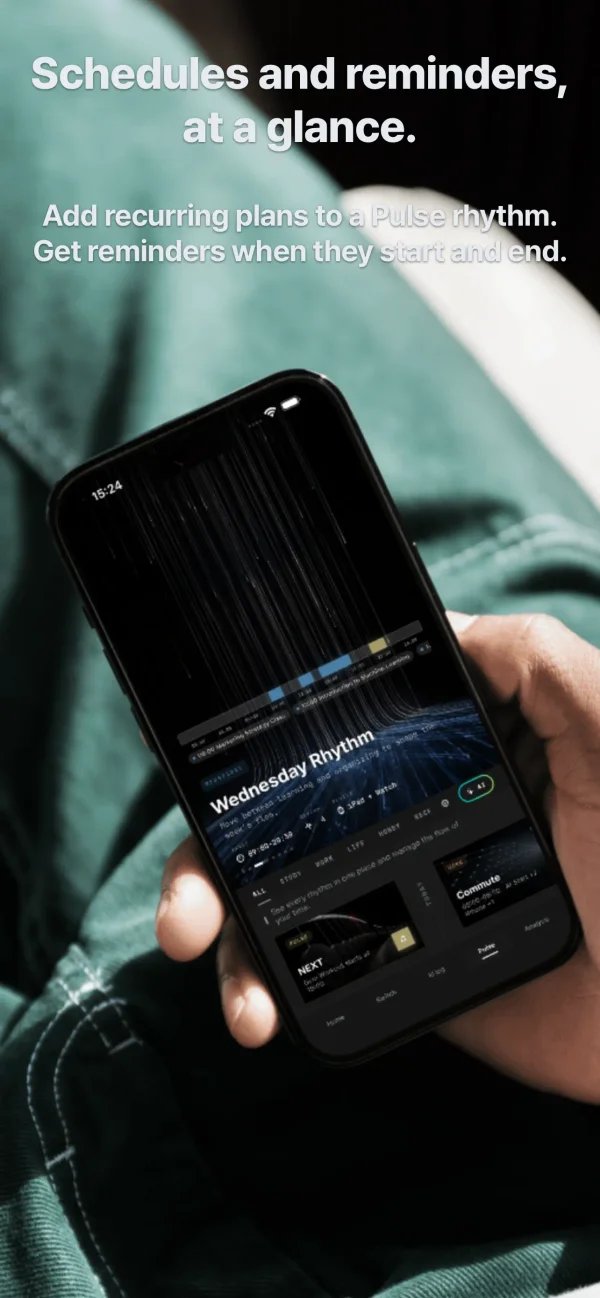
Pulse — See now and next at a glance
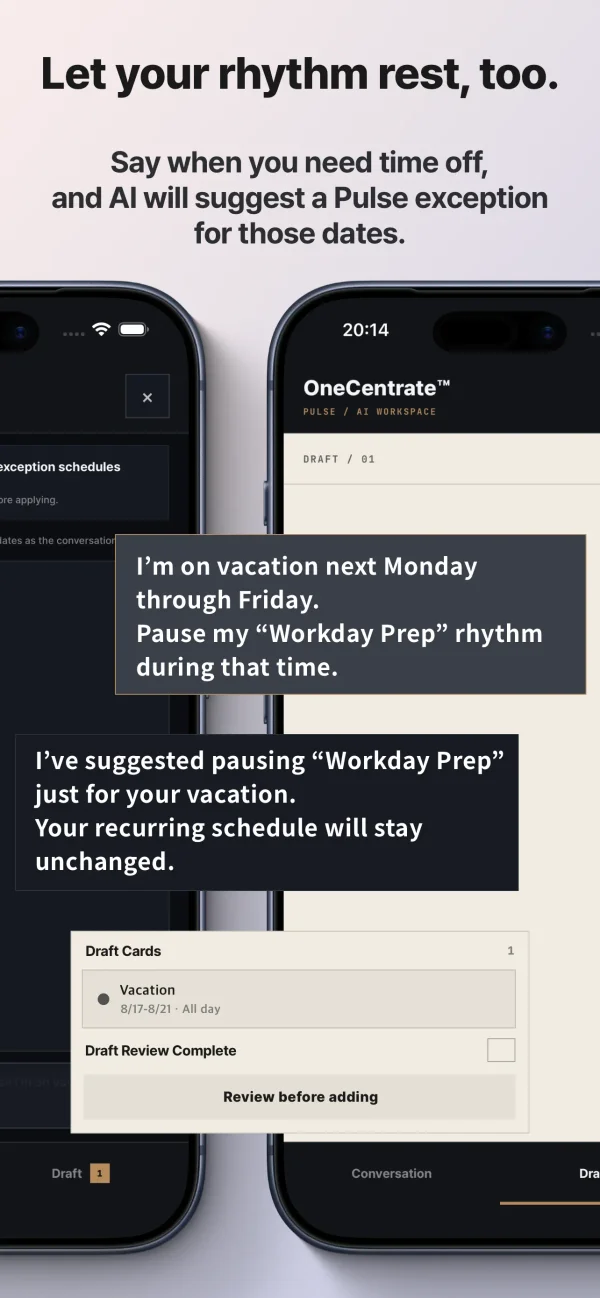
Build daily and weekly rhythms from days and start and end times. See what is happening now and what comes next. Add vacations, holidays, half-days, or canceled classes as exceptions without deleting the recurring schedule you already built.
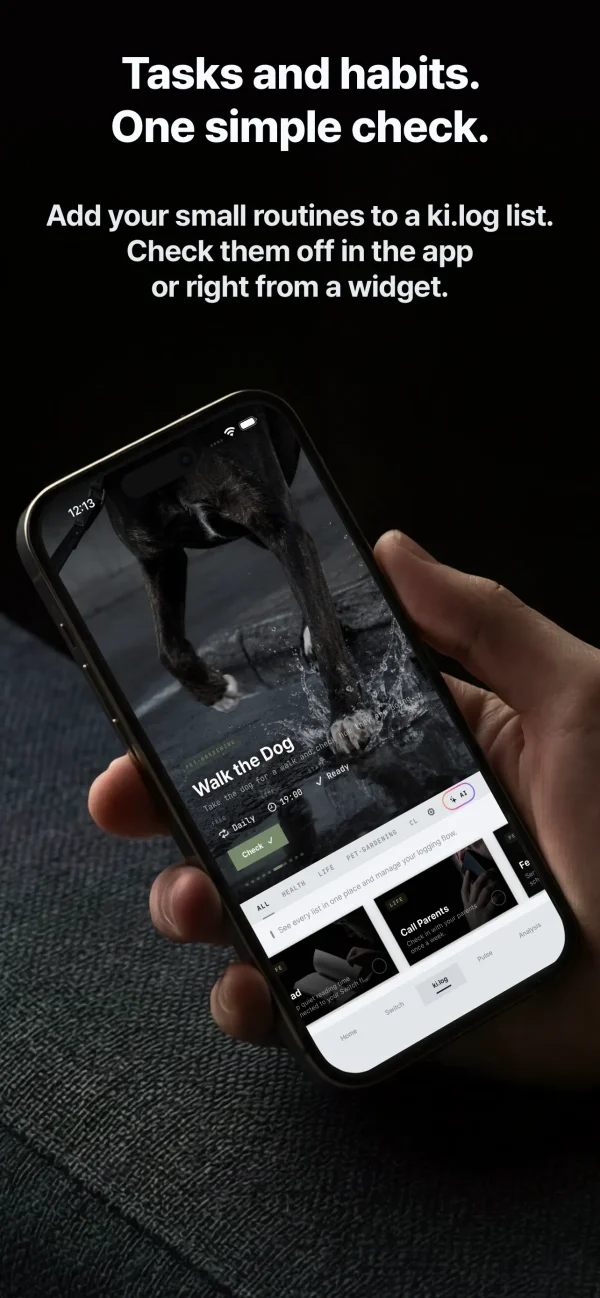
ki.log — Record a small action right away
Mark a single check or count each step toward a daily target. Set daily, every-other-day, selected weekday, or monthly repetition with multiple reminders. Record checks and update counts in the app, from a widget, or on Apple Watch.
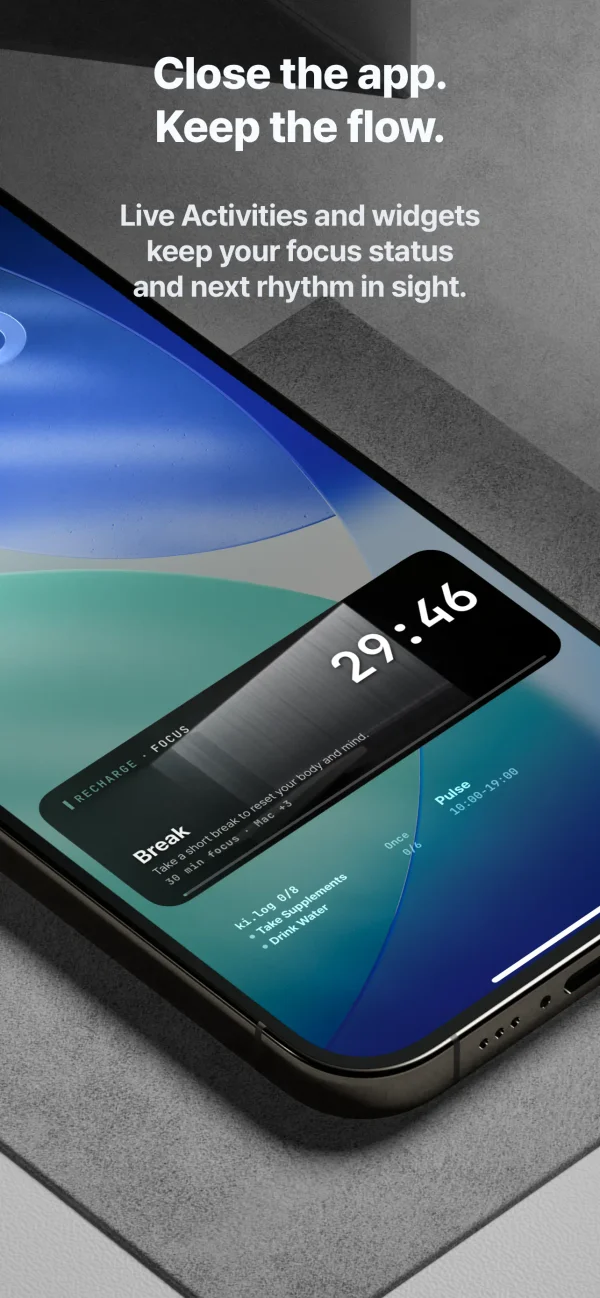
Stay close from the Home Screen and Lock Screen
Use widgets for quick access to Switch, ki.log, and Pulse. Record ki.log actions directly from a widget. On supported devices, Live Activities and Dynamic Island keep an active Switch and the current or next Pulse rhythm in sight.
More room on iPad
View the weekly Pulse structure, ki.log records, and Analysis across the spacious iPad display. See more of your flow in one place.
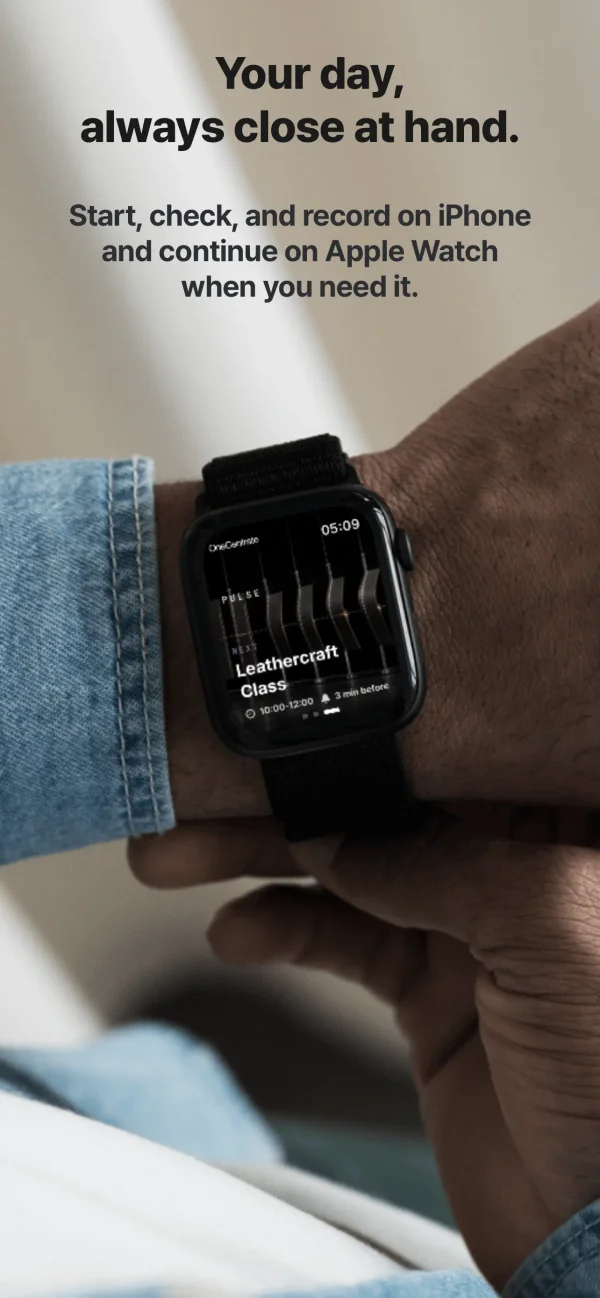
Continue lightly on Apple Watch
With Apple Watch connected to iPhone, start a Switch, check its timer, or pause, resume, and end it. Record ki.log actions and see the current and next Pulse rhythm from your wrist.
Analysis — Patterns, not scores
View time spent in Switch, actions recorded in ki.log, and rhythms planned in Pulse together. Explore daily, weekly, and monthly views to recognize the times and states you return to.
OneCentrate AI
Describe the flow you want to create. AI can suggest drafts for Switch, Pulse, ki.log, and Pulse exceptions, and explain settings and how to use the app. You review every draft before anything is applied.
Continue across Apple devices
With iCloud enabled, supported iPhones, iPads, and Macs can keep cards and records in sync. Handoff lets you review an active Switch and continue it on another supported device.
Access
The 14-day Trial includes unlimited cards, AI, and the full curated music collection, and it does not automatically convert to a paid subscription. After the Trial, Free includes two active cards in each of Switch, Pulse, and ki.log. OneCentrate+ provides unlimited cards, AI, and the full curated music collection.
Some features require OneCentrate+, an internet connection, notification or music permission, or an active Apple Music subscription. Live Activities and Dynamic Island depend on supported devices and system settings. The Apple Watch app requires an iPhone connection. iCloud and Handoff require the same Apple Account, supported devices, and the appropriate iCloud settings.
Privacy Policy: https://onecentrate.com/en/privacy
Terms of Use: https://onecentrate.com/en/terms
Yang baru
Versi 1.1.0 · 15/10/2026
This update adds card templates and makes the category and card screens easier to read.
• Browse and download templates for studying, work, and everyday life in Switch, ki.log, and Pulse.
• Change a template’s name and settings before adding it.
• In Pulse, download groups of cards such as “Workday” and “Study day.”
• Customize the name, description, and color of the ALL category.
• Long category lists now make it clearer when there are more categories to scroll to.
• Pulse now shows current and upcoming rhythms for the selected category.
• Clarified the guidance shown when there are no cards.
• Text on Switch and ki.log buttons is now easier to read against different background colors.
• MAIN has a fresh default background.
Privasi aplikasi
Yang dinyatakan OneCentrate di App Store tentang cara aplikasi ini menangani data.
-
Data yang ditautkan dengan Anda
Dapat dikumpulkan dan ditautkan dengan identitas Anda.
- Pembelian
- Konten pengguna
- Pengenal
- Data penggunaan
Praktik privasi dapat bervariasi, misalnya berdasarkan fitur yang Anda gunakan atau usia Anda.
Informasi
- Penjual
- OneCentrate
- Kategori
- Produktivitas
- Versi
- 1.1.0
- Diperbarui
- 15/10/2026
- Dirilis
- 9/9/2026
- Ukuran
- 256,7 MB
- Memerlukan
- iOS 26.0 atau yang lebih baru
- Batasan usia
- 4+
- Harga
- Gratis
- Pembelian dalam aplikasi
- Ya
- Bahasa
- Inggris, Prancis, Jerman, Jepang, Korea, Tionghoa Tradisional
- Hak cipta
- © 2026 OneCentrate
Mungkin Anda juga suka
-
 Focus Gnome: Study TimerProduktivitas
-
 Pomodoro AWProduktivitas
-
 FocusTasks - PomodoroProduktivitas
-
 PomoPainterProduktivitas
-
 Underlairs: Focus Study TimerProduktivitas
-
 Pomodoro Focus: Timer BelajarStudy, Konsentrasi & Waktu
-
 HIYORI - Shift CalendarProduktivitas
-
 setmemoProduktivitas
-
 TimeNest - Calendar PlannerProduktivitas
-
 Gemeinde AllershausenProduktivitas