
OniNetwork: Network Analyzer
Ping, Traceroute & LAN Scanner
Dirancang untuk iPhone, iPad
Gratis · Pembelian dalam aplikasi
- Batasan usia4+
- KategoriKegunaan
- PengembangTAKAHIRO KISHIE
- BahasaInggris
- Ukuran13,9 MB
Tertaut ke halaman resmi App Store
Download.org tidak menyimpan file OniNetwork: Network Analyzer apa pun. Tombol ini membuka halaman aplikasi di App Store, tempat TAKAHIRO KISHIE menerbitkannya. Halaman terakhir diperiksa pada 14/11/2026.
Tangkapan layar



Tentang
Pengembang belum menyediakan teks ini dalam bahasa Anda.
Pro-Grade Network Diagnostics in a Modern UI.
Built by and for network engineers, OniNetwork delivers reliable, field-ready network diagnostics and real-time telemetry in a clean iOS and iPadOS app.
[ Overview ]
1. Field-Ready Deep Data
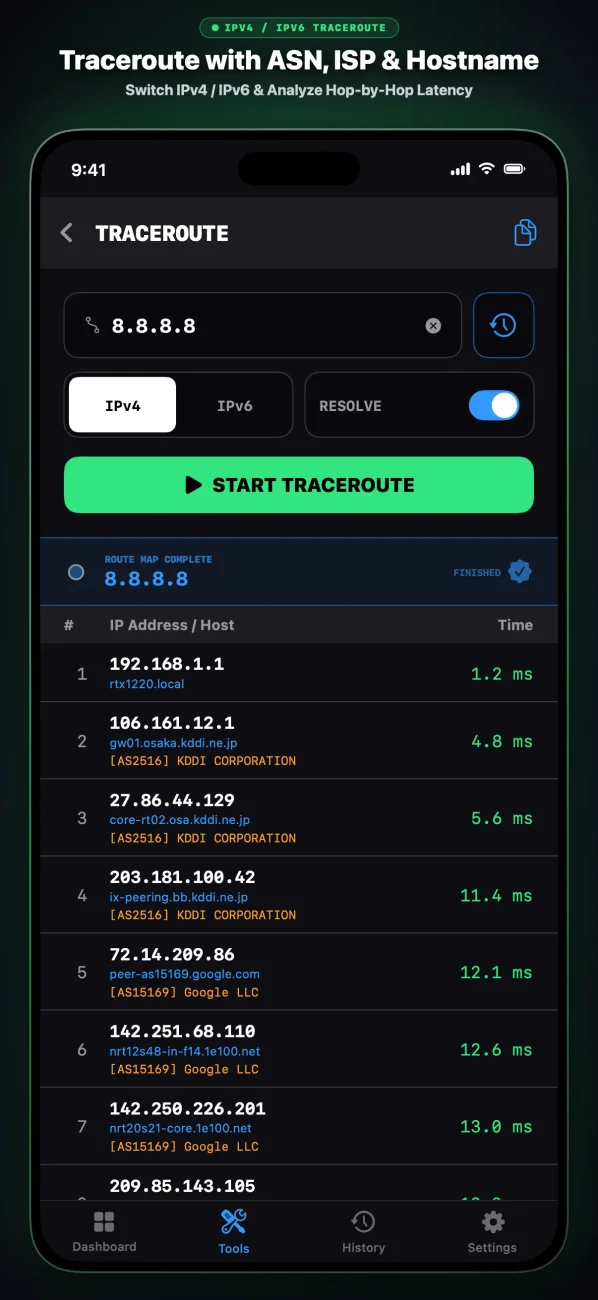
Go beyond basic pings. Run real-time Path Ping (MTR) and Multi-Host Pings with live jitter and packet loss tracking, view ASN and ISP names in Traceroutes, inspect full SSL certificate chains, and fingerprint device types and hardware vendors in your LAN.
2. Modern, Developer-First UI
Built with a high-contrast dark and neon theme to reduce eye strain during long troubleshooting sessions. Interactive charts, visual latency range bars, and one-tap report copy make incident reporting effortless.
3. Privacy First & Secure
All scan results, target history, and network logs are stored strictly locally on your device. No unauthorized tracking or external server uploads—safe even for strict enterprise environments.
[ Toolkit (11 Pro Tools) ]
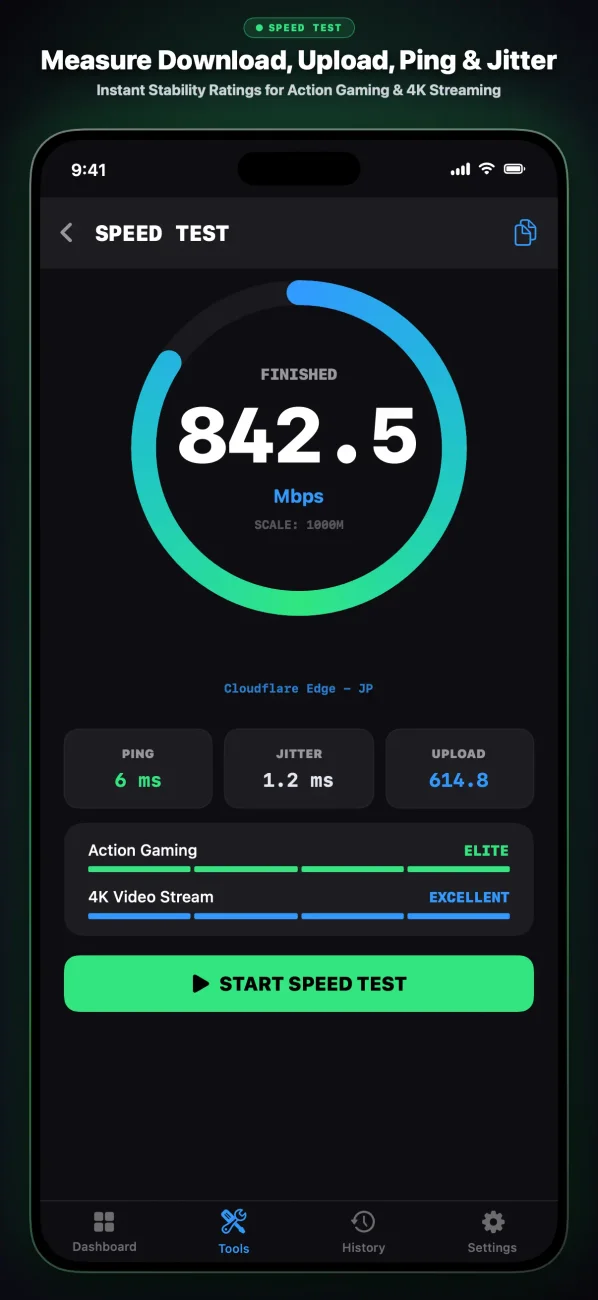
- Speed Test & Dashboard: View Global IP (IPv4/IPv6), Local IP, Subnet Mask, ISP, and SSID. Run an edge-powered speed test (Download, Upload, Ping, Jitter) with one tap.
- Path Ping (MTR & Multi-Host Ping): Combines Ping monitoring with Traceroute path visibility. Monitor Gateway, ISP, and Target in 3-Hop mode, inspect up to 20 hops in Full Path mode with ECMP detection, or ping up to 20 hosts concurrently in Multi-Host mode. Tracks 7 live metrics (Loss%, Sent, Last, Avg, Best, Worst, Jitter) with real-time charts and mtr-compatible report copy.
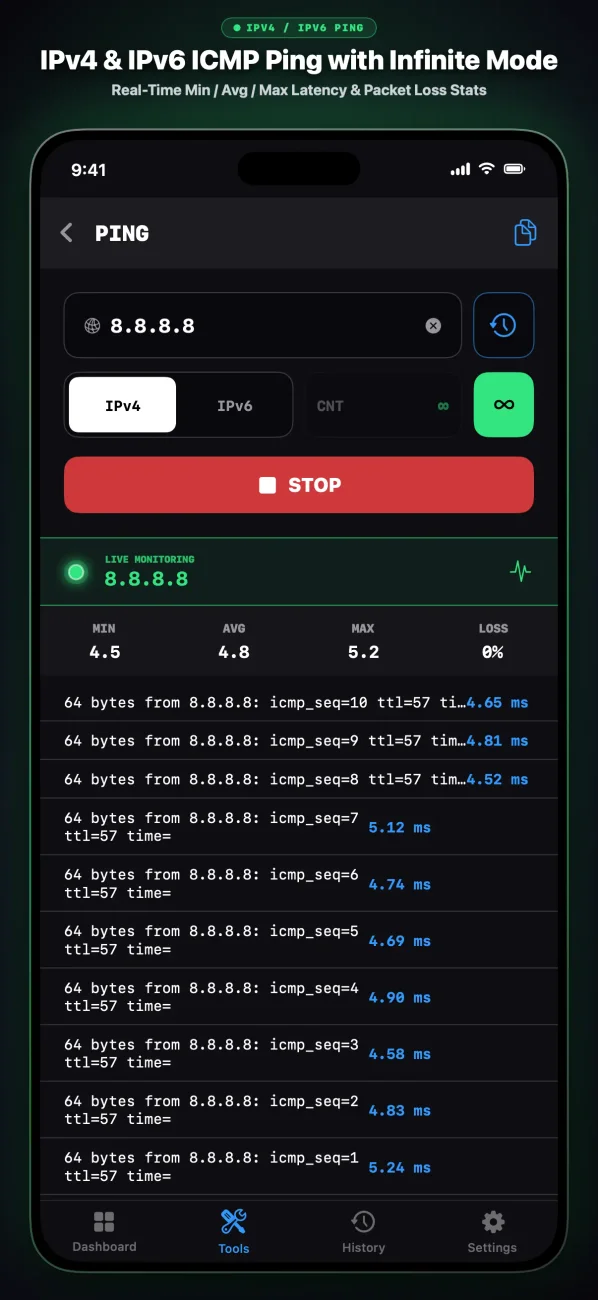
- Ping & Traceroute: Full IPv4/IPv6 support. Ping measures packet loss and min/avg/max latency with custom or infinite counts. Traceroute resolves PTR hostnames, ASN, and ISP names for each hop.
- LAN Analyzer (Fast & Deep Scan): Rapidly discover Wi-Fi devices. Combines mDNS/Bonjour, SSDP, HTTP headers, and open ports to fingerprint device types (Router, NAS, Printer, etc.) and hardware vendors.
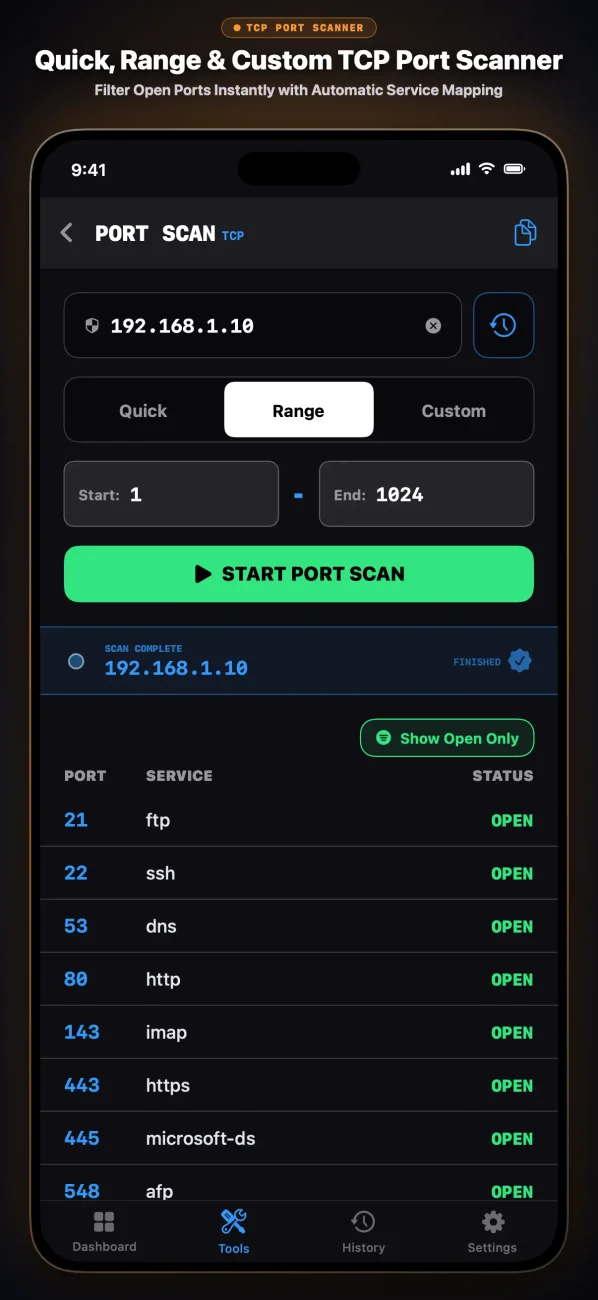
- Port Scanner: Supports Quick, Range, and Custom scans, mapping open TCP ports to standard service names.
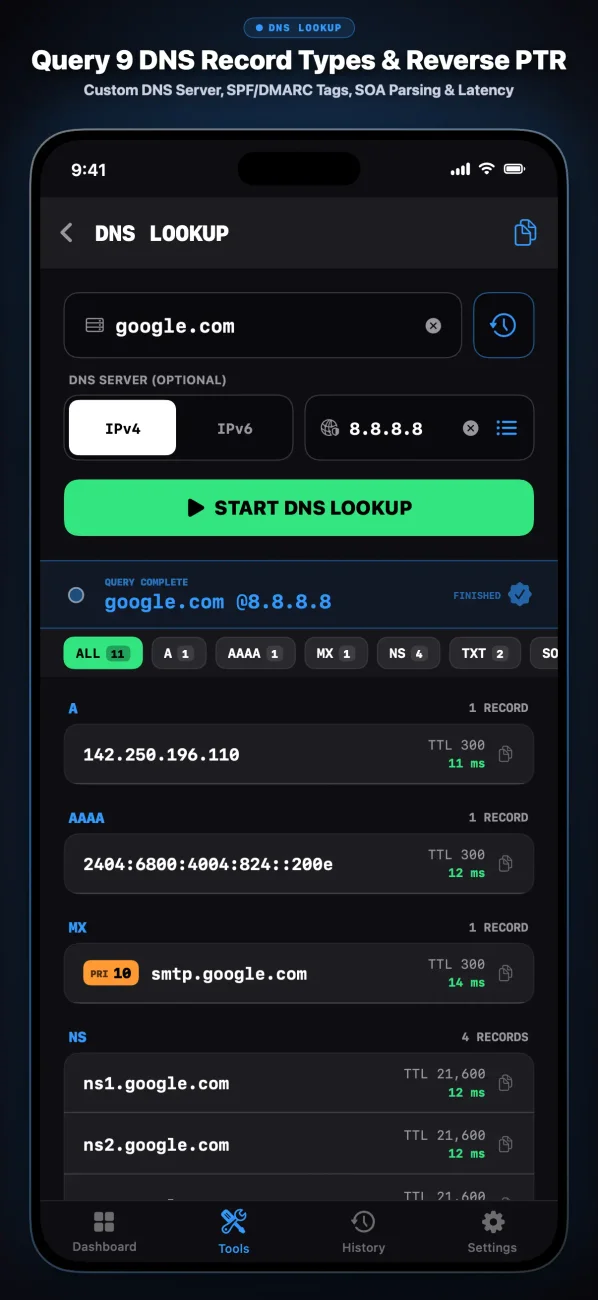
- DNS Lookup: Query A, AAAA, MX, NS, TXT, CNAME, SOA, SRV, and CAA records, plus reverse PTR lookups. View AUTH flags, SPF/DMARC tags, and response times across custom or preset DNS servers (Google, Cloudflare, Quad9).
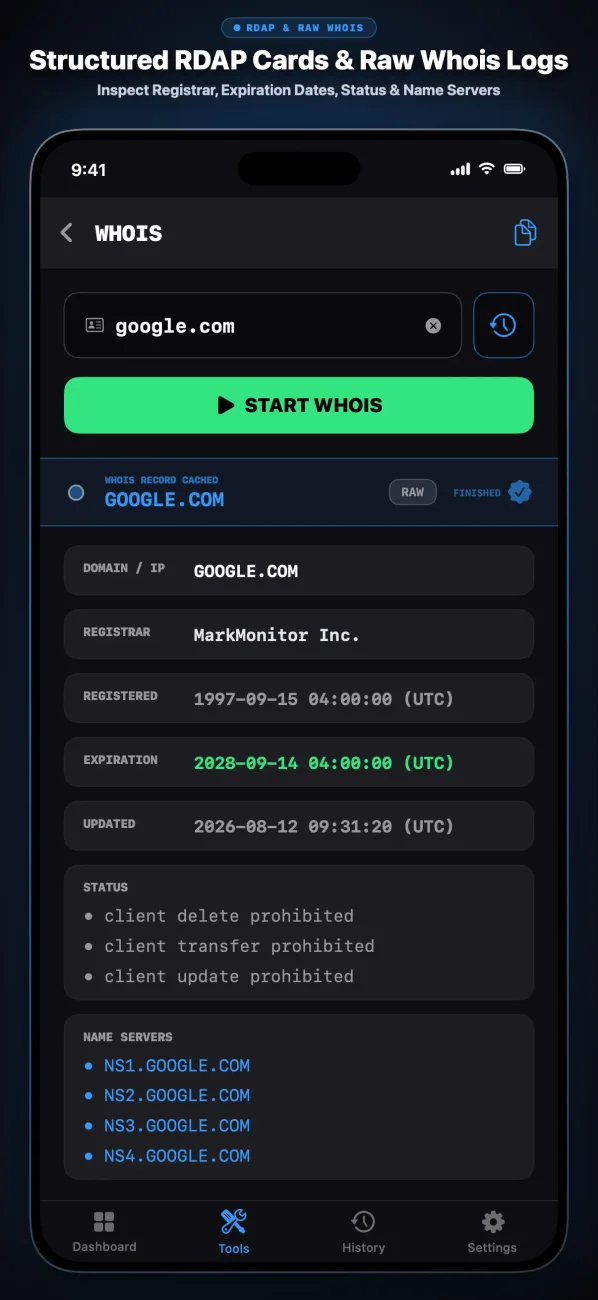
- Whois (RDAP & Raw): Supports structured RDAP lookups and raw TCP port 43 queries with automatic referral chasing.
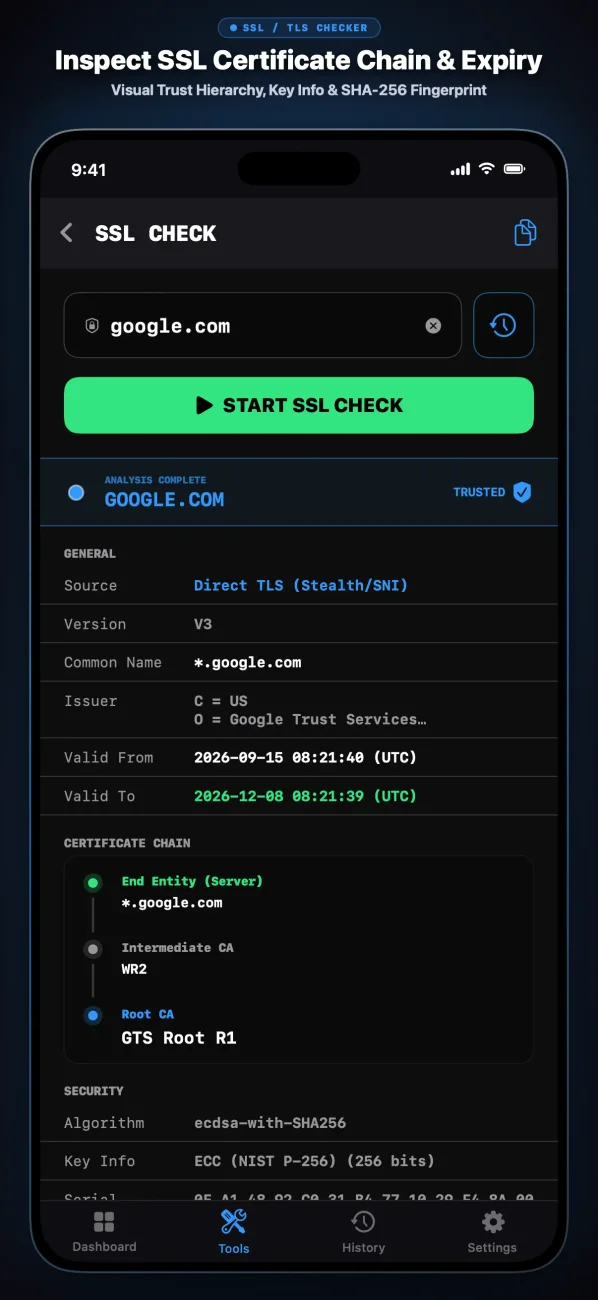
- SSL Certificate Check: Analyze SSL/TLS certificates for any domain or IP. View full certificate chains, expiration countdown, SANs, signature algorithms, and public keys, with CT log fallback.
- Wake on LAN (WOL): Send magic packets to saved MAC addresses with automatic broadcast IP calculation.
- Subnet Calculator: Slide the CIDR (/0 to /32) to calculate Network/Broadcast addresses, Wildcard masks, and host ranges with a color-coded binary view.
- History Archive & CSV Export: Automatically log results locally. Reproduce past charts, re-run tests with one tap, or export logs to UTF-8 BOM CSV files.
[ Privacy Policy & Terms ]
We do not collect or upload your diagnostic data to external servers. (Note: The free version uses Google AdMob, which may collect device identifiers per Google's Privacy Policy). The Pro version is a one-time lifetime unlock. Use this app only on networks and devices you own or have permission to test.
---
Privacy Policy & Terms of Use:
https://pu-labs.web.app
Yang baru
Versi 1.1.6 · 12/11/2026
[NEW] Path Ping (Real-Time MTR & Multi-Host Ping)
• 3-Hop Mode (Free): Simultaneously monitor your Gateway, ISP boundary, and final Target to instantly isolate where latency or packet loss begins.
• Full Path Mode (Pro): Full mobile MTR up to 20 hops with live RTT timeline charts, hop-by-hop min/avg/worst range bars, 7 standard telemetry metrics (Loss%, Sent, Last, Avg, Best, Worst, Jitter), and automatic ECMP load-balancing detection.
• Multi-Host Mode (Pro): Ping up to 20 IPs or domains concurrently on a single screen with one-tap Gateway + Popular DNS presets.
• Full IPv4 & IPv6 support, live PTR/ASN resolution, mtr-compatible wide report copy, History Archive reproduction, and CSV export.
[Improvements]
• Enhanced IPv6 address resolution across Ping, Traceroute, and Path Ping to strictly filter out IPv4-mapped addresses (::ffff:) for accurate AAAA diagnostics.
• Refined Tools & History grid layout for faster access during field troubleshooting.
Privasi aplikasi
Yang dinyatakan TAKAHIRO KISHIE di App Store tentang cara aplikasi ini menangani data.
-
Data yang digunakan untuk melacak Anda
Dapat digunakan untuk melacak Anda di aplikasi dan situs web milik perusahaan lain.
- Pengenal
-
Data yang tidak ditautkan dengan Anda
Dapat dikumpulkan, tetapi tidak ditautkan dengan identitas Anda.
- Pengenal
Praktik privasi dapat bervariasi, misalnya berdasarkan fitur yang Anda gunakan atau usia Anda.
Informasi
- Penjual
- TAKAHIRO KISHIE
- Kategori
- Kegunaan
- Versi
- 1.1.6
- Diperbarui
- 12/11/2026
- Dirilis
- 12/3/2026
- Ukuran
- 13,9 MB
- Memerlukan
- iOS 17.6 atau yang lebih baru
- Batasan usia
- 4+
- Harga
- Gratis
- Pembelian dalam aplikasi
- Ya
- Bahasa
- Inggris
- Hak cipta
- © 2026 PU Labs
Mungkin Anda juga suka
-
 NetProbeX - Network ScannerKegunaan
-
 Network Scanner ToolkitKegunaan
-
 Net Tools ULTIMATEUltimate Hacking Network Tools
-
 Network Intrusion DetectionKegunaan
-
 Network Scanner & IP,PORT,WİFİKegunaan
-
 Ultimate Network ToolsKegunaan
-
 Network Tools/ToolkitKegunaan
-
 Angry Port ScannerKegunaan
-
 NetDiag+ Network ToolkitKegunaan
-
 Network Analyzer - Speed TestKegunaan