
- Batasan usia4+
- KategoriKeuangan
- PengembangHaudi Crypto, Inc.
- BahasaJepang+ 1 lainnya
- Ukuran25,3 MB
Tertaut ke halaman resmi App Store
Download.org tidak menyimpan file Openloop Connect apa pun. Tombol ini membuka halaman aplikasi di App Store, tempat Haudi Crypto, Inc. menerbitkannya. Halaman terakhir diperiksa pada 12/11/2026.
Tangkapan layar
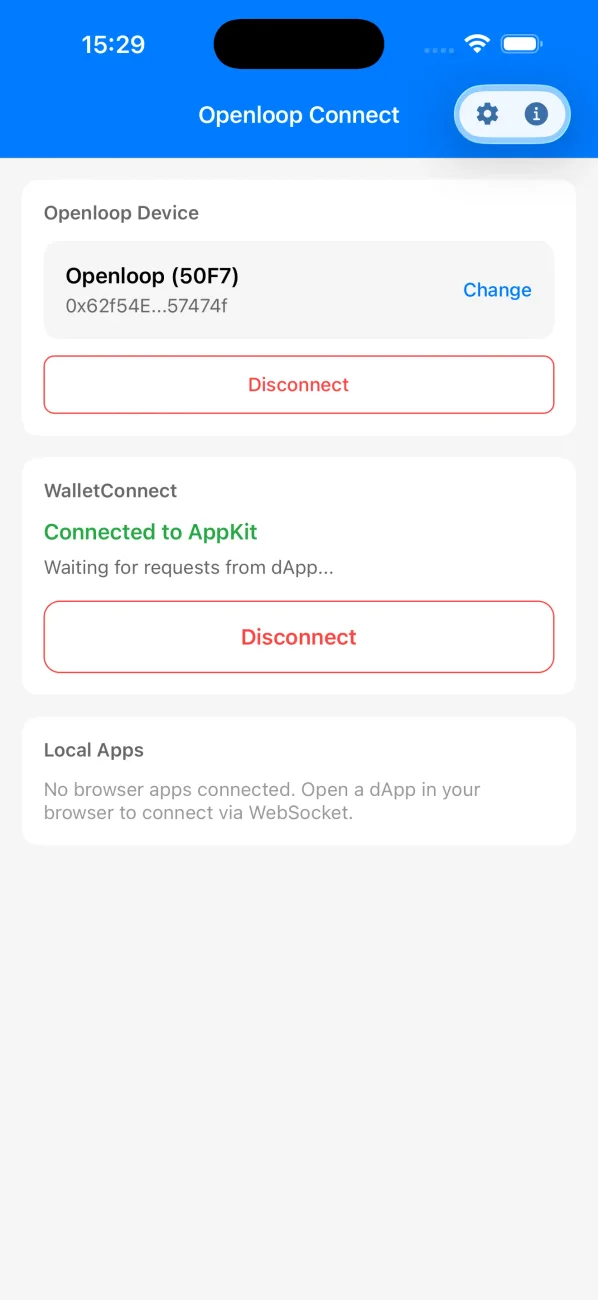

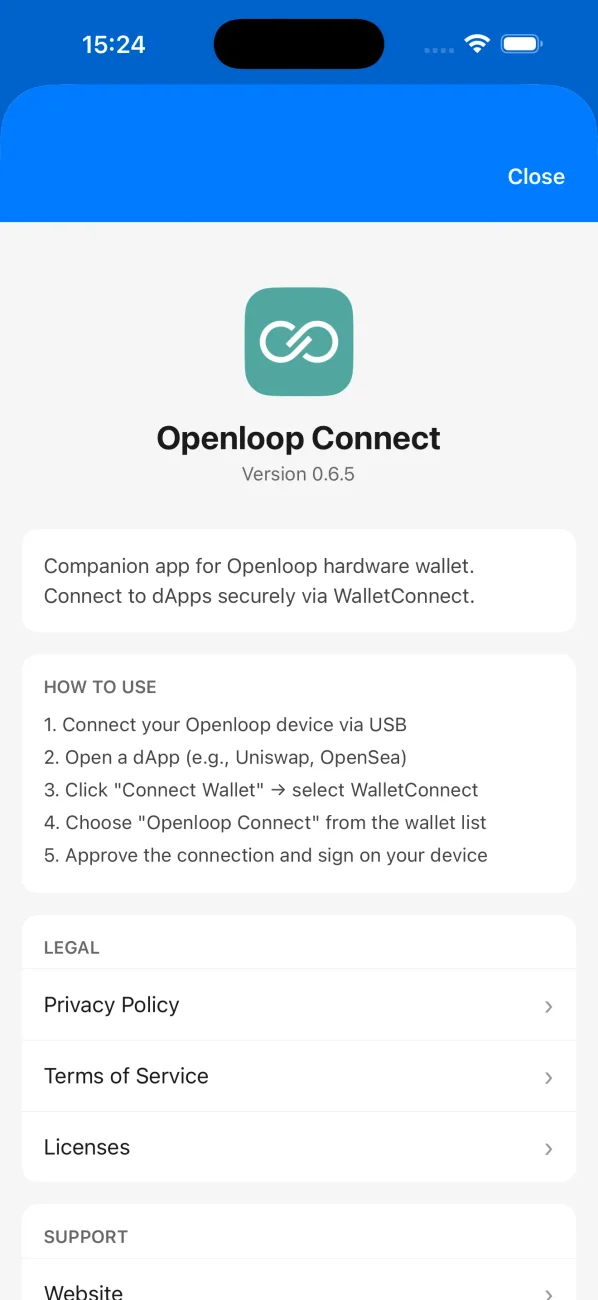

Tentang
Pengembang belum menyediakan teks ini dalam bahasa Anda.
Openloop Connect is a companion application used with the Openloop hardware wallet. Openloop features three functions: crypto wallet (signer), security key (passkey), and PIV. It is used by connecting Openloop to a desktop or smartphone via USB or BLE. Openloop Connect supports the following six features.
1. Openloop Firmware Update
Update the firmware on your Openloop device. Connect Openloop via USB or Bluetooth and update it to the latest version.
2. WalletConnect Relay
WalletConnect is a globally standardized protocol for connecting various wallets to DApps (decentralized applications) and Web3 platforms. By launching Openloop Connect, you can use Openloop from numerous dApps that support WalletConnect. Access via DeepLink: openloop://
3. Openloop API Server (not available on iOS)
A local WebSocket server that allows web apps and native apps to use Openloop. Using the API, applications can access various Openloop features. Accessible at ws://127.0.0.1:21320.
4. Safari Web Extension Container (iOS only)
A browser extension for using Openloop from Safari on iOS. Openloop Connect functions as a Containing App. By installing Openloop Connect, Safari web apps can use Openloop through the Openloop API.
5. PKCS#11 Dynamic Library for PIV (desktop only)
PKCS#11 is a standard API interface for cryptographic tokens, defined as part of the Public-Key Cryptography Standards. Openloop Connect bundles a PKCS#11 dynamic library for using Openloop with PIV. The library is located in the pkcs11/ folder under the application install path:
macOS: [app]/Contents/Resources/pkcs11/libopenloop-pkcs11.dylib
Windows: [app]/resources/pkcs11/libopenloop-pkcs11.dll
Linux: [app]/resources/pkcs11/libopenloop-pkcs11.so
The actual app install location [app] depends on the install method:
macOS (DMG): /Applications/Openloop Connect.app
Windows (standard installer): C:\Program Files\Openloop Connect
Windows (Microsoft Store): (Get-AppxPackage 7CA75049.OpenloopConnect).InstallLocation
Linux (deb): /opt/Openloop Connect
6. BLE Passkey Provider (iOS / Android only)
A feature that registers Openloop Connect as a credential provider in the mobile OS, forwarding passkey authentication requests from browsers and other apps to Openloop over BLE so that they can be signed inside the hardware. Passkeys over USB work with the OS's built-in support; additionally, to use passkeys over BLE as well, enable this feature.
iOS: Settings - General - AutoFill & Passwords - enable Openloop Connect
Android: Settings - Passwords & accounts - Additional services - enable Openloop Connect
Yang baru
Versi 1.1.5 · 15/10/2026
- Improved the messages shown when a request is not approved on the device.
- Improved stability when sending Bitcoin in quick succession.
- Fixed bugs and improved stability.
Privasi aplikasi
Yang dinyatakan Haudi Crypto, Inc. di App Store tentang cara aplikasi ini menangani data.
-
Data tidak dikumpulkan
Pengembang tidak mengumpulkan data apa pun dari aplikasi ini.
Praktik privasi dapat bervariasi, misalnya berdasarkan fitur yang Anda gunakan atau usia Anda.
Informasi
- Penjual
- Haudi Crypto inc.
- Kategori
- Keuangan
- Versi
- 1.1.5
- Diperbarui
- 15/10/2026
- Dirilis
- 2/5/2026
- Ukuran
- 25,3 MB
- Memerlukan
- iOS 15.1 atau yang lebih baru
- Batasan usia
- 4+
- Harga
- Gratis
- Bahasa
- Jepang, Inggris
- Hak cipta
- © 2026 Haudi Crypto, Inc.