- Batasan usia4+
- KategoriFoto & Video
- PengembangOptomed Software Oy
- Ukuran152,2 MB
Tertaut ke halaman resmi App Store
Download.org tidak menyimpan file Optomed Client apa pun. Tombol ini membuka halaman aplikasi di App Store, tempat Optomed Software Oy menerbitkannya. Halaman terakhir diperiksa pada 12/11/2026.
Tangkapan layar
Tentang
Pengembang belum menyediakan teks ini dalam bahasa Anda.
Optomed Client is the essential companion app for your Optomed camera, designed to unlock the full potential of your retinal imaging workflow on mobile devices.
This application serves as a bridge between your Optomed camera and your smartphone or tablet, enabling seamless connectivity and enhanced functionality.
Key Features:
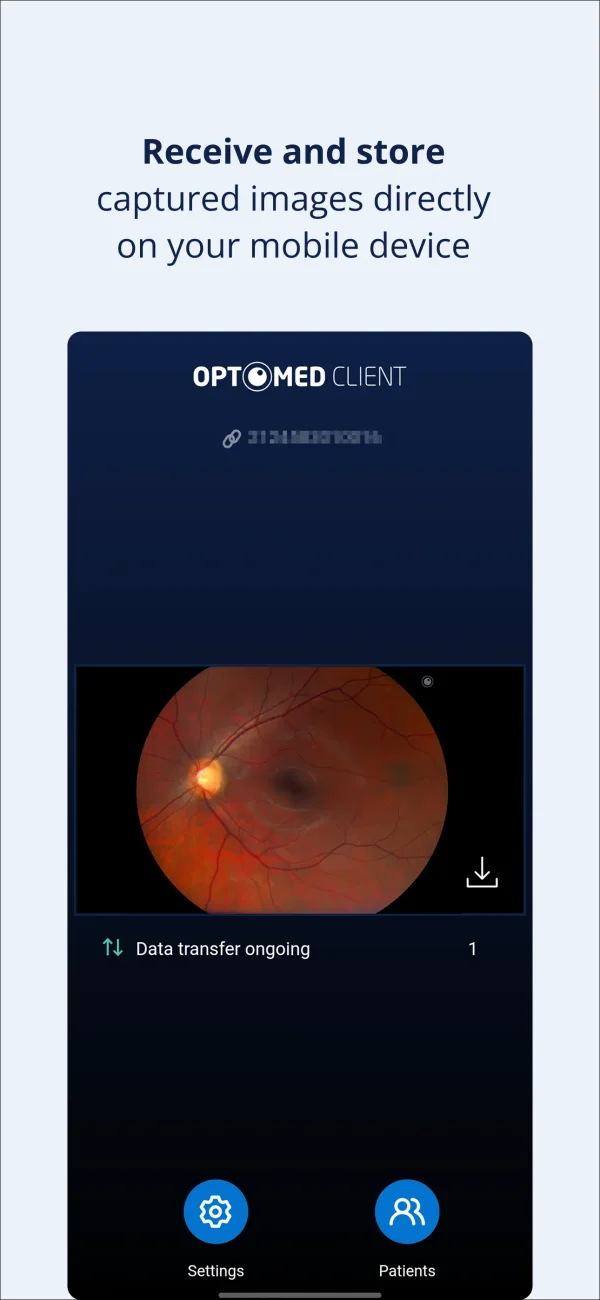
Instant Image Transfer: Receive and store captured images directly on your mobile device
Worklist Management: Send worklists directly to your Optomed camera
Software Updates: Keep your Optomed camera up-to-date with the latest software enhancements
How It Works: Optomed Client acts as a reliable communication hub, transmitting worklists to your camera and receiving captured images without modifying, processing, or interpreting medical data. This ensures data integrity while providing the convenience of mobile device storage and access.
Note: Optomed Client cannot be used without a compatible Optomed camera.
Privasi aplikasi
Yang dinyatakan Optomed Software Oy di App Store tentang cara aplikasi ini menangani data.
-
Data tidak dikumpulkan
Pengembang tidak mengumpulkan data apa pun dari aplikasi ini.
Praktik privasi dapat bervariasi, misalnya berdasarkan fitur yang Anda gunakan atau usia Anda.
Informasi
- Penjual
- Optomed Software Oy
- Kategori
- Foto & Video
- Versi
- 2.0
- Diperbarui
- 20/8/2025
- Dirilis
- 19/8/2025
- Ukuran
- 152,2 MB
- Memerlukan
- iOS 14.2 atau yang lebih baru
- Batasan usia
- 4+
- Harga
- Gratis
- Hak cipta
- © Optomed Software Oy
Mungkin Anda juga suka
-
 Future Baby Generator: ToonArtFoto & Video
-
 WaveView MobileFoto & Video
-
 AdaptaluxFoto & Video
-
 Portrait PainterFoto & Video
-
 Imaging ConsoleFoto & Video
-
 Camera HD & Pro Raw Photo HDRFoto & Video
-
 SwiftLocker: Photo VaultFoto & Video
-
 Stop AnimatorFoto & Video
-
 MicroREC For Medical ImageryCapture slit lamp imagery
-
 phottr. – Product PhotosFoto & Video