
- Batasan usia4+
- KategoriPendidikan
- PengembangThe Open University
- BahasaInggris
- Ukuran52,4 MB
Tertaut ke halaman resmi App Store
Download.org tidak menyimpan file OU Study apa pun. Tombol ini membuka halaman aplikasi di App Store, tempat The Open University menerbitkannya. Halaman terakhir diperiksa pada 20/11/2026.
Tangkapan layar



Tentang
Pengembang belum menyediakan teks ini dalam bahasa Anda.
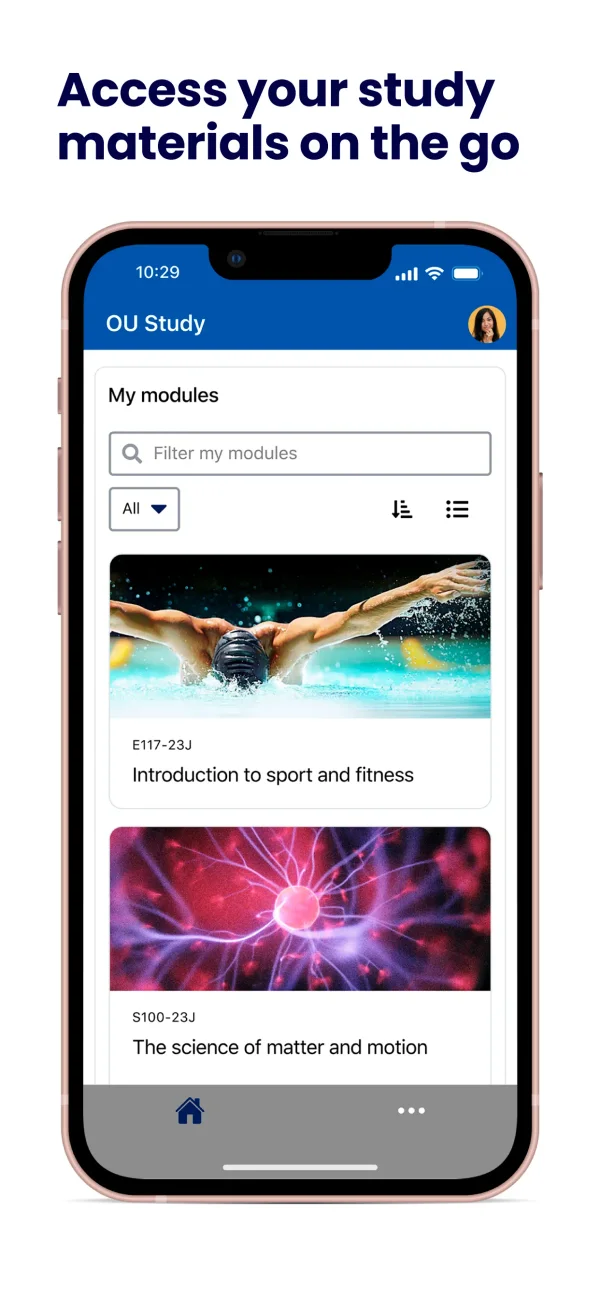
Learn anywhere, anytime with the OU Study app. This app enhances your learning experience on mobile devices as an Open University student. So, you can access learning materials to study wherever and whenever you like.
Benefits of using the OU Study app include:
- Easy access to your module materials and study planner.
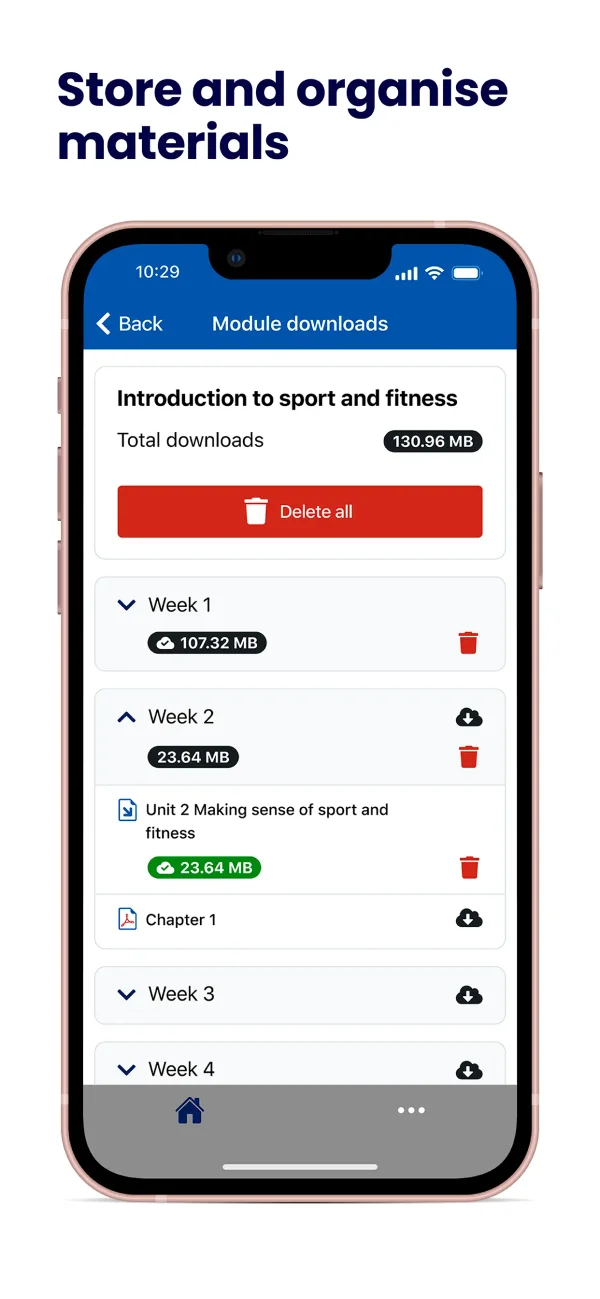
- Download learning materials to study offline.
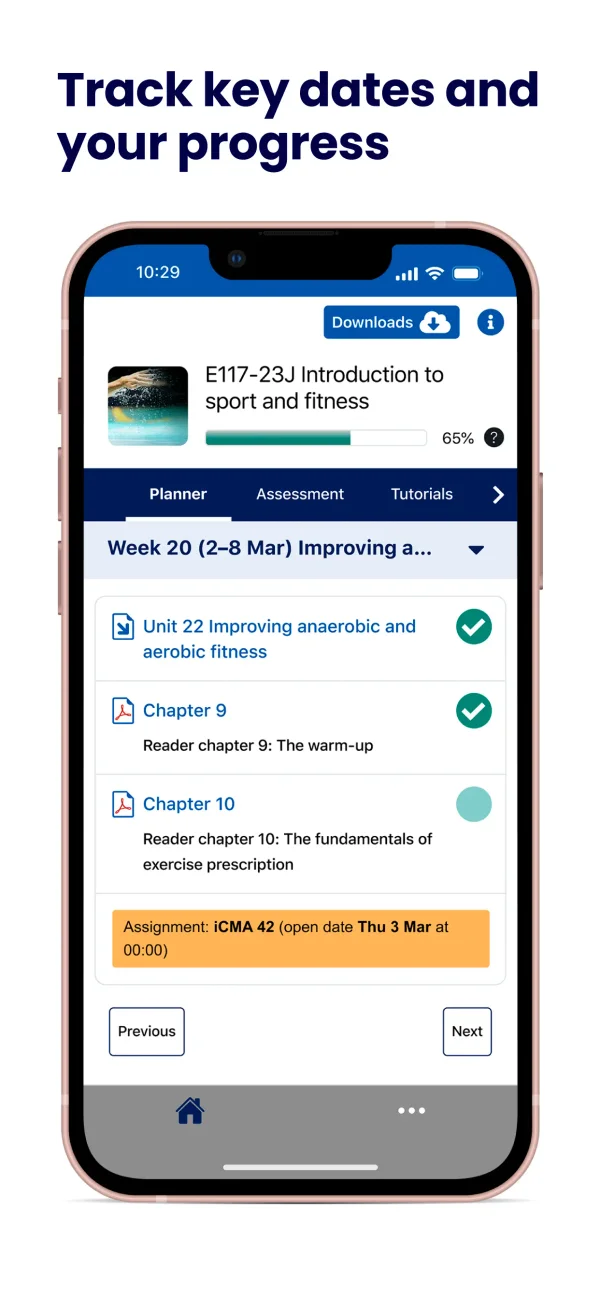
- Keep track of key dates and progress.
- Never miss a forum message.
The OU Study app is for Open University students who are registered on a course or qualification. Sign in using your OU username and password (the same one you use to sign in to the website).
Free or paid-for learning content from partners such as OpenLearn or FutureLearn is not available in the app.
If you're experiencing any unexplained issues, check our Troubleshooting guide: https://learn1.open.ac.uk/course/view.php?id=100187&cmid=22860
For any urgent and access queries, contact the computing helpdesk at ou-scdhd@open.ac.uk.
USEFUL TIPS
- There is a lot of information on your module website. So, it will take a few minutes for the app to load the first time you use it. Use a Wi-Fi connection for your first use. As the app caches some information, it will get quicker.
- Download learning materials individually and batch download by week using Course downloads. Return to the Planner to access downloaded materials. If you need to free up space, delete them from the Course downloads screen.
- The Planner within the app remembers the week you were studying last time. So, you can continue studying easily. You can always navigate to the current week to keep track of the key dates.
- The OU Study app and your module website are synced. As you tick completed resources or save an answer, both the module website and the app are updated.
- The majority of your module activities will be available in the app. Yet, for some, you will be directed to your browser to use the mobile version of the module website.
- We try to prioritise requirements based on user feedback. If you have any feedback or suggestions, use the Feedback function within the app or leave a review on the App Store. We regret that we can’t always reply to these directly, but we’re keen to hear your thoughts.
FOR MORE INFORMATION
- Support guide www.open.ac.uk/oustudyapp
- Accessibility Statement https://www.open.ac.uk/apps/ou-study/accessibility-ios
Image credits:
- Image 1 (iPhone): Adapted from Photo by Alexa Suter on Unsplash.
- Image 1 (iPad): Adapted from Photo by Totte Annerbrink on Unsplash.
Yang baru
Versi 5.0.0.1 · 11/2/2026
Under the hood updates
Minor bug fixes
Minor styling improvements.
Privasi aplikasi
Yang dinyatakan The Open University di App Store tentang cara aplikasi ini menangani data.
-
Data tidak dikumpulkan
Pengembang tidak mengumpulkan data apa pun dari aplikasi ini.
Praktik privasi dapat bervariasi, misalnya berdasarkan fitur yang Anda gunakan atau usia Anda.
Informasi
- Penjual
- The Open University
- Kategori
- Pendidikan
- Versi
- 5.0.0.1
- Diperbarui
- 11/2/2026
- Dirilis
- 1/10/2019
- Ukuran
- 52,4 MB
- Memerlukan
- iOS 13.0 atau yang lebih baru
- Batasan usia
- 4+
- Harga
- Gratis
- Bahasa
- Inggris
- Hak cipta
- © The Open University
Mungkin Anda juga suka
-
 Open University Wellbeing AppPendidikan
-
 Driving Theory Test Kit | RACPendidikan
-
 Everyday FaithReferensi
-
 Arbor Parent AppPendidikan
-
 MyOxford UniversityPendidikan
-
 BBC Maestro: Online CoursesPendidikan
-
 Alison: Online Education AppPendidikan
-
 Legentibus: Learn LatinPendidikan
-
 One Education - Online CoursesPendidikan
-
 SenecaPendidikan