
Packet Capture Pro: HTTPS
HTTPS Capture & API Debug
Dirancang untuk iPhone, iPad, iPod touch
Gratis · Pembelian dalam aplikasi
- Batasan usia4+
- KategoriAlat Pengembang
- PengembangREALSIGNAL PTE. LTD.
- BahasaInggris+ 1 lainnya
- Ukuran53,7 MB
Tertaut ke halaman resmi App Store
Download.org tidak menyimpan file Packet Capture Pro: HTTPS apa pun. Tombol ini membuka halaman aplikasi di App Store, tempat REALSIGNAL PTE. LTD. menerbitkannya. Halaman terakhir diperiksa pada 18/11/2026.
Tangkapan layar
Tentang
Pengembang belum menyediakan teks ini dalam bahasa Anda.
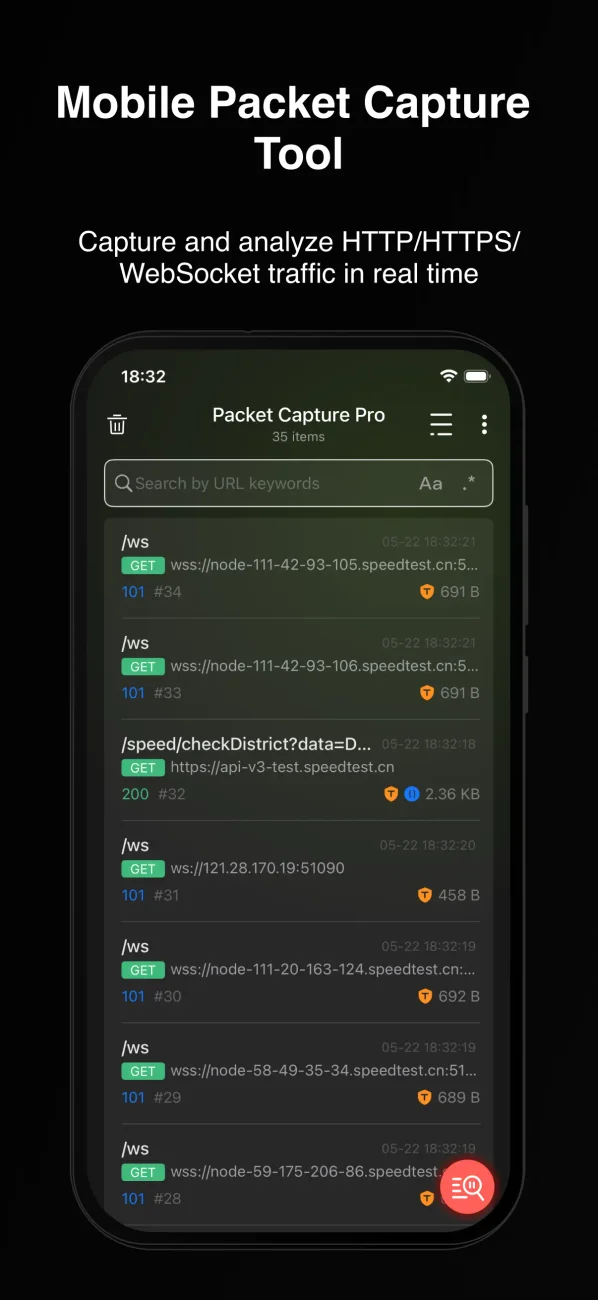
Packet Capture Pro is a professional network analysis, packet capture, HTTP proxy, and API testing tool for iPhone and Mac. Built for developers, QA engineers, API testers, and cybersecurity professionals, it helps you capture, inspect, intercept, and debug HTTP, HTTPS, and WebSocket traffic.
Debug APIs, analyze app traffic, monitor networks, and automate testing with rewrite rules, request replay, and JavaScript scripts.
Core features
HTTP/HTTPS/WebSocket Packet Capture
Capture and inspect network traffic in real time using a secure local VPN proxy.
● Capture HTTP, HTTPS, and WebSocket requests
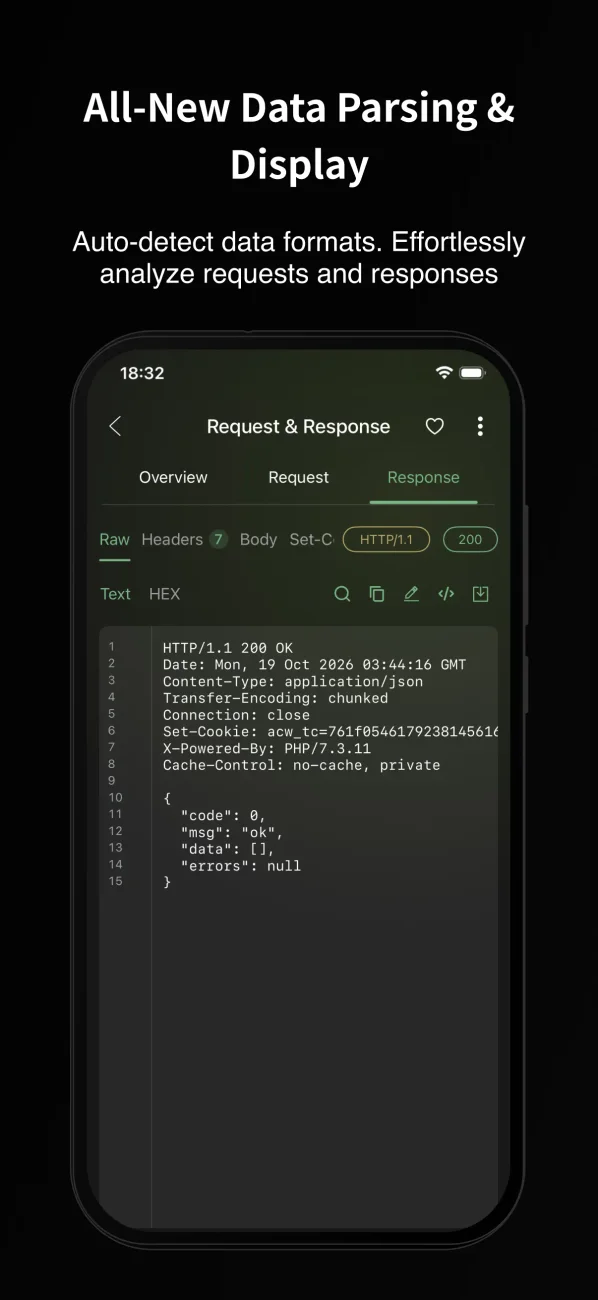
● View requests, responses, cookies, headers, and payloads
● Multiple data viewers: Raw, Text, JSON, XML, HTML, Image, Media, and HEX
● Store capture history locally for offline analysis and replay
Perfect for packet analysis, traffic inspection, API debugging, and network monitoring.
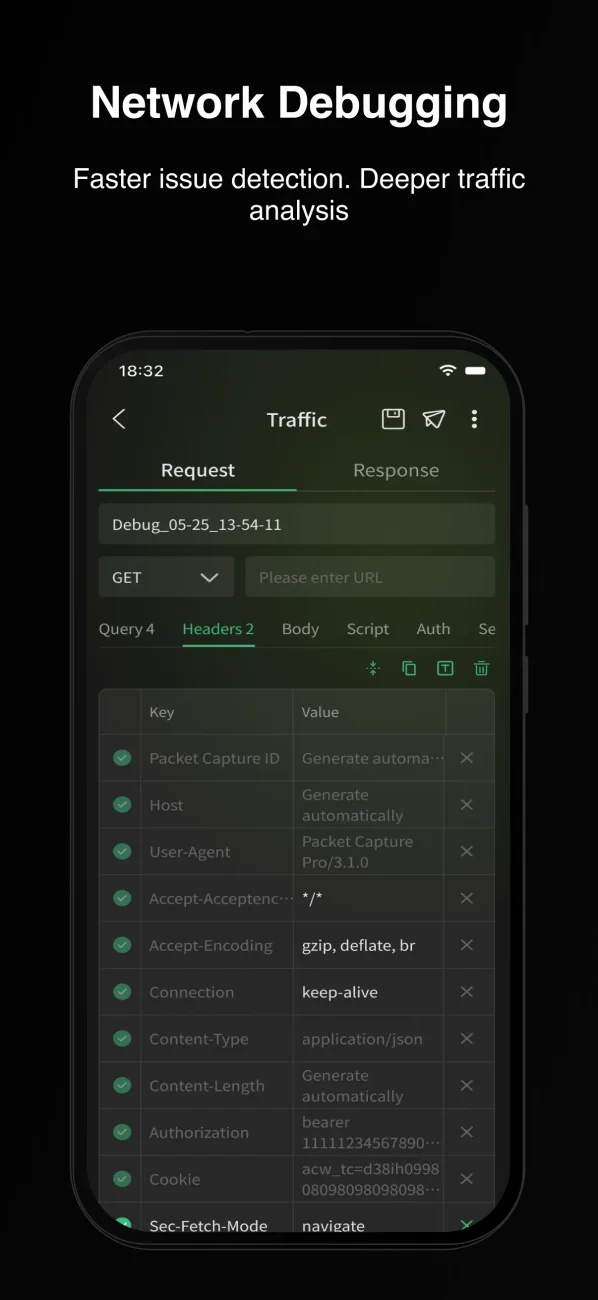
Advanced API Testing & Request Debugging
Powerful tools for API development and troubleshooting.
● Edit URLs, query parameters, headers, and request bodies
● Import captured requests for rapid API testing
● Monitor response times, status codes, and performance metrics
● Diagnose API failures, SSL issues, timeout errors, and network exceptions
Ideal for REST API testing, mobile app debugging, and backend service validation.
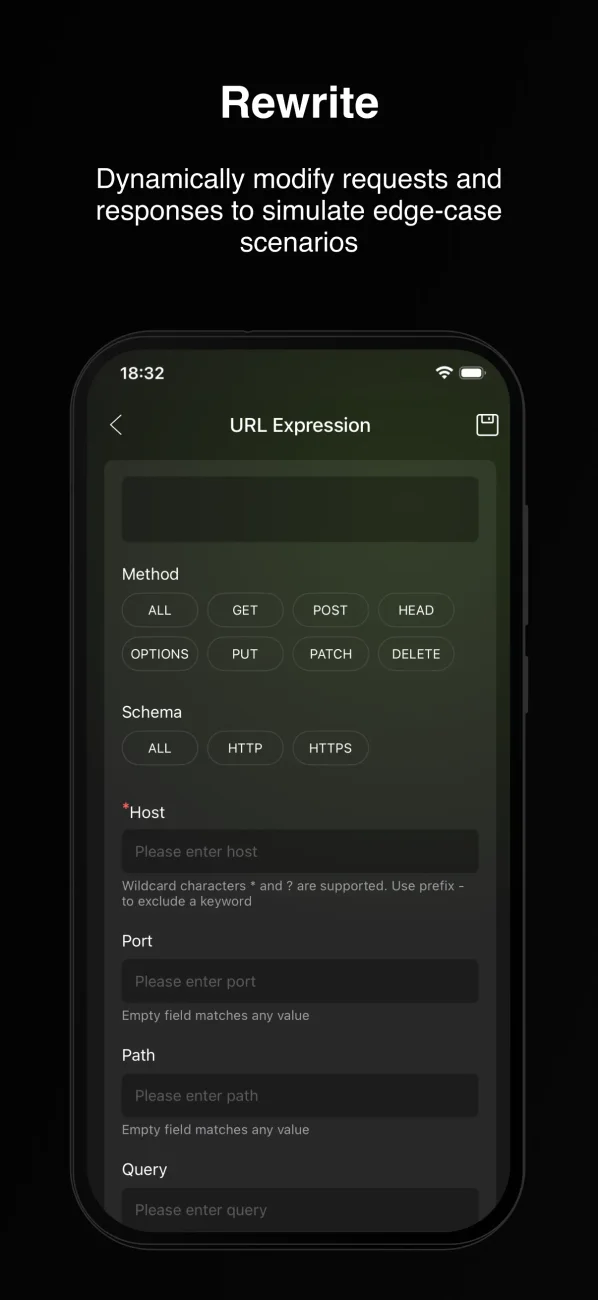
Rewrite
Modify requests and responses dynamically with flexible rewrite rules.
Supported Rewrite Modes:
● Request Replacement
● Response Replacement
● Request Modification
● Response Modification
● URL Redirection
Automate testing workflows and simulate real-world network scenarios without changing application code.
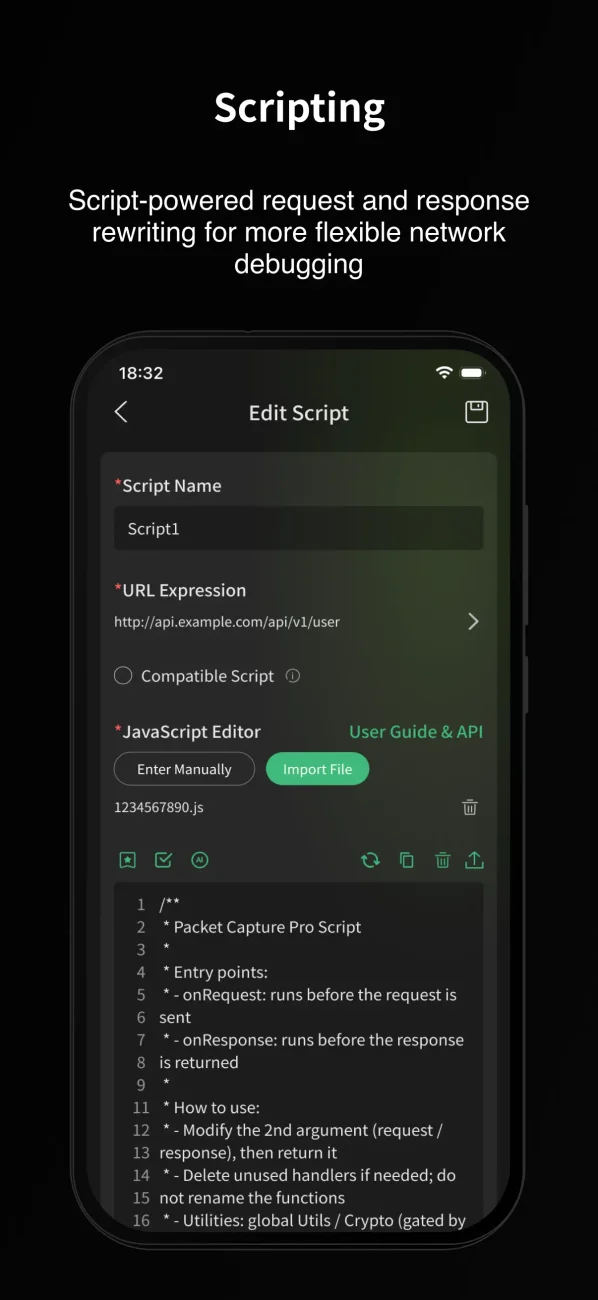
JavaScript scripts
Automate API testing and network debugging with JavaScript.
● Modify HTTP/HTTPS requests and responses
● Process URLs, headers, bodies, JSON, text, and binary data
● Redirect requests and import or export scripts
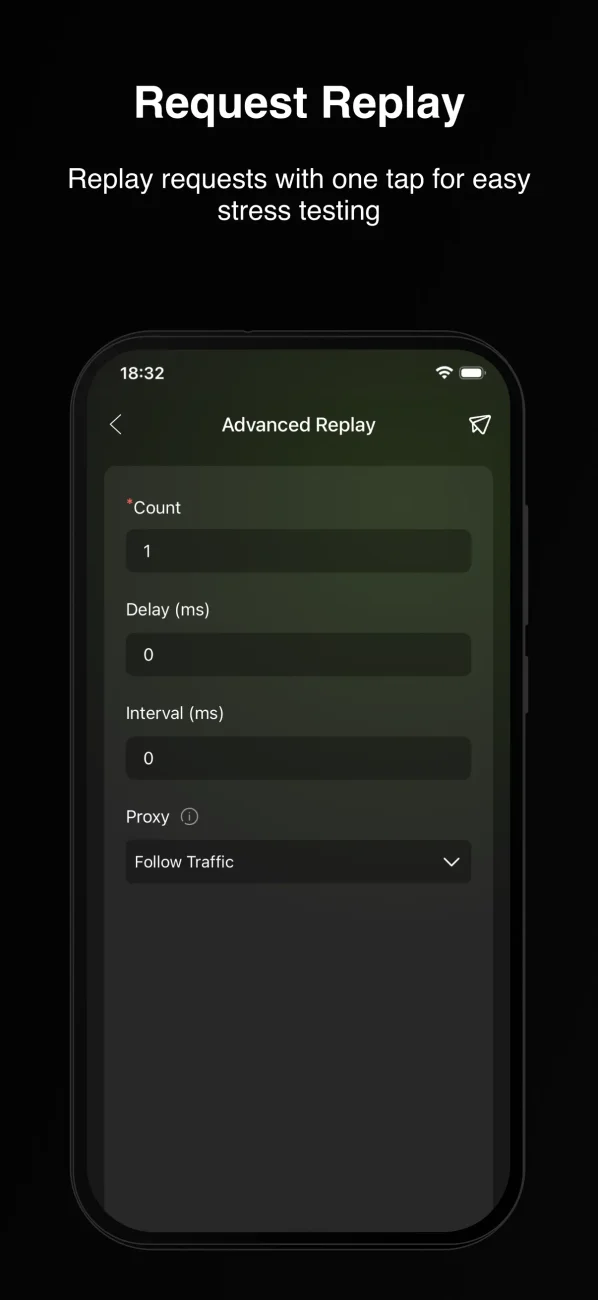
Advanced Replay
Replay captured requests with configurable loops, delays, and intervals.
● API reproduction and debugging
● Performance validation
● Stress testing and load simulation
● Regression testing workflows
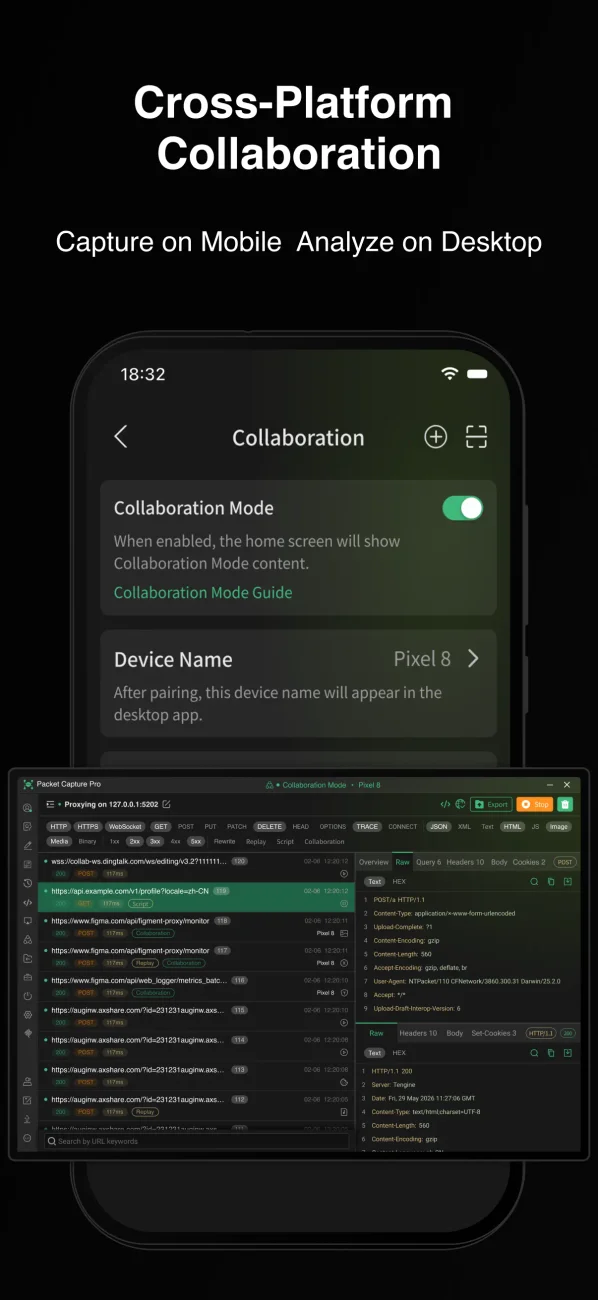
Cross-Device Packet Capture & Network Debugging
Capture network traffic on mobile and analyze it efficiently on desktop. Inspect requests, debug APIs, and troubleshoot issues on a larger screen.
● Sync mobile packet capture data to your computer in real time
● Connect devices quickly by scanning a QR code or entering connection details
● Inspect HTTP, HTTPS, and WebSocket requests and responses in real time
● Search, filter, and analyze network traffic
Import / Export
Work efficiently with industry-standard traffic formats.
● Import HAR files for packet analysis
● Export captured sessions as HAR or CSV
● Share debugging sessions with teammates
● Archive traffic data for future investigation.
Precision Capture Rules
Filter traffic intelligently and focus on what matters.
● Exclude specific domains from packet capture
● Capture HTTPS traffic only from selected domains
Reduce noise and improve debugging efficiency.
Developer Network Toolbox
Everything you need for everyday network diagnostics.
● AES Encryption & Decryption
● URL Encoding & Decoding
● Base64 Encoding & Decoding
● Unicode Conversion
● MD5 Hash Generation
● Ping & TCP Ping Diagnostics
● Regular Expression Tester
● JSON Viewer / XML Viewer / HEX Viewer
Privacy First
Packet Capture Pro uses a local VPN configuration to capture and analyze network traffic securely on your device.
● No cloud uploads
● No data collection
● No third-party servers
● All captured traffic remains on your device
Your requests, responses, API data, and packet capture history are stored locally, ensuring maximum privacy and security.
Privacy Policy:
https://pcp.realsignal.com/privacy
Terms of Service:
https://pcp.realsignal.com/terms
Official Website & Support
Download the companion Mac application and learn more about Packet Capture Pro:
https://pcp.realsignal.com
Discover more tools from RealSignal:
https://www.realsignal.com
Yang baru
Versi 5.7.0 · 11/11/2026
1. Improved collaborative packet capture. Connect multiple mobile devices to the desktop app for easier network debugging.
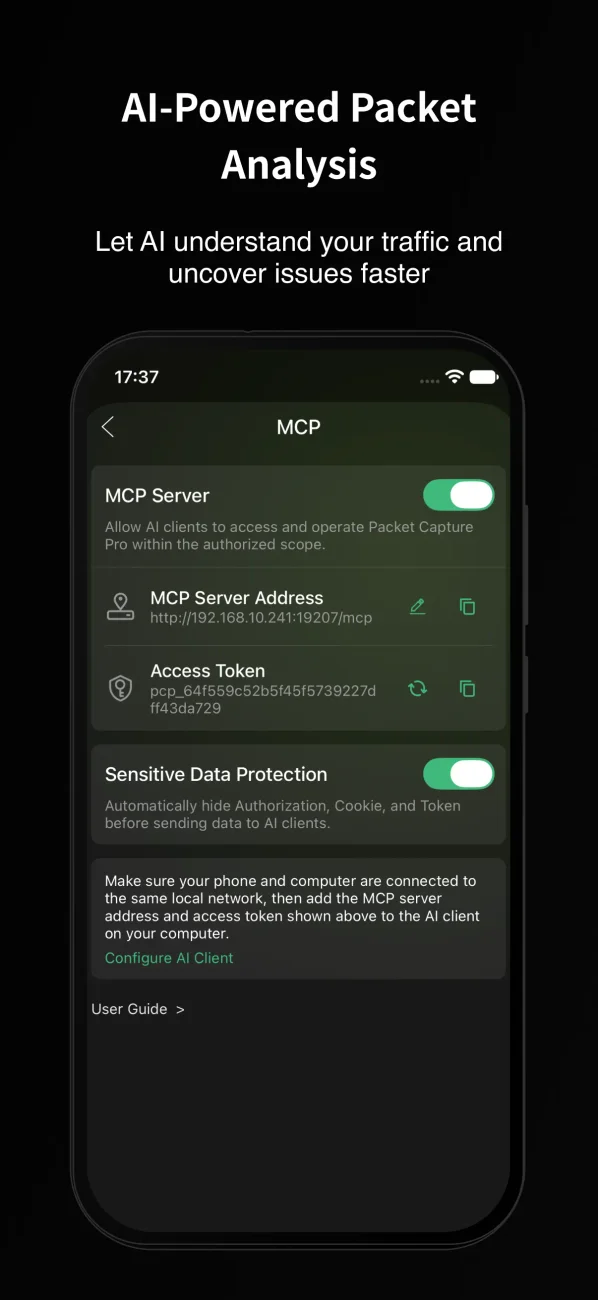
2. Added MCP tools for rewriting and debugging, enabling AI-assisted API debugging and network troubleshooting.
If you have any questions or suggestions while using the app, please go to Home → More → About Packet Capture Pro → Give Us Feedback. Our team will follow up as soon as possible.
To download Packet Capture Pro for other platforms (macOS, Windows, and more), please visit our official website:https://pcp.realsignal.com
Privasi aplikasi
Yang dinyatakan REALSIGNAL PTE. LTD. di App Store tentang cara aplikasi ini menangani data.
-
Data yang digunakan untuk melacak Anda
Dapat digunakan untuk melacak Anda di aplikasi dan situs web milik perusahaan lain.
- Pengenal
-
Data yang tidak ditautkan dengan Anda
Dapat dikumpulkan, tetapi tidak ditautkan dengan identitas Anda.
- Info kontak
- Pengenal
Praktik privasi dapat bervariasi, misalnya berdasarkan fitur yang Anda gunakan atau usia Anda.
Informasi
- Penjual
- REALSIGNAL PTE. LTD.
- Kategori
- Alat Pengembang
- Versi
- 5.7.0
- Diperbarui
- 11/11/2026
- Dirilis
- 17/4/2025
- Ukuran
- 53,7 MB
- Memerlukan
- iOS 15.0 atau yang lebih baru
- Batasan usia
- 4+
- Harga
- Gratis
- Pembelian dalam aplikasi
- Ya
- Bahasa
- Inggris, Tionghoa Sederhana
- Hak cipta
- © REALSIGNAL PTE. LTD.
Mungkin Anda juga suka
-
 Hodor - HTTP(s) Packet SnifferTangkap paket dan uji API
-
 Network SnifferAlat Pengembang
-
 ApiCatcher - Capture HTTPSAlat Pengembang
-
 ProxygenAlat Pengembang
-
 Http traffic captureAlat Pengembang
-
 Mobile IDE: Buat Aplikasi AIVibe Coding & Pratinjau Live
-
 NetScanner - HTTP CatcherAlat Pengembang
-
 WebSSHAlat Pengembang
-
 Stream HTTP SnifferAlat Pengembang
-
 Proxy CaptureAlat Pengembang