
- Batasan usia4+
- KategoriGrafik & Desain
- PengembangMICHAEL ANTHONY RODRIGUES
- BahasaInggris
- Ukuran16,9 MB
Tertaut ke halaman resmi App Store
Download.org tidak menyimpan file PaintBox Art apa pun. Tombol ini membuka halaman aplikasi di App Store, tempat MICHAEL ANTHONY RODRIGUES menerbitkannya. Halaman terakhir diperiksa pada 21/11/2026.
Tangkapan layar


Tentang
Pengembang belum menyediakan teks ini dalam bahasa Anda.
PaintBox
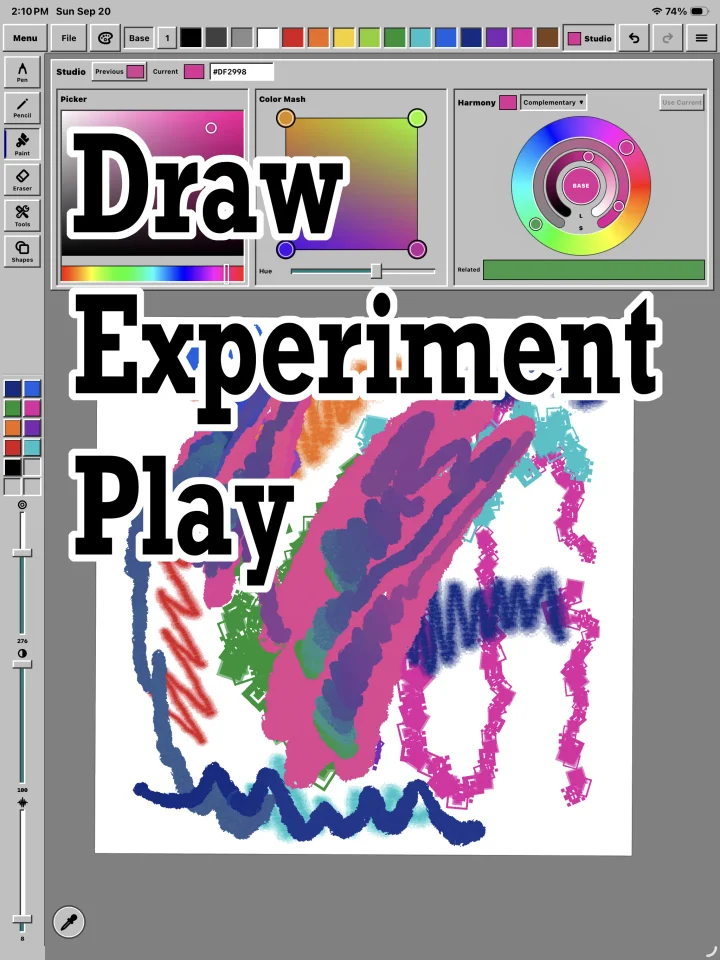
PaintBox is an iPad art app built for drawing, experimenting, animating, and occasionally making a complete mess on purpose.
It has the tools you expect from a serious drawing workspace, but it isn’t trying to feel sterile or perfectly polished. PaintBox is made by one person, built around experimentation, and designed to feel a little weird, a little DIY, and fun to explore.
Draw normally. Make a tiny animation. Build your own brushes. Corrupt your artwork until something unexpected happens.
Made by one person. Built for play.
THREE WAYS TO WORK
Canvas
A full raster drawing workspace for everyday illustration, sketching, painting, and experimenting with brushes.
Animation
A simple flipbook-style animation workspace with editable frames, onion skinning, frame timing, playback controls, a shared Draft Layer, and MP4, GIF, and APNG export.
Corruption
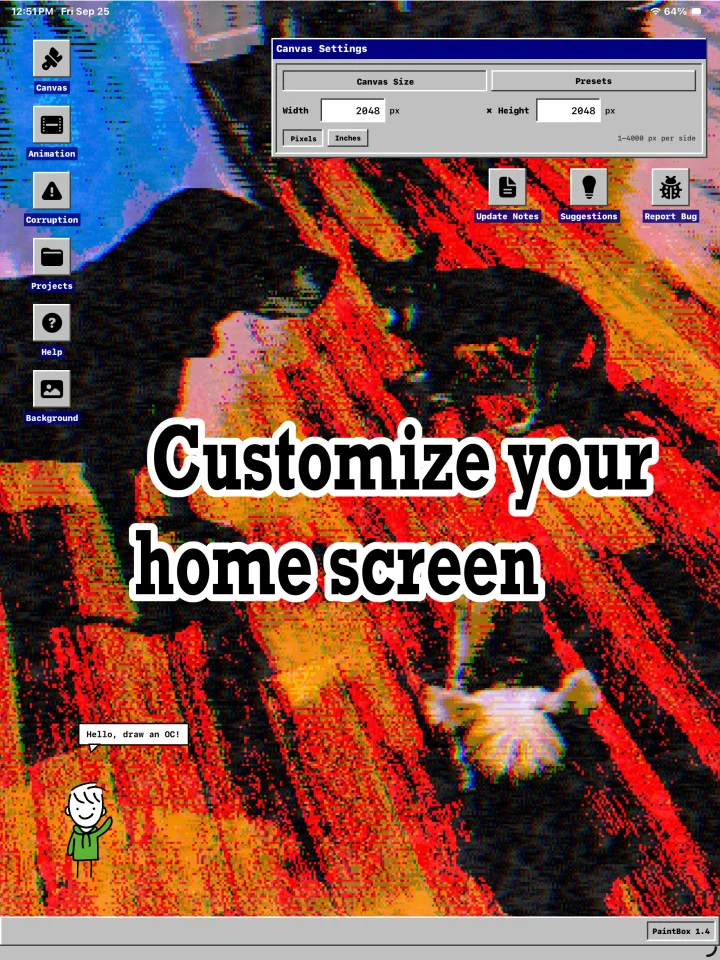
A deliberately unpredictable experimental art workspace. Stack visual Bugs into a live Bug Chain, draw through effects with the Box Pen, create your own Bugs, import and export .bug files, drop photos into your Source, and Bake results into frozen layers while you keep working.
TOOLS INCLUDE
Pen, Paint, Eraser, Eyedropper, Shapes, Box/Lasso Selection, Move and more
Custom Pen and Paint brushes
Brush Library with import/export
Layers, groups, opacity, blend modes, clipping and alpha lock
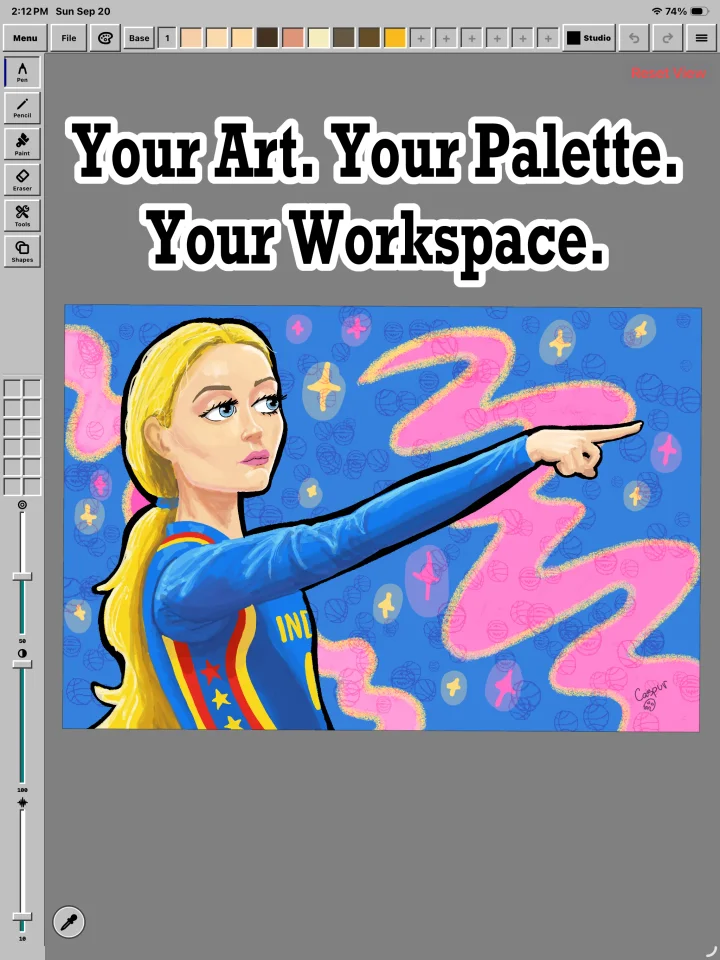
Color Studio, custom palettes and recent colors
Apple Pencil pressure support
Reference photos
Undo/Redo and gesture controls
Project saving and autosave
PNG and JPEG artwork export
MP4, GIF and APNG animation export
Custom Corruption Bugs and shareable .bug files
Box Pen tip, spacing, scatter, density, orientation and color-behavior controls
Pen Effects including Stroke Melt, Corrupt Ink, Stencil Split, Ink Echo and Scribble Mosaic
A very Windows-95-inspired interface
PaintBox isn’t built around one “correct” way to make art. Use the clean tools when you want control. Use the strange ones when you don’t.
Some features are intentionally experimental. Some results may be ugly. Some may be exactly what you were looking for.
PaintBox is an art program for people who still like pressing buttons just to see what happens.
Yang baru
Versi 1.5.2 · 29/10/2026
Just a small bug fix. The paint bucket works better.
Privasi aplikasi
Yang dinyatakan MICHAEL ANTHONY RODRIGUES di App Store tentang cara aplikasi ini menangani data.
-
Data yang tidak ditautkan dengan Anda
Dapat dikumpulkan, tetapi tidak ditautkan dengan identitas Anda.
- Konten pengguna
- Diagnostik
Praktik privasi dapat bervariasi, misalnya berdasarkan fitur yang Anda gunakan atau usia Anda.
Informasi
- Penjual
- MICHAEL ANTHONY RODRIGUES
- Kategori
- Grafik & Desain
- Versi
- 1.5.2
- Diperbarui
- 29/10/2026
- Dirilis
- 3/9/2026
- Ukuran
- 16,9 MB
- Memerlukan
- iOS 16.0 atau yang lebih baru
- Batasan usia
- 4+
- Harga
- Rp 119ribu
- Bahasa
- Inggris
- Hak cipta
- © Copyright 2026 Caspur Rodrigues
Mungkin Anda juga suka
-
 PaintMagicGrafik & Desain
-
 Art of WeirdGrafik & Desain
-
 Ubah foto jadi animeEdit foto & AI anime generator
-
 MixArt Photo EditorKolase, Filter, Edit Foto
-
 HEAVYPAINTGrafik & Desain
-
 Micapaint - Lukis oleh SenimanKuas anti-bocor, tanpa iklan
-
 AmberPaint - Kuas GerakMenghidupkan Gambar
-
 Premium Brushes - CozyBrusheryGrafik & Desain
-
 Tayasui Watercolor & PaintingGrafik & Desain
-
 RoughAnimator - animation appGrafik & Desain