
- Batasan usia4+
- KategoriProduktivitas
- PengembangVerseVIEW
- BahasaInggris
- Ukuran157,1 MB
Tertaut ke halaman resmi App Store
Download.org tidak menyimpan file Paradox Notes apa pun. Tombol ini membuka halaman aplikasi di App Store, tempat VerseVIEW menerbitkannya. Halaman terakhir diperiksa pada 23/11/2026.
Tangkapan layar


Tentang
Pengembang belum menyediakan teks ini dalam bahasa Anda.
Paradox Notes is an ink notebook for iPad and iPhone. No account, no ads and no tracking.
WRITE AND DRAW
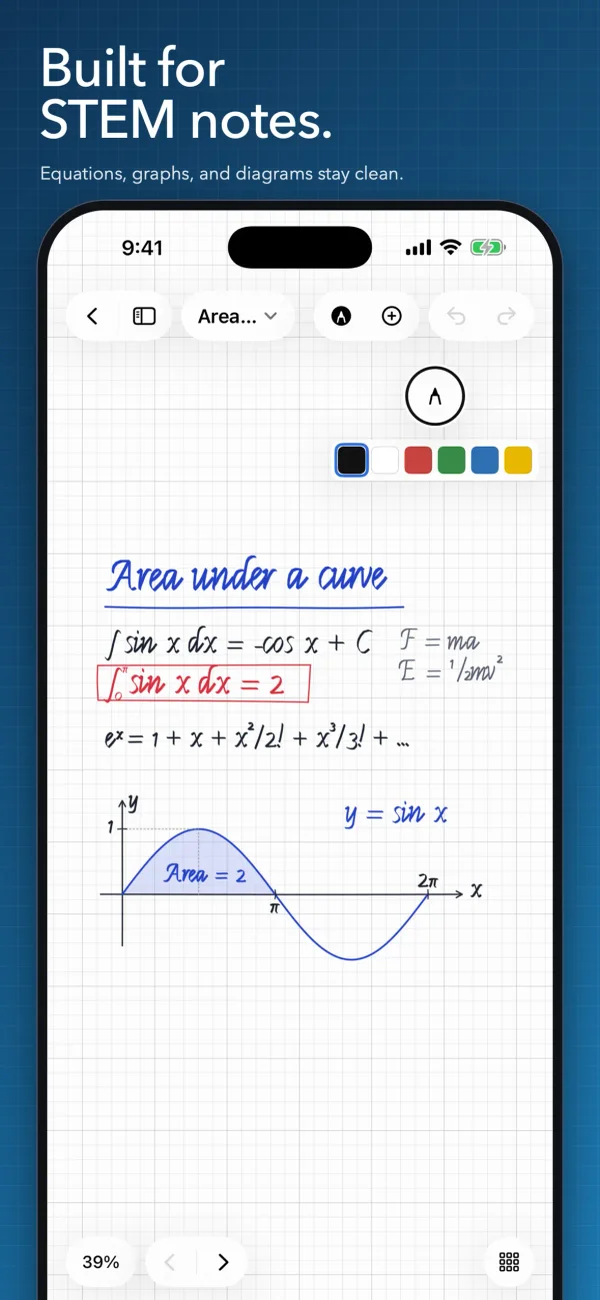
Built for Apple Pencil. Choose pens, highlighters and erasers from a radial tool wheel and a colour hotbar. Write on ruled, grid, dotted or plain paper in white, black or any colour, on pages that scroll a very long way in every direction. Scribble over writing to erase it. On iPhone a finger draws; on iPad a finger pans and zooms until you pick up the Pencil.
SHAPES THAT SNAP
Draw a shape roughly and hold: it snaps clean, from any pen.
HANDWRITING, YOUR WAY
Search your handwriting from the library. Fix Handwriting turns your writing into neat handwriting fonts as you go, and it stays real ink you can erase, select and recolour. Recognition runs on your device.
MATHS, GRAPHS AND TABLES
Circle handwritten maths and Paradox Notes reads it and sets it as typeset maths. Plot 2D graphs and 3D surfaces from equations. Build tables with formulas and export them to Excel, CSV, PDF or an image.
TEXT DOCUMENTS
Type full pages with bold, italics, underline, highlights, lists and alignment, or write with Apple Pencil and let Scribble turn it into text.
BRING THINGS IN, TAKE THEM OUT
Import photos, PDFs and text and write on top. Select, move, rotate, group and arrange objects. Export a page or a whole notebook as PDF, or a page as PNG or SVG.
ORGANISE AND SYNC
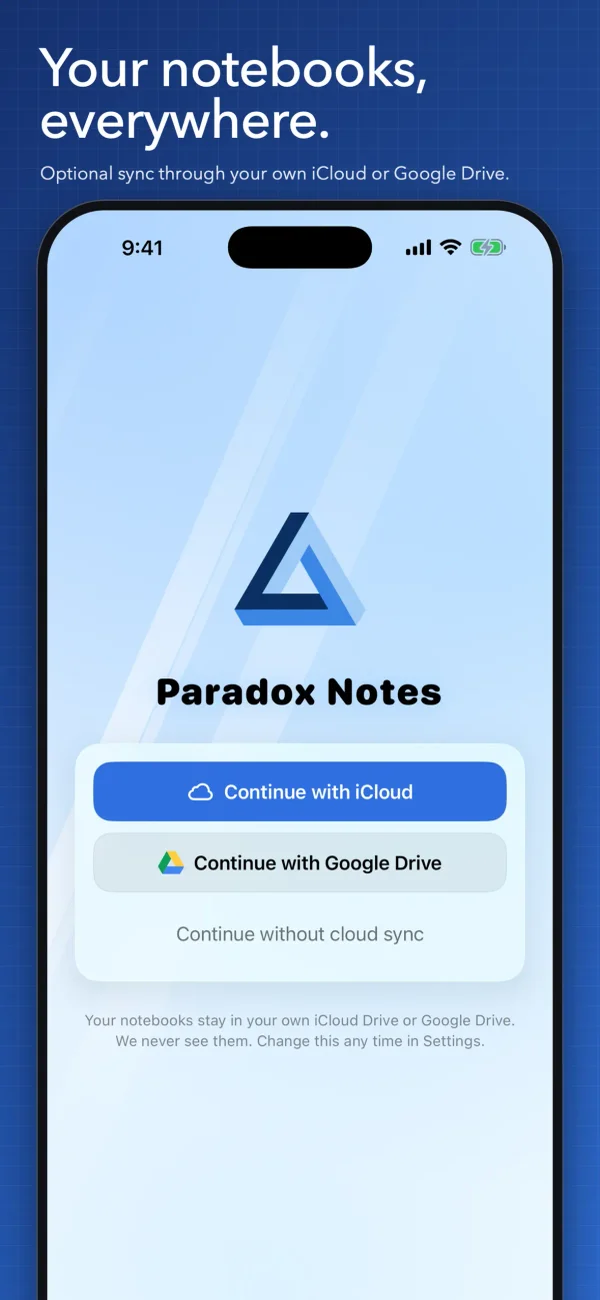
Notebooks, folders, favorites, recents and Recently Deleted so a slip is recoverable. Open notebooks side by side in split view on iPad. Turn on sync to keep your notebooks on your iPad and iPhone, stored in your own iCloud Drive or your own Google Drive.
PRIVATE BY DESIGN
No analytics, no ads, no tracking, and no server of ours. Your notes stay on your device; if you turn sync on, they go only to your own iCloud or Google Drive.
Requires iPadOS or iOS 17 or later.
Yang baru
Versi 2.0 · 20/11/2026
Paradox Notes 2.0 is a big update.
• Now on iPhone, as well as iPad.
• Optional sync between your devices through your own iCloud or Google Drive. Off until you turn it on.
• A new Home screen with Quick Access, Recent Documents, Favorites and a Search page.
• Text documents: full-screen typed pages with bold, italics, lists and highlights. Write with Apple Pencil and Scribble turns it into text.
• Tables with formulas (SUM, AVERAGE and more), and export to Excel, CSV, PDF or image.
• Graphs redrawn: always on a white background, 3D surfaces coloured by height.
• Fix Handwriting rebuilt: it converts a whole line, keeps your size and slant, and spaces words evenly.
• Scribble over writing to erase it. Drag the corner of a lasso selection to scale it.
• Page back / forward buttons next to the zoom in notebooks.
• Automatic drawing input: a finger draws on iPhone; on iPad the Pencil takes over once you use it.
• A new app icon.
Privasi aplikasi
Yang dinyatakan VerseVIEW di App Store tentang cara aplikasi ini menangani data.
-
Data tidak dikumpulkan
Pengembang tidak mengumpulkan data apa pun dari aplikasi ini.
Praktik privasi dapat bervariasi, misalnya berdasarkan fitur yang Anda gunakan atau usia Anda.
Informasi
- Penjual
- Binu Joseph
- Kategori
- Produktivitas
- Versi
- 2.0
- Diperbarui
- 20/11/2026
- Dirilis
- 30/10/2026
- Ukuran
- 157,1 MB
- Memerlukan
- iOS 17.0 atau yang lebih baru
- Batasan usia
- 4+
- Harga
- Gratis
- Bahasa
- Inggris
- Hak cipta
- © 2026 Paradox Notes
Mungkin Anda juga suka
-
 PaperClip - Handwrite for AIProduktivitas
-
 NoteCalc: a Notepad CalculatorProduktivitas
-
 PaperUno - Grid & Graph MakerProduktivitas
-
 Penstar eNoteProduktivitas
-
 Daily Planner & Schedule AppProduktivitas
-
 MathWrite NotesProduktivitas
-
 OpenNotes: Notes & PDF MarkupProduktivitas
-
 Easy Notebook - simple notes -Produktivitas
-
 Pencil - Catatan PDFTulis, ketik, gambar, tandai
-
 Ahmni: Infinite CanvasProduktivitas