- Batasan usia4+
- KategoriKegunaan
- PengembangD4VINDER LTD
- BahasaInggris
- Ukuran15,0 MB
Tertaut ke halaman resmi App Store
Download.org tidak menyimpan file pfAdmin apa pun. Tombol ini membuka halaman aplikasi di App Store, tempat D4VINDER LTD menerbitkannya. Halaman terakhir diperiksa pada 26/11/2026.
Tangkapan layar
Tentang
Pengembang belum menyediakan teks ini dalam bahasa Anda.
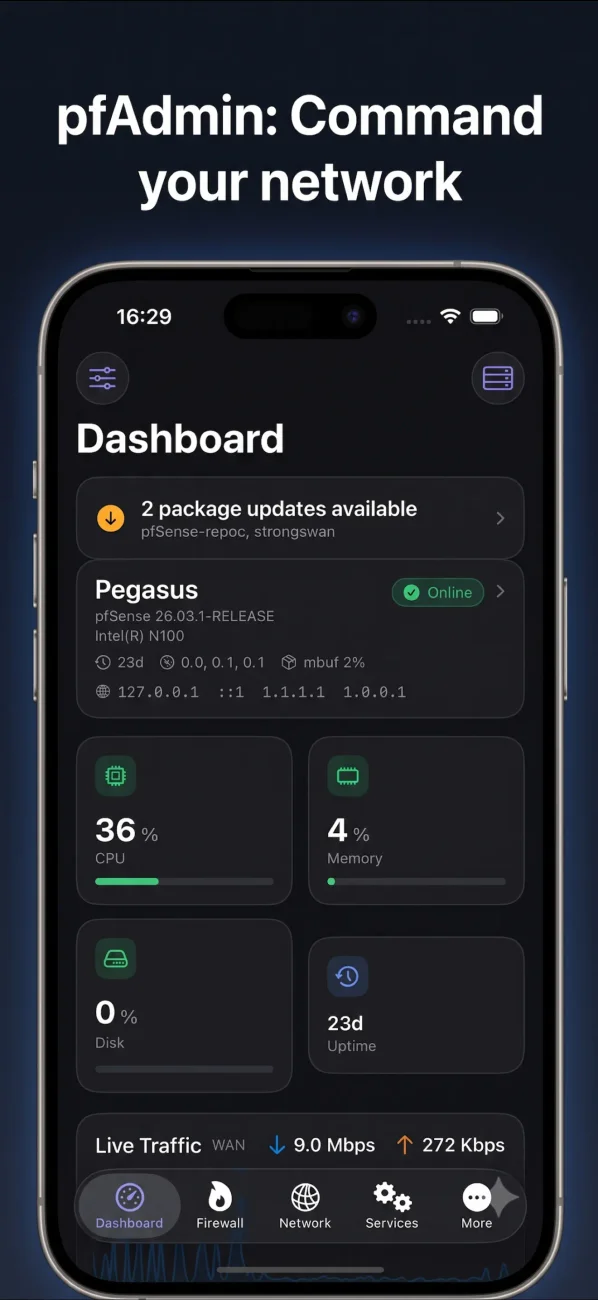
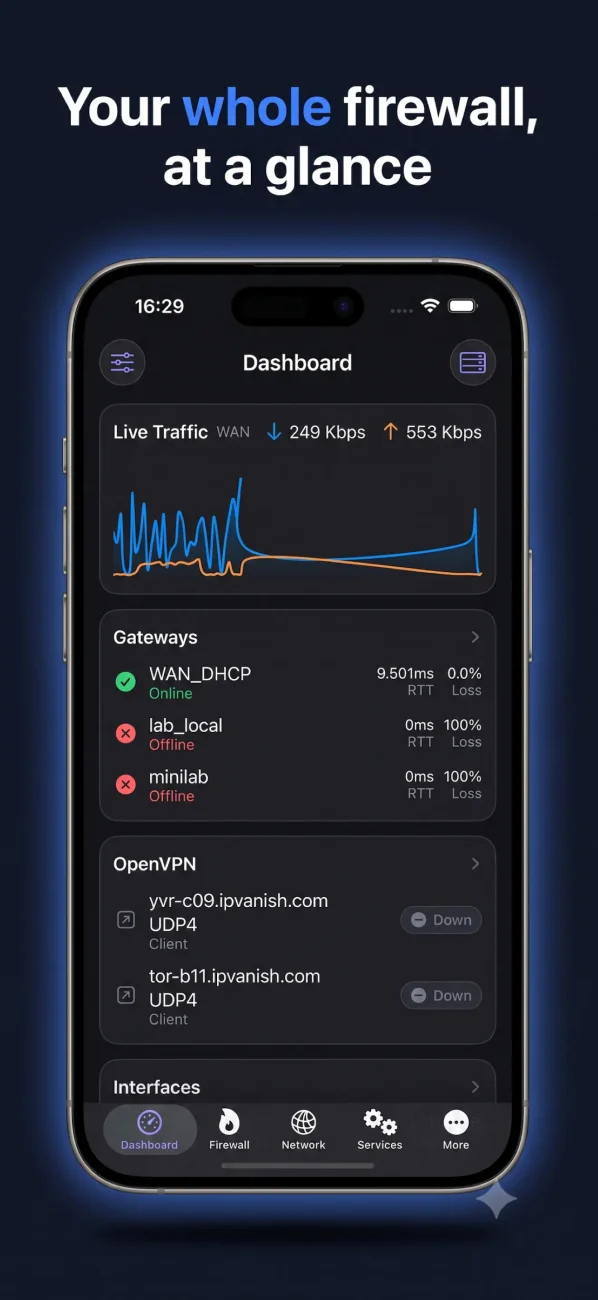
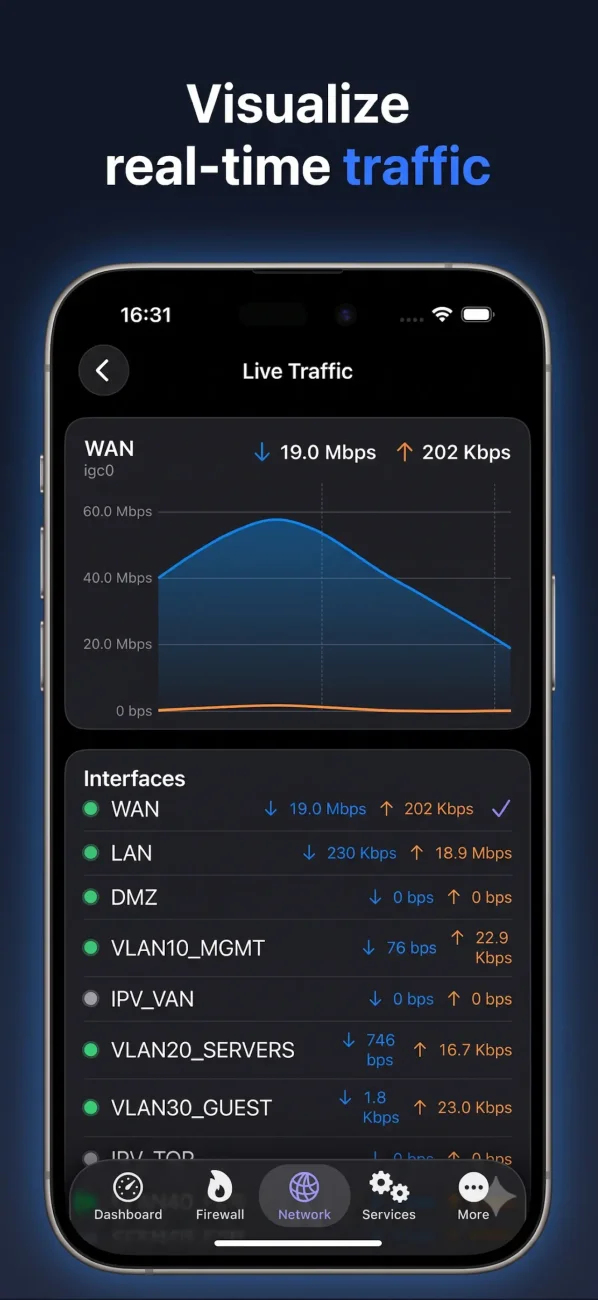
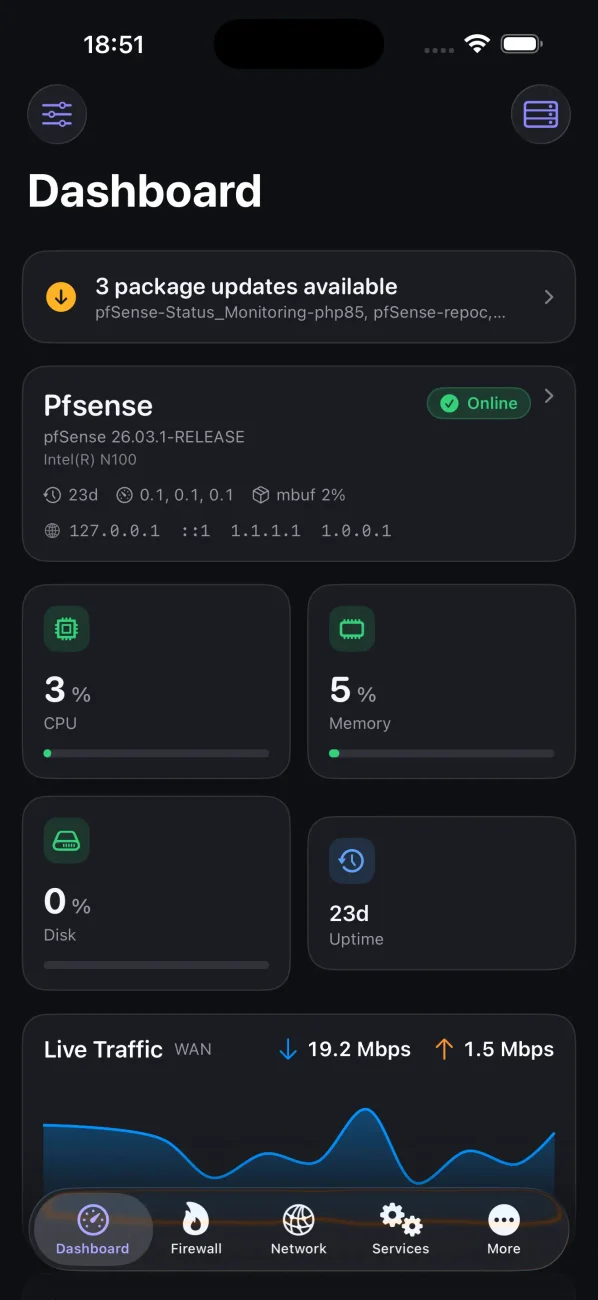
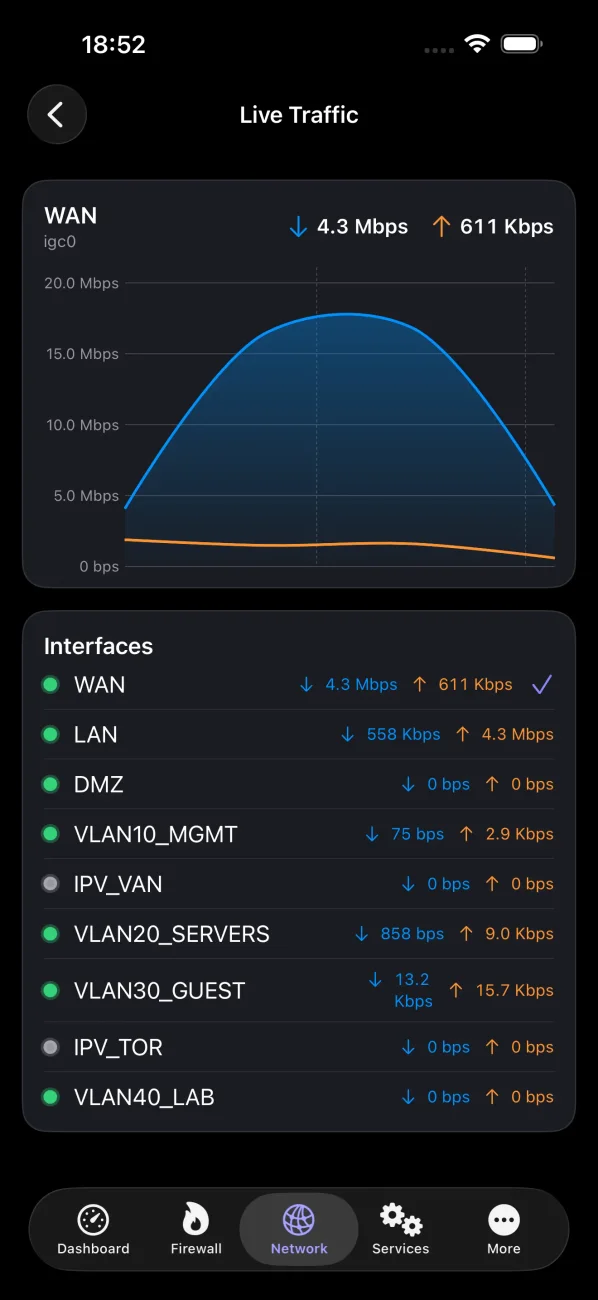
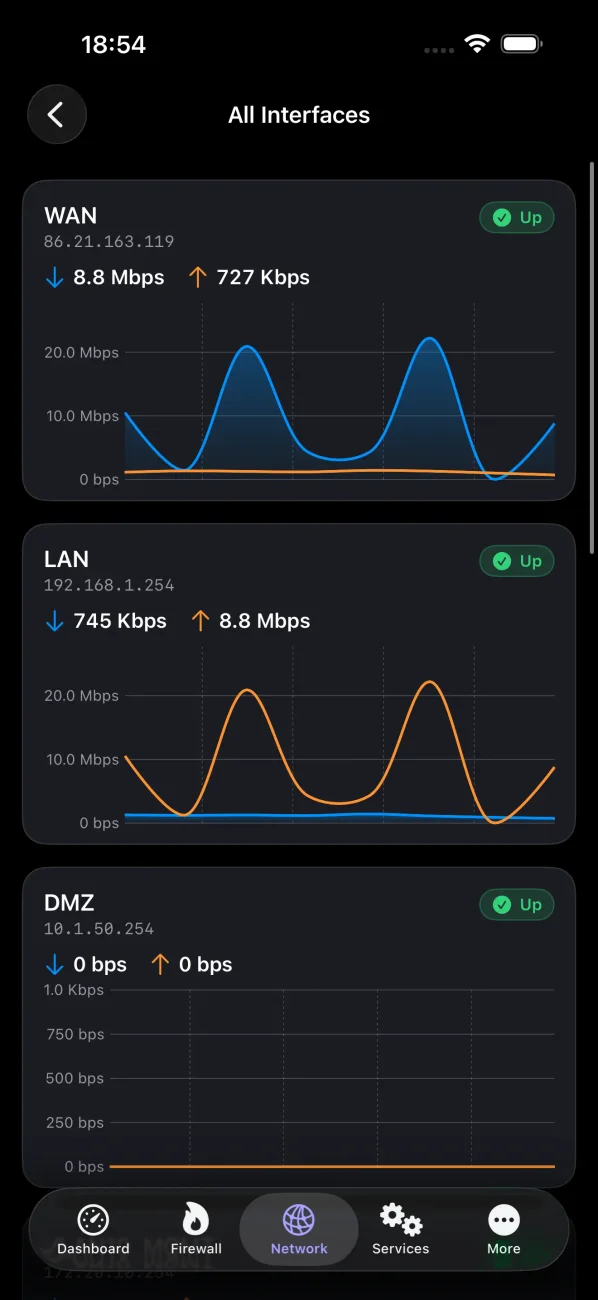
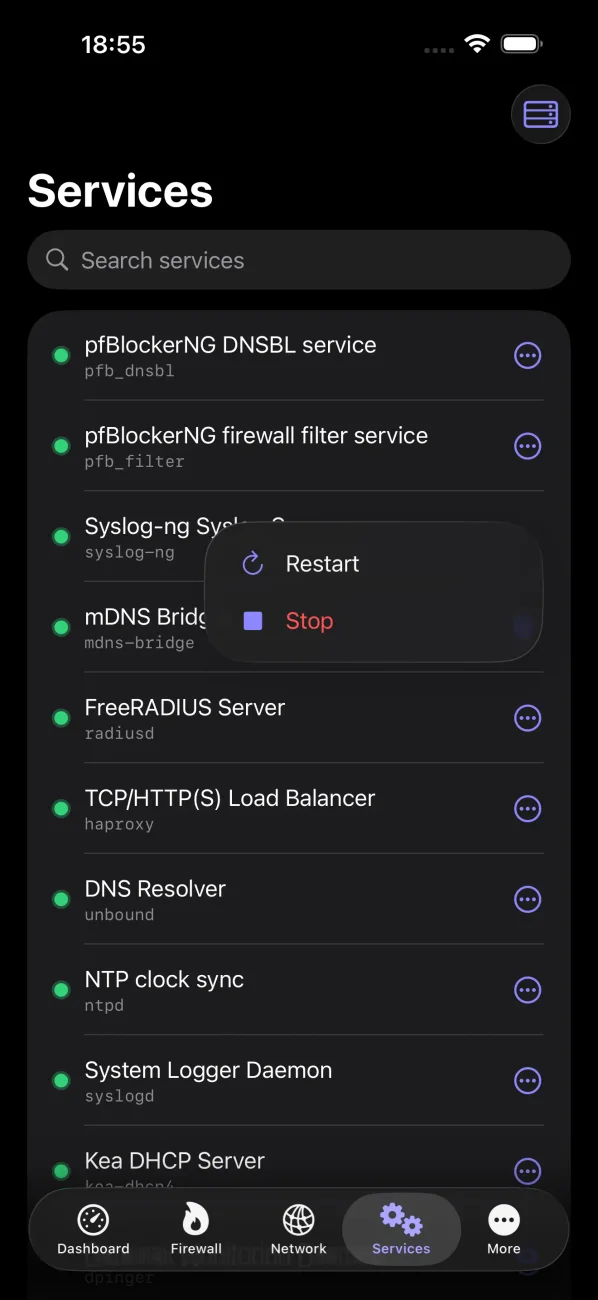
pfAdmin puts your pfSense firewall in your pocket. Monitor and manage a stock pfSense box from your iPhone or iPad over a secure SSH connection - nothing is installed on the firewall, and nothing goes through a cloud service. Requires a pfSense firewall with SSH enabled. pfAdmin is an independent client and is not affiliated with or endorsed by Netgate or pfSense.
Yang baru
Versi 1.3 · 6/11/2026
Apple Intelligence (iOS 26 and later, on supported devices)
- Explain any firewall log entry in plain English: what happened, the likely cause and what to check.
- Summarize your firewall log: repeated attempts and port scans are grouped and counted, then explained.
- Explain any firewall rule or alias in plain English, including what it means in practice.
- Troubleshoot: describe a problem such as "the internet is slow". Apple Intelligence picks read-only checks to run, then explains what it found and what to try next. It can't change any settings.
- The Home Screen widget gains a one-line health summary, and the medium widget adds a sentence from Apple Intelligence describing it.
- Describe a rule in your own words, such as "Block the kids' iPad from the internet after 10pm". pfAdmin finds the device, sets the schedule and shows exactly what will change. Nothing is saved until you confirm.
- Runs entirely on your device. Firewall data is never sent to Apple or anyone else. Turn it off any time in Settings.
Troubleshoot
- A new Troubleshoot screen (More > Diagnostics) runs every read-only check in one tap and points out problems such as an offline gateway, a full state table, a stopped DNS Resolver or DNS lookups failing. Works with or without Apple Intelligence.
Rule review
- pfAdmin now checks your rules and flags common mistakes: rules that never take effect because an earlier rule matches first, rules that are never reached, and services such as SSH or Remote Desktop exposed to the whole internet.
- Tap the new info button on any rule for a plain description of exactly what it matches. Works with or without Apple Intelligence.
Smarter firewall logs
- Firewall logs are now fully parsed: interface names, ports, services and the matching rule are shown for every entry.
- A new Insights section highlights repeated blocked attempts and port scans, even without Apple Intelligence.
iPhone Duo and iPad
- A sidebar puts every screen one tap away on the unfolded iPhone Duo and on iPad.
- The dashboard spreads into two columns and keeps clear of the fold.
pfSense compatibility
- Encrypted configuration backups now match pfSense exactly, so backups made in the app restore in pfSense and vice versa.
- Rule statistics and new rules support the rule labels used by pfSense 2.9 and 26.03 or later.
- WireGuard live status works with current WireGuard packages, and Flush DNS Cache works again.
Security and reliability
- App Lock now covers open sheets and dialogs, and Siri shortcuts that change the firewall ask for Face ID and confirmation first.
- Fewer simultaneous SSH logins, so pfSense Login Protection is far less likely to lock you out, and stalled connections now time out properly.
- Scheduled Network Health runs in the background on its own, even with update alerts off.
Fixes
- New rules with "any" as the source or destination now keep their port (previously the port was dropped).
- Rule, port forward and gateway switches always show the right state after deleting or reordering.
- Deleting an alias that rules still use is now refused instead of breaking the next filter reload.
- Editing an alias keeps each entry's description with the right entry.
- Schedules created by pfAdmin now end their connections on time, and overnight windows cover the whole night.
- Top Talkers shows the real source of inbound connections; the ARP table, Dynamic DNS addresses, temperature and uptime now display correctly.
- Wake-on-LAN reaches LAN devices, and site-to-site OpenVPN and IPsec tunnels report the right status.
- Unencrypted backup files are deleted after sharing, and large config comparisons no longer run out of memory.
- Packet capture: Follow Stream no longer loses data, and IPv6 and port filters match correctly.
- Layout polish across the dashboard, interfaces, packages and certificates.
Privasi aplikasi
Yang dinyatakan D4VINDER LTD di App Store tentang cara aplikasi ini menangani data.
-
Data tidak dikumpulkan
Pengembang tidak mengumpulkan data apa pun dari aplikasi ini.
Praktik privasi dapat bervariasi, misalnya berdasarkan fitur yang Anda gunakan atau usia Anda.
Informasi
- Penjual
- D4VINDER LTD
- Kategori
- Kegunaan
- Versi
- 1.3
- Diperbarui
- 6/11/2026
- Dirilis
- 13/8/2026
- Ukuran
- 15,0 MB
- Memerlukan
- iOS 17.0 atau yang lebih baru
- Batasan usia
- 4+
- Harga
- Rp 79ribu
- Bahasa
- Inggris
- Hak cipta
- © Davinder Singh
Mungkin Anda juga suka
-
 Jam Dunia Zona Waktu ProPerencana rapat & perjalanan
-
 KumaAlertKegunaan
-
 LibreNMS MobileKegunaan
-
 Ovue for SeerrKegunaan
-
 Planimeter Pro for map measureKegunaan
-
 Quartermaster: Homelab StackKegunaan
-
 Fast ATM - Find nearby ATMsKegunaan
-
 ChessconnectKegunaan
-
 Mode Gelap - Dark ReaderMode gelap untuk semua situs
-
 Slop Or Not - AI DetectorKegunaan