PG Terminal Pro
SSH Terminal & Multi-Session
Dirancang untuk iPhone, iPad, iPod touch
Gratis · Pembelian dalam aplikasi
- Batasan usia4+
- KategoriAlat Pengembang
- PengembangCeltic Wards, LLC
- BahasaInggris
- Ukuran29,5 MB
Tertaut ke halaman resmi App Store
Download.org tidak menyimpan file PG Terminal Pro apa pun. Tombol ini membuka halaman aplikasi di App Store, tempat Celtic Wards, LLC menerbitkannya. Halaman terakhir diperiksa pada 23/11/2026.
Tangkapan layar

Tentang
Pengembang belum menyediakan teks ini dalam bahasa Anda.
TerminalPro - Professional SSH Terminal
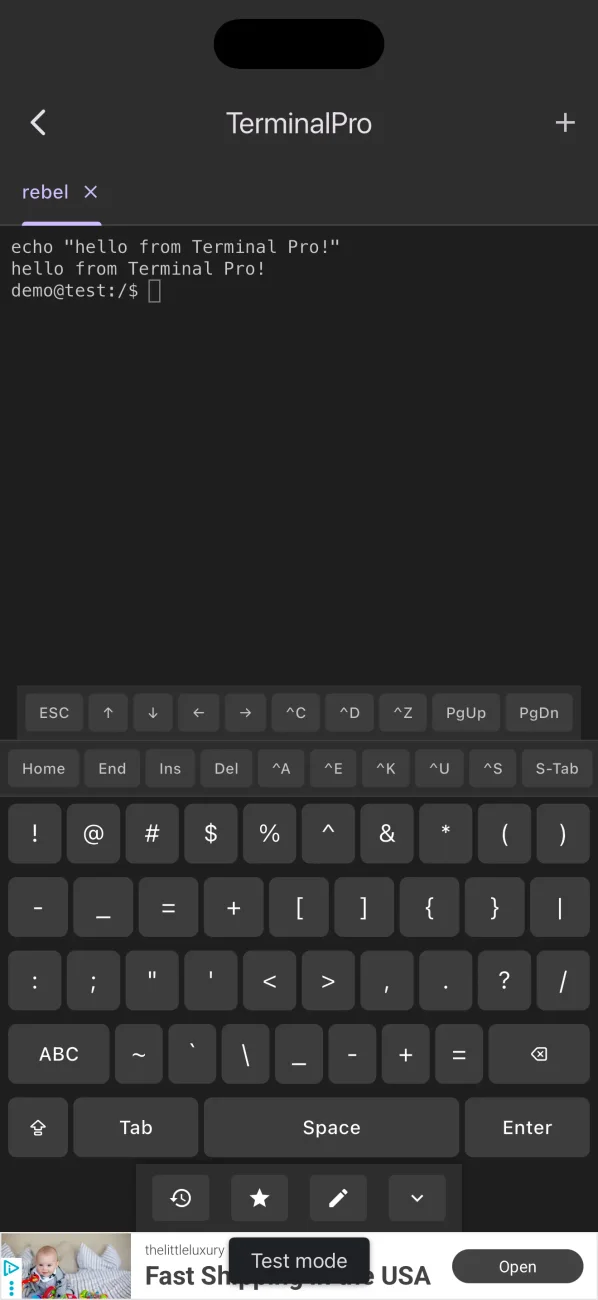
A powerful and intuitive SSH terminal application designed specifically for mobile devices. TerminalPro brings desktop-class terminal functionality to your iPhone or iPad with a custom-built keyboard optimized for command-line work.
KEY FEATURES
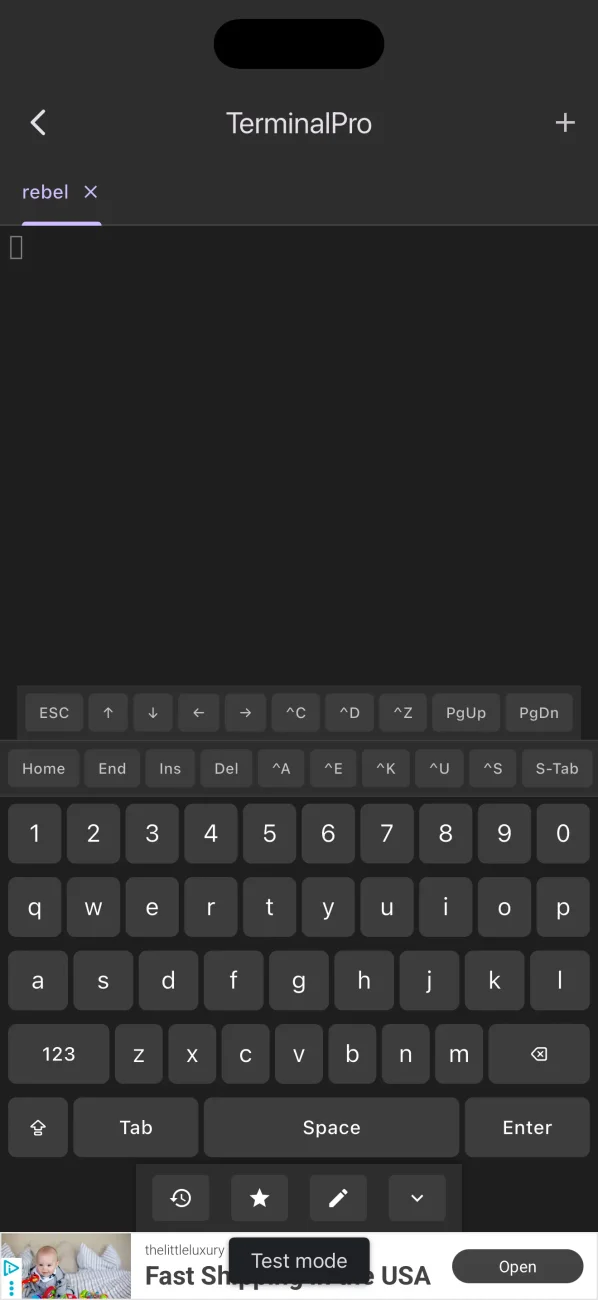
Custom Terminal Keyboard
• Full QWERTY layout with instant character-by-character input
• Dedicated row of terminal special keys (ESC, arrows, Ctrl shortcuts)
• Symbol layout for programming characters
• No lag - cursor follows your typing in real-time
• Haptic feedback for better typing experience
Multi-Session Management
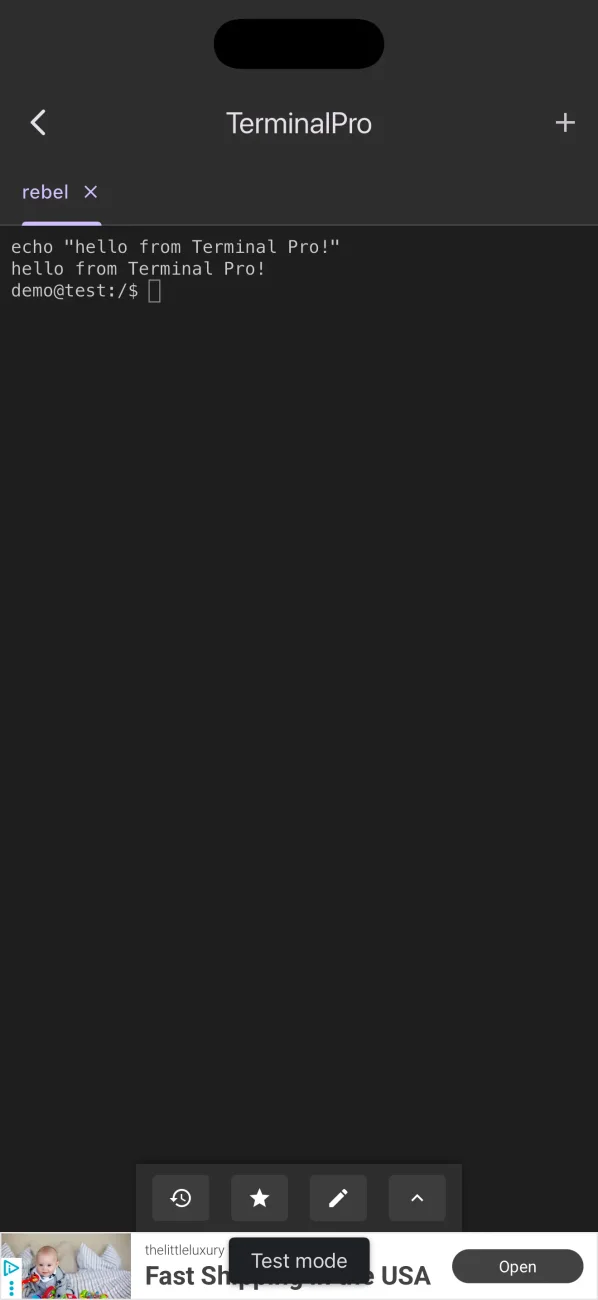
• Connect to multiple SSH servers simultaneously
• Easy tab switching between sessions
• Each session maintains its own state
• Quick session creation from saved connections
Connection Management
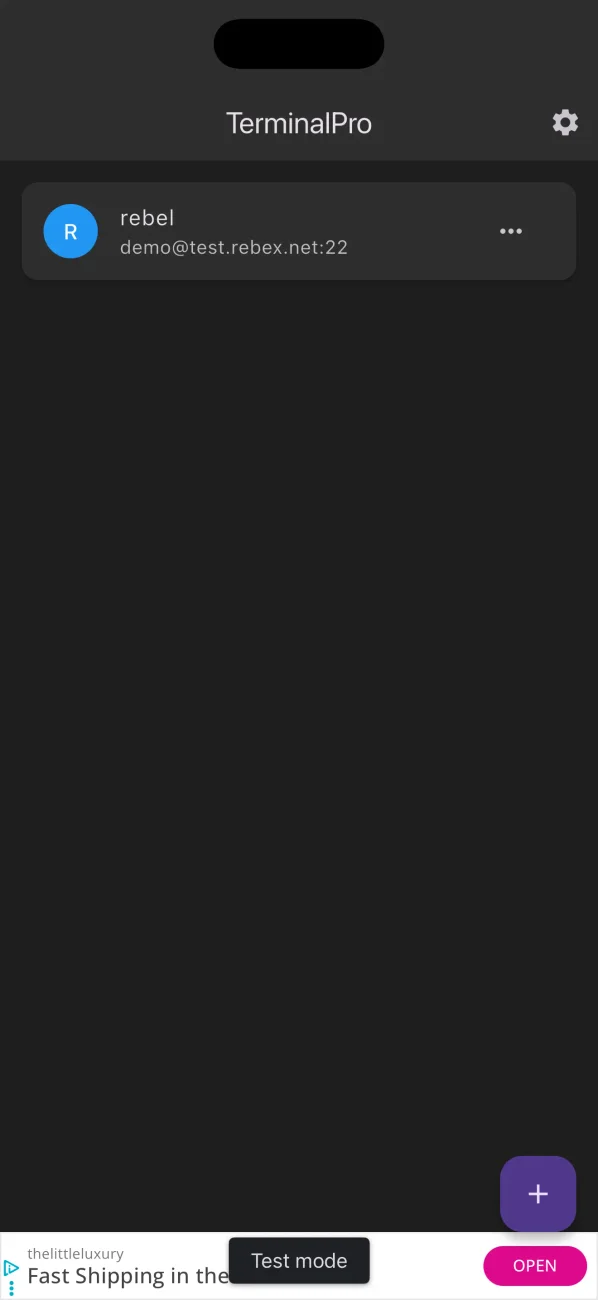
• Save unlimited SSH connections
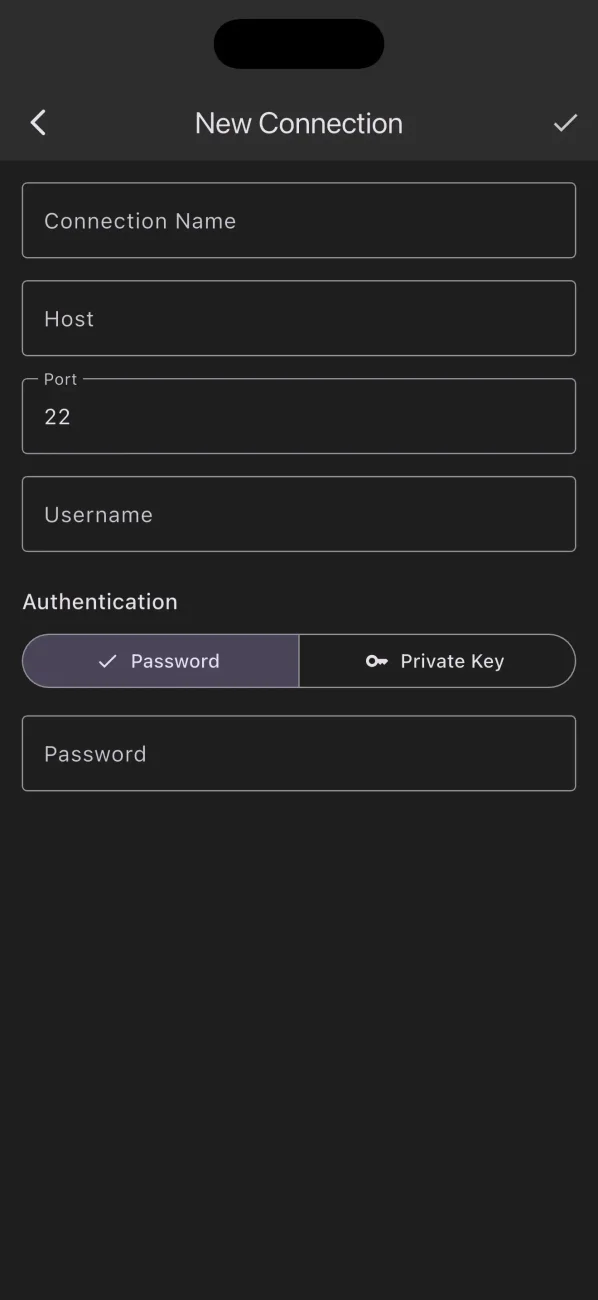
• Password authentication support
• Custom port configuration
• Edit and delete connections easily
• Quick-connect from your saved list
Powerful Terminal Features
• Full xterm-256color terminal emulation
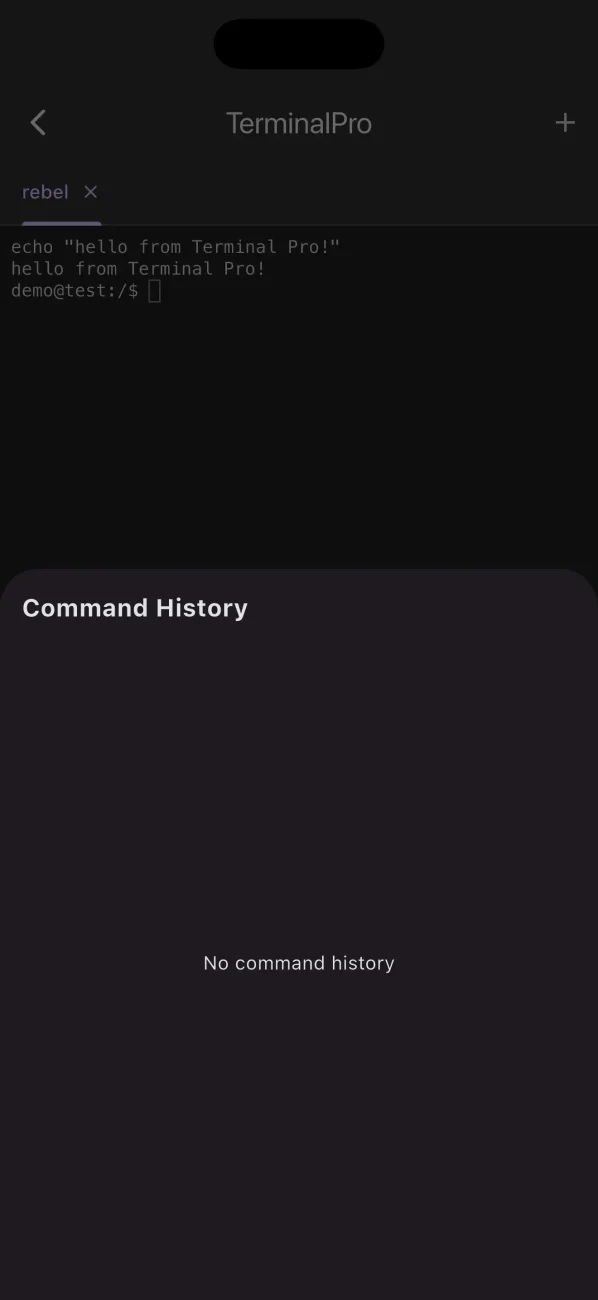
• Command history tracking
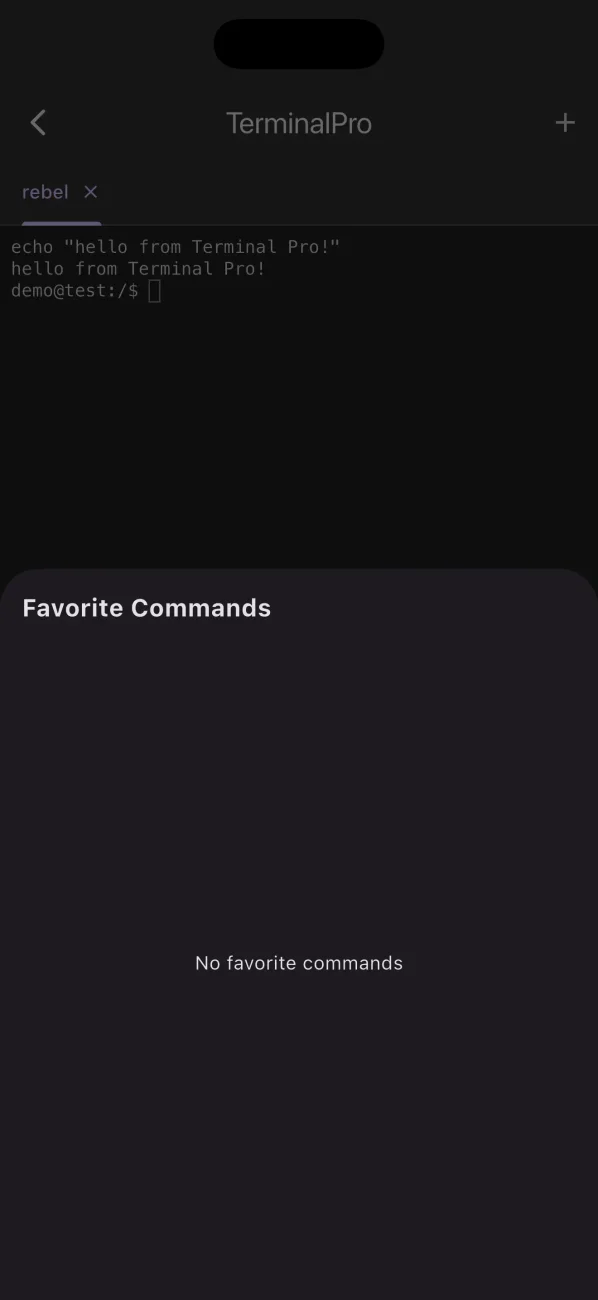
• Favorite commands for quick access
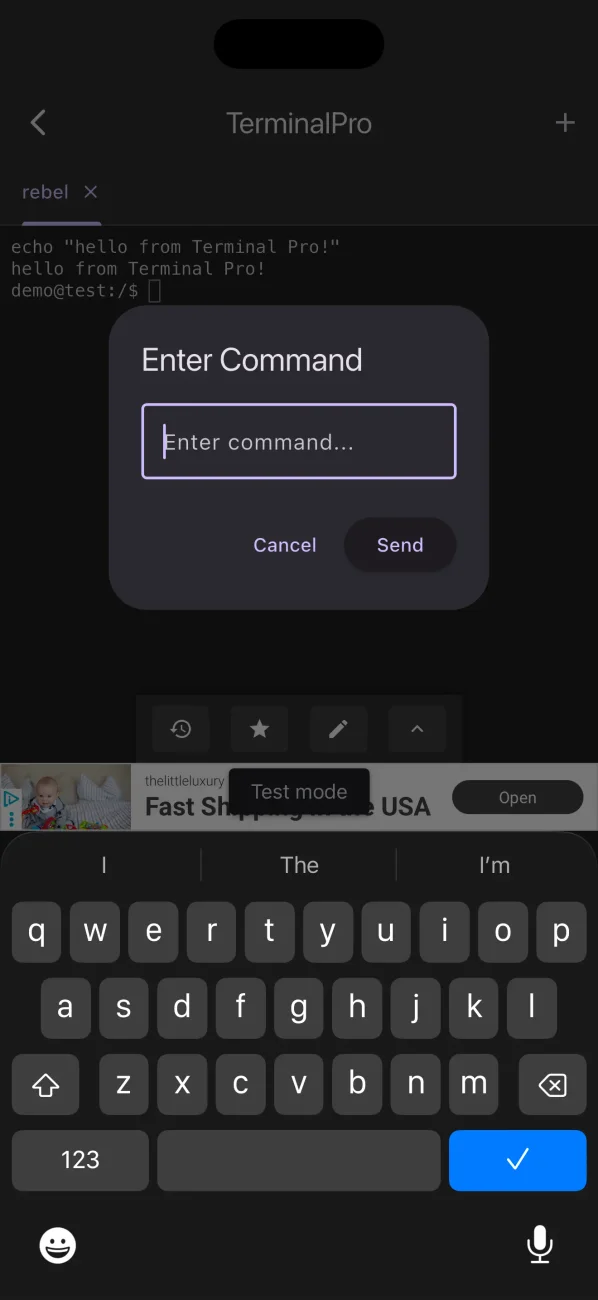
• Custom command input dialog
• Proper cursor positioning and rendering
• Full terminal resize support
Professional Tools
• Arrow keys for navigation
• Page Up/Down for scrolling
• Ctrl shortcuts (^C, ^D, ^Z, etc.)
• Tab completion support
• Backspace and Delete keys
• Home/End navigation
User-Friendly Interface
• Clean, modern dark theme
• Intuitive connection management
• Easy-to-use toolbar
• Responsive design
• Optimized for mobile screens
Secure & Private
• Direct SSH connections - no proxy servers
• Passwords stored locally on device
• No data collection or analytics
• Open source terminal emulation
PERFECT FOR
• System administrators managing remote servers
• Developers working on cloud infrastructure
• DevOps engineers monitoring deployments
• Network engineers configuring equipment
• Students learning Linux and command-line tools
• Anyone needing reliable SSH access on mobile
WHY TERMINALPRO?
Unlike other terminal apps that rely on the system keyboard, TerminalPro includes a specially designed keyboard that eliminates the frustrating lag and batching issues common with mobile terminals. Every key press is sent immediately, giving you the responsive, desktop-like experience you expect from a professional tool.
The multi-session support means you can monitor logs on one server while deploying to another, or quickly switch between development, staging, and production environments - all from a single app.
GETTING STARTED
1. Add your first SSH connection with host, port, username, and password
2. Tap the connection to launch your terminal session
3. Use the custom keyboard for fast, accurate typing
4. Access your command history and favorites from the toolbar
5. Open multiple sessions and switch between them with tabs
SUPPORT
Having issues or suggestions? We're here to help! Contact us through the app settings or visit our support page.
TerminalPro is continuously updated with new features and improvements based on user feedback. Download now and experience the best SSH terminal for iOS!
Yang baru
Versi 1.1.0 · 20/11/2026
What’s New in 1.1.0
SFTP file browser: browse, upload, download, rename, delete and create folders on your servers.
Private key login: credentials are stored securely in the iOS Keychain or Android Keystore.
Host key verification: you’re prompted to trust a server the first time you connect, and a new Trusted Servers screen lets you manage them.
Better terminal: copy and paste, pinch to zoom, 8 color themes, and sticky Ctrl/Alt keys on the on-screen keyboard.
Reconnect: reconnect manually or automatically, and scrollback persists.
Easier connection list: search, duplicate, resume sessions, and set a startup command.
Ads: you can watch a rewarded ad to go ad-free for 24 hours.
Under the hood: clearer tracking permission text, plus stability and performance improvements.
Privasi aplikasi
Yang dinyatakan Celtic Wards, LLC di App Store tentang cara aplikasi ini menangani data.
-
Data yang digunakan untuk melacak Anda
Dapat digunakan untuk melacak Anda di aplikasi dan situs web milik perusahaan lain.
- Data penggunaan
-
Data yang ditautkan dengan Anda
Dapat dikumpulkan dan ditautkan dengan identitas Anda.
- Data penggunaan
Praktik privasi dapat bervariasi, misalnya berdasarkan fitur yang Anda gunakan atau usia Anda.
Informasi
- Penjual
- Celtic Wards, LLC
- Kategori
- Alat Pengembang
- Versi
- 1.1.0
- Diperbarui
- 20/11/2026
- Dirilis
- 21/11/2025
- Ukuran
- 29,5 MB
- Memerlukan
- iOS 15.0 atau yang lebih baru
- Batasan usia
- 4+
- Harga
- Gratis
- Pembelian dalam aplikasi
- Ya
- Bahasa
- Inggris
- Hak cipta
- © 2025 Pender Legacy Holdings LLC
Mungkin Anda juga suka
-
 ModernTerminal SSHAlat Pengembang
-
 Tap Command RunnerAlat Pengembang
-
 Bolt SSHAlat Pengembang
-
 HB Code for Codex & ClaudeAlat Pengembang
-
 Codeusse: Mobile Agentic IDEAlat Pengembang
-
 Termova - SSH Agent ClientAlat Pengembang
-
 Terminal - SSH ClientShell Jarak Jauh & Atur Server
-
 Cmd+Ctrl: Command & ControlAlat Pengembang
-
 SSHConsole: SSH TerminalAlat Pengembang
-
 Shell360Alat Pengembang