
PickCam
AI Fancam: Auto-follow anyone
Dirancang untuk iPhone, iPad
Gratis · Pembelian dalam aplikasi
- Batasan usia4+
- KategoriFoto & Video
- PengembangJongmin Choi
- BahasaInggris+ 7 lainnya
- Ukuran86,7 MB
Tertaut ke halaman resmi App Store
Download.org tidak menyimpan file PickCam apa pun. Tombol ini membuka halaman aplikasi di App Store, tempat Jongmin Choi menerbitkannya. Halaman terakhir diperiksa pada 23/11/2026.
Tangkapan layar


Tentang
Pengembang belum menyediakan teks ini dalam bahasa Anda.
A fancam of just one person, made right from a group video.
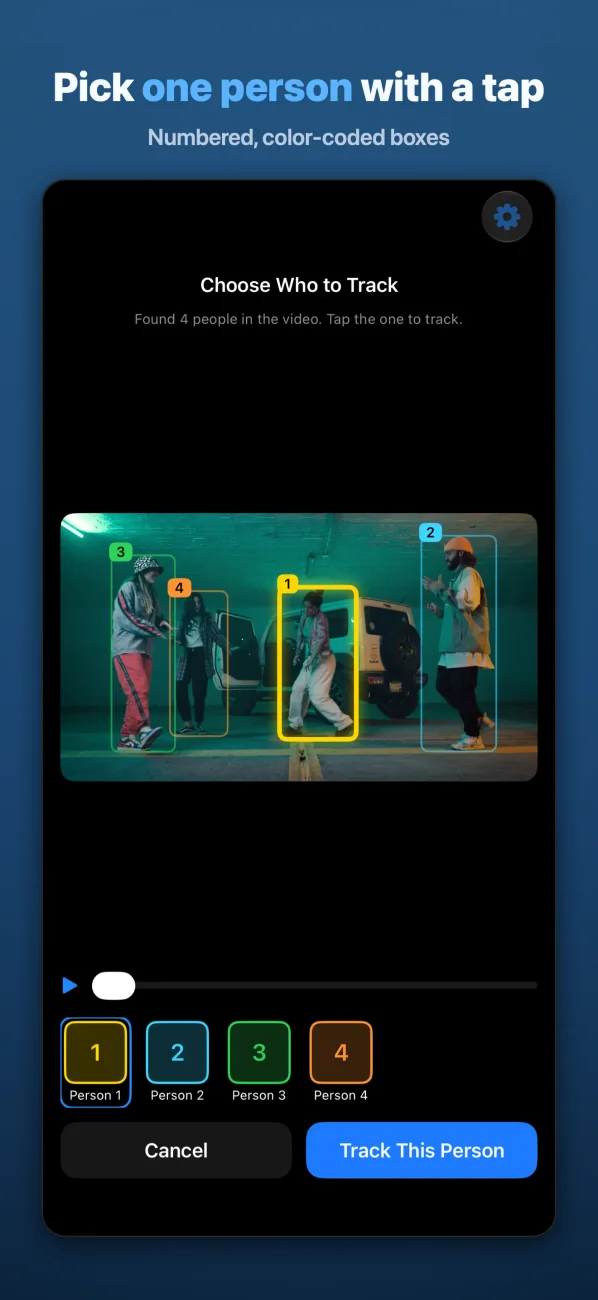
Group dance videos, stage performances, school recitals… ever wanted a video that follows just one person? Tap that person in PickCam, and on-device AI follows them through the whole video and reframes it in the aspect ratio you choose.
■ New in 1.2
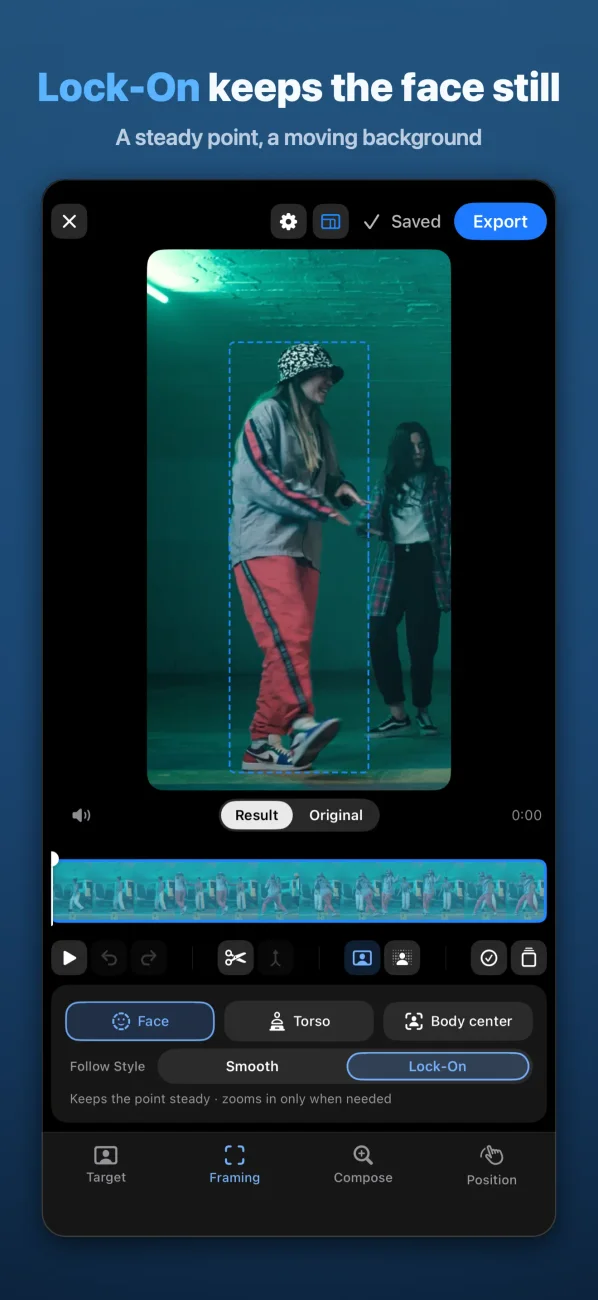
Lock-On: PickCam tracks the selected person's face (or torso or body center) in every frame and keeps it in one spot on screen. The chosen point stays in place while the background moves, creating a dance-edit effect with one tap. It zooms in slightly, up to 25%, only when it needs room to move, and the preview matches the export, so what you see is what you save.
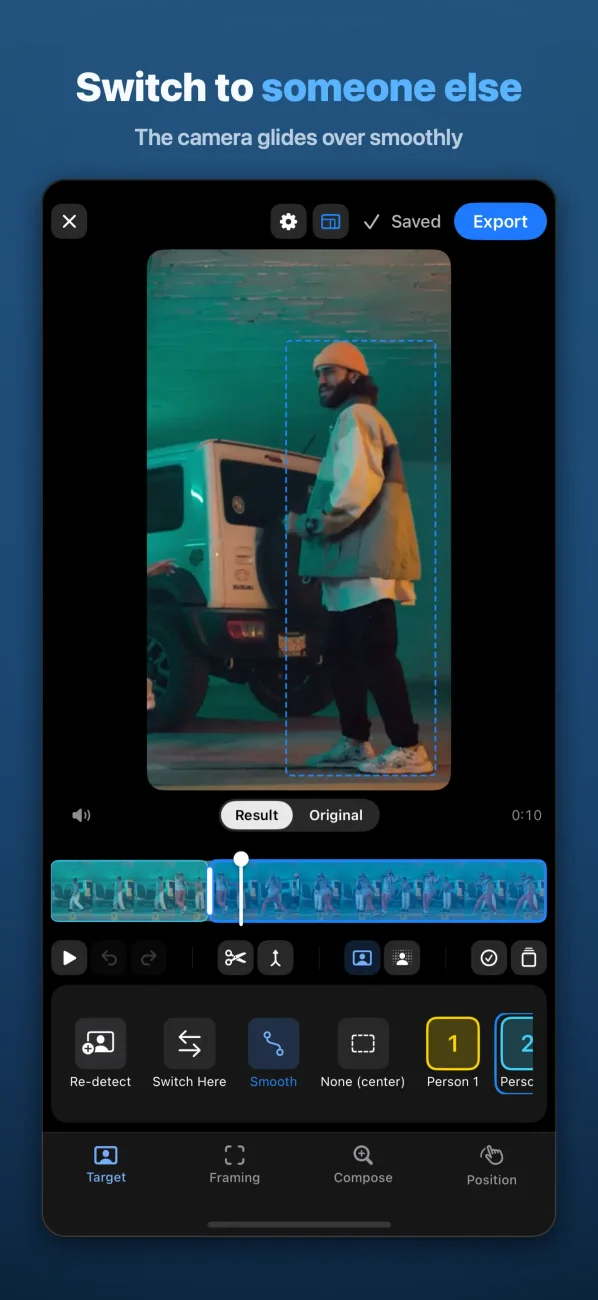
Subject switching: tap "Switch Here" at any moment and pick someone else. From there, the camera glides over to the new person, or cuts straight to them if you prefer.
Also improved: steadier tracking when people cross or the scene cuts.
■ How it works
1. Choose a video from Photos or Files, and AI finds the people in it
2. Tap the person to follow (color-coded, numbered boxes)
3. Pick an aspect ratio (11 options, including 9:16, 4:5, 1:1 and 16:9) and what to keep steady: face, torso or body center
4. Check it with Result | Original, then export
■ Great for
• Concert and stage videos: a fancam of the member you choose
• Dance challenges and choreography practice: a video of just you
• School recitals and sports days: keep your child at the center
• Turning landscape videos into vertical (9:16) for Reels and Shorts
■ Features
• Person tracking that uses the face and overall appearance
• Follow Style: Smooth (filters out small shakes) or Lock-On
• Precision tracking (optional): extra analysis for videos where people cross often. Downloads about 54 MB the first time; available on supported devices
• Segments: each part of the video can follow a different person
• Position (keyframes): set the frame position and size yourself at any moment
• Re-detect: tap to recover a missed person, or tap an empty spot to place a box on someone hidden
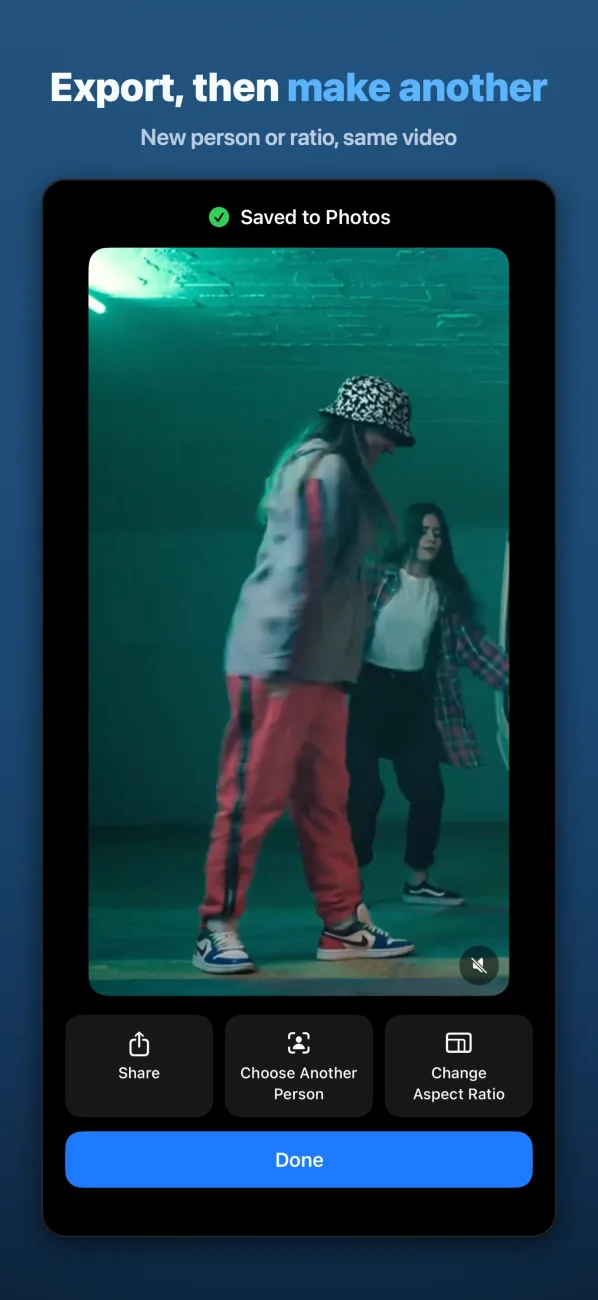
• Completion screen: play and share right away, or make another version with a different person or aspect ratio
• Export up to 4K, HEVC/H.264, MP4/MOV
• For iPhone, iPad and iPhone Duo, in English, Deutsch, Español, Français, 日本語, 한국어, 简体中文 and 繁體中文
■ Privacy
Video analysis and editing run on your device. PickCam does not send your videos or face data to external servers for this processing, and face features are used only temporarily in memory during analysis and are not stored. There is no server and no account, so no sign-in is needed. The free version shows Google AdMob ads.
■ PickCam Pro (optional subscription)
Free: videos up to 1 min · 720p · 5 exports/day · short ad before export · watermark
Pro: videos up to 10 min · up to 4K · unlimited · no ads · no watermark
Payment is charged to your Apple Account. Subscriptions renew automatically unless cancelled at least 24 hours before the period ends. Manage in Settings > Apple Account > Subscriptions.
Privacy Policy: https://cjmin.me/app/pickcam/
Terms of Use (EULA): https://www.apple.com/legal/internet-services/itunes/dev/stdeula/
Yang baru
Versi 1.2.0 · 17/11/2026
• New: Lock-On tracks the face, torso or body center you choose every frame and keeps it in one spot on screen. It zooms in slightly (up to 25%) only when it needs room to move
• New: Subject switching. Tap "Switch Here" at any point in the video and pick the next person; the camera glides over smoothly (or cuts straight, if you prefer)
• The preview now matches the export. Switch between Result and Original to see the area that will be exported
• Follows the selected person more steadily when people cross or the scene cuts
• Precision tracking (optional): steadier tracking in videos where people cross often. Downloads about 54 MB the first time, and may take about as long as the video for additional analysis after you choose a person (supported devices)
• Framing now has two steps: face, torso or body center, then a Follow Style (Smooth or Lock-On). Torso lock is new
• Open recent projects right from Home, and after exporting, make another version with a different person or aspect ratio
• Simpler export settings and subscription screen
• Now in German, Spanish, French and Traditional Chinese, with polished wording and better layouts for large text sizes
Privasi aplikasi
Yang dinyatakan Jongmin Choi di App Store tentang cara aplikasi ini menangani data.
-
Data yang digunakan untuk melacak Anda
Dapat digunakan untuk melacak Anda di aplikasi dan situs web milik perusahaan lain.
- Pengenal
-
Data yang ditautkan dengan Anda
Dapat dikumpulkan dan ditautkan dengan identitas Anda.
- Lokasi
- Pengenal
- Data penggunaan
-
Data yang tidak ditautkan dengan Anda
Dapat dikumpulkan, tetapi tidak ditautkan dengan identitas Anda.
- Diagnostik
Praktik privasi dapat bervariasi, misalnya berdasarkan fitur yang Anda gunakan atau usia Anda.
Informasi
- Penjual
- Jongmin Choi
- Kategori
- Foto & Video
- Versi
- 1.2.0
- Diperbarui
- 17/11/2026
- Dirilis
- 20/7/2026
- Ukuran
- 86,7 MB
- Memerlukan
- iOS 17.0 atau yang lebih baru
- Batasan usia
- 4+
- Harga
- Gratis
- Pembelian dalam aplikasi
- Ya
- Bahasa
- Inggris, Prancis, Jerman, Jepang, Korea, Tionghoa Sederhana, Spanyol, Tionghoa Tradisional
- Hak cipta
- © 2026 Jongmin Choi
Mungkin Anda juga suka
-
 Centered – Auto ReframeFoto & Video
-
 TapSoloFoto & Video
-
 DancePai - Editor Tari AIPengenalan & Editor Tari AI
-
 Catchy Cam - Auto Tracking CamFoto & Video
-
 DanceShot: Dance Video EditorFoto & Video
-
 Fancam MakerFoto & Video
-
 SoloDance AIFoto & Video
-
 Tally: Dance Practice & EditorFoto & Video
-
 Active Follow CamKamera yang mengikuti Anda
-
 FollowCut: Editor Video AIPelacakan subjek & multikamera