
- Batasan usia4+
- KategoriFoto & Video
- Pengembang品微生活國際股份有限公司
- BahasaInggris+ 10 lainnya
- Ukuran48,6 MB
Tertaut ke halaman resmi App Store
Download.org tidak menyimpan file PinwePhoto apa pun. Tombol ini membuka halaman aplikasi di App Store, tempat 品微生活國際股份有限公司 menerbitkannya. Halaman terakhir diperiksa pada 16/11/2026.
Tangkapan layar


Tentang
Pengembang belum menyediakan teks ini dalam bahasa Anda.
Great value: pay once, no subscription
One purchase and every feature is yours for good. No monthly fees, no in-app purchases.
No ads, no sign-up
Open the app and start editing: no ads in the way, no account to create.
Your photos are never uploaded
Every edit happens right on your phone. Your photos and data are never sent to any server, and the app collects no data at all. It goes online only if you choose to download an extra font.
Looks and Auto
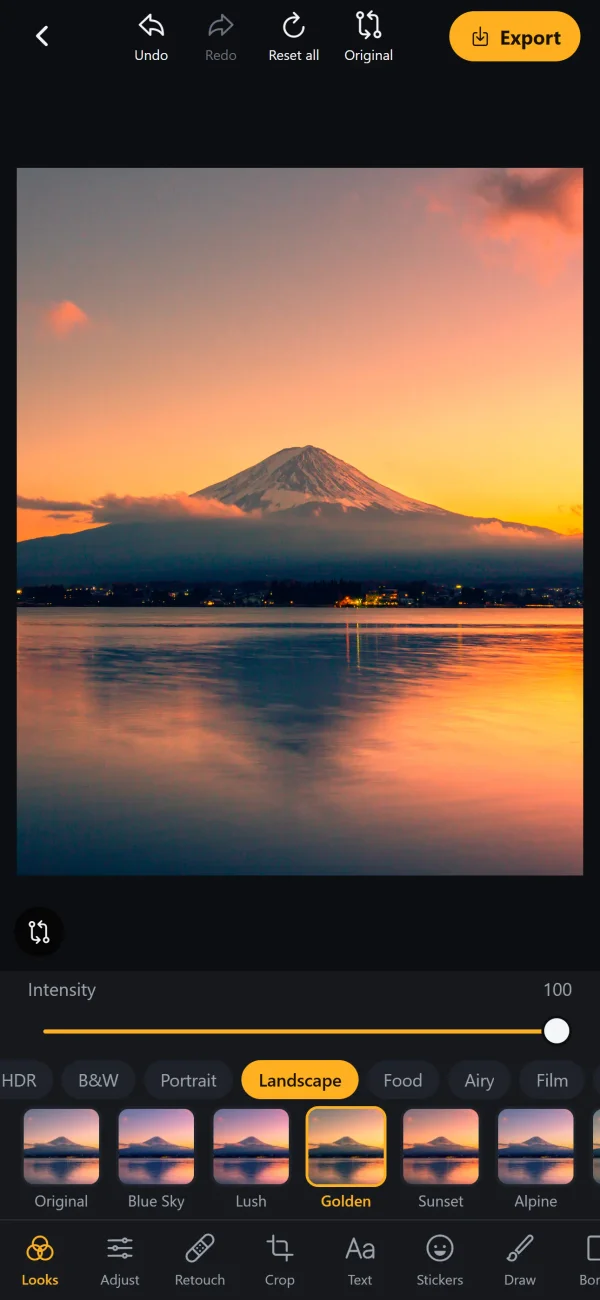
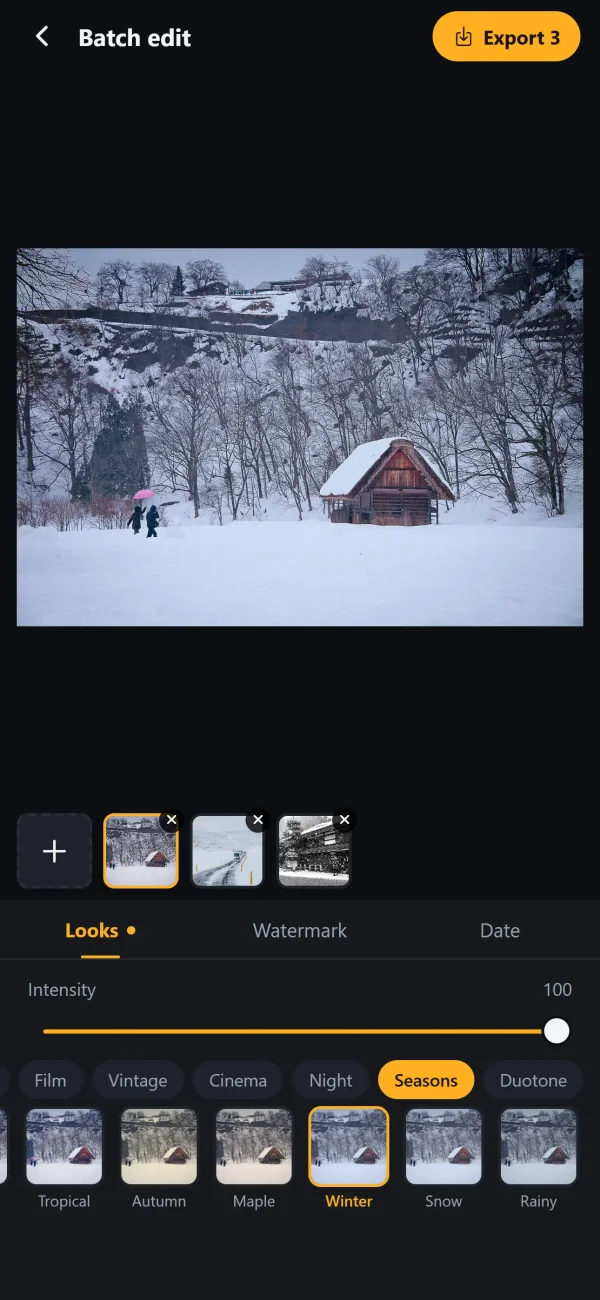
• 125 looks in 13 categories: Basic, HDR, B&W, Portrait, Landscape, Food, Airy, Film, Vintage, Cinema, Night, Seasons and Duotone, each with adjustable strength
• 10 HDR looks that lift shadows and keep highlight detail; 12 black-and-white looks with red, yellow and green filter effects
• Auto: one tap sets exposure, contrast, highlights, shadows, white balance and vibrance, and every slider stays editable
Adjustments and color
• Exposure, brightness, contrast, highlights, shadows, temperature, tint, saturation, vibrance, hue, clarity, sharpen, fade, vignette, grain and blur
• Noise reduction, with a separate slider for color noise
• HSL mixer for eight color ranges; tone curves for RGB and each color channel
• Color splash: tap the color to keep, and the rest turns black and white
Retouch
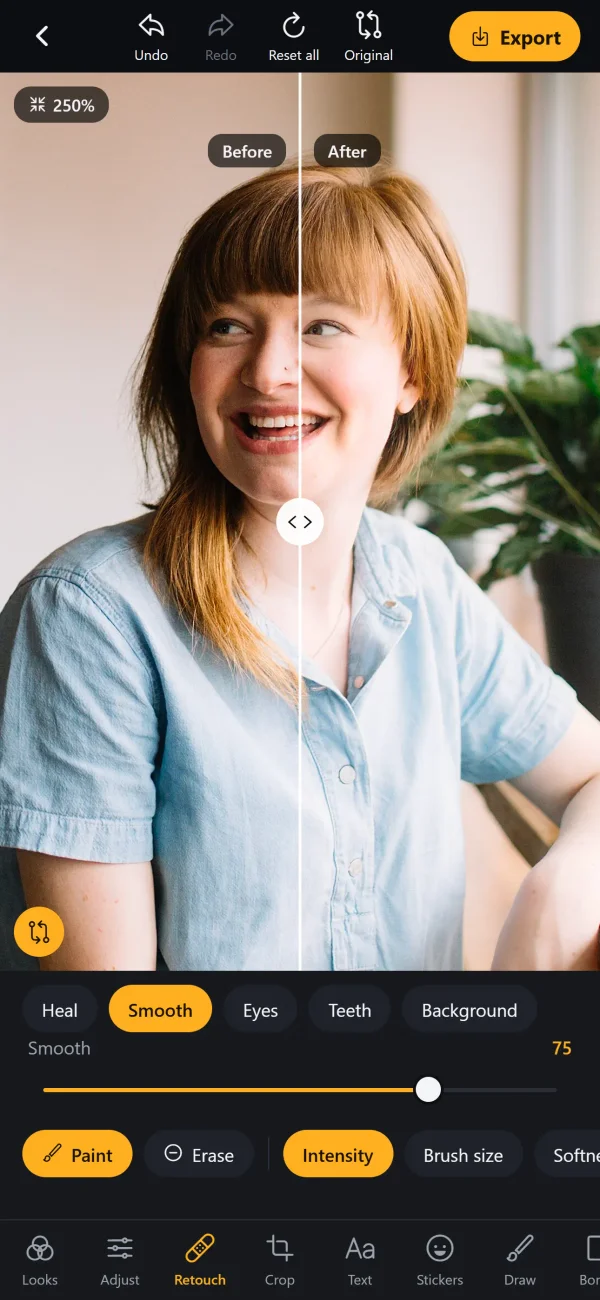
• Spot healing: tap a blemish or brush over a longer mark, and it is patched from a matching area nearby
• Skin smoothing, brighter eyes and whiter teeth
• Background blur, or cut out the subject as a PNG with a transparent background
• On iPhone, people and faces are found automatically (and any object you tap, on iOS 17 or later), right on the device; brushes paint or erase every area by hand
Crop, perspective and liquify
• Freeform or fixed-ratio crop with the output size on screen; rotate, flip and straighten
• Vertical and horizontal perspective correction to straighten buildings shot from below
• Liquify: push, bloat, pinch and twirl, with a brush that gets finer as you zoom in
Text, stickers, drawing and borders
• 18 built-in fonts plus 29 Chinese, Japanese and Korean fonts to download; shadow, outline and background
• Emoji and recolorable vector shapes; pen, highlighter and eraser
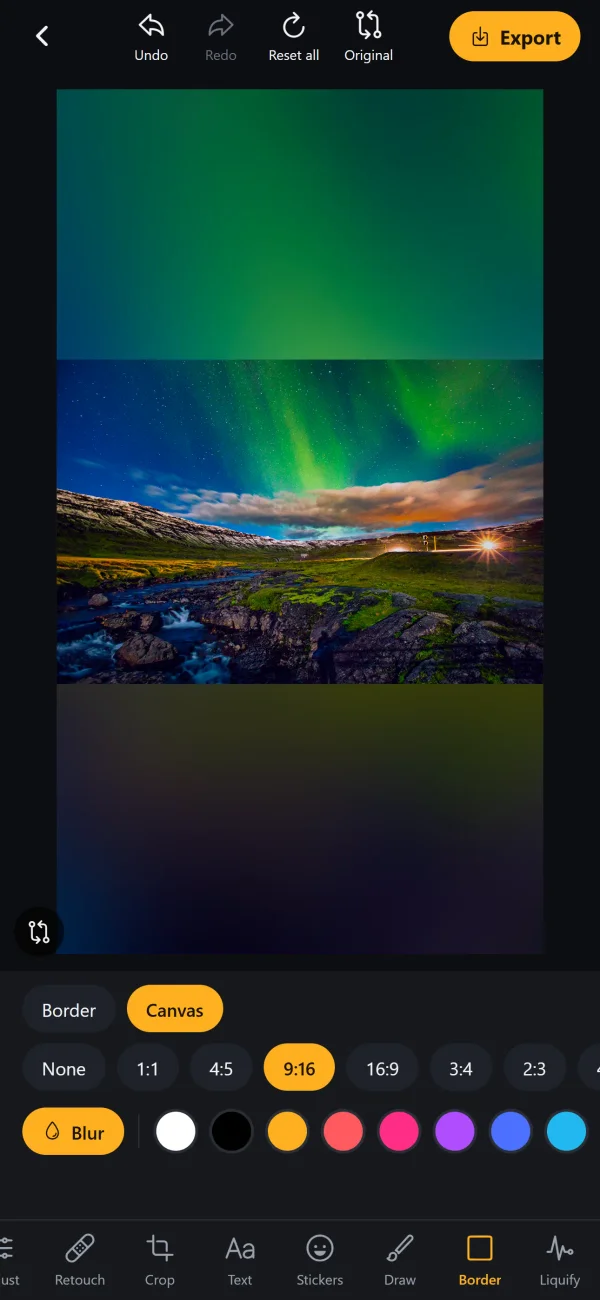
• Borders with adjustable width, rounded corners and color, or an instant-photo style
• Social sizes (1:1, 4:5, 9:16, 16:9 and more) filled with a blurred copy of the photo or a color
Watermark, date stamp and export
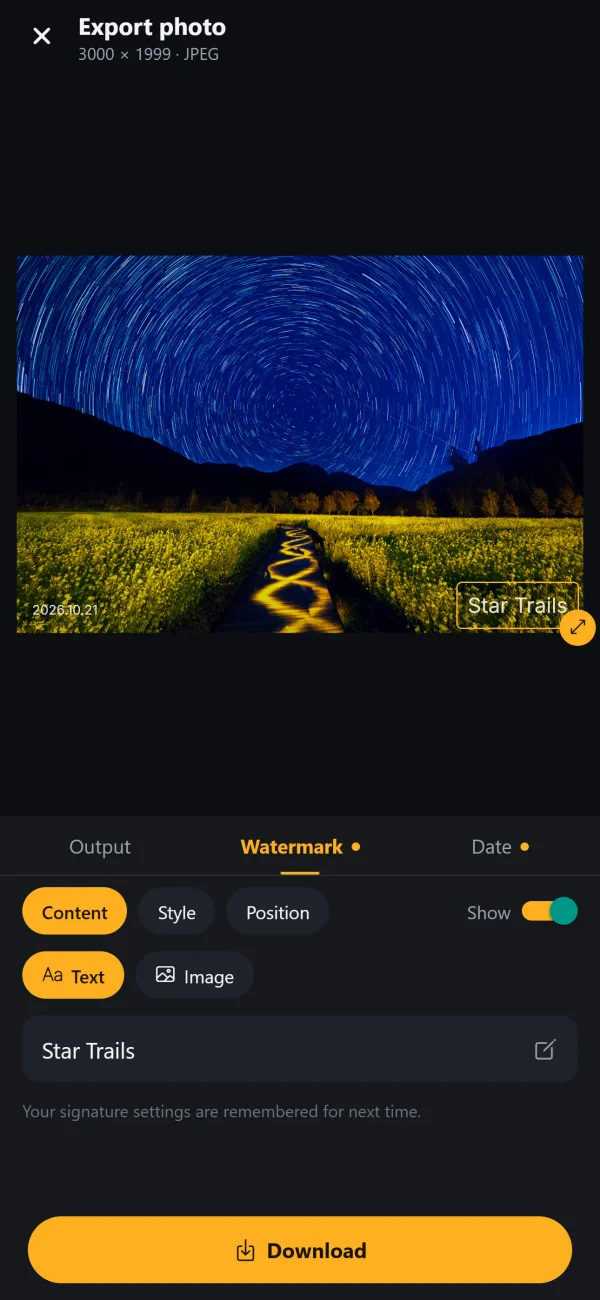
• Text or logo watermark (transparent PNG / SVG, recolorable) and a date stamp, each with its own position, size, angle and opacity; drag, pinch and turn them right on the photo
• Use the date the photo was taken, or today
• Export as JPEG or PNG at the quality and resolution you choose
Batch edit
• Apply a look or preset, a watermark and a date stamp to many photos at once; each photo gets its own capture date
And more
• Drag a before / after divider, or hold Original to compare
• Pinch to zoom; undo, redo and one-tap reset to the original
• Save looks, adjustments, color settings and canvas sizes as presets for one-tap use
• Collage: 2 to 6 photos in many layouts
• In 11 languages: English, Chinese (Traditional and Simplified), Japanese, Korean, Spanish, Portuguese, French, German, Italian and Russian; follows your phone, or pick one in the app
Yang baru
Versi 1.1.1 · 27/10/2026
• Fixed on iPhone: the Retouch brushes now add to and remove from the mask for Cutout, Background, skin, Eyes and Teeth
• Fixed on iPhone: Heal now removes spots
• With Cutout on, the removed part shows faintly, so the Keep and Remove brushes can refine the edge
Still no subscription, no ads and no sign-up. Every edit stays on your phone, and your photos are never uploaded.
Privasi aplikasi
Yang dinyatakan 品微生活國際股份有限公司 di App Store tentang cara aplikasi ini menangani data.
-
Data tidak dikumpulkan
Pengembang tidak mengumpulkan data apa pun dari aplikasi ini.
Praktik privasi dapat bervariasi, misalnya berdasarkan fitur yang Anda gunakan atau usia Anda.
Informasi
- Penjual
- Pinwelife International Co., Ltd.
- Kategori
- Foto & Video
- Versi
- 1.1.1
- Diperbarui
- 27/10/2026
- Dirilis
- 19/10/2026
- Ukuran
- 48,6 MB
- Memerlukan
- iOS 16.4 atau yang lebih baru
- Batasan usia
- 4+
- Harga
- Rp 19ribu
- Bahasa
- Inggris, Prancis, Jerman, Italia, Jepang, Korea, Portugis, Rusia, Tionghoa Sederhana, Spanyol, Tionghoa Tradisional
- Hak cipta
- © 2026 Pinwelife International Co., Ltd.
Mungkin Anda juga suka
-
 MyCollage: Photo CollageFoto & Video
-
 mSeal - Batch WatermarkFoto & Video
-
 BatchCraft - Edit, Bulk ExportFoto & Video
-
 MultiEdit: Edit Foto SekaligusEdit Massal & Edit dengan AI
-
 Watermark Stamp: Foto & VideoWatermark massal, cepat
-
 JamPhotos: Batch Photo EditorFoto & Video
-
 MusicPicsFoto & Video
-
 LettercamFoto & Video
-
 Batch Photo Editor: BatchlyFoto & Video
-
 Photo Watermark - Logo & TextFoto & Video