Popt.
Remember and share. Privately.
Dirancang untuk iPhone, iPad
Gratis · Pembelian dalam aplikasi
- Batasan usia12+
- KategoriProduktivitas
- PengembangSkile SA
- BahasaInggris+ 5 lainnya
- Ukuran92,3 MB
Tertaut ke halaman resmi App Store
Download.org tidak menyimpan file Popt. apa pun. Tombol ini membuka halaman aplikasi di App Store, tempat Skile SA menerbitkannya. Halaman terakhir diperiksa pada 23/11/2026.
Tangkapan layar

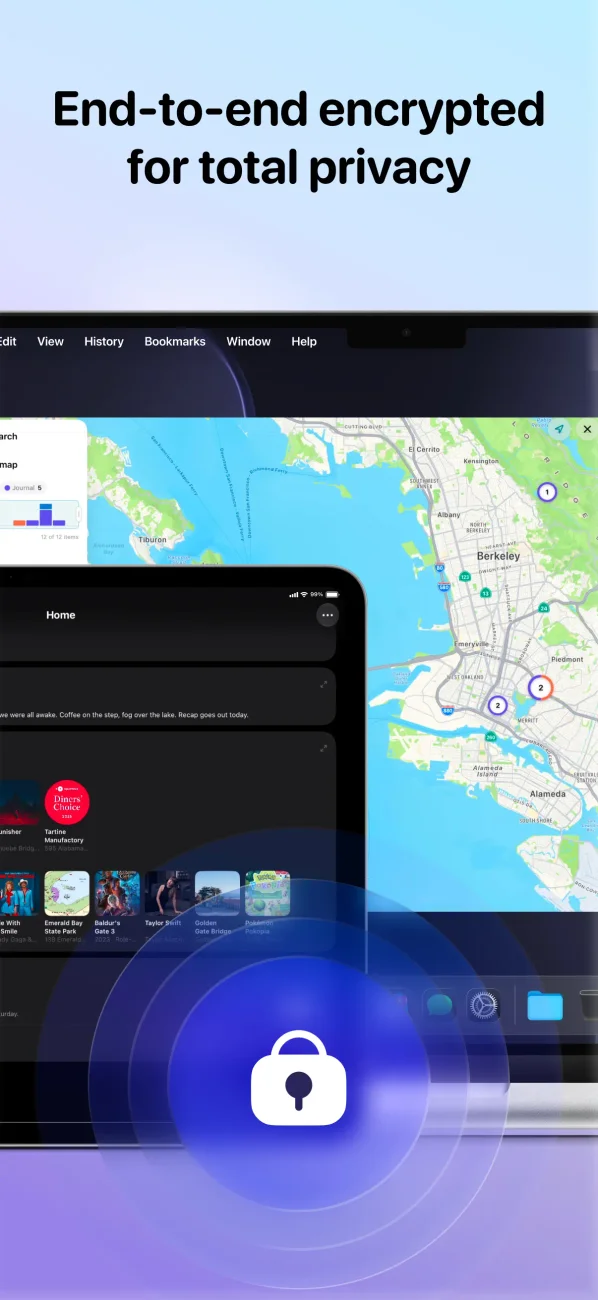
Tentang
Pengembang belum menyediakan teks ini dalam bahasa Anda.
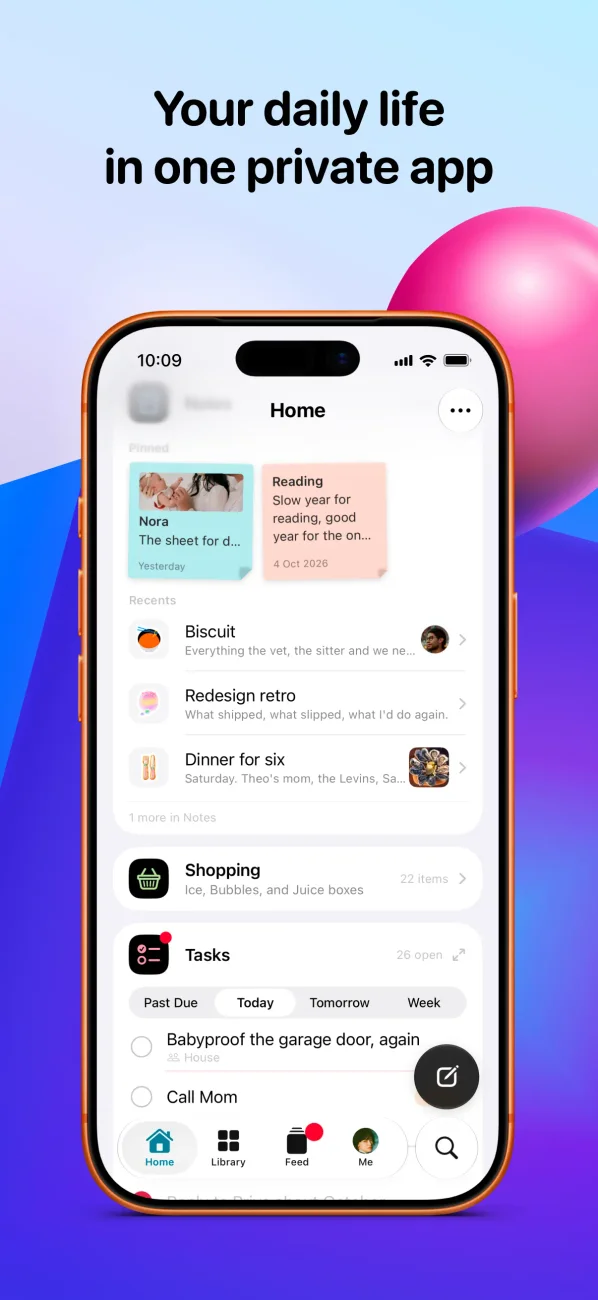
Notes, tasks, your journal, shopping lists and a library of everything you love, in one private app. Syncs for free to iPhone, iPad and Mac.
JOT IT DOWN. POPT SORTS IT OUT.
• Type a short note or a list, and Popt suggests where it belongs: your journal, a note, a task or the shopping list.
• Fast capture on the go, built to jot down a to-do or a film recommendation mid-conversation.
• Use Siri to create or update tasks and notes, and find them in Spotlight (iOS 27 and later).
A LIBRARY FOR YOUR DISCOVERIES
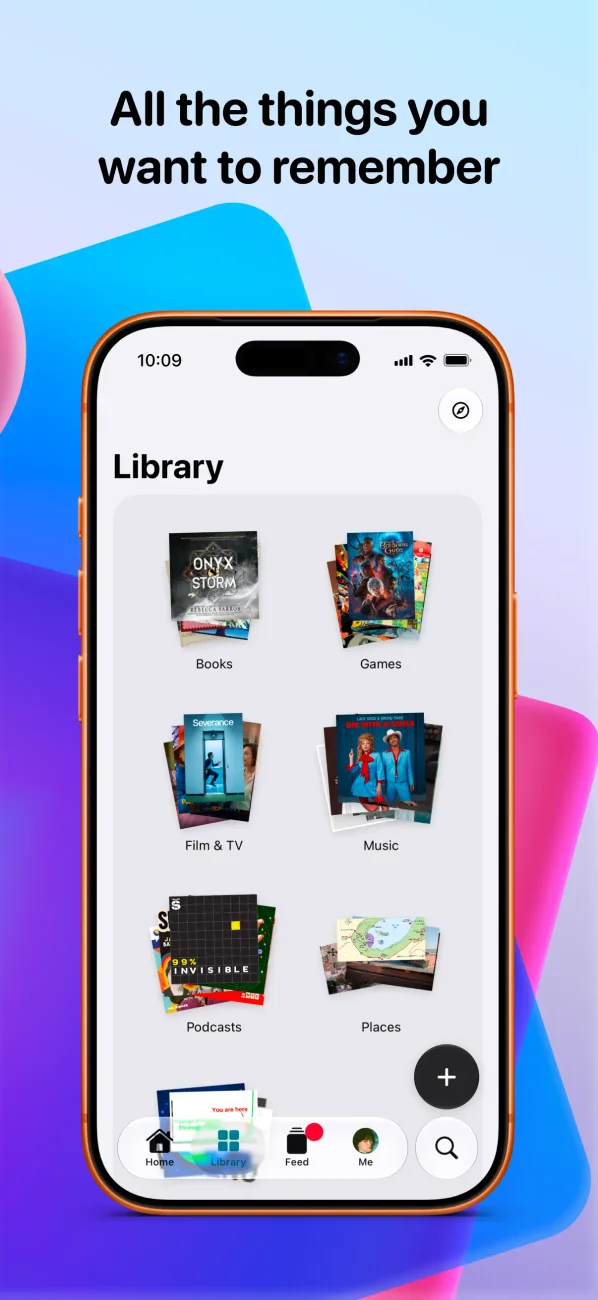
• Books, movies, TV shows, music, podcasts, video games, board games, places and links: everything you loved, or want to try, in a unified library.
• Rate what you have tried, and see where a movie or show is streaming in your country.
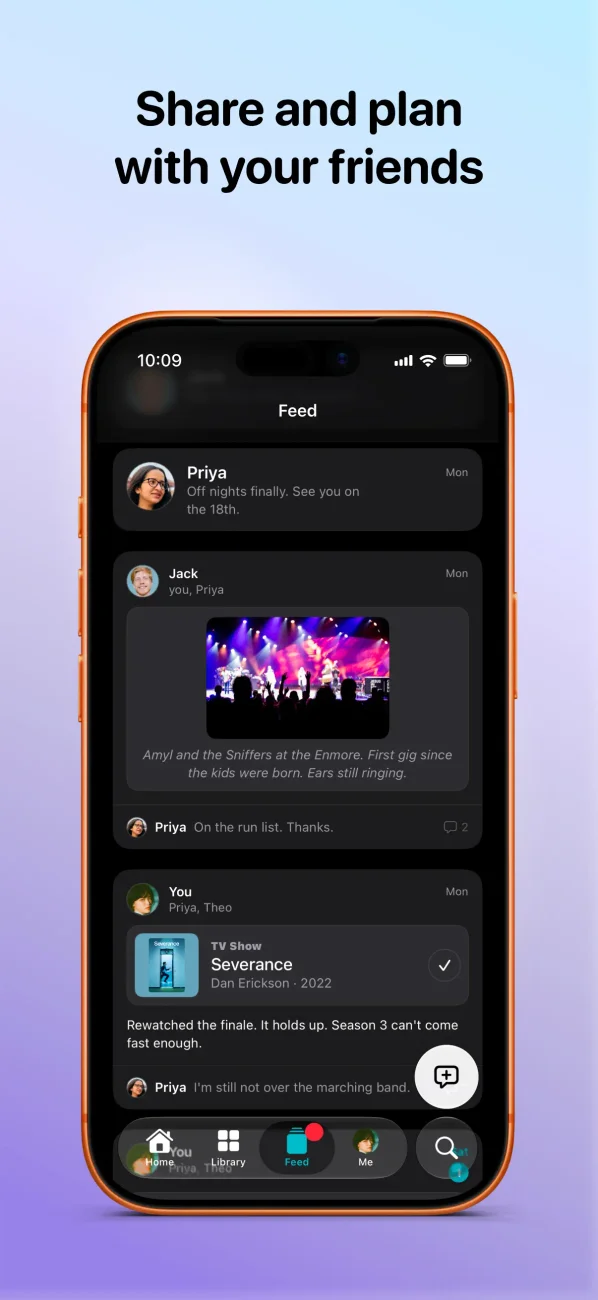
• Share and discuss your finds with your friends, without leaving the app.
• See your places on a map, along with where you added something to your library, took a note or wrote in your journal (Pro).
EVERYDAY LIFE, IN ONE PLACE
• Notes for ideas, plans and everything in between.
• Tasks with reminders, notes, photos and attachments from your library.
• Shopping lists that sort your groceries into categories automatically.
• A journal for the days worth remembering.
SHARE AND COLLABORATE
• Send a popt straight to a friend in an end-to-end encrypted chat.
• Post to your groups: a library item, a photo, or just a few words.
• Work together on notes, tasks and shopping lists.
• Choose who can edit and who can only read (Pro).
YOUR DATA IS YOURS
• Private by default. Everything syncs end-to-end encrypted, chats included.
• We can't see your popts, and we never will.
• No lock-in: export everything to text files compatible with Obsidian, from day one.
AND SO MUCH MORE
• More than 100 colorful, artist-designed stickers for your notes and projects.
• Safe for everyone: sensitive content analysis, and respect for Screen Time Communication Limits and age ranges.
• Make it yours: reorder your dashboard, keep widgets minimized or full size, and add the optional ones you like. Customizable sidebar on iPad and Mac.
• Projects (Pro): dashboards that bring notes, journal entries, tasks and shopping lists together for a trip, a move or a hobby. Shareable too.
• Vaults (Pro): extra-private spaces locked with their own passphrase, each with its own library, notes and journal. A hidden vault leaves no trace until you open it.
FREE TO USE. PRO WHEN YOU WANT MORE.
Popt is designed to be used for free, with end-to-end encrypted sync across iPhone, iPad and Mac included. Sign up during our launch period and keep Early Adopter status for good: unlimited notes, tasks, journal entries, shopping lists and library items, messages and posts, and 2 GB of storage for your photos and files.
Popt Pro adds Projects, Vaults, Editor and Reader roles, the map and 10 GB of storage. It is a monthly or yearly subscription, billed to your Apple Account, easily cancellable in the Settings app.
LEGAL INFORMATION
End User License Agreement (EULA): https://www.apple.com/legal/internet-services/itunes/dev/stdeula/
Terms of Service: https://popt.com/terms-of-service
Yang baru
Versi 1.0.3 · 20/11/2026
NEW
- Input: re-designed the popting experience in the Home tab.
- UI: much improved use of space on macOS, default size of text and components increased.
- Accessibility: UI components now scale as well as text.
- Accessibility: added Text Size to the View menu on macOS.
- Lists: added menu in Tasks and Shopping to quickly jump to a specific list.
FIXES
- macOS: text and UI now scales with the system Text Size setting
Privasi aplikasi
Yang dinyatakan Skile SA di App Store tentang cara aplikasi ini menangani data.
-
Data yang tidak ditautkan dengan Anda
Dapat dikumpulkan, tetapi tidak ditautkan dengan identitas Anda.
- Info kontak
- Pengenal
- Diagnostik
Praktik privasi dapat bervariasi, misalnya berdasarkan fitur yang Anda gunakan atau usia Anda.
Informasi
- Penjual
- Skile SA
- Kategori
- Produktivitas
- Versi
- 1.0.3
- Diperbarui
- 20/11/2026
- Dirilis
- 10/11/2026
- Ukuran
- 92,3 MB
- Memerlukan
- iOS 26.2 atau yang lebih baru
- Batasan usia
- 12+
- Harga
- Gratis
- Pembelian dalam aplikasi
- Ya
- Bahasa
- Inggris, Prancis, Jerman, Italia, Portugis, Spanyol
- Hak cipta
- © 2026 Skile SA
Mungkin Anda juga suka
-
 Casalist: Family OrganizerProduktivitas
-
 Tomato Rhythm – Focus TimerProduktivitas
-
 Provisum: Family Binder & CareProduktivitas
-
 NextUp: Client Meeting NotesProduktivitas
-
 DevDeckProduktivitas
-
 TimeLoop: Perencana Harian AIAgenda, jadwal & kalender
-
 Vellora ArchiveProduktivitas
-
 Basenotes - Catatan HarianGET IT TOGETHER
-
 TickbaseProduktivitas
-
 Leeway: Planner Jadwal HarianLihat tugas yang muat hari ini