Preflop Range Builder
Build your own range charts
Dirancang untuk iPhone, iPad
Gratis
- Batasan usia4+
- KategoriKegunaan
- PengembangSeishin Miyaji
- BahasaInggris+ 1 lainnya
- Ukuran3,6 MB
Tertaut ke halaman resmi App Store
Download.org tidak menyimpan file Preflop Range Builder apa pun. Tombol ini membuka halaman aplikasi di App Store, tempat Seishin Miyaji menerbitkannya. Halaman terakhir diperiksa pada 12/11/2026.
Tangkapan layar
Tentang
Pengembang belum menyediakan teks ini dalam bahasa Anda.
Preflop Range Builder is for making your own poker hand range charts — not for reading someone else's.
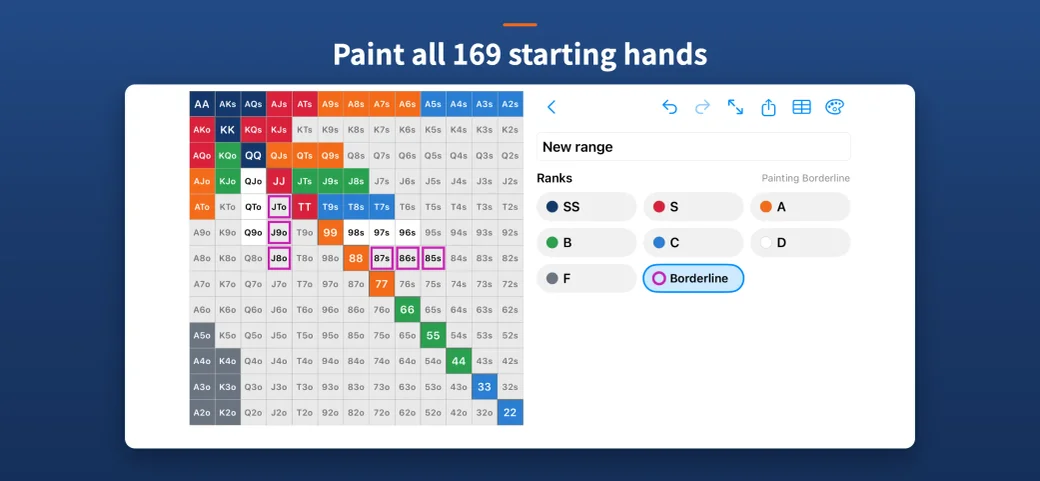
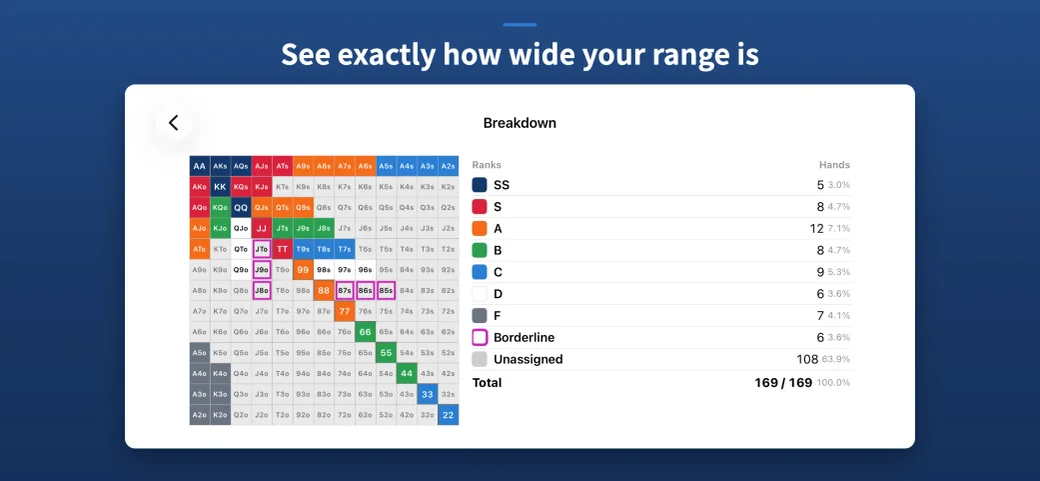
You get a 13x13 grid of all 169 starting hands. Drag across it and paint the hands into tiers you define yourself.
PAINT WITH YOUR FINGER
Drag to fill cells in one stroke. Tap a painted cell again with the same rank to clear it. Undo and redo work one stroke at a time, so fine adjustments are quick. Haptics confirm every change.
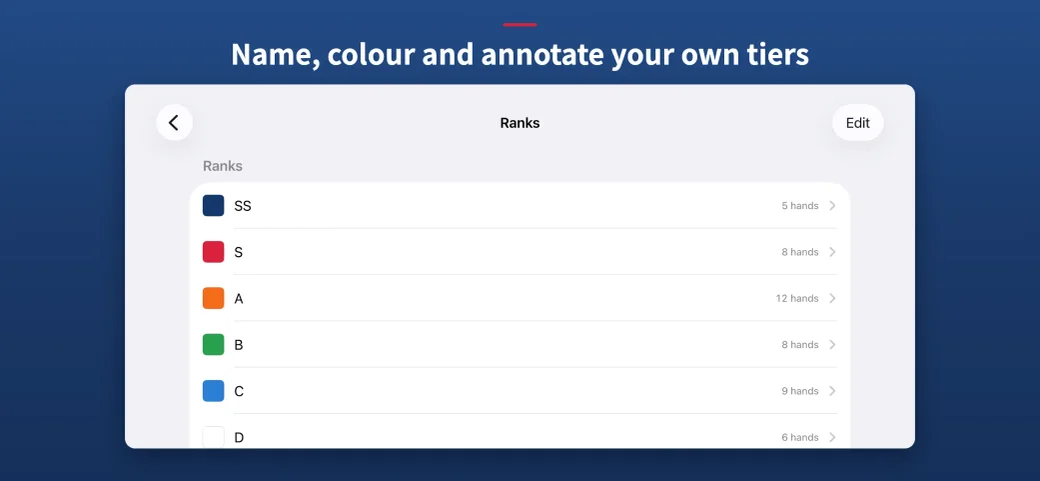
DEFINE YOUR OWN RANKS
You start with eight: SS, S, A, B, C, D, F and Borderline. Every name, colour and count is yours to change. Ranks can be solid or outlined, so a "maybe" region can look like one. Each rank carries a note, which is where the condition lives — how many players are left behind you, what stack depth, whatever you actually use to decide.
SEE HOW WIDE YOU ARE
The breakdown shows how many of the 169 hands sit in each rank, and what share of the range that is. In landscape it sits beside the chart, so you can watch the range widen as you paint.
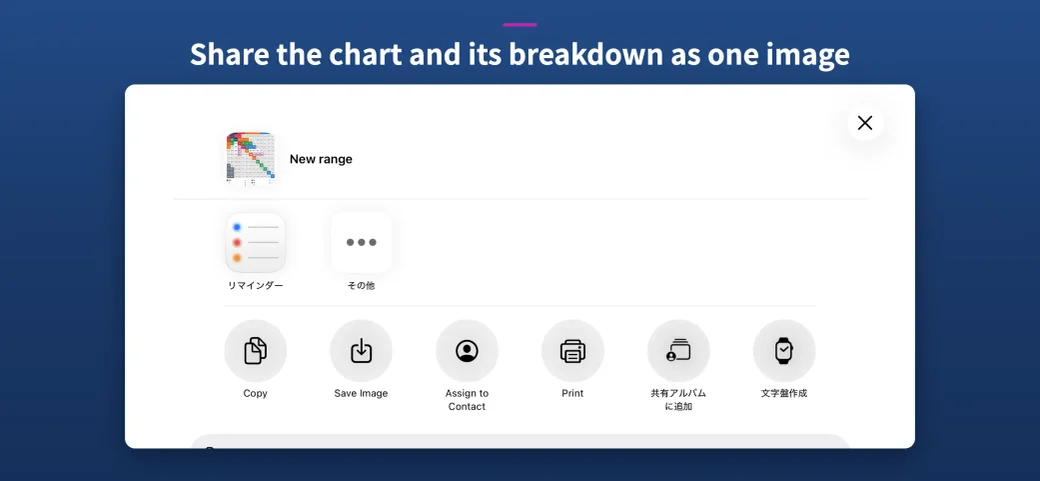
SHARE AS ONE IMAGE
Export the chart and its breakdown as a single card. Save it to Photos or send it straight to someone. Useful when you want to compare ranges with the people you play with.
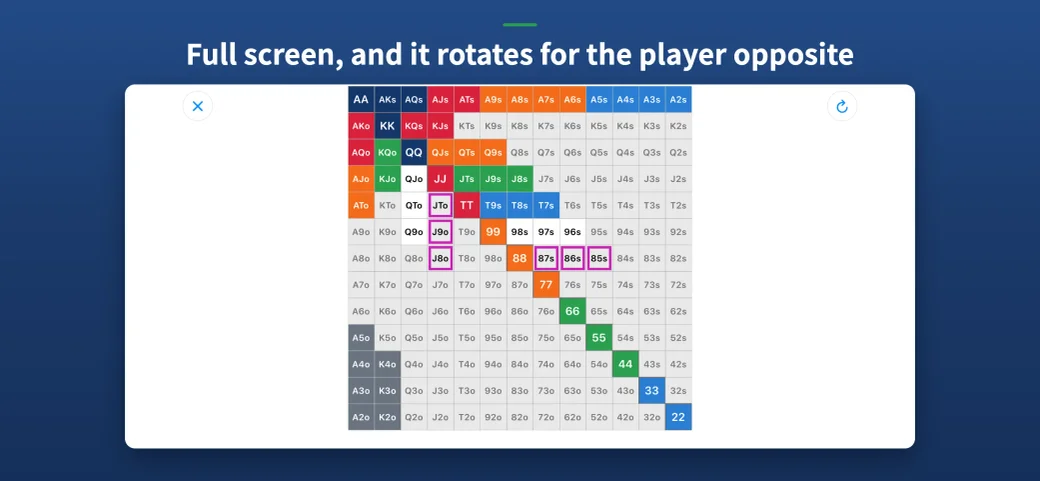
FULL SCREEN, AND IT ROTATES
Show the chart on its own, filling the screen. Rotate it 90 degrees at a time so the person across the table reads it the right way up.
BUILT FOR LANDSCAPE
On iPhone the app stays in landscape, so the chart uses the full height of the screen with the controls beside it. iPad works in both orientations.
THE GRID FOLLOWS THE STANDARD
Rows and columns run A, K, Q, J, T, 9, 8, 7, 6, 5, 4, 3, 2. Pairs on the diagonal, suited above it, offsuit below. The same orientation as the charts in books and other tools, so nothing needs re-reading.
ALSO
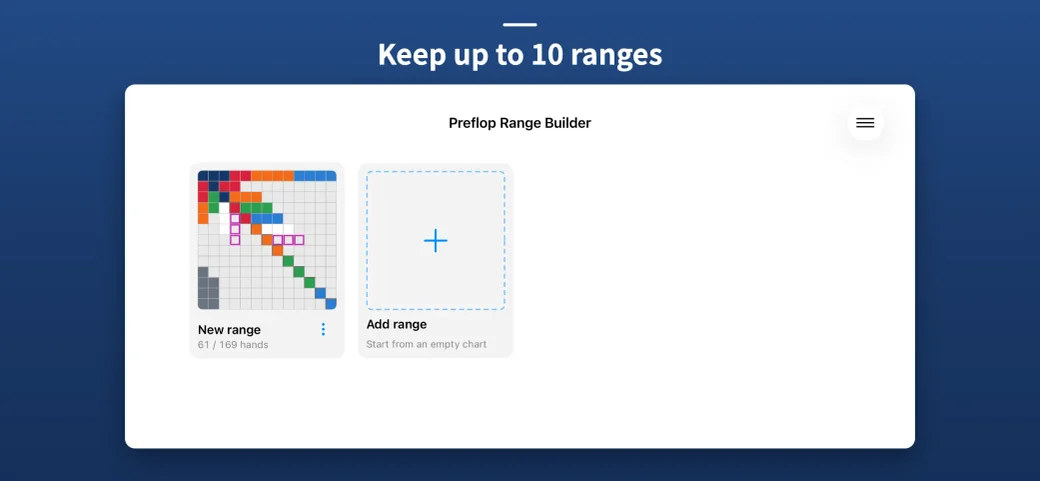
- Duplicate and delete ranges
- Everything is saved, and survives a restart
- System, Light or Dark appearance
PRICE
Free, with ads. Creating your third or later chart requires watching a video ad. There are no in-app purchases.
YOUR DATA
Charts are stored on your device and never sent to a server. There is no account and no sign-in. Back-ups are up to you — deleting the app deletes your charts.
Note: this is a study and reference tool. There is no gameplay, no wagering and no money of any kind in the app.
Yang baru
Versi 1.1.2 · 18/10/2026
- When you share a range chart image to X, the post now includes #MyHandRange. Other destinations still receive just the image.
Privasi aplikasi
Yang dinyatakan Seishin Miyaji di App Store tentang cara aplikasi ini menangani data.
-
Data yang digunakan untuk melacak Anda
Dapat digunakan untuk melacak Anda di aplikasi dan situs web milik perusahaan lain.
- Pengenal
- Data penggunaan
-
Data yang tidak ditautkan dengan Anda
Dapat dikumpulkan, tetapi tidak ditautkan dengan identitas Anda.
- Pengenal
- Data penggunaan
- Diagnostik
Praktik privasi dapat bervariasi, misalnya berdasarkan fitur yang Anda gunakan atau usia Anda.
Informasi
- Penjual
- Seishin Miyaji
- Kategori
- Kegunaan
- Versi
- 1.1.2
- Diperbarui
- 18/10/2026
- Dirilis
- 23/9/2026
- Ukuran
- 3,6 MB
- Memerlukan
- iOS 17.0 atau yang lebih baru
- Batasan usia
- 4+
- Harga
- Gratis
- Bahasa
- Inggris, Jepang
- Hak cipta
- © 2026 Miyajin Product