Printer Pilot: Wireless Print
Print from iPhone, Scan & Sign
Dirancang untuk iPhone, iPad, Mac
Gratis · Pembelian dalam aplikasi
- Batasan usia4+
- KategoriProduktivitas
- PengembangSohaib Ali
- BahasaInggris+ 7 lainnya
- Ukuran102,2 MB
Tertaut ke halaman resmi App Store
Download.org tidak menyimpan file Printer Pilot: Wireless Print apa pun. Tombol ini membuka halaman aplikasi di App Store, tempat Sohaib Ali menerbitkannya. Halaman terakhir diperiksa pada 17/11/2026.
Tangkapan layar
Tentang
Pengembang belum menyediakan teks ini dalam bahasa Anda.
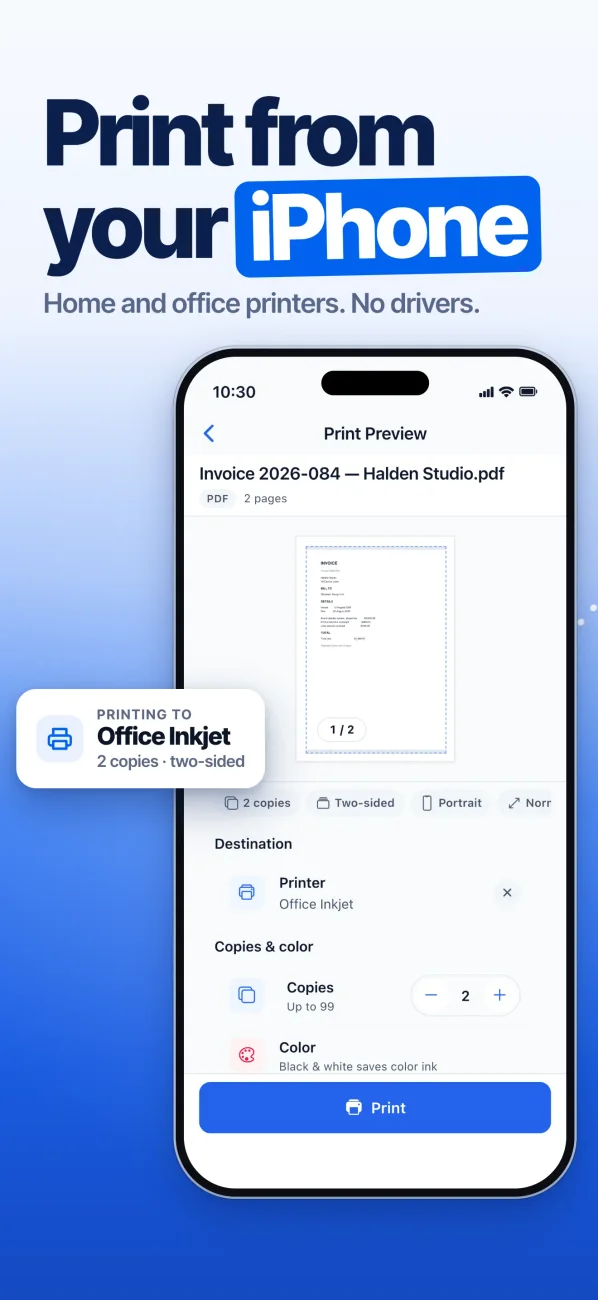
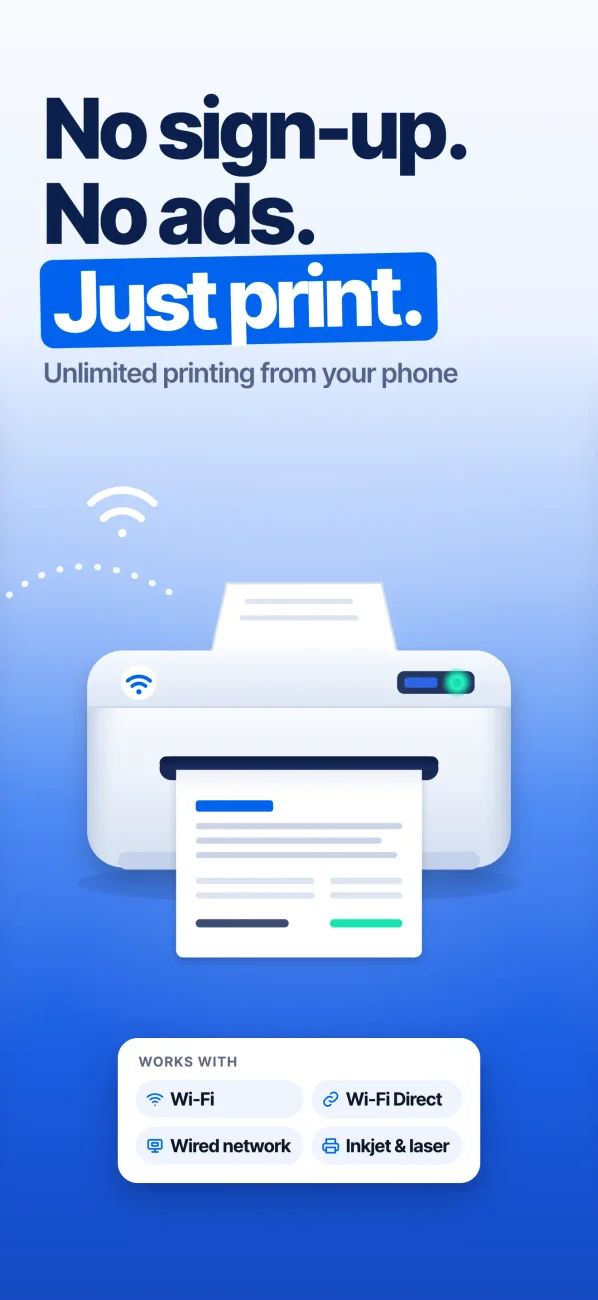
Printer Pilot is a printer app for wireless printers. Print from your iPhone to a Wi-Fi printer, scan paperwork to a clean PDF, edit and sign PDFs, send signature requests, and chat with any document. No sign-up, no login, no ads.
PRINT FROM YOUR IPHONE
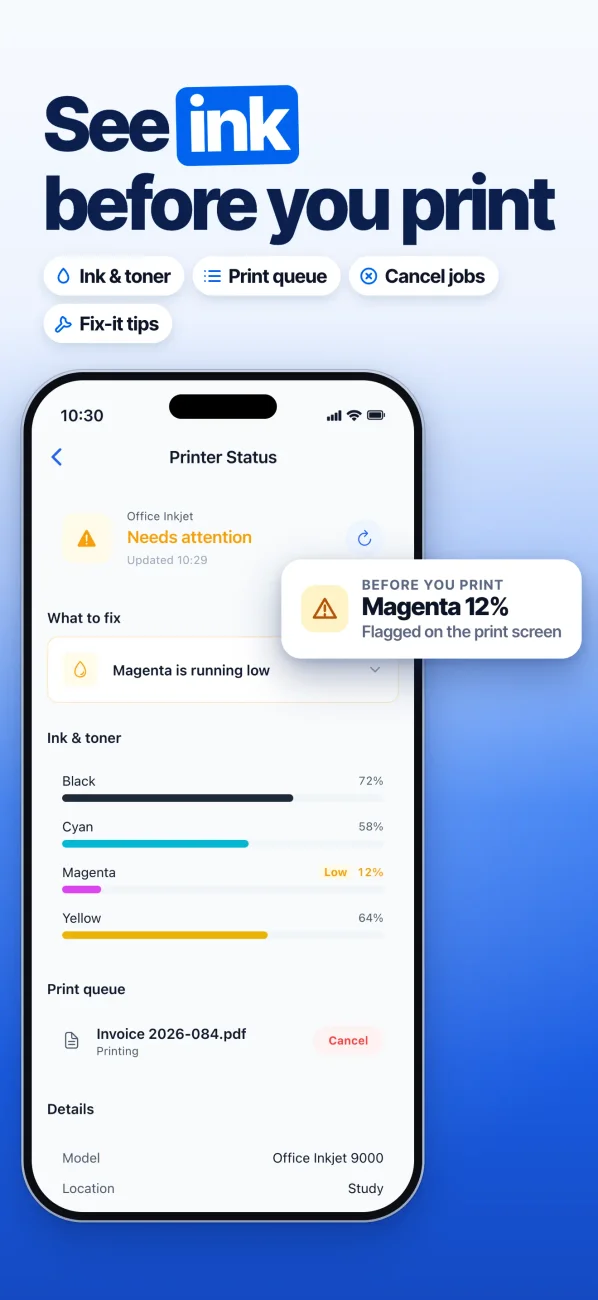
• Finds the printers on your Wi-Fi, shows their status and ink levels, and prints directly with live progress
• Choose pages, copies, color, two-sided printing, pages per sheet, paper size, quality and tray
• Two-sided printing by hand on printers without a duplexer
• Print several photos at once, or type or paste text and print it
• Print history with Print again
• Connects to a printer's own Wi-Fi Direct network when there is no Wi-Fi, or use the standard iOS print dialog
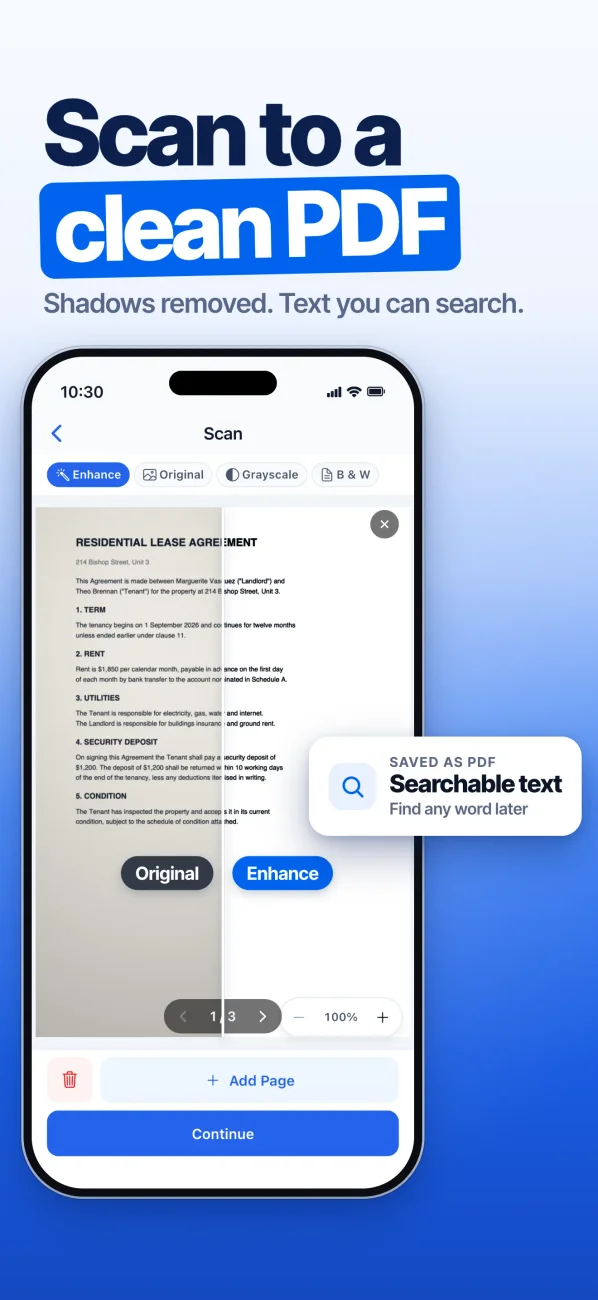
SCAN TO PDF
• Capture documents with automatic edge detection
• Enhance gives white paper, true colour and crisp text; or choose Original, Grayscale or B & W
• Text recognition runs on your device, including Chinese, Japanese, Korean and Hindi
• Export as a searchable PDF, a .docx document or plain text
OPEN FROM OTHER APPS
• Open PDFs and photos in Printer Pilot from Files, Mail and other apps, then print or edit them
EDIT AND SIGN PDF
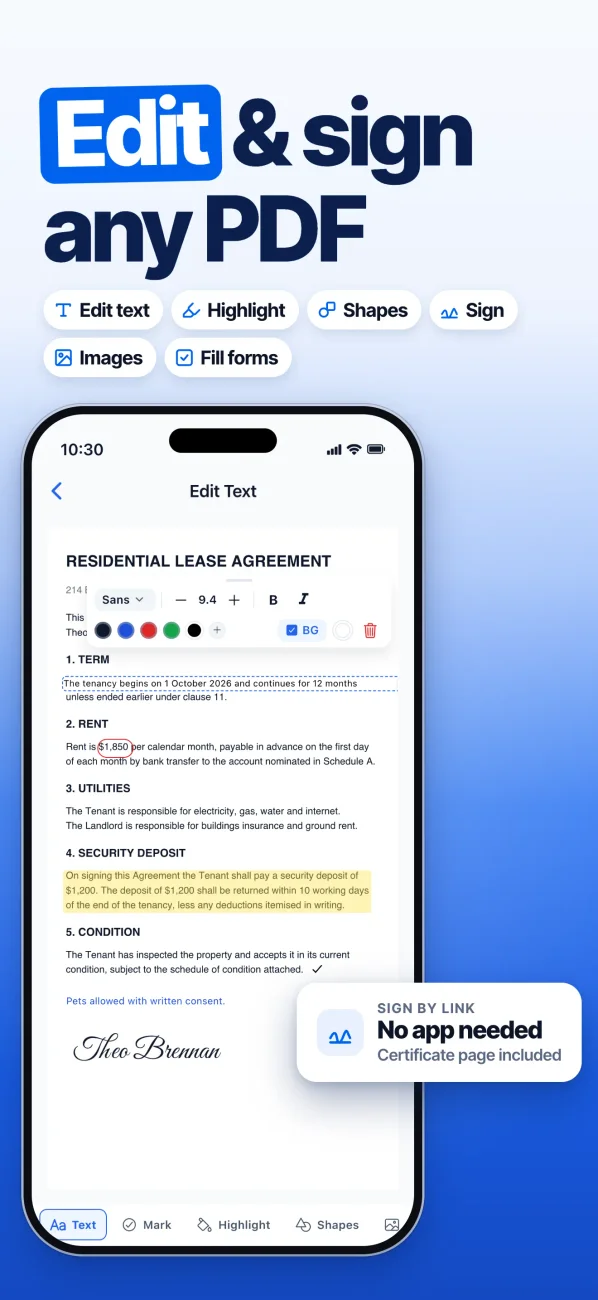
• Edit text, highlight, add shapes, images and form entries
• Draw or type your signature and place it on any page
• Send a document to someone else to sign with a link. They need no app and no account
• Every signed copy gets a certificate page with a verification record
• Add stamps for logos, seals and watermarks
PDF TOOLS
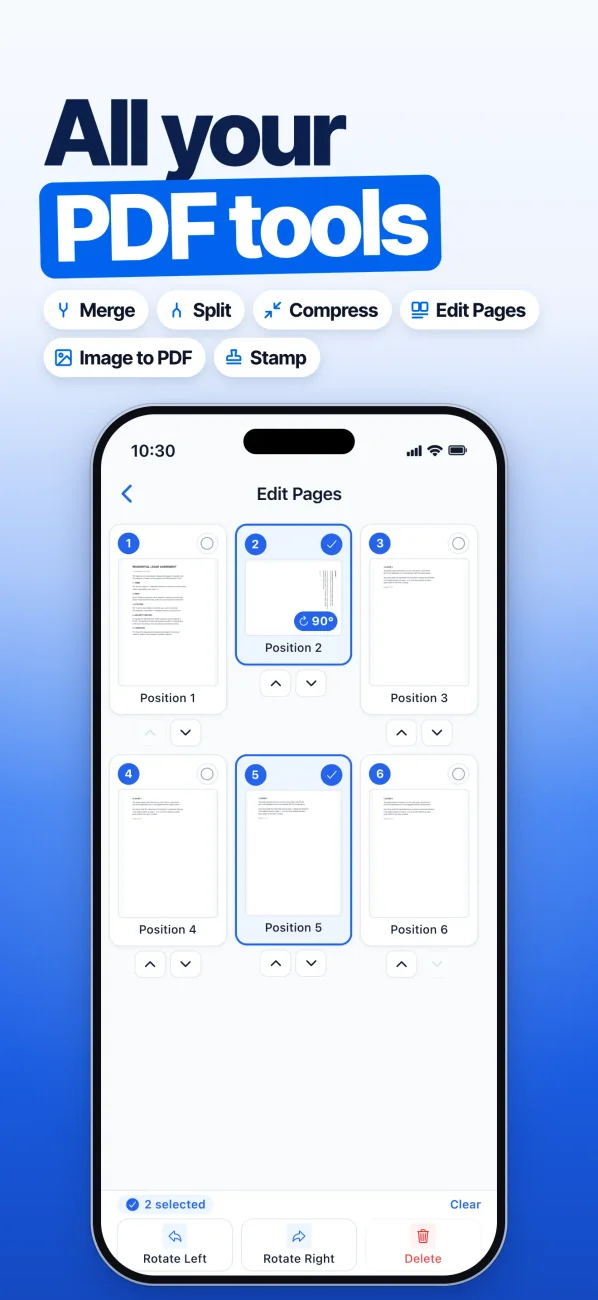
• Merge, split, compress to a target size, rearrange, rotate and delete pages, and turn photos into a PDF
CHAT WITH PDF AND AI SUMMARY
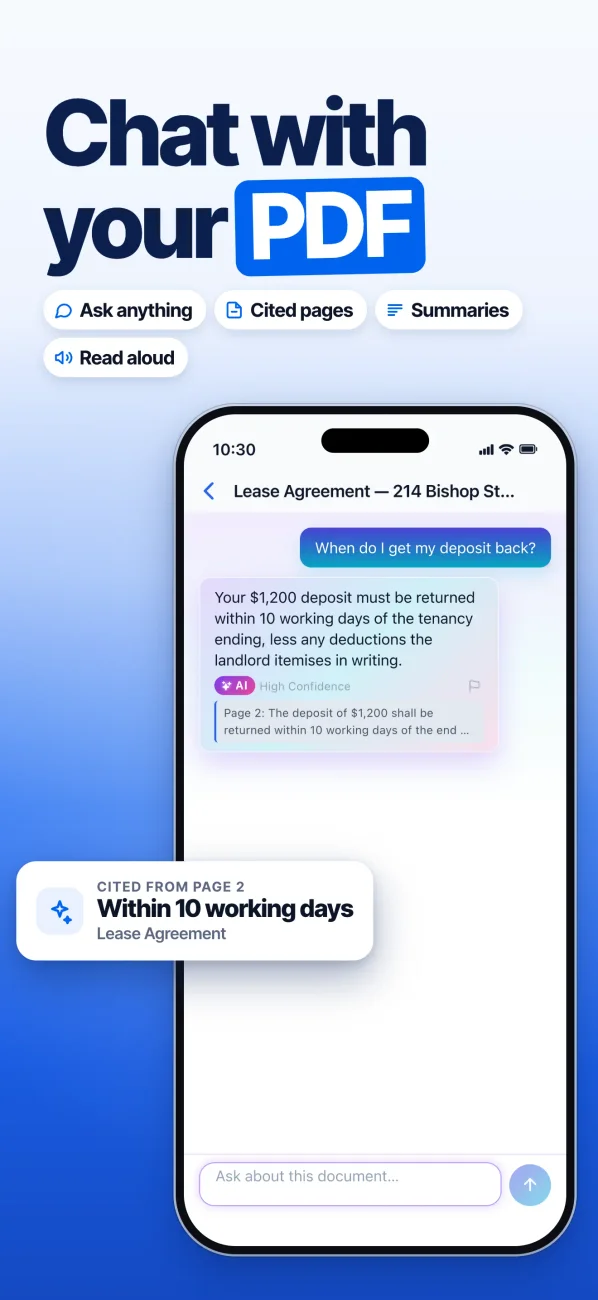
• Summaries in short, medium or detailed length
• Ask a document what a clause actually says, with the page every answer came from
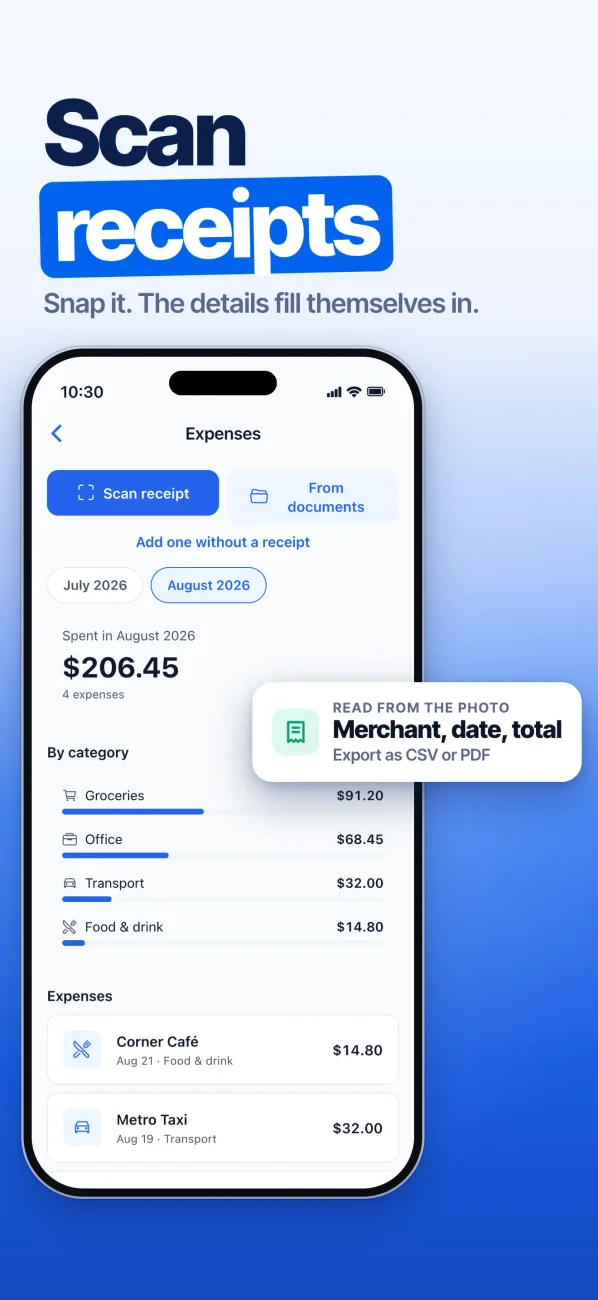
• Pull the key fields out of invoices, receipts and contracts
• AI features ask for your consent before their first use, and you can turn them off in Settings
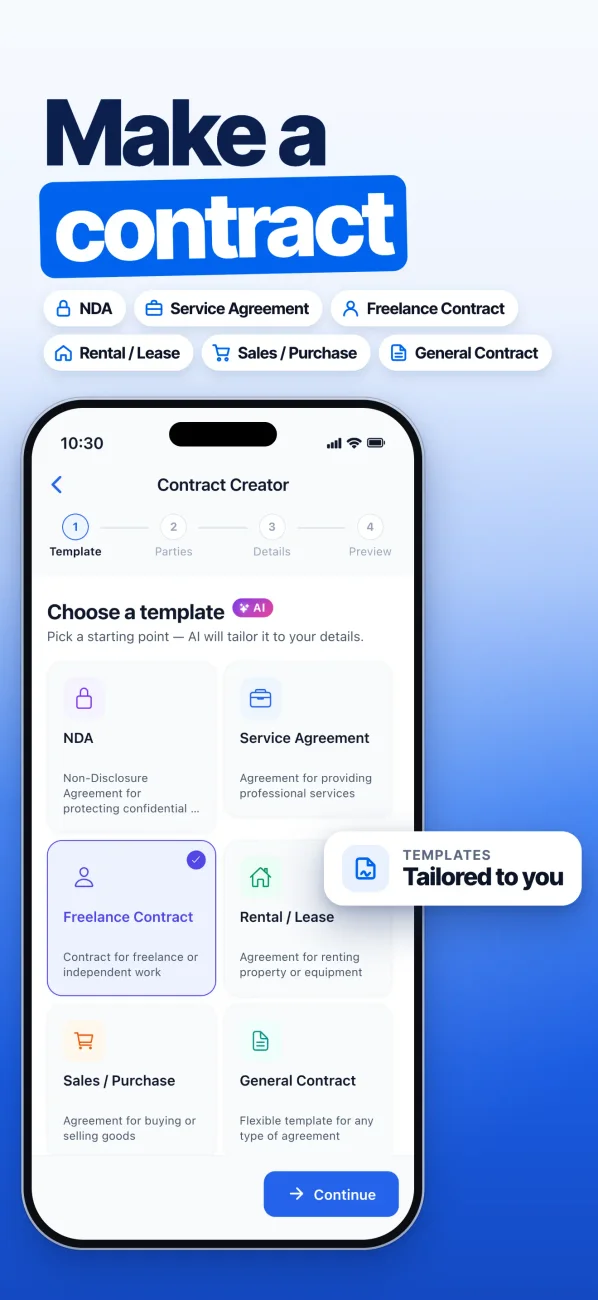
CONTRACT MAKER
• NDA, service, freelance, lease, sales and general agreements from templates, with a signature block
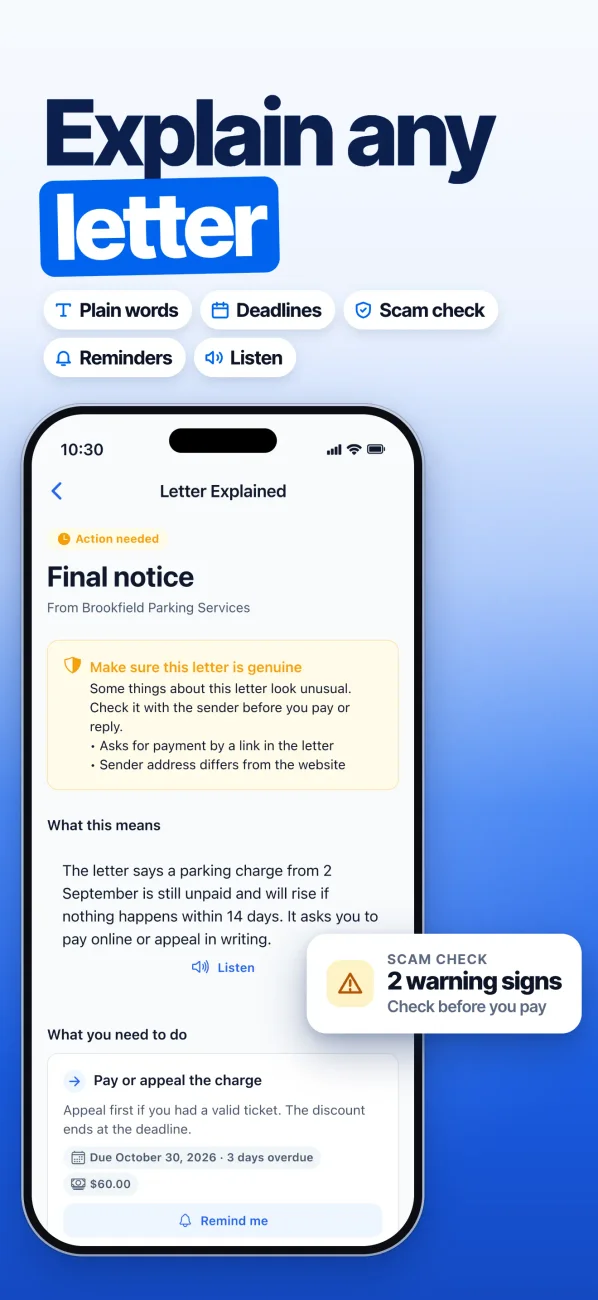
EXPLAIN A LETTER
• Plain-language explanation, deadlines with reminders, and a warning when a letter looks like a scam
WARRANTY TRACKER AND DOCUMENT VAULT
• A vault for IDs, passports, insurance and warranties, with expiry reminders at 30 days, 7 days and the day
• Receipt scanner for expenses, exported as CSV or PDF
FOR STUDY
• Flashcards and quizzes from notes, printed double-sided with an answer key
• Clean a worksheet of pen and pencil answers so it can be reprinted
PRIVATE BY DESIGN
• No sign-up and no login
• Scanning and text recognition happen on your device
• Your documents are stored on your phone; cloud backup is optional
• AI providers receive only the content being processed, never your name or email
• No ads and no ad tracking
FREE AND PREMIUM
Printing, scanning, text recognition and search, your library and 50 AI credits a month are free, plus one premium action a day. Premium is an optional weekly, monthly or yearly subscription that adds 1,500 AI credits a month, document chat, PDF tools, e-signatures and signature requests, the contract maker and cloud backup. Free trial: 3 days on the weekly plan, 7 days on monthly and yearly, with 500 AI credits during the trial. One subscription works on up to 5 devices. Payment is charged to your Apple ID account at confirmation of purchase. The subscription renews automatically unless cancelled at least 24 hours before the end of the current period. Manage or cancel anytime in your Apple ID account settings.
Privacy: https://printerpilot.app/privacy
Terms: https://printerpilot.app/terms
Support: https://printerpilot.app/support
Yang baru
Versi 1.0.5 · 3/11/2026
Faster, more reliable wireless printing, with live progress while a job sends.
• Choose exactly what to print: page ranges, odd or even pages, pages per sheet, paper size, quality and tray
• Two-sided printing by hand on printers without a duplexer
• Print several photos at once, or type or paste text and print it
• Print history with Print again
• Open PDFs and photos in Printer Pilot from other apps
• Sharper colour scans: whiter paper, true colours, crisp text
• Scan to PDF with searchable text, now also in Chinese, Japanese, Korean and Hindi, and export text as .txt or .docx
• Report a printing problem from the app
Privasi aplikasi
Yang dinyatakan Sohaib Ali di App Store tentang cara aplikasi ini menangani data.
-
Data yang ditautkan dengan Anda
Dapat dikumpulkan dan ditautkan dengan identitas Anda.
- Info kontak
Praktik privasi dapat bervariasi, misalnya berdasarkan fitur yang Anda gunakan atau usia Anda.
Informasi
- Penjual
- Sohaib Ali
- Kategori
- Produktivitas
- Versi
- 1.0.5
- Diperbarui
- 3/11/2026
- Dirilis
- 25/9/2026
- Ukuran
- 102,2 MB
- Memerlukan
- iOS 16.4 atau yang lebih baru
- Batasan usia
- 4+
- Harga
- Gratis
- Pembelian dalam aplikasi
- Ya
- Bahasa
- Inggris, Prancis, Jerman, Jepang, Korea, Portugis, Tionghoa Sederhana, Spanyol
- Hak cipta
- © 2026 TOPSOL
Mungkin Anda juga suka
-
 Visual reminders + widgetProduktivitas
-
 Focus & To-Do Timer - No AdsProduktivitas
-
 WageWatch AppProduktivitas
-
 Versa LinkProduktivitas
-
 Timer Pomodoro BelajarProduktif dengan Suara
-
 Agentforce CoworkerProduktivitas
-
 Qazo namozlarimProduktivitas
-
 CopyClip: Clipboard MangerProduktivitas
-
 Recurrence: Recurring TasksProduktivitas
-
 Kalkulator Pecahan: PecahanPemecah Langkah untuk Pecahan