
PromoShot App
Dirancang untuk iPhone, iPad, Mac
Gratis · Pembelian dalam aplikasi
- Batasan usia4+
- KategoriFoto & Video
- PengembangAlexander Garmash
- BahasaInggris
- Ukuran100,2 MB
Tertaut ke halaman resmi App Store
Download.org tidak menyimpan file PromoShot App apa pun. Tombol ini membuka halaman aplikasi di App Store, tempat Alexander Garmash menerbitkannya. Halaman terakhir diperiksa pada 29/11/2026.
Tangkapan layar




Tentang
Pengembang belum menyediakan teks ini dalam bahasa Anda.
PromoShot turns screen recordings, videos, photos, captions and drawings into polished promo assets — and animates them.
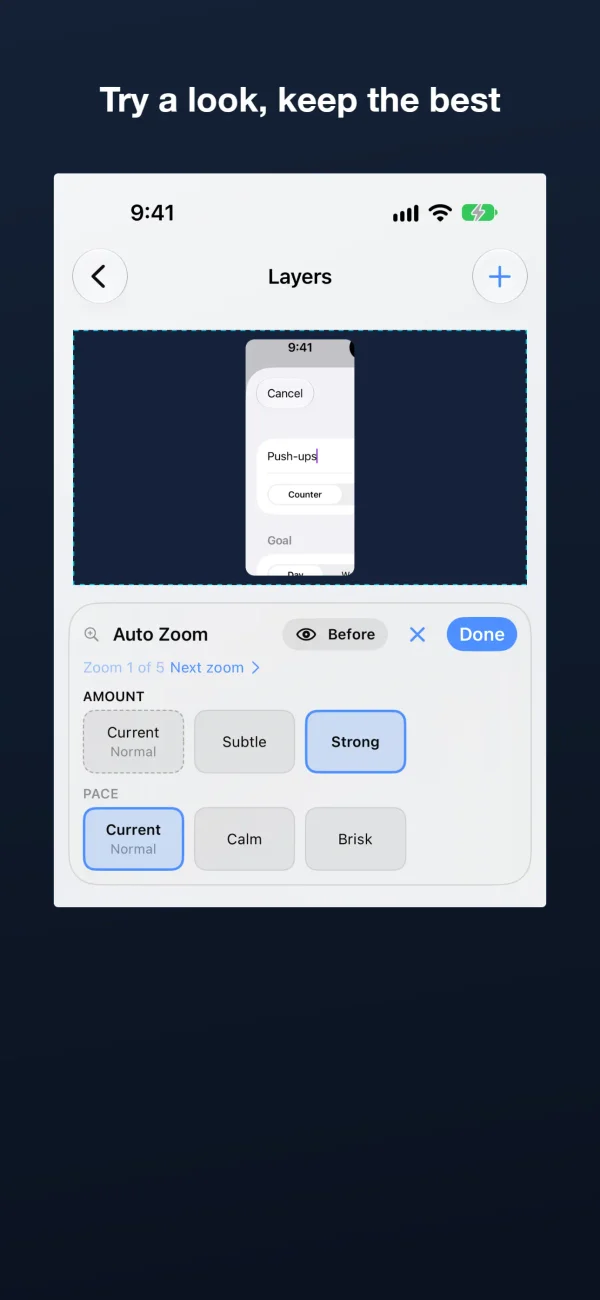
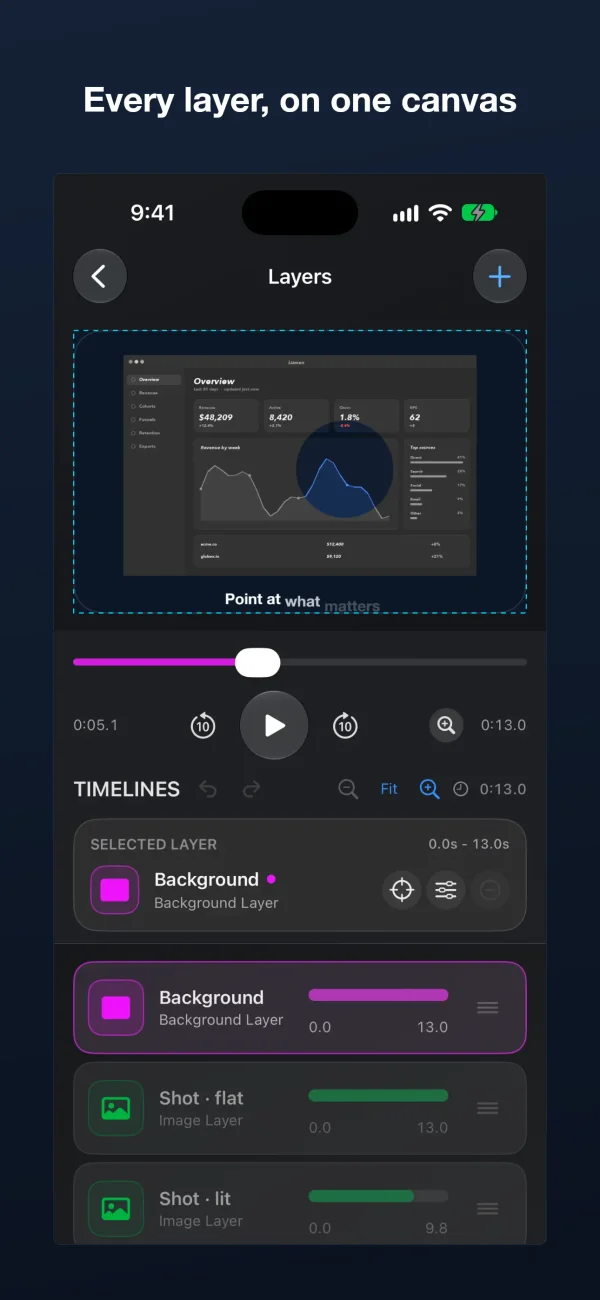
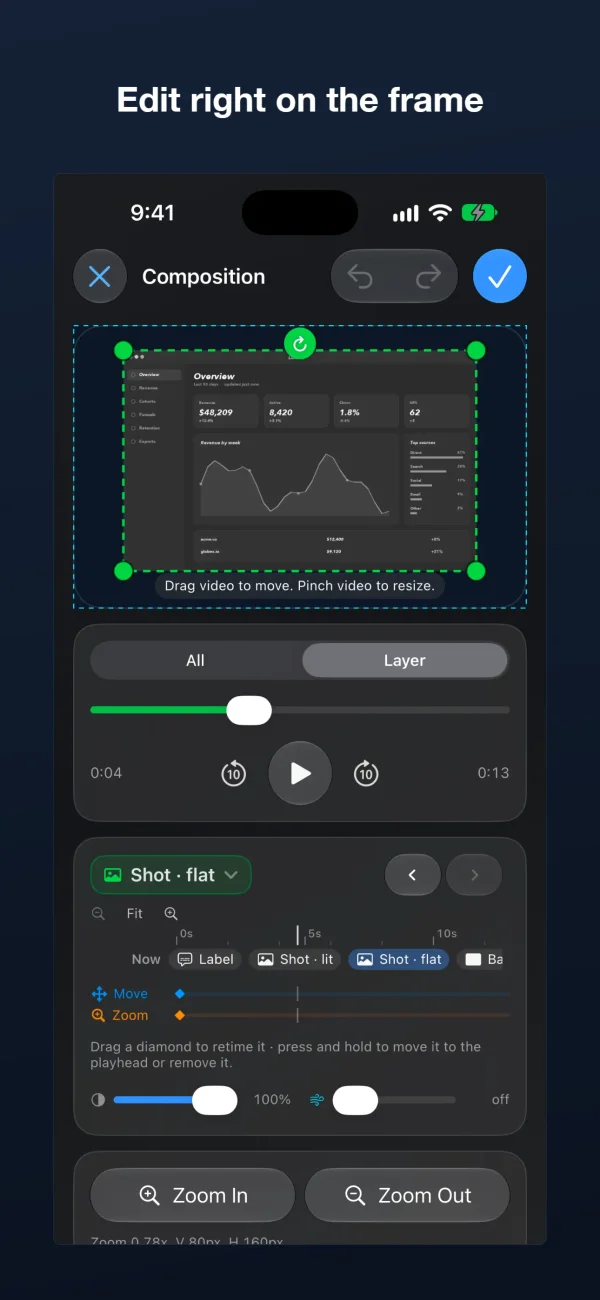
Build product videos and image sets in a visual layer editor. Record your screen or import media, arrange layers on a timeline, then keyframe anything that moves: position, scale, rotation, opacity, colour and more. Preview as you edit, and export video, stills or GIF.
Made for app makers, creators, founders and marketers who need clean product visuals without opening a desktop editor.
ANIMATE • Keyframe position, zoom, rotation, opacity and colour — each on its own lane, with its own timing and its own easing • Bend a move along a curve you draw, with motion paths • Motion blur from a camera shutter you set per layer • Play any clip at the speed you want
COMPOSE • Video, image, drawing, caption, audio and background layers • Masks — window a layer with a shape you draw, then move, scale and spin that window on its own clock • Colour grade per layer: saturation, contrast, brightness and tint, plus one-tap filters • Blend modes — screen, multiply and add • Viewports — pan and zoom inside a layer without moving it on the canvas • Sprite sheets, gradient backgrounds and a reusable project palette
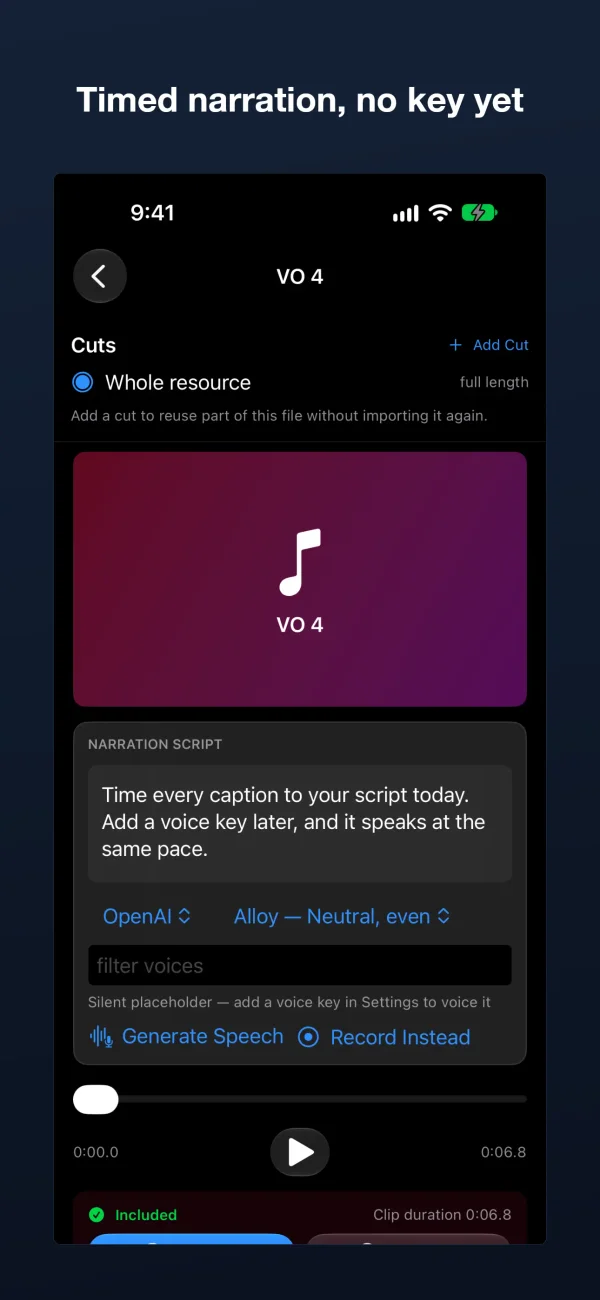
TEXT • Captions with custom fonts, colours, alignment, padding, outline and shadow • Text that arrives: types on letter by letter, or assembles word by word • Record voice clips, or have typed lines spoken — bring your own OpenAI or ElevenLabs account
SOURCES • Capture screen recordings, or import videos and images • Trim a video before you place it, and name sub-ranges to reuse as separate clips • Create image cuts from one photo and reuse them as separate layers
TIMELINE • Set layer start times, durations, order, visibility, position, scale and style • Anchor a layer to its neighbour — "start when the clip below ends" — and it stays true when you retrim • Zoom the timeline to 10s, 30s, 1m, 5m, or fit the whole project • In wide layouts, a Lanes view packs layers that never overlap onto shared rows, so a long slideshow reads as a few rows instead of hundreds
EXPORT • Finished videos, selected frames as image sets, or GIF • Share and import .promo project packages between devices
Free exports carry a small watermark. A one-time PromoShot Pro purchase removes it — nothing else is locked.
Use PromoShot for app demos, launch videos, social posts, product updates, App Store visuals and quick promotional content.
Yang baru
Versi 3.3 · 28/11/2026
Your project in other languages
Add languages in a project's settings, then pick one from the language menu to see and edit the whole project in it. Every caption, title and text in a picture gets its own translation, every narration its own script, voice and recording, and any picture, clip or composition can be swapped for one language. Timing follows each language's narration, so a longer take simply runs longer. Export one language, several or all at once, each into its own folder. Japanese, Chinese and Thai captions break between real words.
Translate
Translate fills in what is missing, on your iPhone with Apple's free translator or with your own OpenAI key. Machine translations are marked in the strings table for review, and nothing you wrote is ever replaced. Your keys now live on a new Accounts page in Settings, which says what each one is used for.
Captions that follow the voice
Narration now knows when each word is spoken. Captions can light up word by word as they are said, layers snap to words and sentences, and you can see every word and correct its timing. A plain recording with a transcript works the same way.
Music that moves with the beat
PromoShot measures a song's tempo and bars. Snap layers and keyframes to beats or bars, set lengths in beats, see bars on the ruler, and add pulse, shake or flash effects that land on the beat. Set the tempo by hand when you know it.
MIDI
Import a MIDI file or start a loop from nothing. Choose instruments, mute and solo tracks, edit notes in a piano roll and build drum patterns on a step grid. It plays through a bundled General MIDI sound bank and sounds the same on every device.
Voices on your iPhone
Download a free voice in Settings and narrate with no account, no key and no network. Its licence allows publishing what you make.
SVG pictures
Add .svg files as sharp vector pictures. Change any part's colour, gradient, stroke or text, animate parts on the timeline, draw strokes on, tie colours to your theme, or turn plain shapes into editable drawings.
Also
• Exported videos include 3D models and stages, as the editor shows them.
• Bouncy and elastic easings, with an overshoot amount.
• A voice ducks the music by each layer's own depth and speed.
• An audio layer can play a video's sound.
• A slideshow with music ends with its last slide.
• Shaking pictures move the same in the editor and the export.
• Dragging in a resource editor pauses playback and picks it up again after.
• When PromoShot can't tell when the words are said, as with a song over its music, captions show whole instead of lighting the wrong words.
• Normalize measures only the part of a recording a layer plays, and never turns a quiet take down.
Privasi aplikasi
Yang dinyatakan Alexander Garmash di App Store tentang cara aplikasi ini menangani data.
-
Data tidak dikumpulkan
Pengembang tidak mengumpulkan data apa pun dari aplikasi ini.
Praktik privasi dapat bervariasi, misalnya berdasarkan fitur yang Anda gunakan atau usia Anda.
Informasi
- Penjual
- Alexander Garmash
- Kategori
- Foto & Video
- Versi
- 3.3
- Diperbarui
- 28/11/2026
- Dirilis
- 30/5/2026
- Ukuran
- 100,2 MB
- Memerlukan
- iOS 26.0 atau yang lebih baru
- Batasan usia
- 4+
- Harga
- Gratis
- Pembelian dalam aplikasi
- Ya
- Bahasa
- Inggris
- Hak cipta
- © 2026 WriteA
Mungkin Anda juga suka
-
 Everfond: Restore Old PhotosFoto & Video
-
 Multi Angle AI – 3D CameraFoto & Video
-
 Scrollio: Skript TeleprompterFoto & Video
-
 Video Skript: TeleprompterTeks Berjalan & Running Text
-
 Rove: Living MemoriesFoto & Video
-
 AI Video Generator - Sorviai video generator & Sora, Veo
-
 Pixly The Contractor Photo AppFoto & Video
-
 white_borderFoto & Video
-
 Lenz AI: Video & Image MakerFoto & Video
-
 Teleprompter Pro - TikCue AppAI, Baca & Rekam, Mengambang