QuickCast Pro
Cast, Mirror & TV Remote
Dirancang untuk iPhone, iPad
Gratis · Pembelian dalam aplikasi
- Batasan usia4+
- KategoriKegunaan
- Pengembang强 王
- BahasaInggris+ 16 lainnya
- Ukuran6,8 MB
Tertaut ke halaman resmi App Store
Download.org tidak menyimpan file QuickCast Pro apa pun. Tombol ini membuka halaman aplikasi di App Store, tempat 强 王 menerbitkannya. Halaman terakhir diperiksa pada 12/11/2026.
Tangkapan layar
Tentang
Pengembang belum menyediakan teks ini dalam bahasa Anda.
Turn your iPhone into a powerful wireless casting hub — stream media to your TV, mirror your screen, control smart TVs, and receive files from any device on the same Wi-Fi network.
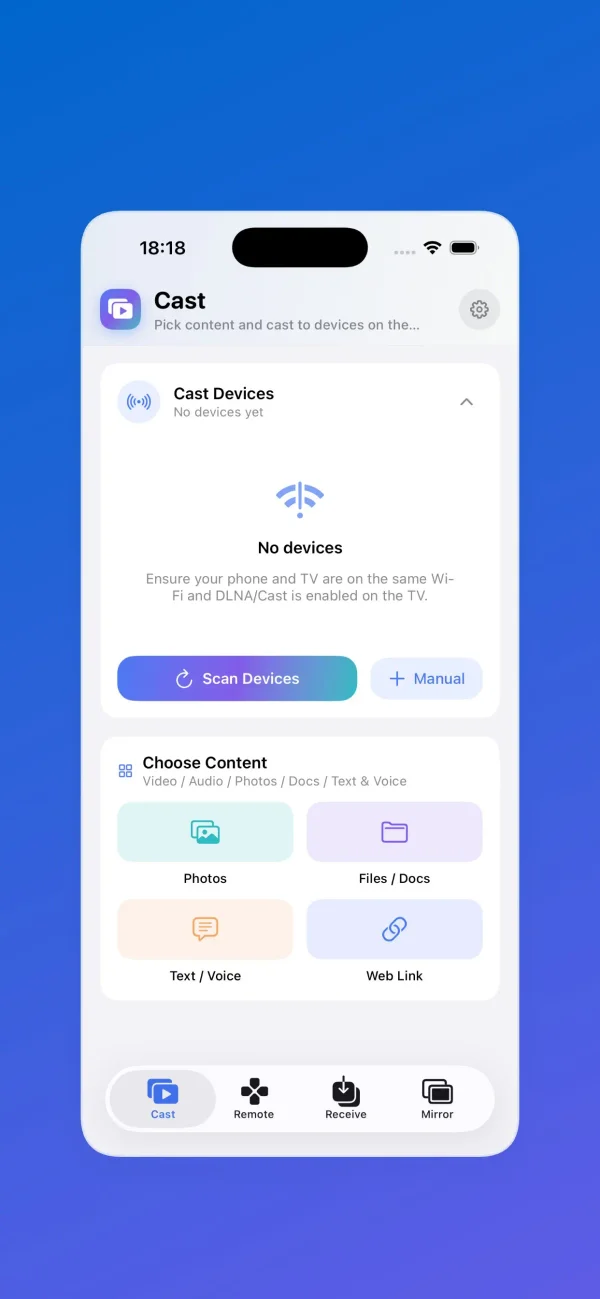
QuickCast Pro makes big-screen sharing simple. No HDMI cable, no complicated setup. Just connect to the same Wi-Fi, scan for devices, and start casting in seconds.
◆ CAST TO TV
• Photos, videos, music & files from your library
• Web links — direct video/audio URLs
• Documents — PDF, PPT, Word & more, auto-split into pages
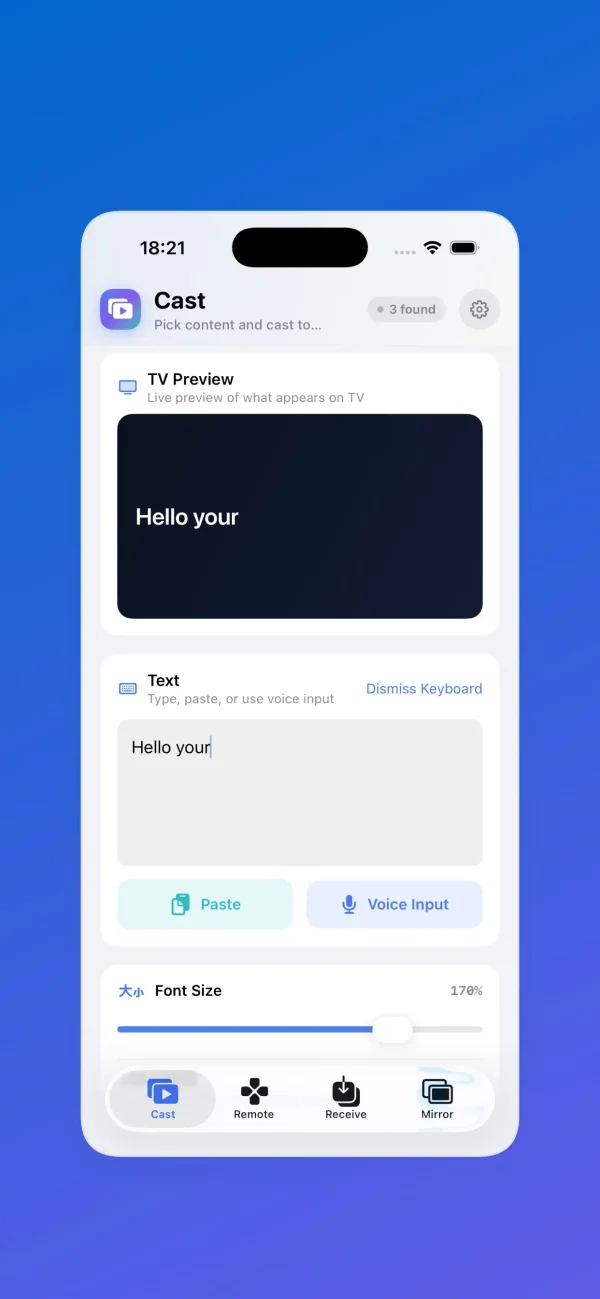
• Text & voice — type, paste, or speak; live-update on TV
• Multi-device casting — send to several TVs at once
◆ TV REMOTE
• Full remote for compatible smart TVs on your local network
• D-pad, Home, Back, Menu, volume & channel controls
• Media playback controls for content you're casting
• Auto-detects device type and connects over LAN
◆ SCREEN MIRROR
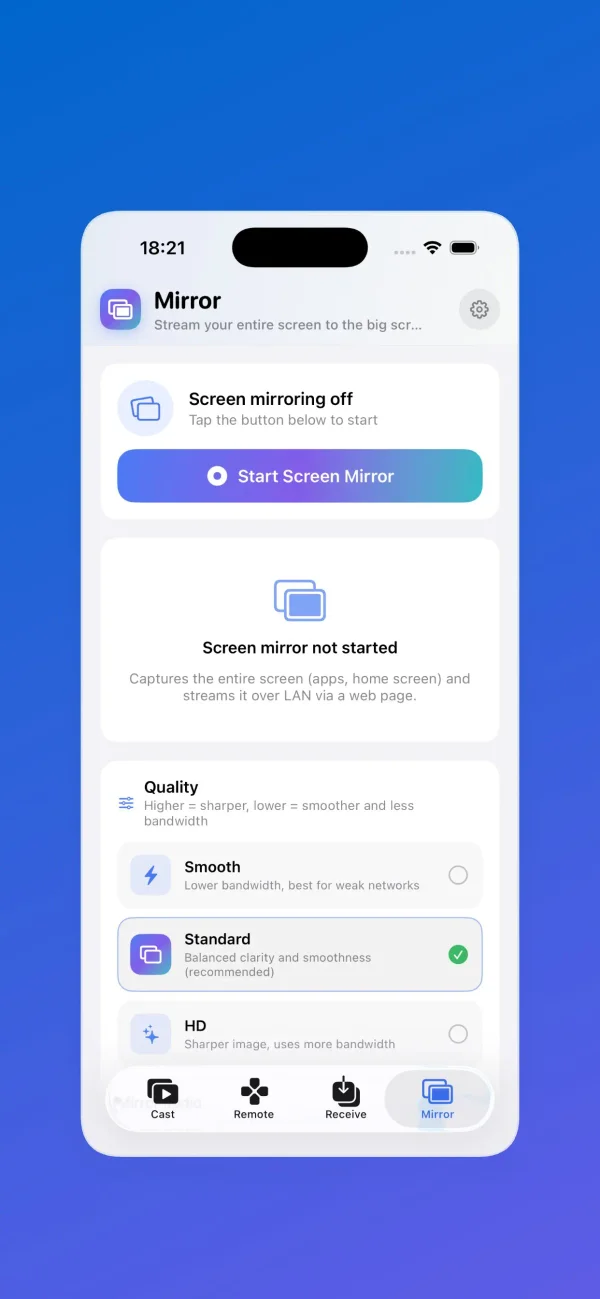
• Mirror your entire iPhone screen to any browser
• Watch on TV, PC, tablet — any device with a web browser
• Adjustable quality: Smooth, Standard, or HD
• Optional in-app audio in the stream
• Great for presentations, gaming & demos
◆ RECEIVE & TRANSFER
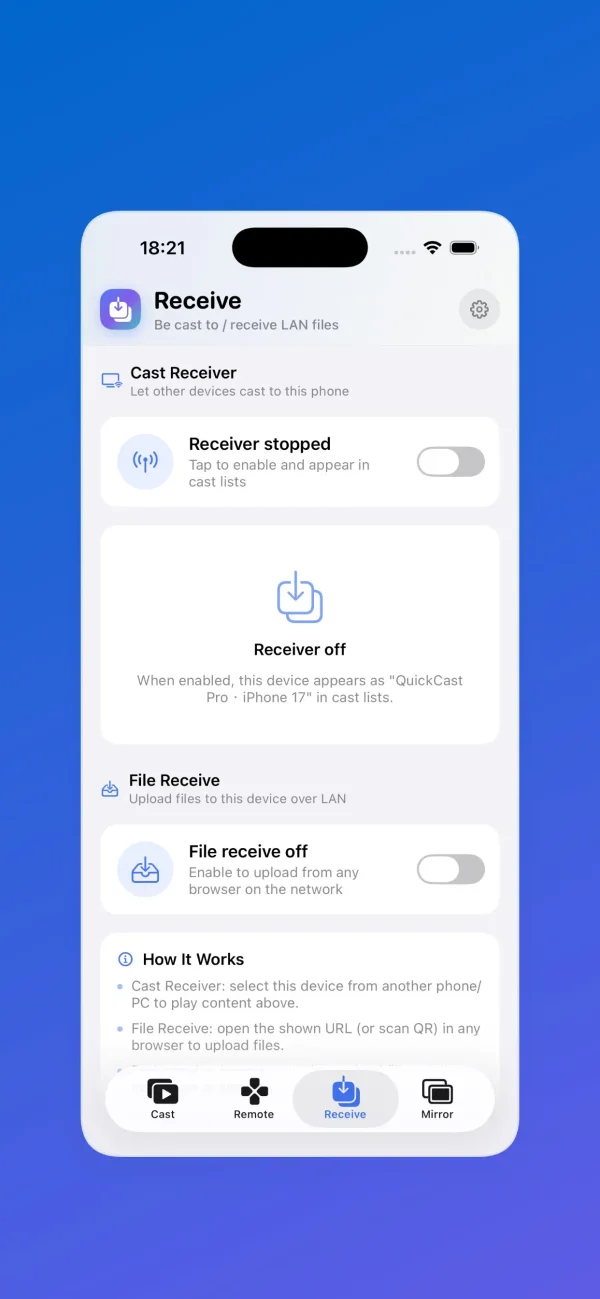
• Turn your phone into a cast receiver on the local network
• Accept media casts from other phones or PCs
• LAN file transfer — open a URL in any browser to upload files
• View, re-cast, or share received files instantly
◆ WHY QUICKCAST PRO
• Clean, fast interface — four tabs: Cast, Remote, Receive, Mirror
• Scan & discover devices on your Wi-Fi automatically
• Manual IP connect when auto-scan doesn't find your TV
• 10+ interface languages
• Premium unlocks unlimited Cast, Remote & Receive — one-time purchase, lifetime access
◆ HOW TO USE
1. Connect iPhone and TV to the same Wi-Fi
2. Tap Scan on the Cast tab and select your device
3. Pick content — photos, files, links, or documents
4. Use Remote to control your TV; use Mirror to share your screen
◆ REQUIREMENTS
• iPhone and target device on the same local network
• DLNA/Cast enabled on your TV (most smart TVs support this)
• Local network permission required for device discovery
◆ DISCLAIMER
QuickCast Pro is an independent third-party app. It is not affiliated with, endorsed by, or sponsored by any TV or device manufacturer. Compatibility depends on your device model and network setup.
Download QuickCast Pro and enjoy wireless casting, mirroring, and TV control — all from your pocket.
Yang baru
Versi 1.8 · 13/8/2026
- Added cache clearing
Privasi aplikasi
Yang dinyatakan 强 王 di App Store tentang cara aplikasi ini menangani data.
-
Data tidak dikumpulkan
Pengembang tidak mengumpulkan data apa pun dari aplikasi ini.
Praktik privasi dapat bervariasi, misalnya berdasarkan fitur yang Anda gunakan atau usia Anda.
Informasi
- Penjual
- 强 王
- Kategori
- Kegunaan
- Versi
- 1.8
- Diperbarui
- 13/8/2026
- Dirilis
- 22/6/2026
- Ukuran
- 6,8 MB
- Memerlukan
- iOS 17.0 atau yang lebih baru
- Batasan usia
- 4+
- Harga
- Gratis
- Pembelian dalam aplikasi
- Ya
- Bahasa
- Inggris, Arab, Belanda, Prancis, Jerman, Yunani, Jepang, Korea, Bahasa Melayu, Polski (Polandia), Rusia, Tionghoa Sederhana + 5 lainnya
- Hak cipta
- © 2026 wangqiang
Mungkin Anda juga suka
-
 Pinger - Network MonitorKegunaan
-
 SilentProof: Noise ComplaintKegunaan
-
 Private Vault – Offline SafeKegunaan
-
 小吉历-小清新万年历老黄历农历卡片日历节日节气实况天气预报Kegunaan
-
 FastCut-快剪Kegunaan
-
 Countix – Simple CounterKegunaan
-
 Unicode: Math Symbol KeyboardKegunaan
-
 Typin - A minimal input appKegunaan
-
 Perekam Suara AI: TranskripLabel pembicara & ringkasan AI
-
 MileageMate: Fuel TrackerKegunaan