Radio Code for Ford - Instant
Instant Codes, Zero Hassle
Dirancang untuk iPhone, iPad, iPod touch
Gratis · Pembelian dalam aplikasi
- Batasan usia17+
- KategoriKegunaan
- PengembangUros Radovanovic
- BahasaInggris
- Ukuran35,3 MB
Tertaut ke halaman resmi App Store
Download.org tidak menyimpan file Radio Code for Ford - Instant apa pun. Tombol ini membuka halaman aplikasi di App Store, tempat Uros Radovanovic menerbitkannya. Halaman terakhir diperiksa pada 12/11/2026.
Tangkapan layar


Tentang
Pengembang belum menyediakan teks ini dalam bahasa Anda.
How to Use This App
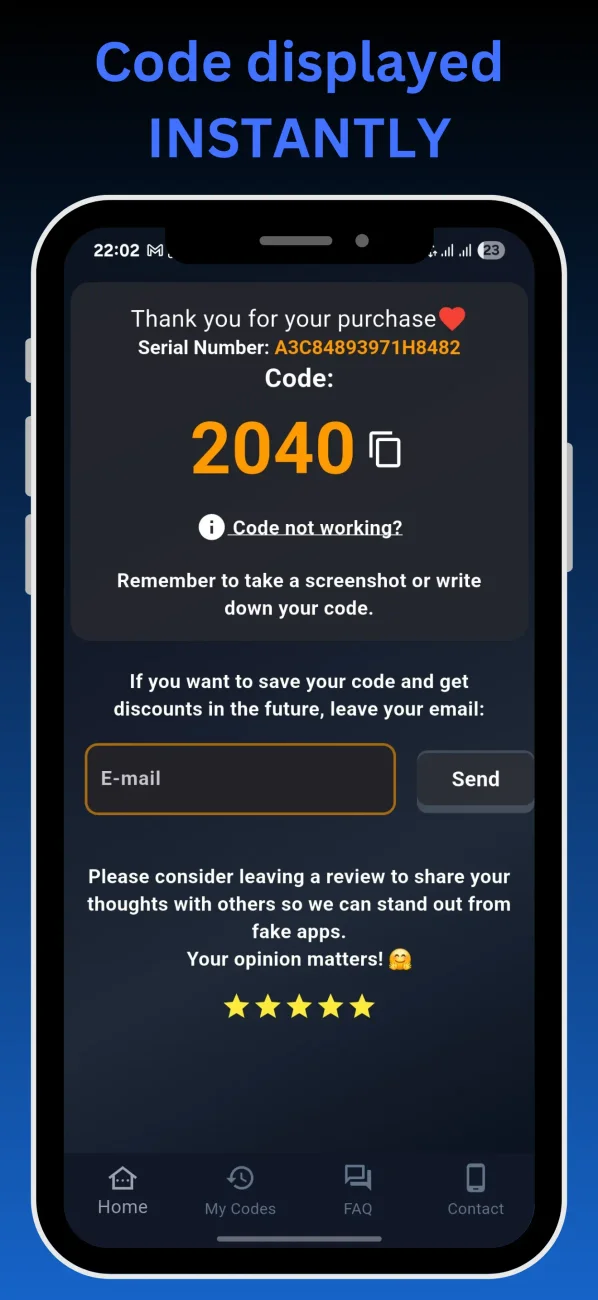
Simply enter your radio’s serial number (S/N) into our app to check if your 4-digit code is instantly available on-screen after payment.
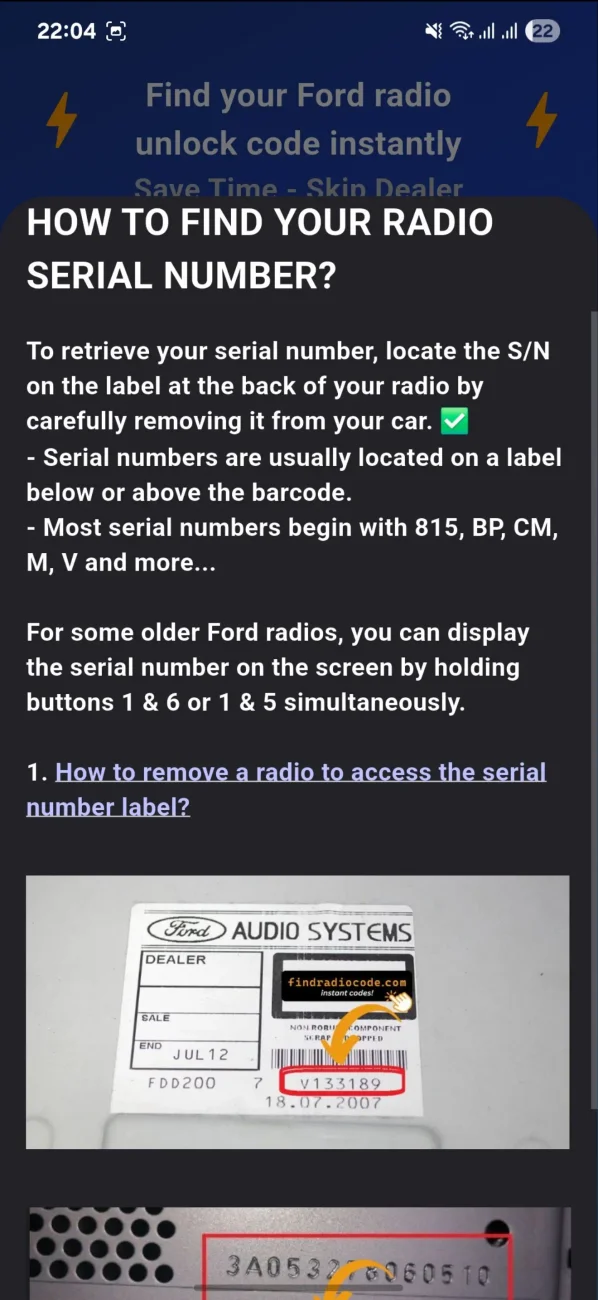
How to Find Your Serial Number
The serial number is located on a label or sticker after removing the radio from the console, often found above or below the barcode.
Second option from screen: hold buttons 1 and 6.
Tip: Serial numbers usually start with V, M, BP, C7 etc. For example: V621561
No VIN required — each code is unique to the radio’s serial number and can't be retrieved with the VIN.
24/7 Support with Real Humans via WhatsApp or Email
We always respond within 24 hours.
100% Money-Back Guarantee
If your radio code doesn’t work, we’ll refund your payment in full.
Simply provide a video showing the code entry process, including the serial number from the label in the same video.
100% Working or FULL REFUND
Save Time and Money
Avoid the hassle of visiting a dealership, wasting your time, and, worst of all, being overcharged.
Our service is instant, easy to use, and available online 24/7 just for you.
Ford Radio Anti-Theft Unlock Code – Display Instantly
Available 24/7 online! Retrieve your code instantly on your screen after payment.
Supports a Wide Range of Radio Unlock Codes, including:
M and V (M123123, V123123, SOCD1XDV652048) – Visteon
BP / CM (BP0526A6326431) – Blaupunkt, Bosch
C7 (815C7E3F0595A3301253) – Ford TravelPilot EX, FX, NX radio code calculator
Ford Models Supported
Focus, Fiesta, Mondeo, S-Max, Transit (2006, 2007, 2008)
Radio Models: 6000 CD, SONY, 4500 RDS EON, 6000 CD RDS EON, 5000 RDS, 3000 TRAFFIC, TravelPilot
Unlock Your Ford Radio with Ease – Enter Your PIN
If your screen displays "Code" or "Enter code," you're in the right mode.
Use button 1 to set the first digit — keep pressing until the correct number appears. Repeat for the second digit with button 2. Use buttons 3 and 4 to enter the remaining digits.
Confirm your code by holding the appropriate button:
6000 CD / 4500 RDS / 5000 RDS – Hold button 5
Sony CD (2008+ models) – Hold the * button
All other models – Hold OK or the center button
Now, enjoy your music again!
Is Your Ford Radio Locked? Here’s How to Fix It
If you’ve entered the wrong code too many times, your stereo might display “LOCKED” on the screen. This security feature, common on 6000 CD models, prevents unauthorized access by blocking further attempts.
How to Reset and Try Again
Press and hold button 6 for about 10 seconds to unlock the system and re-enter your code.
Important:
You only get three more attempts after unlocking.
If you enter the wrong code again, your radio may show "LOCKED 13", meaning only an authorized Ford dealer can reset it.
Take your time, enter the code carefully, and get your music back on!
Disclaimer
This app is an independent service and is not affiliated with, endorsed by, or sponsored by Ford. Brand names and logos are used only for identification. For official guidance and support, please refer to your car’s manual or contact the manufacturer directly.
We cannot cover every radio model and are not liable for issues with incorrect code entries. For official support and guidance, please refer to your car’s manual or contact the manufacturer directly.
Privasi aplikasi
Yang dinyatakan Uros Radovanovic di App Store tentang cara aplikasi ini menangani data.
-
Data tidak dikumpulkan
Pengembang tidak mengumpulkan data apa pun dari aplikasi ini.
Praktik privasi dapat bervariasi, misalnya berdasarkan fitur yang Anda gunakan atau usia Anda.
Informasi
- Penjual
- Uros Radovanovic
- Kategori
- Kegunaan
- Versi
- 1.0
- Diperbarui
- 22/10/2025
- Dirilis
- 22/10/2025
- Ukuran
- 35,3 MB
- Memerlukan
- iOS 15.6 atau yang lebih baru
- Batasan usia
- 17+
- Harga
- Gratis
- Pembelian dalam aplikasi
- Ya
- Bahasa
- Inggris
- Hak cipta
- © Uros Radovanovic
Mungkin Anda juga suka
-
 Radio Code for FordKegunaan
-
 Kode Radio Mobil - Seri MBuka kunci radio mobil
-
 Ford Radio Code GeneratorKegunaan
-
 Car Radio Code GeneratorKegunaan
-
 Radio Code Finder - Car StereoKegunaan
-
 Radio Code GeneratorKegunaan
-
 Radio Code Opel GMKegunaan
-
 Radio Code Master: UnlockKegunaan
-
 Radio Code Generator & FinderKegunaan
-
 Car Radio Code UnlockKegunaan